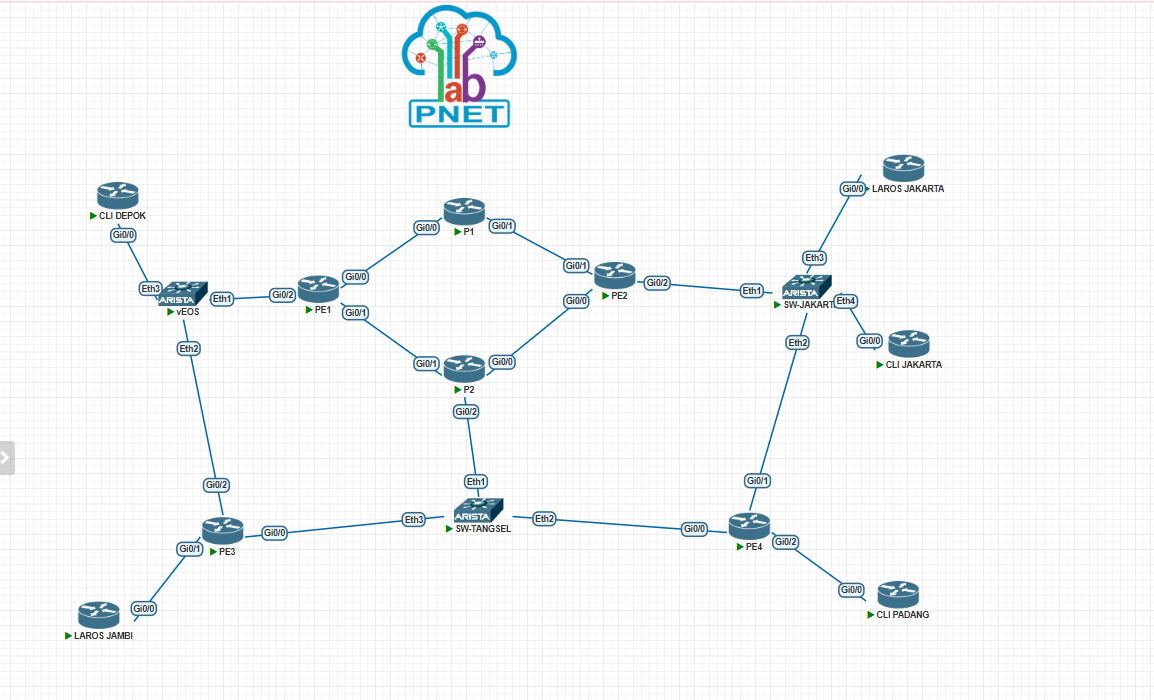
Installation and Configuration of Elasticsearch, Kibana, and Direct Filebeat IPFIX for Juniper on…
Install required packages:
Installation and Configuration of Elasticsearch, Kibana, and Direct Filebeat IPFIX for Juniper on Ubuntu 22.04
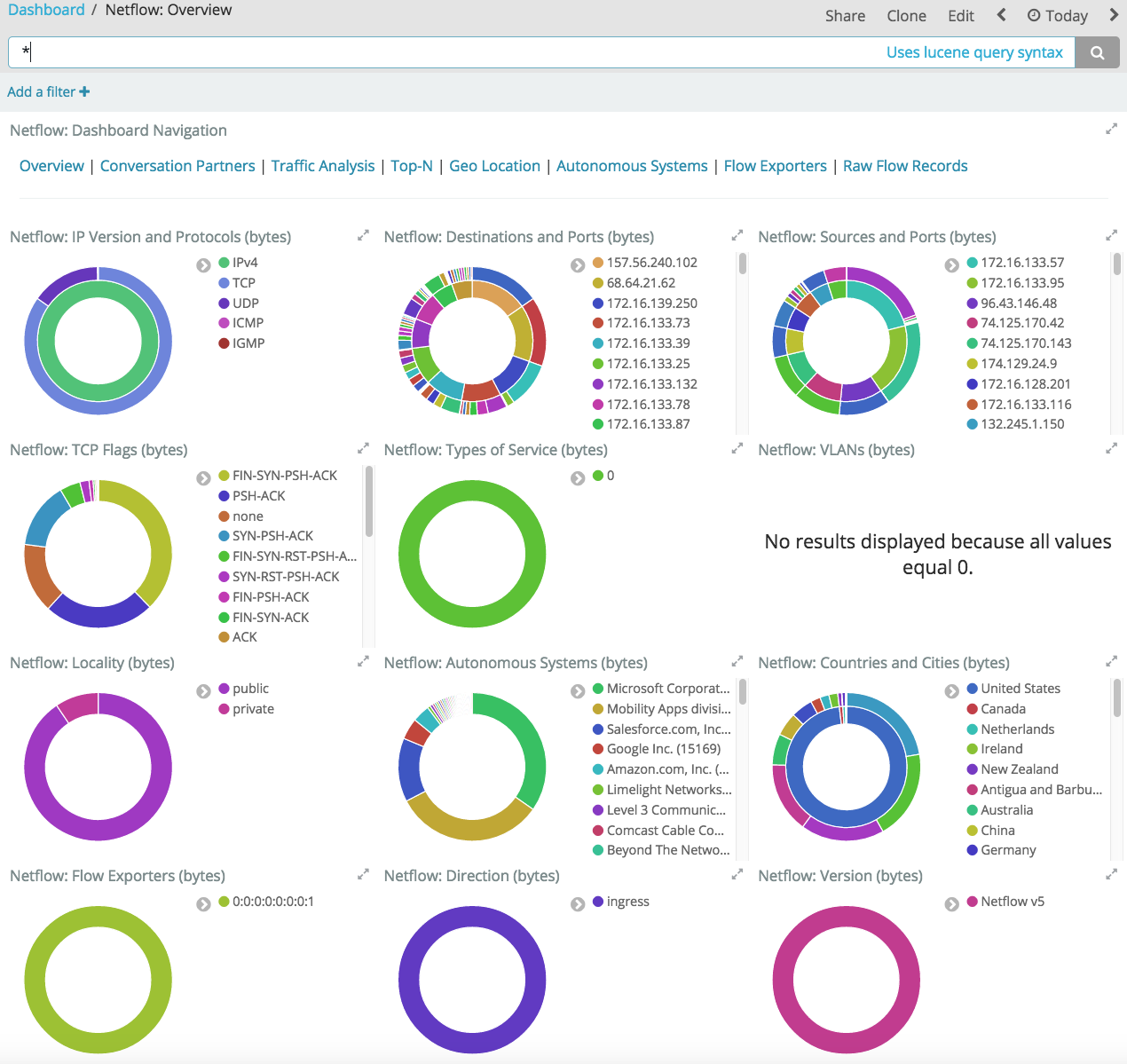
Install required packages:
sudo apt install wget curl gnupg2 -yInstall OpenJDK 11:
sudo apt install openjdk-11-jdk -yVerify Java installation:
java -versionConfigure JVM options: sudo nano /etc/elasticsearch/jvm.options
-Xms5g
-Xmx5g
Install Nginx:
sudo apt install nginx -yAdd Elasticsearch GPG key:
wget -qO - https://artifacts.elastic.co/GPG-KEY-elasticsearch | sudo apt-key add -Add Elasticsearch repository:
sudo sh -c 'echo "deb https://artifacts.elastic.co/packages/8.x/apt stable main" > /etc/apt/sources.list.d/elastic-8.x.list'Update package lists:
sudo apt updateInstall Elasticsearch:
sudo apt install elasticsearchConfigure Elasticsearch:
sudo nano /etc/elasticsearch/elasticsearch.yml# Enable encryption for HTTP API client connections, such as Kibana, Logstash, and Agents
xpack.security.http.ssl:
enabled: false
keystore.path: certs/http.p12
# Allow HTTP API connections from anywhere
# Connections are encrypted and require user authentication
http.host: 0.0.0.0
#----------------------- END SECURITY AUTO CONFIGURATION -------------------------
network.host: localhost
http.port: 9200
#discovery.type: single-nodeAllow Elasticsearch port through firewall:
sudo ufw allow 9200sudo systemctl daemon-reload
sudo systemctl start elasticsearch.serviceInstall and configure Kibana:
sudo apt install kibana -y

sudo nano /etc/kibana/kibana.yml

server.port: 5601
server.host: "0.0.0.0"
elasticsearch.hosts: ["http://127.0.0.1:9200"]
elasticsearch.username: "kibana_system"
elasticsearch.password: "password"

sudo systemctl start kibana
sudo systemctl enable kibana
sudo ufw allow 5601/tcp
sudo systemctl status kibana
Reset Elasticsearch and Kibana passwords:
cd /usr/share/elasticsearch/bin
./elasticsearch-reset-password -u elastic
sudo nano /etc/kibana/kibana.yml
sudo systemctl restart kibana
./elasticsearch-reset-password -u kibana_system -i
Install and configure Filebeat:
sudo filebeat modules enable netflow
sudo filebeat setup
sudo nano /etc/filebeat/modules.d/netflow.yml

# =================================== Kibana ===================================

# Starting with Beats version 6.0.0, the dashboards are loaded via the Kibana API.
# This requires a Kibana endpoint configuration.
setup.kibana:

  # Kibana Host
  # Scheme and port can be left out and will be set to the default (http and 5601)
  # In case you specify and additional path, the scheme is required: http://localhost:5601/path
  # IPv6 addresses should always be defined as: https://[2001:db8::1]:5601
  host: "localhost:5601"

  # Kibana Space ID
  # ID of the Kibana Space into which the dashboards should be loaded. By default,
  # the Default Space will be used.
  #space.id:
# ---------------------------- Elasticsearch Output ----------------------------
output.elasticsearch:
  # Array of hosts to connect to.
  hosts: ["localhost:9200"]

  # Performance preset - one of "balanced", "throughput", "scale",
  # "latency", or "custom".
  preset: balanced

  # Protocol - either `http` (default) or `https`.
  #protocol: "https"

  # Authentication credentials - either API key or username/password.
  #api_key: "id:api_key"
  username: "elastic"
  password: "password"
Modules Netflow Filebeat
sudo filebeat modules enable netflow
sudo nano /etc/filebeat/modules.d/netflow.yml

# Module: netflow
# Docs: https://www.elastic.co/guide/en/beats/filebeat/8.15/filebeat-module-netflow.html

- module: netflow
  log:
    enabled: true
    var:
      netflow_host: 0.0.0.0
      netflow_port: 2055
      # internal_networks specifies which networks are considered internal or private
      # you can specify either a CIDR block or any of the special named ranges listed
      # at: https://www.elastic.co/guide/en/beats/filebeat/current/defining-processors.html#condition-network
      internal_networks:
        - private

sudo filebeat setup
sudo systemctl restart filebeat
Configuration netflow/ipfix Juniper MX-204
set chassis fpc 0 sampling-instance sample-ipfix
set chassis fpc 0 inline-services flow-table-size ipv4-flow-table-size 5
set chassis fpc 0 inline-services flow-table-size ipv6-flow-table-size 5
set interfaces et-0/0/1 unit 999 description IPTR
set interfaces et-0/0/1 unit 999 vlan-id 999
set interfaces et-0/0/1 unit 999 family inet sampling input
set interfaces et-0/0/1 unit 999 family inet address x.x.x.x/x
set forwarding-options sampling input rate 2048
set forwarding-options sampling input run-length 0
set forwarding-options sampling instance sample-ipfix input rate 2048
set forwarding-options sampling instance sample-ipfix input max-packets-per-second 65535
set forwarding-options sampling instance sample-ipfix family inet output flow-server (ip server netflow) port 2055
set forwarding-options sampling instance sample-ipfix family inet output flow-server (ip server netflow)autonomous-system-type origin
set forwarding-options sampling instance sample-ipfix family inet output flow-server (ip server netflow) source-address x.x.x.x
set forwarding-options sampling instance sample-ipfix family inet output flow-server (ip server netflow) version-ipfix template ipfix-ipv4
set forwarding-options sampling instance sample-ipfix family inet output inline-jflow source-address x.x.x.x
메타데이터
- post_id
- 18cc17ca9b3e
- slug
- installation-and-configuration-of-elasticsearch-kibana-and-direct-filebeat-ipfix-for-juniper-on-18cc17ca9b3e
- url
- https://medium.com/@ilhamhidayattkj/installation-and-configuration-of-elasticsearch-kibana-and-direct-filebeat-ipfix-for-juniper-on-18cc17ca9b3e
- canonical_url
- https://medium.com/@ilhamhidayattkj/installation-and-configuration-of-elasticsearch-kibana-and-direct-filebeat-ipfix-for-juniper-on-18cc17ca9b3e
- author_url
- https://medium.com/@ilhamhidayattkj
- status
- ok
- fetched_at
- 2026-06-26 21:52:29