[sed Part-2]Mastering sed Pattern Space, Hold Space, and Multiline Processing
Introduction
[sed Part-2]Mastering sed Pattern Space, Hold Space, and Multiline Processing
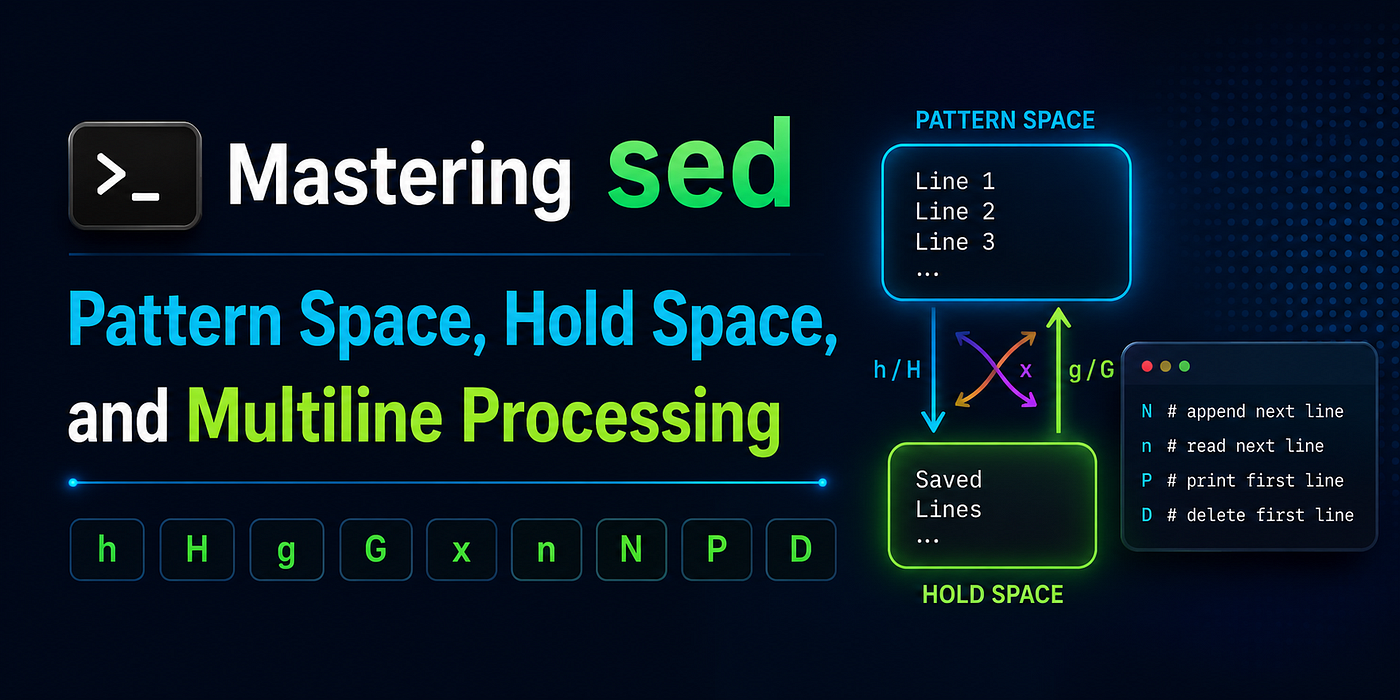
Introduction
Most Linux users learn sed through simple substitutions and line filtering. However, the real power of sed appears when you understand Pattern Space, Hold Space, and multiline processing. These features allow sed to remember previous lines, process multiple lines together, reverse files, swap records, and perform transformations that many users assume require awk or Perl.
In this article, we’ll explore the advanced commands that make sed a true text-processing language: h, H, g, G, x, n, N, P, and D. Don't worry if these commands look intimidating at first—by the end, you'll understand exactly how they work and when to use them.
Understanding Pattern Space and Hold Space
Before learning the commands, let’s understand the two most important concepts in advanced sed.
Pattern Space
The Pattern Space is sed’s current working area.
For example, if sed is processing:
apple
banana
orange
When sed reaches the second line:
Pattern Space = bananaAll commands operate on the Pattern Space.
Hold Space
The Hold Space is a temporary storage area.
Think of it as a variable that can save text for later use.
Pattern Space = Current line
Hold Space    = Saved line(s)
The Hold Space survives across processing cycles, which allows sed to remember information from previous lines.
1. h — Copy Pattern Space to Hold Space
Meaning
Copies the entire Pattern Space into the Hold Space, replacing anything already stored there.
Input
apple
banana
orange
Command
sed '1h' fruits.txtOutput
apple
banana
orange
What Happened?
When sed processes line 1:
Pattern Space = apple
Hold Space    = empty
After h:
Pattern Space = apple
Hold Space    = apple
The output remains unchanged, but Hold Space now contains a copy of line 1.
When to Use
Store a line for future comparison or reuse.
2. H — Append Pattern Space to Hold Space
Meaning
Appends the current Pattern Space to the Hold Space instead of replacing it.
Input
apple
banana
orange
Command
sed 'H' fruits.txtInternal Result
After line 1:
Hold Space =
apple
After line 2:
Hold Space =
apple
banana
After line 3:
Hold Space =
apple
banana
orange
What Happened?
Unlike h, which overwrites Hold Space, H keeps adding new content.
When to Use
Build a multiline buffer containing several lines.
3. g — Copy Hold Space to Pattern Space
Meaning
Replaces the current Pattern Space with the contents of Hold Space.
Input
apple
banana
orange
Command
sed '1h;2g' fruits.txtOutput
apple
apple
orange
What Happened?
Line 1:
Hold Space = appleLine 2:
Pattern Space = bananaAfter g:
Pattern Space = appleThe original line is replaced with Hold Space contents.
When to Use
Restore previously saved content.
4. G — Append Hold Space to Pattern Space
Meaning
Appends Hold Space to the current Pattern Space.
Input
apple
banana
orange
Command
sed '1h;2G' fruits.txtOutput
apple
banana
apple
orange
What Happened?
Before G:
Pattern Space = banana
Hold Space    = apple
After G:
Pattern Space =
banana
apple
When to Use
Combine current and previously saved data.
5. x — Swap Pattern Space and Hold Space
Meaning
Exchanges Pattern Space and Hold Space.
Input
apple
banana
orange
Command
sed '1h;2x' fruits.txtOutput
apple
apple
orange
What Happened?
Before swap:
Pattern Space = banana
Hold Space    = apple
After swap:
Pattern Space = apple
Hold Space    = banana
When to Use
Temporarily exchange saved and current data.
6. n — Read Next Line
Meaning
Reads the next input line and replaces the current Pattern Space.
Input
A
B
C
Command
sed 'n' file.txtOutput
A
B
C
What Happened?
For every cycle:
Current line discarded
Next line loaded
Important Difference
n = Replace current line
N = Append next line
Many beginners confuse these commands.
7. N — Append Next Line
Meaning
Reads the next line and appends it to Pattern Space.
Input
A
B
C
Command
sed 'N' file.txtPattern Space
After first N:
A
B
What Happened?
Instead of replacing the current line, N keeps it and appends the next one.
When to Use
Multiline processing.
Reading Three Lines Together
Input
A
B
C
D
Command
sed '
N
N
'
Pattern Space
A
B
C
What Happened?
Each N adds one more line.
N     -> 2 lines
N N   -> 3 lines
N N N -> 4 lines
8. P — Print First Line of Pattern Space
Meaning
Prints only the first line from a multiline Pattern Space.
Input
A
B
Command
sed -n '
N
P
'
Output
AWhat Happened?
Pattern Space contains:
A
B
P prints only:
AWhen to Use
Process multiline buffers one line at a time.
9. D — Delete First Line of Pattern Space
Meaning
Deletes only the first line from a multiline Pattern Space.
Input
A
B
C
Command
sed '
N
D
'
Internal Processing
Before:
A
B
After D:
BWhat Happened?
Unlike d, which removes the entire Pattern Space, D removes only the first line.
Important Difference
d = Delete everything
D = Delete first line only
Real-World Example: Print Previous Line
One of the most common Hold Space examples.
Input
INFO
ERROR
DEBUG
Command
sed -n '
/ERROR/{
g
p
}
h
'
Output
INFOWhat Happened?
When sed finds ERROR:
Hold Space contains previous lineg restores it.
p prints it.
Real-World Example: Reverse a File
Input
A
B
C
D
Command
sed '1!G;h;$!d'Output
D
C
B
A
How It Works
G -> Append previous lines
h -> Save current result
d -> Suppress intermediate output
This is one of the most famous sed one-liners ever written.
Real-World Example: Swap Adjacent Lines
Input
A
B
C
D
Command
sed -E 'N;s/(.*)\n(.*)/\2\n\1/'Output
B
A
D
C
What Happened?
N creates:
A
B
Regex swaps:
B
A
The process repeats for the next pair.
Mental Models
Remember these shortcuts:
CommandThink OfhSaveHAppend SavegRestoreGAppend RestorexSwapnNext LineNAppend Next LinePPrint First LineDDelete First Line
Conclusion
Understanding Pattern Space and Hold Space is the moment when sed starts to feel like a programming language rather than a simple text editor. The commands covered here — h, H, g, G, x, n, N, P, and D—form the foundation of advanced sed scripting.
In the next part, we’ll explore labels, branching, flow control, and advanced regular expressions. That’s where sed gains the ability to loop, make decisions, and perform surprisingly sophisticated text transformations.
메타데이터
- post_id
- 18ff4aae5442
- slug
- sed-part-2-mastering-sed-pattern-space-hold-space-and-multiline-processing-18ff4aae5442
- url
- https://medium.com/@mokanraaj/sed-part-2-mastering-sed-pattern-space-hold-space-and-multiline-processing-18ff4aae5442
- canonical_url
- https://medium.com/@mokanraaj/sed-part-2-mastering-sed-pattern-space-hold-space-and-multiline-processing-18ff4aae5442
- author_url
- https://medium.com/@mokanraaj
- status
- ok
- fetched_at
- 2026-07-13 15:51:14





