Teaching AI Agents to Write Infrastructure Code Properly: A Guide to terraform-skill
How a Dedicated Terraform and OpenTofu Skill Gives Coding Agents Real Infrastructure Expertise Instead of Generic Guesswork
Teaching AI Agents to Write Infrastructure Code Properly: A Guide to terraform-skill
How a Dedicated Terraform and OpenTofu Skill Gives Coding Agents Real Infrastructure Expertise Instead of Generic Guesswork
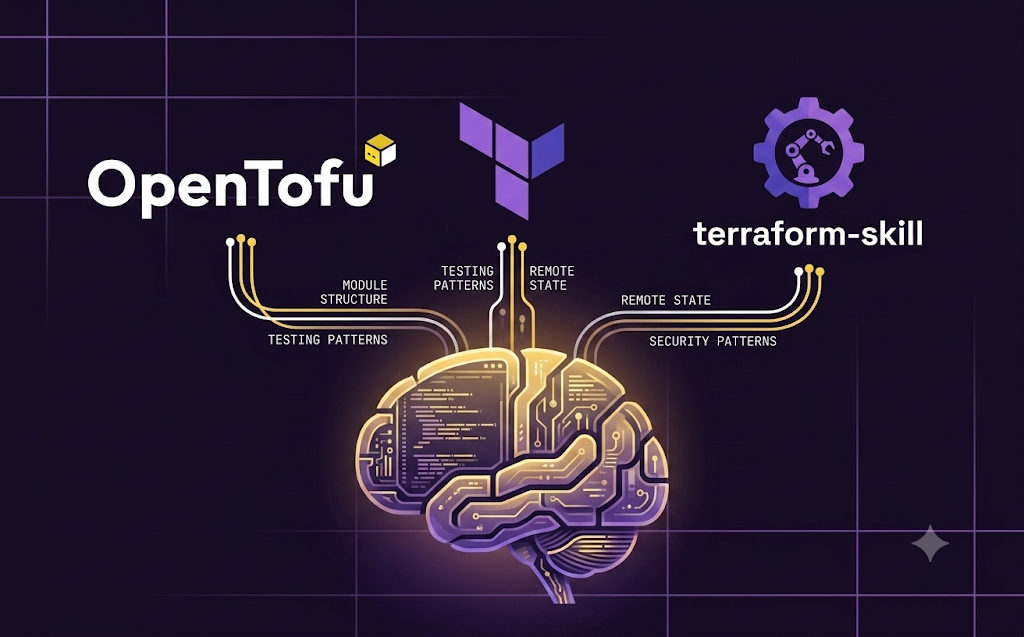
Asking an AI coding agent to write a Terraform module without any specialized guidance tends to produce something that technically runs but quietly skips over the practices experienced infrastructure engineers take for granted. Tests get left out entirely, or added as an afterthought using whichever testing approach the model happened to have seen most often in its training data. Modules end up structured inconsistently from one generation to the next. State backends get configured with generic, copy paste settings rather than something actually suited to the specific cloud provider and team structure involved. None of this happens because the underlying model is incapable of doing better. It happens because nothing in a typical prompt tells the agent what good, production grade infrastructure code for this particular ecosystem actually looks like, or why one approach should be preferred over another in a given situation.
terraform-skill exists specifically to close that gap. It is an Agent Skills compatible skill built for Terraform and OpenTofu, designed to work with a wide range of AI coding agents including Claude Code, Cursor, GitHub Copilot, Gemini CLI, OpenCode, Codex, Kiro, and any other tool that supports the same general skill format. Rather than relying on an agent’s generic understanding of infrastructure as code, the skill installs a concrete, field tested body of guidance directly into an agent’s working context, covering testing strategy, module structure, remote state management, continuous integration and deployment pipelines, and security and compliance patterns.
Why a Dedicated Skill Matters for Infrastructure Code
Infrastructure as code sits in an unusual position compared to typical application code. Mistakes in a web application often surface quickly and can usually be fixed with another deployment. Mistakes in infrastructure code can be considerably more consequential, since a poorly configured state backend, an insecure module composition pattern, or a missing locking mechanism can lead to lost state, conflicting concurrent changes, or a genuine security exposure, sometimes without anyone noticing until real damage has already occurred. Getting these details right consistently requires more than a generally capable language model; it requires the model to actually know, in a fairly specific way, what correct Terraform and OpenTofu practice looks like for a given scenario, and to apply that knowledge consistently every time it writes infrastructure code rather than only when a user happens to ask the right leading question.
terraform-skill addresses this directly by packaging that specific knowledge as a portable skill an agent can load and apply automatically, rather than depending on a user to painstakingly explain best practices in every new conversation. Its documentation describes the underlying guidance as having grown out of genuinely field tested Terraform and OpenTofu patterns, further refined through contributions from people who encountered missing guidance in real work and added coverage for it afterward, drawing specifically on patterns published through terraform-best-practices.com, approaches used consistently across the widely adopted terraform-aws-modules collection, and direct experience from an AWS Hero working with enterprise scale infrastructure as code.
Cloud Provider Coverage
A detail worth calling out clearly is that the skill treats AWS, Azure, and GCP as equally first class targets rather than favoring one provider and leaving the others as an afterthought. Examples throughout the skill’s documentation default to AWS simply for consistency, but the same underlying guidance covering backend configuration, authentication, security posture, and resource level patterns applies just as directly to Azure and GCP. A user can explicitly ask for the Azure or GCP equivalent of any AWS focused pattern, and the skill maps the same underlying principle across to the requested provider rather than leaving the user to work out that translation on their own.
What the Skill Actually Covers
The body of guidance packaged inside terraform-skill spans five broad areas, each addressing a distinct part of building and maintaining production grade infrastructure code.
Testing guidance includes a decision framework for choosing between Terraform’s native testing framework, available from version 1.6 onward, and Terratest, a more established, Go based testing approach. Rather than defaulting to one option regardless of context, the skill provides concrete workflows spanning static analysis, integration testing, and end to end testing, along with worked examples and patterns illustrating each approach in practice.
Module development guidance covers naming conventions, directory structure, versioning strategy, and the distinction between modules intended for public reuse versus modules meant to remain private within a specific organization. A commonly recommended naming convention that surfaces throughout this guidance follows a terraform-<PROVIDER>-<NAME> pattern, which keeps a module's purpose and target provider immediately clear from its name alone, a small detail that becomes considerably more valuable once an organization accumulates dozens of modules across multiple teams.
State management guidance covers configuring remote backends across S3, Azure, Google Cloud Storage, and Terraform Cloud, along with locking mechanisms, backend security, isolating state across multiple teams working within the same broader organization, and procedures for migrating state between backends or recovering it after something has gone wrong.
Continuous integration and deployment guidance covers building pipelines using GitHub Actions and GitLab CI, along with cost estimation integrated directly into a pipeline and automated compliance checks that run as part of a standard workflow rather than as a separate, manually triggered process.
Security and compliance guidance covers integrating static analysis tools such as Trivy and Checkov directly into a development workflow, applying policy as code patterns to enforce organizational rules automatically, and running compliance scanning as a routine, repeatable step rather than an occasional manual audit.
On top of all of this, the skill includes a set of quick reference material, including decision flowcharts for common branching choices, direct side by side comparisons of recommended and discouraged patterns, and condensed cheat sheets covering the material for quick lookup during active work.
Installing the Skill
Because the skill follows the Agent Skills format, a broadly applicable installation method works across any compatible tool:
npx skills add https://github.com/antonbabenko/terraform-skillBeyond that general purpose approach, specific installation steps exist for each individually supported agent host.
For Claude Code, installation goes through a dedicated plugin marketplace:
/plugin marketplace add antonbabenko/agent-plugins
/plugin install terraform-skill@antonbabenko
It is worth being deliberate here, since the documentation specifically warns against also adding a separate marketplace under the plain antonbabenko/terraform-skill name, as both marketplaces share the same underlying name and will conflict with one another if both are registered.
For Gemini CLI, the skill installs as an extension directly:
gemini extensions install https://github.com/antonbabenko/terraform-skillwith later updates handled through:
gemini extensions update terraform-skillFor Cursor, installation is a direct clone into the tool’s expected skills directory:
git clone https://github.com/antonbabenko/terraform-skill.git ~/.cursor/skills/terraform-skillsince Cursor automatically discovers skills placed under either .agents/skills/ or .cursor/skills/.
For GitHub Copilot, installation can go through a direct plugin install command or an equivalent manual clone:
/plugin install https://github.com/antonbabenko/terraform-skillor
git clone https://github.com/antonbabenko/terraform-skill.git ~/.copilot/skills/terraform-skillwith Copilot automatically discovering skills placed under .copilot/skills/.
For OpenCode, a clone into the shared agents skills directory is sufficient:
git clone https://github.com/antonbabenko/terraform-skill.git ~/.agents/skills/terraform-skillsince OpenCode discovers skills from .agents/skills/, .opencode/skills/, and .claude/skills/ alike.
For Codex, the same general clone pattern applies:
git clone https://github.com/antonbabenko/terraform-skill.git ~/.agents/skills/terraform-skillwith updates handled by moving into that directory and pulling the latest changes:
cd ~/.agents/skills/terraform-skill && git pullFor anyone who would rather manage the Codex installation through a proper plugin marketplace instead of a manual clone, the same antonbabenko/agent-plugins marketplace used for Claude Code applies here as well, again with the same caution against separately registering a conflicting marketplace under the plain skill name.
For Autohand Code, the skill can be installed either globally or scoped to a single project. A global install looks like this:
git clone https://github.com/antonbabenko/terraform-skill.git
mkdir -p ~/.autohand/skills
cp -R terraform-skill/skills/terraform-skill ~/.autohand/skills/
while a project scoped install follows the same shape but targets a local .autohand/skills directory instead of the user's home directory.
For Kiro, a direct clone into its skills directory works in essentially the same way as the other tools:
git clone https://github.com/antonbabenko/terraform-skill.git ~/.kiro/skills/terraform-skillwith Kiro discovering skills from both a workspace level .kiro/skills/ directory and a global ~/.kiro/skills/ directory. Separately, the same repository also functions as a Kiro Power, meaning it can be added directly from Kiro's Powers panel by choosing the option to add a power from GitHub and pasting the repository URL. Once added this way, Kiro activates the power automatically whenever a conversation touches relevant keywords such as terraform, opentofu, state, or modules, and the installation also registers an optional, read only HashiCorp Terraform MCP server, though the underlying guidance functions correctly with or without that additional server present.
For tools built around the Antigravity ecosystem, installation follows a clone paired with a symbolic link:
git clone https://github.com/antonbabenko/terraform-skill.git
ln -s "$(pwd)/terraform-skill/skills/terraform-skill" ~/.gemini/config/skills/terraform-skill
with later updates simply requiring a git pull inside the cloned repository.
For anyone who prefers a fully manual approach regardless of which specific tool they are using, cloning the repository and creating a symbolic link into a plugins directory works as a general fallback:
git clone https://github.com/antonbabenko/terraform-skill
mkdir -p ~/.claude/plugins
ln -s "$(pwd)/terraform-skill" ~/.claude/plugins/terraform-skill
Because this approach relies on a symbolic link pointing back at an actual local clone, edits made directly to that clone are picked up automatically the next time the tool is used, without needing to repeat the installation step after every change.
Confirming the Skill Is Working
Once installed, verifying that a given agent has actually picked up the skill is as simple as asking it to perform a task the skill is meant to support, such as:
Create a Terraform module with testing for an S3 bucketAn agent with the skill properly loaded should respond with output that reflects the specific conventions documented inside the skill, rather than a more generic, unstructured Terraform snippet. According to the project’s documentation, compatible agents pick up the skill automatically whenever they are working with Terraform or OpenTofu code, without requiring an explicit reference to the skill by name in every request.
Pairing With a Companion Skill
The project explicitly recommends installing a companion skill alongside terraform-skill, called code-intelligence, available from the same plugin marketplace:
/plugin marketplace add antonbabenko/agent-plugins
/plugin install code-intelligence@antonbabenko
Where terraform-skill focuses specifically on Terraform and OpenTofu conventions, code-intelligence provides general, language independent rules for navigating any codebase, covering when an agent should reach for a language server versus a plain text search or a fuzzy search, how to anchor a lookup to a specific position in a file, what to do when a particular tool fails partway through a task, and being transparent about it when one tool has to be swapped out for another mid task. terraform-skill is described specifically as the Terraform focused expression of those same broader navigation principles.
Installing the two together offers a few concrete advantages according to the project. Keeping the general navigation rules in a single shared location rather than duplicated across every individual language skill reduces the overall token overhead an agent has to carry, since it only loads that shared guidance when actually needed rather than repeating it inside every language specific skill. Locating definitions and references by actual meaning rather than plain text matching tends to produce more accurate results during renames and refactors, avoiding both missed occurrences and accidental changes to unrelated matches that happen to share the same text. And selecting the correct navigation tool on the first attempt, rather than retrying with a different tool after an initial failure, tends to make the overall workflow noticeably faster.
It is worth noting that terraform-skill functions entirely on its own without this companion installed, and that the name code-intelligence is not unique across the broader skill ecosystem, so anyone installing it should confirm that the active skill under that name is genuinely the one published from antonbabenko/agent-plugins rather than an unrelated skill that happens to share the same name.
Example Prompts to Try
The skill’s documentation offers a range of concrete example prompts illustrating how it is meant to be used in practice.
For creating a new module with tests across different providers:
Create a Terraform module for an AWS VPC with native tests
Build an Azure module: VNet, subnets, and a PostgreSQL Flexible Server, with native tests
Write a GCP module for a VPC network, subnetwork, and Cloud SQL Postgres, with native tests
For configuring remote state:
Configure an S3 backend with native use_lockfile locking and encryption for Terraform state
Choose and configure a remote state backend for AWS, Azure, or GCP (locking, encryption, versioning)
For reviewing existing infrastructure code against established best practices:
Review this Terraform configuration following best practicesFor generating a continuous integration workflow:
Create a GitHub Actions workflow for Terraform with cost estimationFor deciding on a testing approach:
Help me choose between native tests and Terratest for my modulesAnd for thinking through state organization across a larger team:
How should I organize state files for a multi-team environment?Longer, more involved example prompts covering an entire production service pattern, including module composition, OIDC based authentication, and native state locking on AWS, along with the equivalent cross cloud translation of that same pattern onto GCP using workload identity federation and a Google Cloud Storage backend, are also documented directly in the project, intended for anyone working through a more complete, realistic scenario rather than a single isolated task. These longer examples do assume a reasonably recent Terraform or OpenTofu release, since certain referenced features, such as native lockfile based locking, require version 1.10 or later, and write only argument support requires version 1.11 or later.
Requirements
Using the skill requires an AI agent that actually supports the Agent Skills format, which currently includes Claude Code, Cursor, GitHub Copilot, Gemini CLI, OpenCode, Codex, Kiro, and any other compatible host built around the same general skill specification. On the infrastructure tooling side, either Terraform 1.0 or later, or OpenTofu 1.6 or later, is required, since some of the more specific guidance inside the skill depends on features only available from those versions onward. An optional Terraform MCP server can additionally be used for deeper registry integration, though the core guidance functions correctly without it.
Optional Integration With a Language Server
Beyond the core skill content, terraform-skill can optionally make use of terraform-ls, HashiCorp’s official Terraform language server, to support more precise code navigation such as jumping directly to a definition, finding every reference to a given name, outlining the structure of a file, or displaying hover documentation inline. This integration is entirely optional. Without terraform-ls available, the skill falls back automatically to plain text search combined with direct file reading, meaning nothing about the skill’s core functionality actually breaks in its absence, though matches returned this way are based on literal text rather than genuine semantic meaning.
Using terraform-ls does require a local terraform or tofu binary available on the system path, along with having already run initialization inside the relevant workspace, since the language server needs that initialization step completed before it can correctly resolve names across separate modules and providers. The language server itself can be installed directly from its official releases page, or enabled through whichever editor or agent host a user is already working in. For Claude Code specifically, it can be installed as a dedicated language server plugin:
/plugin marketplace add boostvolt/claude-code-lsps
/plugin install terraform-ls@claude-code-lsps
The skill’s own guidance on how to actually use the language server is fairly specific and worth understanding directly. It favors the language server itself for following a name to wherever it is actually defined or referenced elsewhere in a project, while continuing to rely on plain text search and direct file reading for exact literal text matches, already known specific names, .tfvars files, comments, and any file that is not written in HCL to begin with. When using the language server for a lookup, the recommended approach is to first point it at a specific occurrence of a name within a file, then ask about that particular position, rather than querying a name in the abstract without anchoring the request to an actual location in the code. It is also worth understanding a clear limitation directly: terraform-ls cannot perform an automated rename on its own. Renaming a variable, a local value, or an output requires finding every reference manually and editing each occurrence by hand, while renaming a resource or module address entirely should be handled through a dedicated moved block rather than a blind text replacement across a codebase, since a simple text substitution risks silently breaking references that happen to share similar naming elsewhere in a project.
Conclusion
Writing genuinely production grade Terraform and OpenTofu code consistently requires more than a capable underlying language model; it requires that model to actually carry specific, field tested knowledge about testing strategy, module structure, state management, deployment pipelines, and security practice into every relevant task, rather than depending on a user to explain best practices from scratch in each new conversation.
terraform-skill packages exactly that body of knowledge into a portable, Agent Skills compatible format that works consistently across a wide and growing range of AI coding agents, treating AWS, Azure, and GCP as equally supported targets throughout. Paired with its recommended companion skill for general purpose code navigation, and with optional support for HashiCorp’s own language server when more precise, semantically aware code understanding is needed, the result is an agent that behaves considerably more like an experienced infrastructure engineer working through a task, and considerably less like a model producing plausible sounding but generic infrastructure code from memory alone.
The repository is available at: https://github.com/antonbabenko/terraform-skill
메타데이터
- post_id
- 1af5fdba6173
- slug
- teaching-ai-agents-to-write-infrastructure-code-properly-a-guide-to-terraform-skill-1af5fdba6173
- url
- https://medium.com/open-intelligence/teaching-ai-agents-to-write-infrastructure-code-properly-a-guide-to-terraform-skill-1af5fdba6173
- canonical_url
- https://medium.com/open-intelligence/teaching-ai-agents-to-write-infrastructure-code-properly-a-guide-to-terraform-skill-1af5fdba6173
- author_url
- https://medium.com/@eng.fadishaar
- status
- ok
- fetched_at
- 2026-07-08 22:45:43