Claude and the Coda MCP
Three Surfaces, Same Index, Different Engine
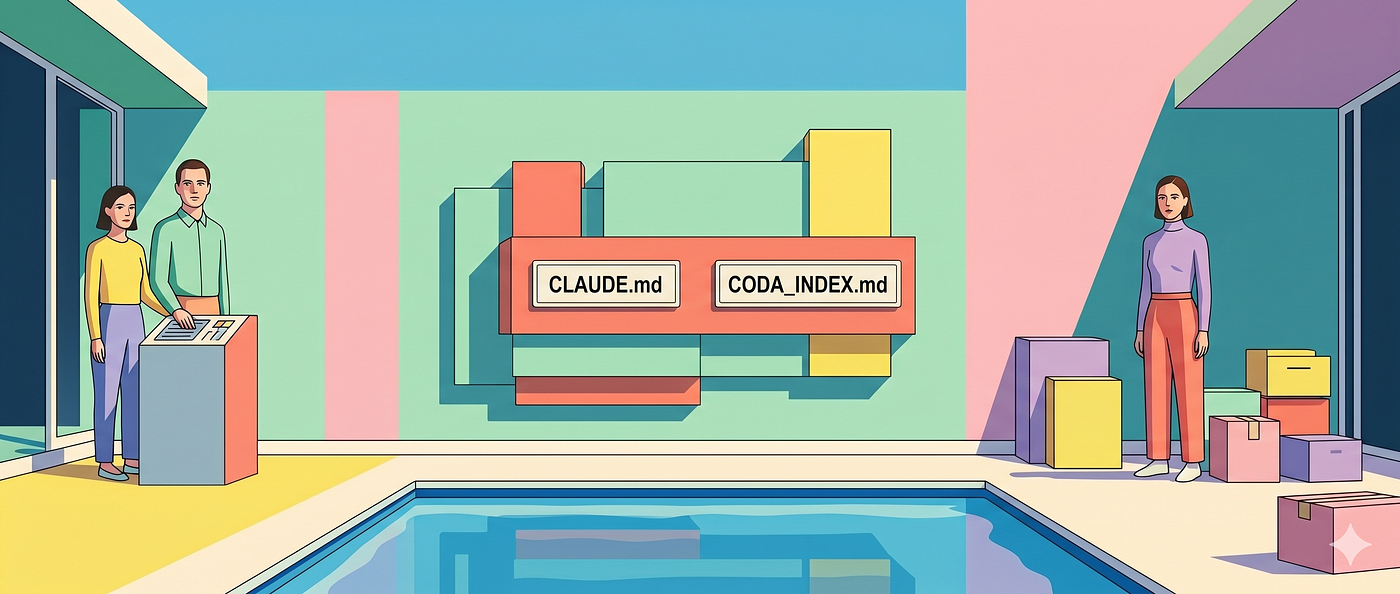
made with Gemini AI
Claude and the Coda MCP
Three Surfaces, Same Index, Different Engine
The previous post covered AntiGravity and the Coda MCP — a two-layer system where a global rules file points to a skill index, and the agent follows a fixed reading sequence before touching any table or formula. AntiGravity reasons. The Coda MCP acts. One thinks. The other has hands.
With Claude, pick your surface first. There are three. They work differently. Only one is a genuine peer to AntiGravity.
Three surfaces, one clear peer
Claude Code is the direct equivalent of AntiGravity. Terminal-based, full filesystem access, and it introduces a file AntiGravity users will recognise immediately: CLAUDE.md. Claude Code looks for this file in three places — a global one at ~/.claude/CLAUDE.md that applies across all sessions, a project-level one in the root of your working directory, and subdirectory-level files that activate when Claude is working inside that folder. That third layer is the same scoped skill logic AntiGravity users already rely on. Global layer, local layer, module layer — same logic as GEMINI.md and the workspace rules file. Claude Code can also be instructed to read additional files from disk, including CODA_INDEX.md at whatever path your AntiGravity setup already uses. The mechanism is an explicit instruction inside CLAUDE.md — something like "Before starting any Coda MCP task, read CODA_INDEX.md at path X." The agent follows that instruction as part of its task setup. Nothing is fetched silently; the pointer only works because CLAUDE.md tells it to look.
Already running AntiGravity sessions for Coda MCP work and moving to Claude Code? The skill library transfers directly — same index file, same skill files, same paths, different agent reading them. The multiple-index logic transfers too. CLAUDE.md can point to one index for Coda work and a separate index for any other MCP in your setup — GitHub, Notion, Linear. Each index covers one environment.
That distinction is the core of the AntiGravity comparison. AntiGravity uses a pull architecture: a pointer in GEMINI.md leads to a CODA_INDEX.md, letting the agent fetch only the necessary skills for the task. Claude Code can follow these paths. Claude Cowork cannot.
Because Cowork operates within a sandboxed VM mount, it lacks the agency to reach out for external files. It is a push model — it only knows what you’ve physically put in the box. To get a similar result, you have to manually move your skill files into the mounted folder and reference them in Folder instructions or a local CLAUDE.md. It's a functional workaround, but it replaces systematic discovery with manual configuration.

Claude Projects the equivalent of Gemini Gems with some extras (memory)
Claude.ai is the browser-based interface: no filesystem access, no mounted folders, and no paths to follow. Context is delivered statically through Project Instructions and uploaded files — it only knows what you’ve manually placed in the container at the start. Since this is the furthest surface from the AntiGravity model, the rest of this post focuses on navigating this static-load reality and making it work for Coda MCP sessions.
The Coda MCP
configured once, available everywhere
The Coda MCP is configured through a JSON file — a server definition that tells Claude which MCP servers are available and how to reach them. In Claude Code, this lives in a configuration file on your filesystem, typically alongside your global CLAUDE.md setup. In Claude.ai and Claude Cowork, MCP servers are connected through the settings interface rather than a file, but the result is the same: a registered connection that persists across sessions.
That registration is global, not project-specific. Once the Coda MCP is connected, every conversation you start — in any project, across any client — has access to the Coda MCP tools. You do not re-configure it per project. You do not add it to Files or reference it in Instructions. It is already there, at the capability layer, before the project context loads at all.
The project setup covers something different. The JSON configuration gives Claude the ability to act inside a Coda document — to create pages, build tables, write formulas. The skill files and Instructions give it the standards by which to act. Capability and standards are two separate layers. Getting the MCP connected is a one-time infrastructure step. Getting the context right is an ongoing discipline.
The practical implication: if the Coda MCP is not connected, Claude can still use your skill files — they become reference material for a conversational session where you do the building. If the Coda MCP is connected but the skill files are missing or stale, Claude has the hands but not the rules. Both layers need to be in place. The MCP is the first. The project — its Instructions, its Files — is the second.
Memory, Instructions, Files — not the same thing
A Claude Project loads context similarly to a Gemini Gem — statically, at session start, from whatever you have put in the fields. The parallel is not perfect in either direction. Gems have no memory function at all — each session starts clean, with no accumulated history from previous conversations. Claude Projects do: Claude builds a running summary of past sessions automatically, which can carry useful context forward but is passive and outside your control. On the other side, a Gem linked to a NotebookLM notebook pulls from a live source that updates automatically. Claude Projects have no equivalent — what you upload sits as a static snapshot, and when your master skill file changes, you re-upload manually. Where Gemini offers Extensions to reach into Google Workspace, Claude offers connectors that do the same job across a broader range of services — and like the Coda MCP itself, they are configured once and available globally across every project. Neither tool is strictly better. They make different tradeoffs — and both matter for how you structure your Coda MCP setup.
Both start with a name and a description. Both have an instructions field that loads before anything else. Both have a file panel where you upload documents for Claude or Gemini to draw from. What you forgot to add is simply not there — no fallback, no index to consult, no file the agent goes looking for on its own.
If you have built Gems for Coda work before, the mental model transfers without adjustment. The names differ. The behaviour does not.
Three sections
The three sections inside a Claude Project do not all work the same way.
Memory sits at the top. Claude can build a running summary of past conversations (paid plans) within the project automatically — after a few chats, patterns and context Claude considers worth retaining start appearing here. For Coda MCP work, Memory is worth knowing about but not worth relying on. It is passive and accumulative, shaped by conversation history rather than by deliberate decisions you have made about what the agent should know. Memory is what Claude remembers. Instructions and Files are what you have decided it must know.
Instructions is the always-on layer — loaded at the top of every conversation in this project, before anything else. It applies to every session, every task, without exception. Instructions cannot point to an external path and expect Claude to retrieve it. What you put here, Claude has. What you leave out, Claude will not go looking for.
In the AntiGravity setup, GEMINI.md carries two things: the pointer to the skill index, and the MCP constraint list — hard limits that apply every session, every document, every client. Page width Full cannot be set programmatically. @mentions are UI-only and require manual wiring after the agent completes its work. Instructions carries that second job directly: the MCP constraint list belongs here verbatim, because it is not skill file content and not client-specific. It applies every session regardless of task.
What Instructions should not carry is the content of your skill files. That duplication creates two sources of truth, and Claude cannot tell you which one is current.
Files is where uploaded content lives — and two distinct types of files end up here for two distinct reasons.
The first type is skill files — the .md instruction files that carry your architectural standards, formula conventions, and UI rules. These are not reference documents. They are behaviour instructions, the same files that live on disk and get pointed to via the index in AntiGravity and Claude Code. Here they are uploaded directly, because there is no path Claude can follow.
The second type is content files — PDFs, client documents, reference material Claude needs to draw from for a specific project. A client’s existing table structure, a spec document, a process description. Project-specific, uploaded for different reasons than the skill files.
One hard limitation: there is no folder linking. No local path, no Google Drive folder, no Dropbox link. AntiGravity and Claude Code can point to any path the filesystem can reach, including synced cloud folders that update automatically. In a Claude Project you upload individual files manually, and they sit as static uploads. When a skill file changes, remove the old version and upload the new one. No sync, no automatic refresh.
When files are uploaded, they load in full, every session, regardless of what the task requires. There is no selective loading. The whole library loads every time.
This is the architectural difference that shapes every decision that follows. In AntiGravity and Claude Code, a global rules file points to the index, the index points to skill files, and the agent fetches only what the task needs. In Claude.ai, the index and the pointer collapse into the same layer — and nothing is fetched at all.
Everything loads: design accordingly
Because everything loads every session, the question shifts from what does this task need to what should this project always have available.
For a Coda MCP session where Claude is about to build a backend table structure: load everything that governs how that structure gets built. The architecture file, the formula file, the UI file — all loaded before Claude touches anything.
This makes one file per task as important here as it is in AntiGravity — but the reason shifts. In AntiGravity and Claude Code, clean file scope enables selective fetching. In Claude.ai, it limits the noise riding along with content that is actually relevant. A skill file that mixes formula conventions with UI rules and page setup standards is a steering problem, not a token problem. Claude’s context window is large enough to carry the whole library. The risk is that Claude pattern-matches across domains and starts blending UI rules into backend formula logic — hallucinating a standard that is half of two different ones. Keep files scoped to one task each — consistent with how the architecture handles everything else: one page per task, one table per task, one file per task.
The workspace layer
In the AntiGravity setup, the workspace layer carries two things: context the agent cannot infer from skill files, and workspace-specific skill files that sit outside the general library. The most critical piece is the Coda Doc ID. With the MCP active, the agent needs to know exactly which document it is working in before it touches anything. That is not a small detail — it is the boundary between the right document and the wrong one.
In Claude.ai, the project is the workspace layer. One project per client is the cleanest structure. Instructions for that project carry the Doc ID, the tables already built that should not be rebuilt, the MCP constraint list — the hard limits that apply every session regardless of task — and any client-specific constraints that belong in the always-on layer. If a client works across multiple Coda documents, list all relevant Doc IDs in Instructions — the agent references whichever applies to the task at hand. Files carries the skill library — architecture standards, formula conventions, UI rules — duplicated deliberately across client projects because there is no shared global layer to inherit from. The Coda MCP connector is configured once and available across every project — but the logic for using it correctly lives in the skill files. The connector gives Claude access to Coda. The files tell it how to behave once it’s there.
That duplication comes with a maintenance cost. When you update your formula conventions file, you update every project it has been deployed to. The discipline that keeps it manageable: treat your local master copy as the source of truth and project uploads as deployments from it, not as documents you edit in place. The moment you edit the uploaded copy directly, you have two sources of truth — and Claude will use whichever it has, without flagging the discrepancy.
If it applies everywhere, it goes in every project’s file library. If it applies here, it goes in this project’s instructions. Mixing the two produces the same problem as mixing the layers in AntiGravity — a file that tries to do too much ends up doing none of it reliably.
Three surfaces, three different answers to the same question: how much of your AntiGravity setup can you bring with you — and what has to be rebuilt by hand.
Getting there: the setup in order
This applies to Claude.ai. For Claude Cowork, folder mounting replaces file uploads and Global instructions replace Project Instructions. For Claude Code, the AntiGravity post covers the equivalent setup — same mechanism, files live on disk instead of in a project.
Before the session described below is possible, four things need to be in place. Order matters.
First, connect the Coda MCP. Once, in Claude’s settings, outside of any project. This is the capability layer. Until it is connected, Claude can reason about Coda but cannot touch a document. Everything else depends on this being done first.
Second, create a project for the client. Give it the client’s name. Fill in the description field — it gives Claude immediate context about the client before the conversation begins.
Third, open Instructions and add two things: the MCP constraint list — what Claude cannot do programmatically and what requires manual follow-up — and the client’s Doc IDs. The Doc IDs are the boundary between the right document and the wrong one. It belongs here, not in a skill file, because it is session-critical and client-specific.
Fourth, upload your skill files to Files. Architecture standards, formula conventions, UI rules — one file per task, master copies from your local library, deployed here as static uploads. If the client engagement requires content files — a spec document, an existing table structure — add those too, clearly named so Claude can distinguish them from the instruction files.
That is the complete setup. It does not change per session. It changes when a skill file is updated, when a new client starts, or when a constraint needs to be added to Instructions. The rest is maintenance, not configuration.
A session in practice
When I open a conversation in a client project and start a Coda MCP session, the sequence is complete before I describe the first task. Instructions have loaded — the MCP hard limits, the client’s Doc ID, any tables already in scope. Files have loaded — the architecture standards, the formula conventions, the UI rules.
Claude knows the DB prefix is required on every base table. It knows ForEach over FormulaMap, Contains over = on relation columns. It knows callouts require blockType callout, style Info, icon info, color Gray. It knows page width Full requires manual follow-up and that @mentions need to be wired by hand after the session. It knows the Doc IDs it is working in.
I describe the task. I do not explain any of that. The preparation is what makes the session build correctly rather than build quickly and incorrectly.
The one thing that breaks it
The system fails in exactly one way: context bleeding.
Instructions that restate formula conventions already found in a file create two sources of truth. A skill file updated locally but not redeployed goes stale silently. A file scoped to too many tasks means a single change forces a full redeployment across every client project.
Claude won’t flag these conflicts; it will build confidently from the mess. In a chat, you get a formula that almost follows the standard. In an MCP session, you get a table structure that is mostly right. In Coda, “mostly right” means the work requires a manual audit before it can be trusted.
Keep the layers clean:
- Instructions: Always-on rules only.
- Files: Skill files (scoped to one task) and content files (client-specific).
That discipline is what makes the system scale. It isn’t a one-time setup; it’s the habit of maintaining those boundaries every time you add a file or onboard a client.
What comes next
This post and the AntiGravity post cover the same skill library read through two different engines. Claude Code sits closest to AntiGravity — same mechanism, same layer logic, same fetch behaviour. Claude Cowork sits in the middle: genuine filesystem access, but a receive model for instructions that keeps it manual rather than systematic. Claude.ai sits furthest from AntiGravity: static load, no filesystem, no fetch — but capable for Coda MCP work when the project setup is deliberate.
What travels across all three is the index file. The index file post covers what it actually is, how its entries are written, and why a well-structured index is a map rather than a room. The next post in the series goes further — routing boundaries, capability limits, cross-domain dependencies, and why the architecture is an ontology rather than a folder structure. That is where the contracts get precise.
On a personal note, creating these in-depth posts takes a lot of time and effort. While I love sharing my knowledge, a little support goes a long way. If you found this helpful, consider a small donation. Every bit of encouragement helps fuel the next deep-dives!
My name is Christiaan, and I regularly blog about Coda. If you’d like to take this further with hands-on support for your own Coda setup, I offer professional consultations — feel free to reach out. You can also find my free contributions in the Coda Community and on X. The Coda Community is a fantastic resource for free insights, especially when you share a sample doc.
메타데이터
- post_id
- 1bd6502cb5a7
- slug
- claude-and-the-coda-mcp-1bd6502cb5a7
- url
- https://medium.com/@huizer/claude-and-the-coda-mcp-1bd6502cb5a7
- canonical_url
- https://medium.com/@huizer/claude-and-the-coda-mcp-1bd6502cb5a7
- author_url
- https://medium.com/@huizer
- status
- ok
- fetched_at
- 2026-06-20 20:29:01