Building a QA Agent for Agentic Products: How to Test AI Agents Before Users Do
Why Agentic Products Need a New QA Approach
Building a QA Agent for Agentic Products: How to Test AI Agents Before Users Do
Why Agentic Products Need a New QA Approach
As AI agents become more capable, they also become harder to verify. That challenge often shows up before teams have a formal way to describe it. A few conversations may look fine in testing, the feature goes live, and only later does someone discover that the agent gave a wrong answer, missed an important step, or got stuck in a workflow that should have been simple. At that point, the issue is no longer only technical. It starts affecting trust, support load, user experience, and business credibility.
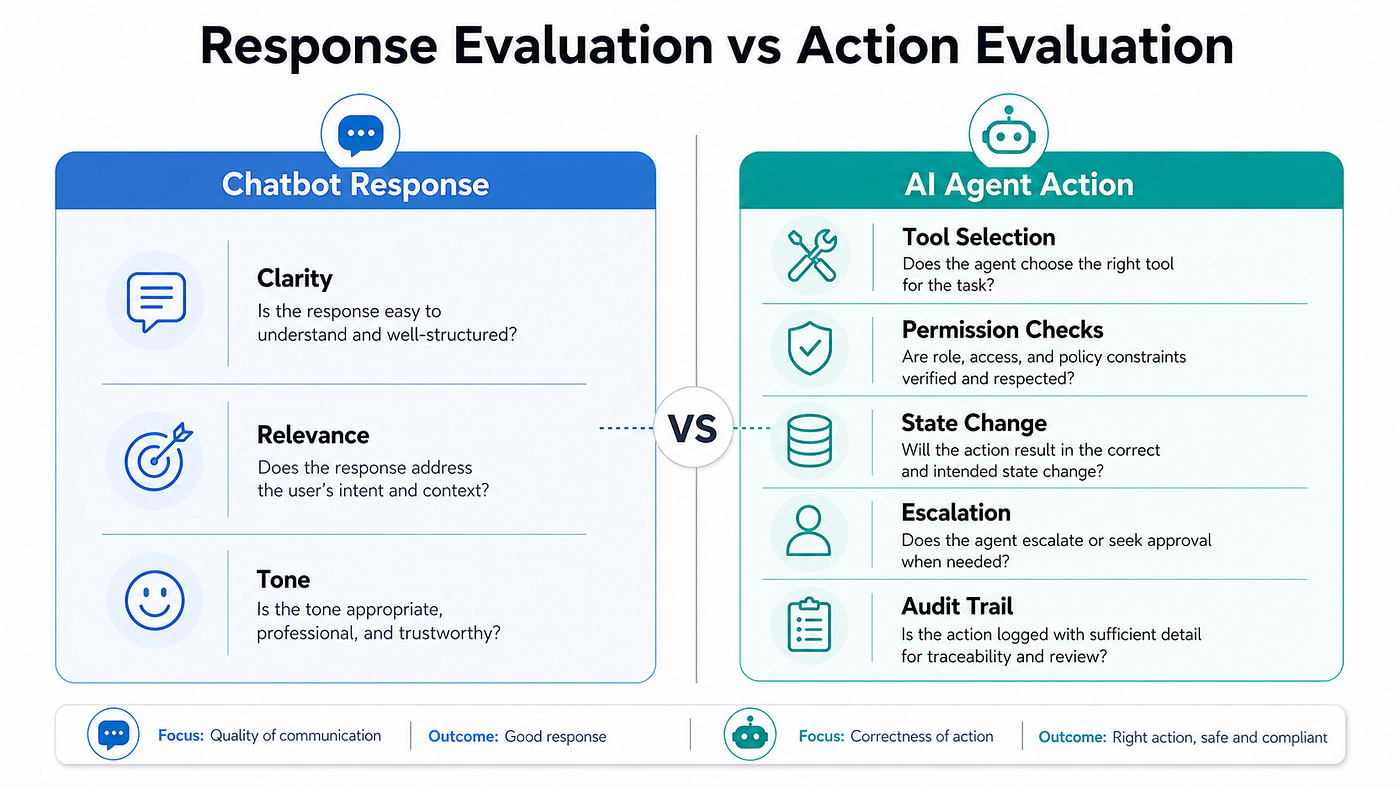
That is why traditional QA methods are no longer enough for agentic products. Older software could be checked screen by screen and button by button. AI agents behave differently. They work across conversations, respond over multiple turns, and change based on what the user says next. Manual testing becomes slow, inconsistent, and difficult to scale. What businesses need instead is a way to test the AI agent continuously, the way a real user would.
The Core Idea: Put an LLM Judge in the Loop
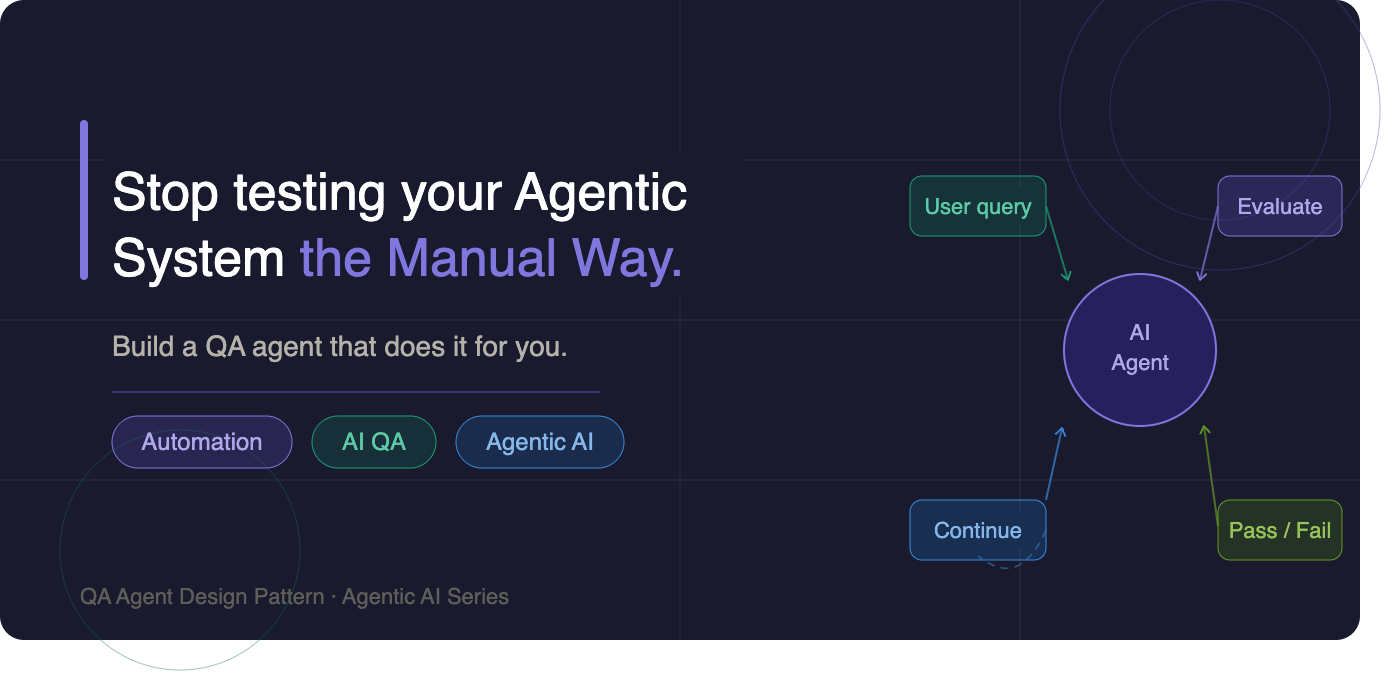
A QA agent for an agentic system does three essential things. It starts a conversation the way a real user would. It waits for the response to finish. Then it evaluates whether the response is good enough, whether the task is complete, or whether another follow-up is needed.
That third step is where the real value begins. Instead of asking a human tester to decide what should happen next, the QA agent uses an LLM-based evaluator to review the conversation against predefined success criteria. If the response is strong enough, the interaction passes. If it is weak, incomplete, or incorrect, it fails. If more input is needed, the QA agent can generate the next message and continue the test automatically. In practice, this creates a self-running feedback loop.
That matters because it removes hours of manual testing. More importantly, it gives the business a repeatable way to catch problems before users do. Instead of hoping the product will hold up in live usage, teams get a clearer way to validate quality at scale.

Architecture: Don’t Build a Parallel Universe
One of the most common mistakes in evaluation design is testing the agent in a way real customers never experience. It may seem easier to connect the QA layer directly to the backend, skip the interface, and test only the internal logic. On paper, that sounds efficient. In reality, it creates false confidence.
Customers do not interact with a hidden testing route. They use the actual product interface. They experience delays, streaming responses, approvals, state changes, and front-end behavior. If the QA setup ignores those realities, it is not testing the real experience. It is testing a simplified version of it.
A better approach is to let the QA agent operate through the same chat interface users already use. That keeps evaluation aligned with the actual customer journey rather than a technical shortcut. From a business perspective, this matters because it protects teams from launching features that look stable internally but fail in real usage. It also gives leadership more confidence that what is being measured is what customers will actually see.

The Backend: Keep the Judge Stateless
The evaluation service behind the QA agent should stay focused. Its role is not to run the whole product. Its role is to assess each conversation turn clearly and consistently. For every evaluation step, it looks at the conversation history, the original user goal, any internal context needed for testing, the pass criteria, and the number of turns taken so far. Then it returns a simple judgment: pass, fail, or continue.
That simplicity matters. It gives each test run a clear outcome instead of a vague impression. Instead of ending with “it looked okay,” teams get structured decisions and repeatable evidence.
A few design choices are important here. The evaluator should be tuned for consistency rather than creativity. Internal context can stay private from the product itself, which allows the QA system to test realistic scenarios without exposing hidden setup details to the agent. Turn limits should also stay flexible, because a rigid cutoff can make a healthy interaction look like a failure even when the agent is still making progress.
For non-technical stakeholders, the takeaway is straightforward: this kind of backend turns AI quality from guesswork into something measurable. It reduces the risk of releasing features that look good in demos but behave unpredictably under real customer conditions.

The Frontend: Three React Patterns That Actually Matter
At first glance, the frontend may seem like an implementation detail. In practice, it directly affects whether the QA system is dependable enough to support the business. The orchestration layer needs to know when a response has finished, when evaluation should happen, and when the next follow-up should be sent. If that control layer is unreliable, the entire testing process becomes noisy and difficult to trust.
1. Refs for Everything in Async Callbacks
Because the QA loop runs across many interaction cycles, it needs access to the latest data at all times. If it reads outdated values, the system can behave inconsistently or stop after the first turn. From a business perspective, that leads to false signals. Teams may think the product is being validated when the testing loop is actually incomplete or unstable.
2. Detect the Streaming Transition, Not the Streaming State
Evaluation should happen only when the agent has truly finished responding, not whenever the system simply notices that streaming is off. The business meaning is simple: the QA process should react at the right moment, neither too early nor too late. Timing mistakes can produce inaccurate results and unnecessary debugging work.
3. Dual Phase Tracking
The QA process should clearly track its current stage, such as idle, waiting, evaluating, or done. That keeps the interface and the control logic in sync. From a product and operations perspective, it means fewer race conditions, fewer confusing failures, and a more dependable testing workflow.
These patterns are not just code-level refinements. They are the difference between a QA system a team can trust and one that creates more confusion than clarity.
Handling the Approval Problem
Many production AI agents include approval gates for sensitive or high-impact actions, and that is the right design choice. If an agent is about to trigger a write action, make a change, or execute something important, a human often needs the option to approve or reject it.
The problem appears during automated testing. If the QA flow reaches an approval point and no one responds, the run can stall indefinitely. The practical solution is to support three approval modes: manual, where a human decides; auto-approve, where the QA system allows the action automatically; and auto-deny, where the QA system rejects the action automatically to test failure-handling behavior.
This is not just a convenience for testing. It is a way to simulate the real governance conditions the product will operate under. AI quality is not only about whether the agent answers correctly.
It is also about whether it behaves safely, responsibly, and predictably when decisions require control. A QA agent that can test approval flows gives teams confidence not just in product intelligence, but in product oversight as well.

What the Panel Looks Like
The QA panel should be simple enough to use quickly, but detailed enough to show what actually happened during a run. Before the test begins, it can function as a setup form where the user defines the query, adds supporting context, enters pass criteria, and adjusts settings such as time limits, turn limits, and approval mode.
Once the test is running or complete, the panel becomes a live results view. Each evaluation step can show a verdict, the reasoning behind it, and any follow-up message that was sent. At the end, it can summarize the overall result with the final verdict, confidence score, total turns, and elapsed time.
That structure matters because it makes testing operationally usable. Instead of hiding evaluation inside logs or engineering workflows, it creates a more visible way for product, operations, and leadership teams to understand performance. It becomes easier to review failures, explain outcomes, and connect technical work back to customer experience goals. In that sense, the panel is not just a developer tool. It can become a quality dashboard for the business.

Common Failure Modes
Every new QA system runs into issues during its early implementation, and knowing the likely failure points in advance saves time and frustration.
Some common problems include a run stopping after the first turn because the system is reading outdated state, an evaluation endpoint failing because the model client is not configured correctly, a test hanging when an approval step is not handled, a panel resetting after an error instead of clearly showing what went wrong, or the system forcing a failure too early because the turn limit is too rigid.
These may sound like technical edge cases, but the business impact is real. When QA tooling is unreliable, teams lose confidence in the signals they are getting from the product. That slows releases, increases rework, and makes it harder for non-technical stakeholders to know whether the product is actually improving. Calling out these failure modes early reinforces an important point: building a QA agent is not only about automation. It is about building trustworthy automation.
Why This Is Worth Building
A QA agent changes how a business can manage AI quality. Without one, testing is limited by time, people, and patience. A team may manually run a handful of scenarios before launch and hope that those cover the important cases. That approach breaks down quickly as the AI product grows more complex.
With a QA agent, teams can run far more scenarios with much less manual effort. They can test edge cases, approval paths, failure conditions, and regression risks in a more systematic way. They can also connect those tests to release workflows and catch problems before they reach production.
But the deeper value is strategic. A QA agent reduces the amount of technical uncertainty the business has to carry. It gives teams a clearer picture of what the AI product is doing, how consistently it performs, and where the risks are. That lets product leaders spend less time worrying about hidden technical issues and more time focusing on adoption, growth, customer experience, and operational scale.
In the end, an AI agent is only as dependable as the team’s ability to verify it. A QA agent provides that verification layer. For businesses building agentic products, that can become a meaningful competitive advantage.
메타데이터
- post_id
- 1c1afbef69cb
- slug
- building-a-qa-agent-for-agentic-products-how-to-test-ai-agents-before-users-do-1c1afbef69cb
- url
- https://medium.com/saastoagent/building-a-qa-agent-for-agentic-products-how-to-test-ai-agents-before-users-do-1c1afbef69cb
- canonical_url
- https://medium.com/saastoagent/building-a-qa-agent-for-agentic-products-how-to-test-ai-agents-before-users-do-1c1afbef69cb
- author_url
- https://medium.com/@kaushalverma
- status
- ok
- fetched_at
- 2026-06-17 12:55:42