Tex2Word: A Python Naive Converter
I recently completed a tex2word project (https://pypi.org/project/tex2word/) as part of open-source data cleaning efforts. The GitHub…
Tex2Word: A Python Naive Converter
uv run tex2word convert paper.tex -o paper.docx
I recently completed a tex2word project (https://pypi.org/project/tex2word/) as part of open-source data cleaning efforts. The GitHub repository is at: https://github.com/yfyang86/tex2word
To facilitate Vibe Coding, I added a large number of tests.
Main features:
- Pure Python — nothing like Lua/Ruby/Perl involved.
- License-friendly.
- Enhanced support for:
cite and ref formulas
- bibtex citation
- Captions: Figure/table/…
- Formula/Table/Figure/Section labeling and references.
- complex tables:
- cls and other format-related elements
- CJK Chinese text
- tikz support!
- code snippet converting support
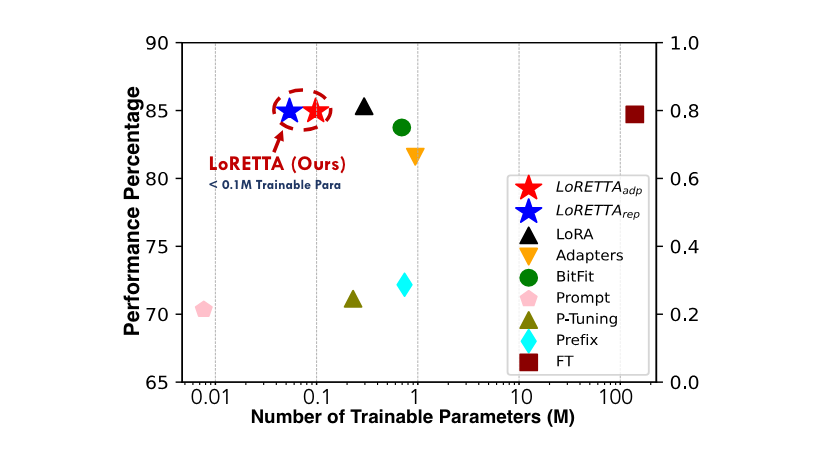
Here’s a look at the effect using an article I read.

Original PDF (two columns)

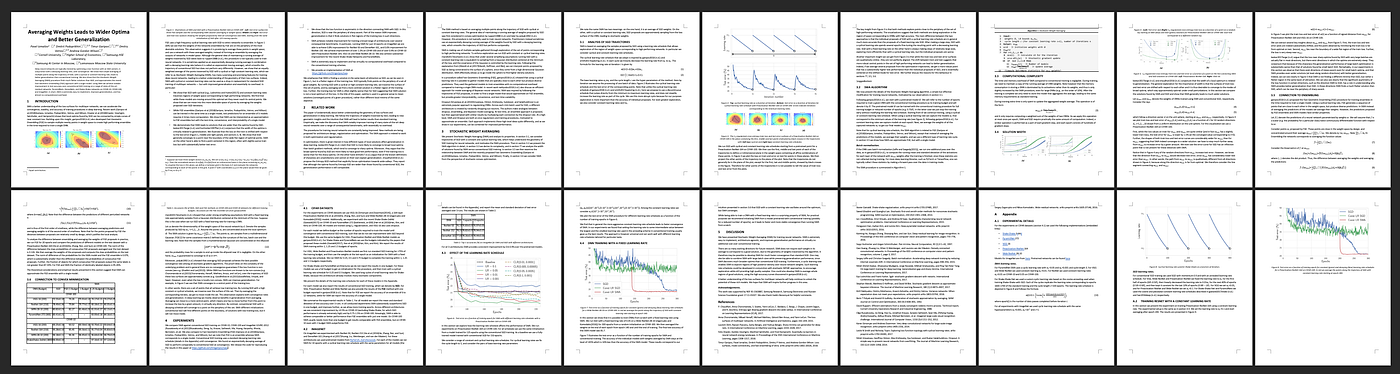
On column Word document

Reference Table Labels

Word Rendering Algorithm with customer comment style
The reason the comment was automatically converted into ▶️ is that it was a custom style tailored for a new book of mine, and the default lst code environment had all such styling enabled… That style looks like this (taken from my book):

Code Comment Style (LaTeX -> PDF)
For Machine to read: Tex2word
An open-source, cross-platform LaTeX → Microsoft Word (.docx) converter that produces genuinely editable Word: native paragraph styles, native OMML equations (editable in Word's equation editor, not images), and live, auto-renumbering fields for equation/figure/table numbers and cross-references. Chinese/Japanese/Korean documents (XeLaTeX/xeCJK) are supported — the configured CJK fonts carry through to Word.
Status: 1.0 — stable. Math core (direct LaTeX→OMML), the live cross-reference/field plumbing (the differentiator), image embedding, TikZ figure rendering, CJK/XeLaTeX support, the BibTeX bibliography, and the robustness layer (math cascade, coverage report, OOXML validator, round-trip manifest) are all in. See
[CHANGELOG.md](https://github.com/yfyang86/tex2word/blob/main/CHANGELOG.md) for the release history.
Why
Pandoc/texmath is the open-source reference but drops equation numbers, can dump raw LaTeX for labelled equations, and emits static cross-references. No open tool produces editable styles and native OMML and live field-based numbering. That gap is the product.
Install & use
Requires Python 3.12+. From PyPI:
pip install tex2word                 # core (PNG/JPEG figures)
pip install "tex2word[pdf]"          # + PDF figure rasterisation (pypdfium2, Apache-2.0)
pip install "tex2word[mathml]"       # + LaTeX->MathML->OMML for hard math (latex2mathml)
pip install "tex2word[csl]"          # + real CSL citation styles (citeproc-py)
pip install "tex2word[pdf,mathml,csl,mathimg]"   # everything
tex2word convert paper.tex -o paper.docx
tex2word convert paper.tex -o paper.docx --report report.json
tex2word convert paper.tex -o paper.docx --reference-doc journal.docxOr, for a development checkout with uv:
uv sync --all-extras
uv run tex2word convert paper.tex -o paper.docx
Or from Python:
from tex2word import convert_source, convert_file
out_path, result = convert_file("paper.tex")
print(result.report.summary())   # math coverage + warnings
Chinese / CJK documents (XeLaTeX)
xeCJK documents convert out of the box — the fonts you select in the preamble are mapped onto Word's font slots, so Chinese/Japanese/Korean text (in prose, headings, tables and equations) renders in the intended font:
\documentclass{article}
\usepackage{xeCJK}
\setmainfont{Times New Roman}   % Latin  -> Word ascii/hAnsi
\setCJKmainfont{SimSun}         % CJK    -> Word eastAsia (body text)
\setCJKsansfont{SimHei}         % CJK    -> headings
\begin{document}
测试中文字体。Formula $\sum E = m c^2 \text{(公式)}$。
\end{document}
tex2word convert zhongwen.tex -o zhongwen.docxThe font name is recorded as written, so it must be installed on the machine that opens the .docx (e.g. SimSun/宋体, or any installed CJK font such as Noto Serif CJK SC). The choices round-trip back to a XeLaTeX preamble.
What works today
- Reference Word templates ★:
--reference-doc TEMPLATE.docxadopts a journal/corporate template's styles, theme and page geometry (size + margins), so the output matches the required look — while keeping the live fields below. Our custom styles are merged in so nothing renders unstyled. - Structure & styles:
\title/\author/\date/abstract,\section…\subparagraph→ Word Title/Heading 1–4 (visible in the Navigation pane), paragraphs,\textbf/\emph/\texttt/\underline/\textsc, quotes, code. Sections are auto-numbered (multilevel1/1.1/1.1.1) like LaTeX, with\section*unnumbered;\refto a section shows its live number. In book/report documents\chapteris the top level (sections nest under it) and\appendixswitches to lettered headings (A,A.1). - Math (direct LaTeX→OMML): inline
$…$, display\[…\],equation/align/gather; fractions, sub/superscripts, roots,\sum/\intwith limits, accents,\left…\rightdelimiters, matrices/cases, Greek and hundreds of symbols,\mathbb/\mathcal/\mathbf, functions (\sin,\lim).align*/alignedline up at the&(a column-justified matrix); numberedalignkeeps a live number per line. - Live fields ★: numbered equations get
SEQ Equationfields inside bookmarks;\ref/\eqref/\pagerefbecomeREF/PAGEREFfields; figure and table captions getSEQ Figure/SEQ Table. Numbers auto-renumber in Word on field refresh.--number-by-sectionswitches toN.Mper-section numbering (STYLEREF+SEQ \s), book/report style. - Table of contents ★:
\tableofcontents→ a live WordTOCfield (rebuilds from heading styles on refresh);\listoffigures/\listoftables→ caption- sequence lists. Schema-valid and round-tripping. - Lists, tables, figures:
itemize/enumerate,tabular/longtablewithbooktabs,\multicolumn→column span,\multirow→vertical merge, and repeating header rows; captionedfigure/table,\includegraphics(PNG/JPEG embedded directly; PDF figures rasterised to PNG when the optionaltex2word[pdf]extra — pypdfium2 — is installed). An\includegraphicsin running text (an icon/logo) is embedded inline. - TikZ / PGF figures ★: a
tikzpicture/pgfpicture/… is compiled with a TeX engine (xelatex/lualatex/pdflatex) into a croppedstandalonePDF and rasterised to an embedded PNG (needs thetex2word[pdf]extra). With no TeX toolchain it degrades to a caption-only figure (the report says why). - Custom macros:
\newcommand/\renewcommand/\defare expanded before parsing. Commonmathtools/physicsmath (\abs,\norm,\dv,\ket, …) andsiunitx(\SI{9.81}{\meter\per\second\squared}→9.81 m/s²,\num,\ang) work as built-ins when not user-defined. Acronyms (glossaries):\newacronym+\gls/\acrshort/\acrlong/\acrfullexpand with the first-use "long (short)" rule. - CJK / XeLaTeX fonts:
\usepackage{xeCJK}with\setmainfont,\setCJKmainfont,\setCJKsansfontand\setCJKmonofontare honoured — the Latin font becomes the Wordascii/hAnsidefault and the CJK font theeastAsiadefault (sans on headings, mono on code), so Chinese/Japanese/Korean text renders in the intended font. The font name is recorded as written, so it must match a font installed on the machine that opens the.docx. - Footnotes:
\footnote→ native Word footnotes (footnotes.xml), not inlined text; footnote bodies keep their formatting and math. - Inline verbatim & smart refs:
\verb|...|→ literal monospace;\cref/\Cref/\autorefadd cleveref-style type prefixes ("fig. N" / "Figure N"). - Theorem environments:
theorem/lemma/proof/definition/… render with a bold numbered lead (liveSEQper kind), optional[title], and a QED mark for proofs;\refto a theorem shows its number. - Algorithms:
algorithm+algorithmic/algpseudocode/algorithm2e→ numbered, indented pseudocode with bold keywords, inline OMML math, and a liveSEQ Algorithmcaption. - Graceful degradation: unknown constructs never abort; they pass through best-effort and are logged to the conversion report (math coverage telemetry included). The math decision-cascade (direct OMML → LaTeX→MathML→OMML secondary path → image fallback
--math-image-fallback→ raw) records which path each equation took. - Round-trip: the IR is embedded as a JSON manifest custom part, so the exact IR can be recovered from the
.docx(tex2word.roundtrip.recover_ir) and converted back to LaTeX (tex2word to-latex out.docx); the corpuslatex→docx→latexkeeps the same block structure. Reconcile (on by default) merges Word edits against the manifest, and Word Track Changes are accepted on read (insertions kept, deletions dropped). - Reports & validation:
--report report.json|report.htmlwrites a coverage report;tex2word.validate.validate_docxstructurally validates output;tex2word benchmark <dir>reports a quantitative baseline (math-OMML %, validity, warnings, 0-abort) across a paper set (CI-gated on the corpus + UATs: currently 100% native-OMML math, 100% valid, 0 aborts). - Reproducible: set
SOURCE_DATE_EPOCHand the same input yields byte-identical output (the.docxZIP is built deterministically). - Live citations (opt-in
--citations zotero): emitADDIN ZOTERO_ITEM CSL_CITATION/CSL_BIBLIOGRAPHYfields so citations are editable by Zotero/Mendeley in Word (default is static formatted text). - Real CSL styles (opt-in
--csl style.csl, needstex2word[csl]): a genuineciteproc-pyengine formats in-text citations and the reference list against any.cslstyle, with proper sorting; the built-in heuristic is the fallback.\nocite{key}/\nocite{*}are honoured. - Front-end choice: the default
purefront-end (pylatexenc-based) is the validated engine — it converts the corpus and three real-paper UATs at 100% native-OMML math, 100% valid output, 0 aborts.--frontend latexmlis experimental: it shells out to a reallatexmlinstall for genuine TeX expansion, but is not yet proven end-to-end (it silently falls back topureon any failure; see the advisoryreal-toolCI lane).
Architecture
LaTeX ─▶ front-end (preprocess, macro-expand, pylatexenc walk) ─▶ IR
      ─▶ transforms (cross-reference resolution) ─▶ IR
      ─▶ back-end (raw OOXML via lxml: document/styles/numbering) ─▶ .docx
The IR ([src/tex2word/ir.py](https://github.com/yfyang86/tex2word/blob/main/src/tex2word/ir.py)) is the format-neutral seam, so a LaTeXML front-end can replace the static parser without touching the back-end in the future.
Development
uv run pytest          # tests
uv run ruff check src tests
uv run mypy src
uv run pre-commit install   # optional: run the lint/type gate on every commit
Releases: pushing a vX.Y.Z tag builds the wheel/sdist and publishes to PyPI (via the Release workflow, using PyPI Trusted Publishing). Notable changes are recorded in [CHANGELOG.md](https://github.com/yfyang86/tex2word/blob/main/CHANGELOG.md).
License
MIT — see [LICENSE](https://github.com/yfyang86/tex2word/blob/main/LICENSE).
Author
Yifan Yang yfyang.86@hotmail.com
메타데이터
- post_id
- 1c8ea219a3d1
- slug
- tex2word-a-python-naive-converter-1c8ea219a3d1
- url
- https://medium.com/@enthumelon/tex2word-a-python-naive-converter-1c8ea219a3d1
- canonical_url
- https://medium.com/@enthumelon/tex2word-a-python-naive-converter-1c8ea219a3d1
- author_url
- https://medium.com/@enthumelon
- status
- ok
- fetched_at
- 2026-06-24 23:31:39