[8/10] “Debounce vs Throttle” — Stop Wasting Performance on Every Scroll and Keypress
🧠 TL;DR
[8/10] “Debounce vs Throttle” — Stop Wasting Performance on Every Scroll and Keypress
🔟 Upcoming Topics in the Series:
- Closure
- Hoisting
- Scope (Block, Function, Global)
[this](https://medium.com/@bbangjoa/why-is-this-not-what-i-expected-understanding-this-in-javascript-3d8a04fd161c)- Callback vs Promise vs Async/Await
- Event Loop
- Memory Leaks
- ✅ Debounce & Throttle
- Currying
- Module Pattern
🧠 TL;DR
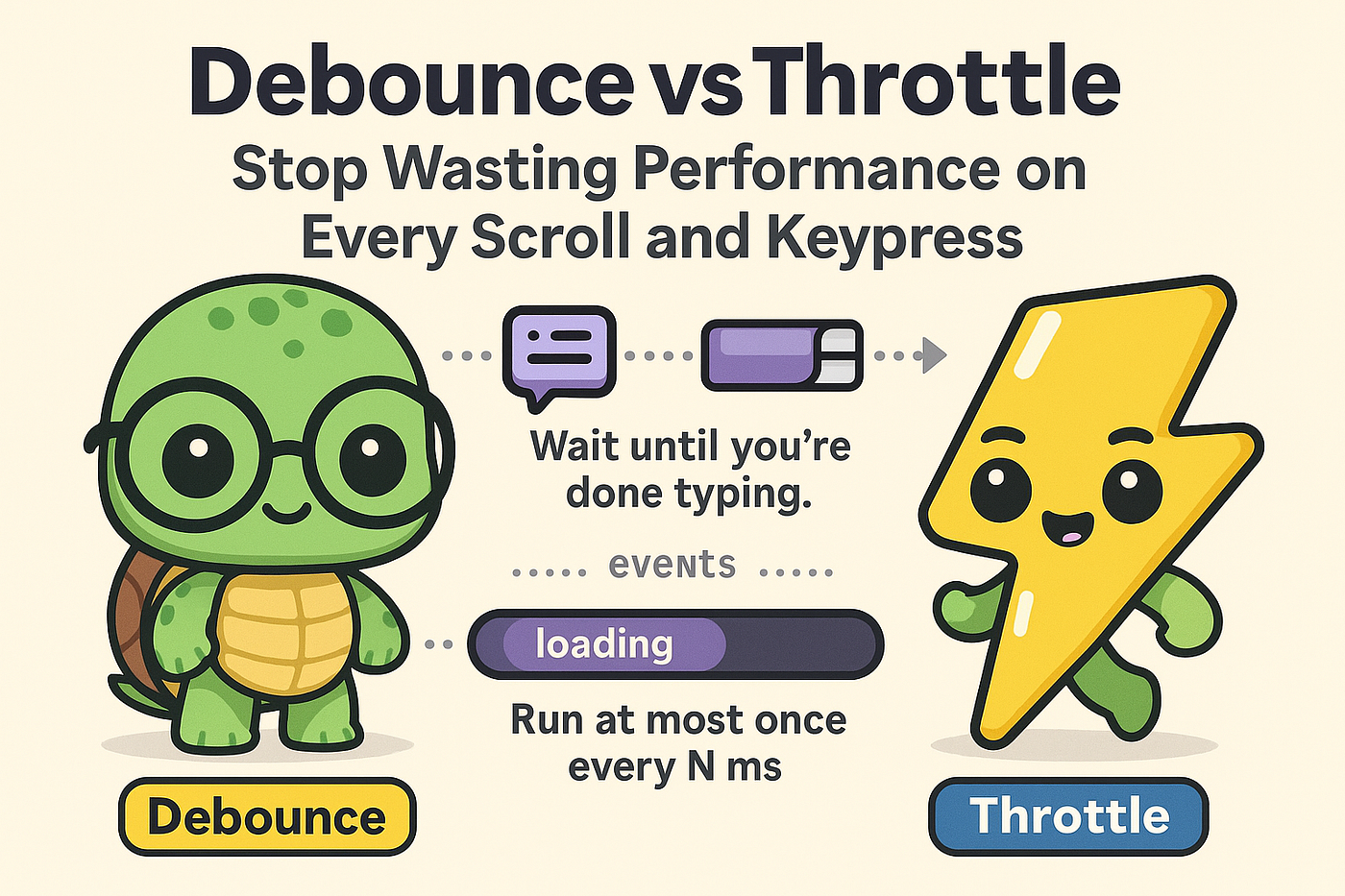
*Debouncewaits until you're done typing.Throttleensures something runs at most once every N ms. Both reduce performance overload from rapid-fire events.*
🎯 Why You Need Them
Think of events like:
scrollresizemousemoveinputkeyup
These events fire dozens or hundreds of times per second. If you call a heavy function (like API search or layout reflow) on every event… 🧨 kaboom!
That’s where debounce and throttle save the day.
🔁 What is Debounce?
Debounce = “Wait until they stop doing something.”
It ensures the function runs only after a certain amount of silence.
📦 Use Cases:
- Search-as-you-type (API calls)
- Auto-saving drafts
- Window resize handlers
🔧 Code Example
function debounce(fn, delay) {
  let timeoutId;
  return (...args) => {
    clearTimeout(timeoutId);
    timeoutId = setTimeout(() => fn(...args), delay);
  };
}

const log = debounce(() => console.log("User stopped typing"), 500);
input.addEventListener("keyup", log);
⏳ Visual:
key...key...key... [500ms pass] → run⚡ What is Throttle?
Throttle = “Run it, but not too often.”
Throttle runs the function at most once every X milliseconds, no matter how often the event fires.
📦 Use Cases:
- Infinite scroll
- Sticky nav on scroll
- Canvas mouse tracking
🔧 Code Example
function throttle(fn, limit) {
  let lastCalled = 0;
  return (...args) => {
    const now = Date.now();
    if (now - lastCalled >= limit) {
      lastCalled = now;
      fn(...args);
    }
  };
}

const logScroll = throttle(() => console.log("Scrolled!"), 1000);
window.addEventListener("scroll", logScroll);
⏳ Visual:
event...event...event... → run every 1000ms🆚 Debounce vs Throttle

🧪 Bonus Tip: Use Lodash!
If you’re using Lodash, this is even easier:
import debounce from 'lodash/debounce';
import throttle from 'lodash/throttle';

const debounced = debounce(() => {...}, 300);
const throttled = throttle(() => {...}, 1000);
✅ Summary
- Debounce waits until input stops for a while
- Throttle runs at a controlled interval
- Both improve performance and UX
- Know which tool to use for your use case
📚 Resources
Which one saved your app from crashing — debounce or throttle? Drop your favorite use case or gotcha moment in the comments 👇 Clap if you’ve ever debugged a scroll storm 🙌
메타데이터
- post_id
- 1ca4d35d3d74
- slug
- 8-10-debounce-vs-throttle-stop-wasting-performance-on-every-scroll-and-keypress-1ca4d35d3d74
- url
- https://medium.com/@bbangjoa/8-10-debounce-vs-throttle-stop-wasting-performance-on-every-scroll-and-keypress-1ca4d35d3d74
- canonical_url
- https://medium.com/@bbangjoa/8-10-debounce-vs-throttle-stop-wasting-performance-on-every-scroll-and-keypress-1ca4d35d3d74
- author_url
- https://medium.com/@bbangjoa
- status
- ok
- fetched_at
- 2026-07-19 04:09:58