Arrow Functions in JavaScript (ES6+)
Arrow functions were introduced in ES6 (ECMAScript 2015) to provide a shorter and cleaner syntax for writing functions in JavaScript. They…
Arrow Functions in JavaScript (ES6+)
Arrow functions were introduced in ES6 (ECMAScript 2015) to provide a shorter and cleaner syntax for writing functions in JavaScript. They are especially popular in modern JavaScript frameworks like React, Node.js, and Vue due to their concise syntax and predictable behavior.
What is an Arrow Function?
An arrow function is a compact alternative to a traditional function expression. It helps reduce boilerplate code and improves readability, especially for small functions and callbacks.
Basic Syntax:
() => {}Example:Simple Addition
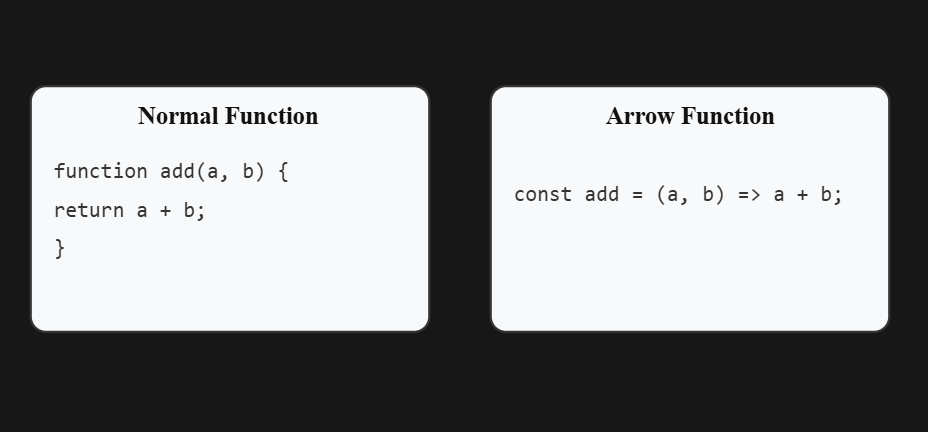
const add = (a, b) => a + b;✔️ When the function body contains only one expression, you can:
- Omit the
returnkeyword - Omit the curly braces
{}
Multiple Statements (Block Body)
For multiple lines of code, parentheses and curly braces are required, and you must explicitly use return if a value is returned.
const calculateSum = (a, b) => {
  const result = a + b;
  return result;
};
Key Characteristics of Arrow Functions
- No
thisBinding - Cannot Be Used as Constructors
- Best for Single-Line Functions
Normal Function vs Arrow Function
Need to Remember for Arrow function
- For simpler and single line function
- Can’t able to access this keyword
- Can’t able to use for constructor
메타데이터
- post_id
- 1d1cfe8a0927
- slug
- arrow-functions-in-javascript-es6-1d1cfe8a0927
- url
- https://medium.com/@udhayadhanush97/arrow-functions-in-javascript-es6-1d1cfe8a0927
- canonical_url
- https://medium.com/@udhayadhanush97/arrow-functions-in-javascript-es6-1d1cfe8a0927
- author_url
- https://medium.com/@udhayadhanush97
- status
- ok
- fetched_at
- 2026-07-14 03:02:02