A5: Video Prototype
Video Prototype by Rajbir Singh
A5: Video Prototype
Video Prototype by Rajbir Singh
The Assignment
The task for this assignment was to design and create a video that communicated a use case of a health app. Additionally, the specification asked us to use non-common apps such as Fitbit, MyFitnessPal, and other apps alike which have mainstream userbases. With that, the video had to be no more than 90 seconds long and show a real-life user case.
Ideation
For my video, I went through different planning cycles from storyboarding to creating a shot list. I approached the ideation cycle by sketching and writing out my plan. As an avid videographer, I do have experience with creating storyboards, scripts, and shot lists as I create YouTube videos as my hobby. These sketches and notes were iterative and I had to refine my ideas multiple times during the brainstorming sessions.
As my idea evolved, I was really challenged by choosing a health app that was not already mainstream. From the specification in class many of the apps that were health-based I had a lot of experience using so I was challenged to learn a new app. This was the case until I dug around my iPhone and found an app that I used to use when I did not have my Apple Watch. Which was Nike Training Club.
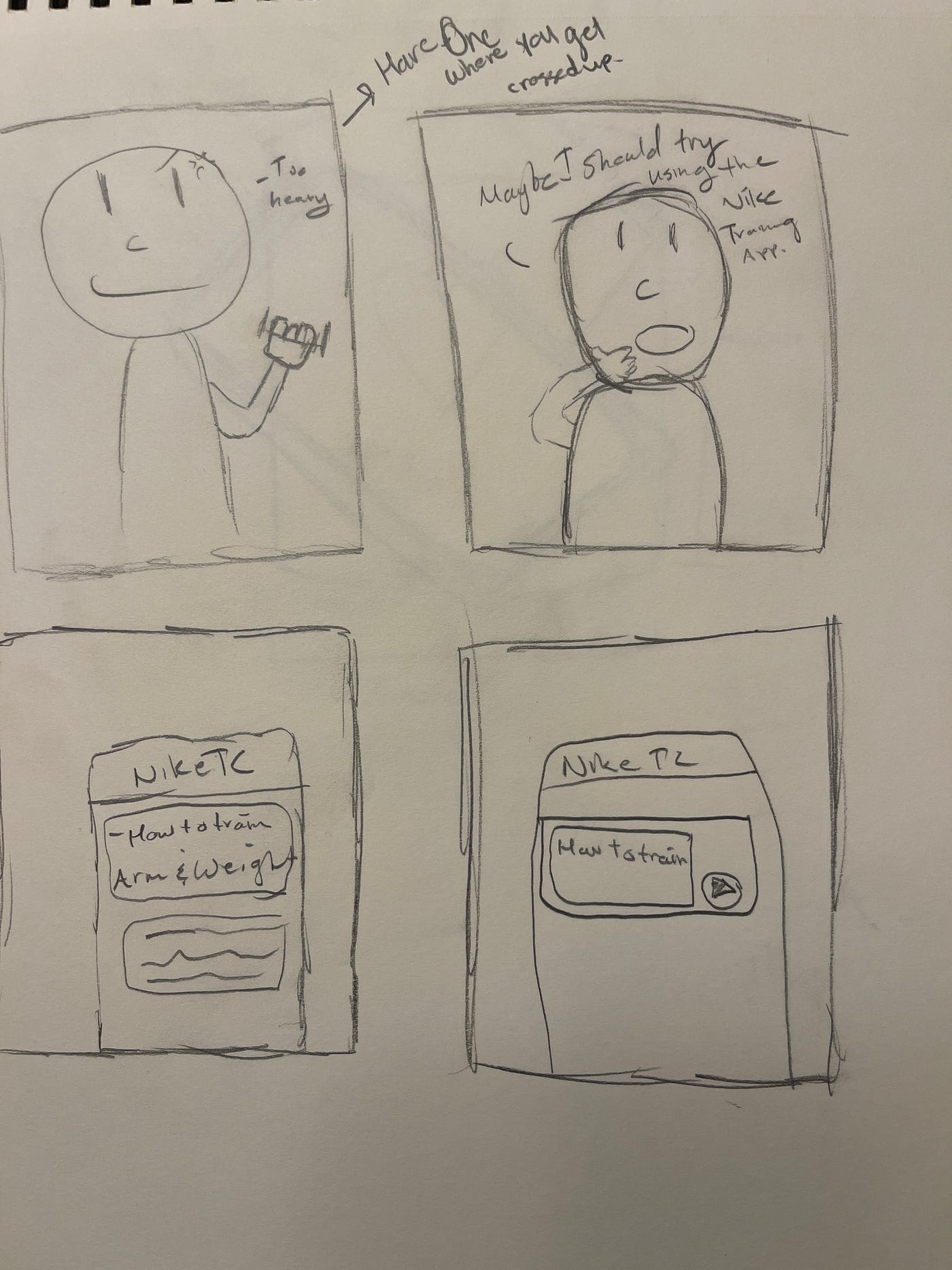


Nike Training Club is an app that I used when I needed new ideas for exercises. When my routines started to become stale or when I wanted to strengthen another neglected part of my body I would use this app to get back into my routine. Building off my experience I wanted to dramatize this story.
Video Idea Explained
My idea evolved to having the main character start to notice their overall health (cardiovascular) begin to decline. I wanted to show tasks such as walking down the stairs with huffing and puffing to show that stamina is lost. I then wanted to show another use case where muscular endurance also becomes an issue. I decided to show the main character struggling to lift weight passing three repetitions. By doing this the shot would show that the main character is losing functional strength. In my final shot, I wanted to show the character playing basketball and their skills becoming worse as they could not make a basket or control the ball. Showing skills declining would set the stage for using Nike’s Training Club app. Since the app has a collection of various workouts such as mobility training, sports training, and high-intensity workouts alike, there is a whole plethora of different workouts for different body types and tasks. I wanted to show the main character facing the fact that they are not athletically the same as they used to be. From there the character will seek help over text from a friend that will recommend the app for them to train more efficiently. The character then browses the app and shows the different features to live a healthier lifestyle. As the video progresses they will accomplish the same tasks that they were struggling to do before but complete them without any issues and with increased energy and more stamina.
Shots and Curating the Final Product
Planning and taking the shots were other hurdles that I had to overcome. Since I was shooting the video in my house I was able to set up still shots and shots that showcase myself as the main character. In this video, I used a ring light tripod to help stabilize my iPhone 12 Pro Max to record the video I was really challenged from taking the still shots of me shooting a basketball as well as the basketball going into the basket.


After establishing the shots and collecting the raw film, I moved over to iMovie. This is my preferred software as iMovie is simple and actually allows the user to have music overlays and intermediate editing tricks such as picture in picture and audio separation. By doing this I was able to get higher production value with the footage that I was working with. My splitting and splicing the footage it allowed me to get rid of awkward pauses and bloopers that occurred during filming. By going thru and editing for the 90 second threshold I had to make decisions with the excesses amount of film.

Being able to concise and splice footage to make it flow better was my main concern as I was editing the footage that was dragged out. After editing my final piece of work paid off. I was able to export the video to my YouTube channel which hosts and holds the video so the public can see it.
[embed]
Looking back I was happy with the way it came out and was glad to have been able to put my video skills to the challenge with this assignment. For my next iteration I would like to have focused more on the app’s usage and having demonstrated some of the exercises that the app actually showed rather than showing the outcomes of doing the exercises.
메타데이터
- post_id
- 1dc6dce7c0a9
- slug
- a5-video-prototype-1dc6dce7c0a9
- url
- https://medium.com/@rajbir.singh123/a5-video-prototype-1dc6dce7c0a9
- canonical_url
- https://medium.com/@rajbir.singh123/a5-video-prototype-1dc6dce7c0a9
- author_url
- https://medium.com/@rajbir.singh123
- status
- ok
- fetched_at
- 2026-07-09 05:26:43



