A 30 minute AI workflow that boosts real work
You can establish a 30-minute AI workflow that streamlines daily operations, eliminates repetitive tasks, and maximizes your output in less…
A 30 minute AI workflow that boosts real work
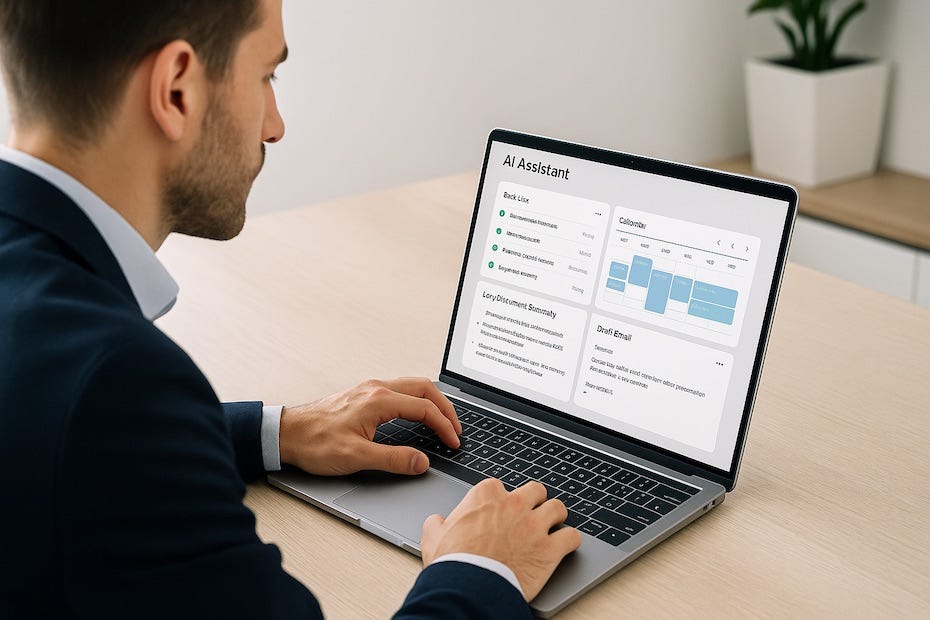
You can establish a **30-minute AI workflow** that streamlines daily operations, eliminates repetitive tasks, and maximizes your output in less time. By structuring a short, high-efficiency AI session each day, you create consistency, clarity, and measurable progress across projects — without spending all day managing tools.
This article explains how to set up a results-focused AI workflow that actually enhances real work. You’ll learn how to use AI to accelerate core tasks like summarization, research, content creation, or data preparation while keeping full control over quality and direction.
Identify the Work That Deserves AI Assistance
Before diving into automation, start by identifying the work segments that waste your time but don’t require deep creativity or leadership judgment. These are your workflow candidates.
You might spend hours every week compiling meeting notes, organizing reports, or reformatting content for presentations. Those activities don’t demand intuition — they demand structure. AI thrives there.
The most productive professionals categorize their daily tasks into two columns: decision-critical and process-driven. The latter should be automated or AI-assisted. Examples include:
- Summarizing long emails or documents.
- Drafting reports or executive briefs.
- Generating initial slides or bullet points.
- Extracting data from PDFs or spreadsheets.
- Creating follow-up reminders or task lists from notes.
By segmenting responsibilities, you train yourself to use AI where it compounds your time. This shift turns 30 minutes of focused automation into multiple hours saved.
Define the Input and Desired Output Before You Start
AI is only as effective as your direction. Defining the input and desired output upfront ensures that you get usable results, not generic text.
Start with clarity. What exactly do you want the AI to produce in those 30 minutes? A polished draft? A summarized report? A structured dataset? When your goal is defined, your prompt becomes a tool of precision, not guesswork.
For instance, say your goal is to summarize a client call:
- Input: transcript or meeting notes.
- Output: 300-word summary with three next steps and one follow-up email draft.
If you build this clarity into every session, you prevent rework — the silent productivity killer. Each AI interaction should feel like a focused sprint toward a deliverable, not an exploration.
Set Up the Right Tools to Automate the Routine
A 30-minute workflow depends on seamless execution, not multitasking. The fewer clicks and context switches, the higher your output quality.
Modern automation platforms can help you design a plug-and-play system:
- ChatGPT or Claude for natural language generation and summarization.
- Zapier or n8n for integrating tasks like document extraction, file uploads, and message routing.
- Notion AI or ClickUp AI for project management and automatic note generation.
- Google Gemini or Microsoft Copilot for real-time document collaboration.
For instance, you can set up an n8n flow that takes meeting transcripts from Google Drive, sends them to ChatGPT for summarization, and returns the output into your Notion workspace — automatically.
This means that your “AI session” begins with your tools already working for you, not waiting for manual inputs. The goal is smooth automation: AI handles the prep, you handle the decisions.
Trigger the AI Workflow and Let Automation Work
Once your tools are configured, it’s time to execute the actual workflow. The process is fast, deliberate, and standardized.
Here’s what a 30-minute session typically looks like:
Minutes 0–5: Collect and prepare inputs (files, notes, prompts). Minutes 5–15: Run automated AI tasks — summarization, draft creation, or data extraction. Minutes 15–25: Review outputs and make quick corrections or refinements. Minutes 25–30: Document next steps, schedule follow-ups, or send final outputs.
This rhythm creates what productivity experts call a “closed feedback loop.” You start and finish a complete work cycle in one sitting — without leaving open tasks hanging for later.
When repeated daily, this structure minimizes mental fatigue and context-switching, allowing you to focus on higher-order strategy, not constant catch-up.
Review Outputs Critically (and Quickly)
The biggest mistake professionals make is trusting AI blindly. You’re not looking for perfect automation — you’re looking for accelerated precision.
Spend 10 minutes reviewing the AI’s output with purpose:
- Fact check: Verify data accuracy or claims.
- Tone check: Ensure it aligns with your professional standards.
- Format check: Confirm it fits your deliverable (report, email, deck, etc.).
A Harvard Business Review study in 2025 reported that employees using generative AI for structured editing tasks achieved 40% higher performance when they spent time reviewing and refining outputs rather than accepting them wholesale. This reinforces that your judgment is the differentiator — the AI is just the accelerator.
If you treat AI like a trusted assistant instead of a replacement, your quality improves alongside your speed.
Document and Schedule the Results
A workflow only has value if its results are actionable. Once your AI session ends, the next step is documenting insights and scheduling follow-ups.
Let’s say your AI produced a project summary. You should:
- Add the summary to your team workspace or CRM.
- Create one-line action items for each decision.
- Assign them to stakeholders with due dates.
- Archive raw files for transparency and traceability.
Use automation tools to feed these outputs directly into your task manager (e.g., Trello, Asana, or Monday.com). The idea is to close the loop before moving on.
When you build this habit, you transform AI from a one-time gimmick into a sustainable operating system for your workday.
Track Impact and Refine the System
The smartest professionals don’t just use AI — they measure it. You should periodically review how much time the workflow saves, how accurate the outputs are, and where the system still creates friction.
Create a simple measurement grid:
- Time saved per session: Compare before vs. after AI use.
- Task accuracy: Track revisions needed post-AI.
- Output usability: Rate on a 1–5 scale based on readiness.
- Automation uptime: Measure how often flows execute without error.
According to a 2025 McKinsey report, employees who integrated structured AI workflows saved up to 90 minutes daily in administrative overhead while improving deliverable accuracy by 25%. These numbers underscore how optimization compounds over time.
When your workflow is efficient, every 30-minute AI session becomes a multiplier for real work, not a distraction from it.
The Real ROI of a 30-Minute AI Workflow
The productivity boost isn’t just theoretical. Teams adopting short, structured AI sessions report tangible operational gains. According to a 2025 Zapier survey of business users:
- 67% said AI saved them at least five hours per week.
- 54% reported faster task completion with higher quality.
- 31% reallocated saved time to client or strategic work.
In other words, your 30-minute workflow isn’t about replacing effort — it’s about reallocating it toward higher-impact work. Instead of juggling mundane tasks, you focus on judgment, creativity, and leadership decisions that move the business forward.
You also gain a side benefit: a more predictable day. When AI handles repetitive prep and formatting, your mental energy stays intact for work that matters.
Key Steps in a 30-Minute AI Workflow
- Identify a repeatable daily task
- Define clear input and output goals
- Use AI tools for automation
- Review and refine the output
- Document results and track time saved
Work Smarter, Not Longer
When you build a repeatable 30-minute AI workflow, you shift from reactive tasking to proactive execution. It’s not about working faster — it’s about working sharper. You’ll find that once you’ve streamlined one process, others follow naturally.
Start with one workflow tomorrow morning. Track the minutes saved. Expand your system weekly. Within a month, you’ll have a digital engine running quietly behind your workday — freeing you for the leadership, strategy, and creative judgment that define real performance.
If you’d like to explore more actionable guides on implementing AI tools for everyday productivity, **visit my Facebook profile** for detailed breakdowns and workflow templates tailored for professionals like you.
메타데이터
- post_id
- 1df37fcdcbe7
- slug
- a-30-minute-ai-workflow-that-boosts-real-work-1df37fcdcbe7
- url
- https://medium.com/@markrgraham/a-30-minute-ai-workflow-that-boosts-real-work-1df37fcdcbe7
- canonical_url
- https://medium.com/@markrgraham/a-30-minute-ai-workflow-that-boosts-real-work-1df37fcdcbe7
- author_url
- https://medium.com/@markrgraham
- status
- ok
- fetched_at
- 2026-08-11 16:50:13