BoroCTF — Cryptography Challenges
Cryptography Challenges
BoroCTF Cryptography Challenges
1- A Basic Start
Challenge Description
The Boro Cyber Division had been monitoring a group of local hackers. Their messages were previously encoded using Base64, but they changed to a different encoding method. The goal is to identify the new encoding and decode the conversation.
Step 1: Decode the Original Message
The first encoded message starts with:
VXNlcjE6IEhleSwgSSB0aGluay...The character set and the == padding at the end indicate that it is Base64.
After decoding it, we get:
User1: Hey, I think the Boro team is onto us!
User2: No Way! They're going to send the CTF participants after us!
User3: It'll be okay, we'll move to another base encoding!
The final sentence provides an important hint:
we'll move to another base encoding!This suggests that the new message is encoded using another Base encoding format.
Step 2: Identify the New Encoding
The newly encoded text contains many special characters, including:
_ + [ / , # ] & : % { ! . ; @ $ ^ < > |This does not match Base64, because Base64 only uses letters, numbers, /, +, and optional = padding.
The large range of printable ASCII characters strongly suggests Base91 encoding.
Step 3: Decode the Base91 Message
Using CyberChef:
- Paste the text under
After New encoding. - Search for the operation:
From Base91- Apply the operation.
The decoded message is:
User1: Okay we're on the new encoding.
User2: You wonder if anyones ever reading your messages?
User1: Nope. boroCTF{B@5ics_0f_B@si6s}
Flag
boroCTF{B@5ics_0f_B@si6s}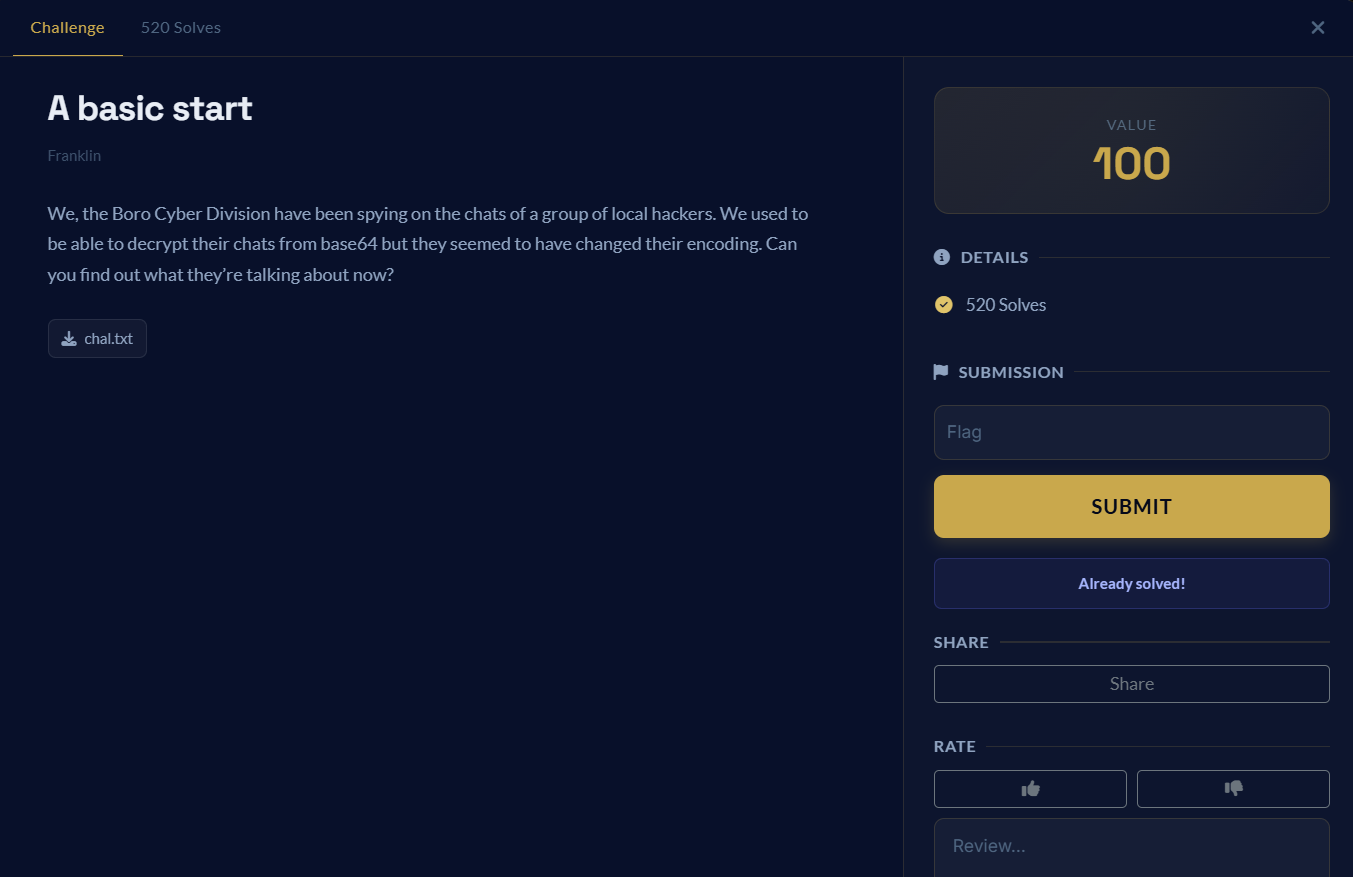
2- Et Tu, Brute
Challenge Description
Stabbed by his own men. Each stab wound marked how betrayed he was. Can you reverse the damage?
The encrypted text is:
erurFWI{@iu13qgq0pru3}Identifying the Cipher
The title “Et Tu, Brute” is a reference to Julius Caesar, which strongly suggests that the message was encrypted using a Caesar cipher.
A Caesar cipher shifts each alphabetical character by a fixed number of positions.
Decoding the Message
Trying the traditional Caesar shift of 3, we move every letter three positions backward:
e → b
r → o
u → r
r → o
F → C
W → T
I → F
Therefore:
erurFWIbecomes:
boroCTFDecoding the entire ciphertext gives:
boroCTF{@fr13ndn0mor3}
3- Not the Flag
Challenge Description
So is this not the flag? If its not not, then what else?
The challenge provides the following hexadecimal bytes:
9d 90 8d 90 bc ab b9 84 8b 97 ce db a0 96 8c a0 91 cf 8b a0 91 90 8b a0 8b 97 cc a0 99 93 bf 98 82Identifying the Operation
The repeated use of the word “not” in both the title and description suggests the use of the bitwise NOT operation.
A bitwise NOT reverses every bit:
0 → 1
1 → 0
For an 8-bit value, it can be calculated as:
decoded_byte = encrypted_byte XOR 0xFFFor example:
9d = 10011101
NOT  = 01100010
62 = b
Applying the same operation to the first four bytes:
9d → 62 → b
90 → 6f → o
8d → 72 → r
90 → 6f → o
This produces:
borowhich confirms that the correct operation is bitwise NOT.
CyberChef Solution
- Paste the hexadecimal data into CyberChef.
- Add the From Hex operation.
- Add the NOT operation.
The decoded message is:
boroCTF{th1$_is_n0t_not_th3_fl@g}
4- Disco
Challenge Description
The hexagonal colors are simply beautiful.
The challenge provides an image containing several colored squares.
Identifying the Technique
The phrase “hexagonal colors” hints at hexadecimal color codes.
Each color can be represented in RGB hexadecimal format:
#RRGGBBFor example:
RGB(98, 111, 114) → #626f72
Reading the colored squares from left to right and from top to bottom gives:
#626f72 → bor
#6f4354 → oCT
#467b6e → F{n
#457633 → Ev3

#725f6c → r_l
#302465 → 0$e
#5f596f → _Yo
#55345f → U4_

#426540 → Be@
#747d00 → t}
The final black squares are empty padding, so they can be ignored.
Combining the Hex Values
After removing the # symbols and joining the values together:
626f726f4354467b6e457633725f6c3024655f596f55345f426540747d00This is valid hexadecimal-encoded ASCII.
Decoding the Hexadecimal
Using CyberChef:
- Paste the combined hexadecimal string.
- Add the From Hex operation.
The decoded result is:
boroCTF{nEv3r_l0$e_YoU4_Be@t}
5- Babel’s Vault
Challenge Description
My friend sent me a random codebase with a Library of Babel implementation. Apparently the author is well known to hide secrets in his code, but I don’t see any here.
The challenge provides two files:
AUTHORSNOTE.txt
babel.py
Analysis
The Python program provides two options:
1) Generate a 940-character page
2) Generate a 15x15 image
The first important observation is that the text inside AUTHORSNOTE.txt is exactly 940 characters long.
This is the same number of characters generated by the page_from_seed() function.
The program uses the following alphabet:
ABCDEFGHIJKLMNOPQRSTUVWXYZabcdefghijklmnopqrstuvwxyz., This alphabet contains 55 characters.
The page_from_seed() function converts a seed into characters using division by 55. This means that the page is created using a Base-55 system.
Recovering the Seed
Because we already have the generated 940-character page, we can reverse the process.
The following script:
- Reads
AUTHORSNOTE.txt. - Reads the alphabet and large offset from
babel.py. - Converts every character back to its position in the alphabet.
- Rebuilds the original number.
- Subtracts the offset to recover the seed.
import re

# Read the two challenge files
with open("AUTHORSNOTE.txt", "r", encoding="utf-8") as file:
    note = file.read().rstrip("\n")
with open("babel.py", "r", encoding="utf-8") as file:
    code = file.read()

# Get the alphabet from babel.py
alphabet = re.search(
    r'ALPHABET = "([^"]+)"',
    code
).group(1)

# Get the large number used in: seed += number
page_offset = int(
    re.search(r"seed \+= (\d+)", code).group(1)
)

# Reverse the Base-55 process
page_number = 0
for character in reversed(note):
    character_value = alphabet.index(character)
    page_number = page_number * 55 + character_value

# Recover the original seed
seed = page_number - page_offset

print("Recovered seed:")
print(seed)
Using the Recovered Seed to Generate the Image
After running the script, it prints a very large seed.
Next, run the original program:
python babel.pyChoose option:
2Then paste the recovered seed:
seed: 3544280111473730708053245299989391042767576758035584864941532983135054385557471251704821961386898312952351964196705929826341249470519527773307760368822866900966805815753783068278548889349543836665523403111718186997472794240513576677869825688599823331092898287899996264278269354262097367564267677985828908400500707121377219995176583385300541638295354464311206278755010401435473144570173464172412737197483163126708640611111755946517658691304892609064813042342902954285745650501185977562418697449354739194065674403430633124423296499205604238088150946292640221318345446017156426656091977240638980387148703351277645718842961379999132951403363512627382489422678491488260403398014102112968841831936470901996301563503272667081474922124353314684967385101874673580717751673824894005780231341138701194842806792826036185271997590257184157891029079248272716184428615345223572737800771414583827486604012918447453378619139203425502567588311766937531579471783883776921510463902447459192002903668439339367698561804477554118223057356090123647104536282589308133717504102614630566883587793581106113480594140252677079605252667084920586048774567258627948087729764085140275916850838797734645018228017677186615682342298879202024669682833247709455595753390238081225529423581678612691506078696488969557625809042278231192266386181580425562138375768960369481077336572739704208027288671754433737184214354385513799418186944719726773638087678099468872627724951847353139326170823503076712157094294102124260693786209747036334374672803533982161185253867480624793999071119742671106483530069107239229961312135991856193140594125119069798791918711379760316393071486770088819The program generates a 15×15 image and also prints its raw RGB values.
The image looks almost black because most RGB values are very small.
However, the secret is hidden inside the raw RGB numbers.
Extracting the Hidden Indexes
The RGB values start like this:
0 0 7 0 1 6 0 3 5 0 4 4 ...Joining them produces:
007016035044...Splitting the result into groups of three gives:
007 016 035 044 103 137 234 255 ...These numbers are indexes inside AUTHORSNOTE.txt.
For example:
Index 007 → b
Index 016 → o
Index 035 → r
Index 044 → o
Using all the indexes reveals:
boroCTFoneSeedCipherInInfinityAdding the flag braces gives:
boroCTF{oneSeedCipherInInfinity}
6- Boro Coin 1
Challenge Description
We have a government seized Boro Wallet with 51.42 bc before any transactions occurred. Sadly, the suspect refuses to give us the private key. Can you retrieve the key?
Boro Coin uses standard secp256k1 ECDSA. A transaction hash is generated by taking the SHA-256 of the string format: “sender:recipient:amount” (Colons included!) The JSON will give you all the transactions ever made with the wallet.
Note: This challenge does not contain a flag. You will need to submit the private key (lowercase hex, no prefix) as the flag. Example: boroCTF{7f2a4b…}
Analysis
Each ECDSA signature contains two values:
(r, s)ECDSA also uses a temporary secret value called the nonce:
kThe nonce must be unique for every signature.
If the same nonce is reused, the same r value appears in multiple signatures.
This allows us to recover the nonce and then calculate the private key.
Finding the Repeated r Value
After parsing the DER-encoded signatures and comparing their r values, two transactions were found to have the same r value:
Transaction 4
Transaction 19
The repeated value is:
r = 2cbda85fc21f5e62f94d8378d2dad1a05bc5d5522d5a717f2bdf1df13d558ec7This confirms that the same nonce was reused.
Transaction 4
The transaction information is:
Sender: Suspect
Recipient: FranklinGothic
Amount: 21.68
The exact string used to generate the hash is:
Suspect:FranklinGothic:21.68Its s value is:
s1 = 4b2f38c18c2a933f81112350ae048f0162feaaed599f827180944ea3203570deTransaction 19
The transaction information is:
Sender: Suspect
Recipient: ForeverFlames
Amount: 45.46
The exact string used to generate the hash is:
Suspect:ForeverFlames:45.46Its s value is:
s2 = 7db2d815212aab6b986d0a403b724ad5fd57d2d9e826bf2893e29d9d179d59f3Generating the Transaction Hashes
The two hashes are generated using SHA-256:
z1 = SHA256("Suspect:FranklinGothic:21.68")z2 = SHA256("Suspect:ForeverFlames:45.46")These hashes are needed to recover the reused nonce.
Recovering the Nonce
When the same nonce is used in two ECDSA signatures, it can be calculated using:
k = (z1 - z2) × (s1 - s2)⁻¹ mod nWhere n is the order of the secp256k1 curve.
The recovered nonce is:
842d22462a557c342a77a28c521ed84948cdd80167511542ecd88810431625a6Recovering the Private Key
After recovering the nonce, the private key can be calculated using:
private_key = (s1 × k - z1) × r⁻¹ mod nThe recovered private key is:
1b7ba9dafeb7c7a30fd8043a656c3ab89509db070dbd48b593d8e266b56ca22dSolving with Python
The following script searches for a repeated r value and calculates the private key:
import hashlib
import json

N = 0xFFFFFFFFFFFFFFFFFFFFFFFFFFFFFFFEBAAEDCE6AF48A03BBFD25E8CD0364141

def parse_der(signature_hex):
    signature = bytes.fromhex(signature_hex)

    index = 2

    r_length = signature[index + 1]
    r_start = index + 2
    r_end = r_start + r_length
    r = int.from_bytes(signature[r_start:r_end], "big")

    index = r_end

    s_length = signature[index + 1]
    s_start = index + 2
    s_end = s_start + s_length
    s = int.from_bytes(signature[s_start:s_end], "big")

    return r, s

def get_hash(transaction):
    message = (
        f"{transaction['sender']}:"
        f"{transaction['recipient']}:"
        f"{transaction['amount']}"
    )

    return int.from_bytes(
        hashlib.sha256(message.encode()).digest(),
        "big"
    )

with open("transactions.json", "r") as file:
    transactions = json.load(file)

seen = {}

for name, transaction in transactions.items():
    r, s = parse_der(transaction["signature_der"])

    if r not in seen:
        seen[r] = (name, transaction, s)
        continue

    first_name, first_transaction, s1 = seen[r]

    z1 = get_hash(first_transaction)
    z2 = get_hash(transaction)

    k = (
        (z1 - z2)
        * pow((s1 - s) % N, -1, N)
    ) % N

    private_key = (
        (s1 * k - z1)
        * pow(r, -1, N)
    ) % N

    print("Repeated r found in:", first_name, "and", name)
    print("Private key:", f"{private_key:064x}")
The script produces:
Repeated r found in: Transaction 4 and Transaction 19

Private key:
1b7ba9dafeb7c7a30fd8043a656c3ab89509db070dbd48b593d8e266b56ca22d
Flag
boroCTF{1b7ba9dafeb7c7a30fd8043a656c3ab89509db070dbd48b593d8e266b56ca22d}
7- Boro Coin 2
Challenge Description
In the previous challenge, we recovered the private key of the suspect’s Boro Coin wallet.
In this challenge, we need to create a valid transaction signature.
The transaction must:
Send all remaining coins
To: Boro_Confiscation_Committee
The challenge also tells us to reuse the same nonce from Boro Coin 1.
The final answer must be the DER-encoded ECDSA signature:
boroCTF{signature}Calculating the Wallet Balance
The wallet originally contained:
51.42 BCAfter calculating all incoming and outgoing transactions:
Total incoming = 2300.21 BC
Total outgoing = 2319.28 BC
The remaining balance is:
51.42 + 2300.21 - 2319.28 = 32.35 BCTransaction 13 sends coins from Suspect to Suspect, so it does not change the wallet balance.
Therefore, the new transaction amount is:
32.35Building the Transaction Message
The transaction hash format is:
sender:recipient:amountThe sender is:
SuspectThe recipient is:
Boro_Confiscation_CommitteeThe amount is:
32.35Therefore, the exact message is:
Suspect:Boro_Confiscation_Committee:32.35Hashing the Transaction
The message is hashed using SHA-256:
z = SHA256("Suspect:Boro_Confiscation_Committee:32.35")The resulting hash is:
3e51ea97b266bc71556ea51d9a47d5407d3f53ffbb1638fb8a86f064d06d71bdReusing the Previous Values
From Boro Coin 1, we recovered the private key:
d = 1b7ba9dafeb7c7a30fd8043a656c3ab89509db070dbd48b593d8e266b56ca22dWe also recovered the reused nonce:
k = 842d22462a557c342a77a28c521ed84948cdd80167511542ecd88810431625a6Because we are reusing the same nonce, the r value stays the same:
r = 2cbda85fc21f5e62f94d8378d2dad1a05bc5d5522d5a717f2bdf1df13d558ec7Generating the New Signature
The ECDSA s value is calculated using:
s = k⁻¹ × (z + r × d) mod nWhere:
zis the new transaction hash.ris the repeated signature value.dis the private key.kis the reused nonce.nis the order of the secp256k1 curve.
The new s value is:
033a47e398c6d81b053a235884c13b41f5618a6fa85715198a09beefdd5c3342The new ECDSA signature values are:
r = 2cbda85fc21f5e62f94d8378d2dad1a05bc5d5522d5a717f2bdf1df13d558ec7
s = 033a47e398c6d81b053a235884c13b41f5618a6fa85715198a09beefdd5c3342
Encoding the Signature
The challenge expects the signature in DER format.
The DER structure is:
30 [length]
   02 [r length] [r]
   02 [s length] [s]
After encoding r and s, the final signature is:
304402202cbda85fc21f5e62f94d8378d2dad1a05bc5d5522d5a717f2bdf1df13d558ec70220033a47e398c6d81b053a235884c13b41f5618a6fa85715198a09beefdd5c3342Flag
boroCTF{304402202cbda85fc21f5e62f94d8378d2dad1a05bc5d5522d5a717f2bdf1df13d558ec70220033a47e398c6d81b053a235884c13b41f5618a6fa85715198a09beefdd5c3342}
8- Efficient Encryption
Challenge Description
I forgot my flag on the top shelf but i’m too short to reach it :’(. Can you grab it for me?
Note — This challenge does not contain the flag format. Example answer: boroCTF{S0lv3d}

Identifying the Puzzle
The image looks like a Sudoku puzzle.
Instead of the numbers 1–9, it uses these nine symbols:
@
1
A
L
N
Q
R
S
T
The normal Sudoku rules still apply:
- Every row must contain all nine symbols.
- Every column must contain all nine symbols.
- Every 3×3 box must contain all nine symbols.
Solving the Grid
The completed grid is:
L  @  T | 1  N  S | Q  A  R
1  S  R | T  Q  A | L  @  N
N  Q  A | L  @  R | T  1  S
------- + ------- + -------
@  A  1 | R  S  L | N  Q  T
S  R  N | Q  T  1 | A  L  @
Q  T  L | @  A  N | S  R  1
------- + ------- + -------
T  1  S | A  R  Q | @  N  L
A  L  @ | N  1  T | R  S  Q
R  N  Q | S  L  @ | 1  T  A
Reading the Top Shelf
The challenge says that the flag is on the top shelf.
Therefore, we read the first row from left to right:
L @ T 1 N S Q A RJoining the characters gives:
L@T1NSQARThe beginning uses leetspeak:
@ → A
1 → I
So the text represents:
LATIN SQUAREThis also describes the structure used by the puzzle.
Flag
boroCTF{L@T1NSQAR}
9- Flipper’s Dilemma
Challenge Description
Why do we flip a coin when we have to make a hard choice? Maybe the flipping here isn’t so random. I flipped it once yet still 0x15 times.
wzgzVASnS4|eE${J%`>h
Identifying the Technique
The word flipping hints at the XOR operation.
XOR can flip individual bits depending on the key being used.
The value:
0x15is a hexadecimal number and represents the XOR key.
Therefore, each character of the encrypted text must be XORed with:
0x15Testing the First Character
The first encrypted character is:
wIts ASCII hexadecimal value is:
w → 0x77XORing it with 0x15:
0x77 XOR 0x15 = 0x62The ASCII character represented by 0x62 is:
bThis confirms that XOR with 0x15 is the correct technique.
Decoding with CyberChef
Using CyberChef:
- Paste the encrypted text:
wzgzVASnS4|eE${J%`>h- Add the XOR operation.
- Set the key format to Hex.
- Enter the key:
15The decoded result is:
boroCTF{F!ipP1n_0u+}Flag
boroCTF{F!ipP1n_0u+}
10- So Many Layers
Challenge Description
Makes me cry.
00110101 00111001 00110110 01000100 00110011 00111001 00110111 00111001 00110110 00110010 00110011 00110000 00110100 01000101 00110101 00110101 00110101 00110010 00110110 01000101 00110111 00110100 00110100 01000100 00110100 00111001 00110101 00110111 00110111 00110011 00110111 01000001 00110101 00111000 00110011 00110010 00110100 00110110 00110100 01000110 00110101 00111000 00110111 01000001 00110100 00110010 00110111 00110101 00110100 01000100 00110101 00110111 00110011 00111001 00110111 00110101 00110101 00111000 00110110 01000101 00110011 00110000 00110011 01000100
Decoding the Binary Layer
Each group contains eight binary bits, representing one ASCII character.
For example:
00110101 → 5
00111001 → 9
00110110 → 6
01000100 → D
Converting all complete binary groups to ASCII gives:
596D397962304E55526E744D4957737A5832464F587A42754D573975586E303DIdentifying the Hexadecimal Layer
The result contains only hexadecimal characters:
0–9
A–F
Therefore, the next layer is hexadecimal encoding.
Decoding the hexadecimal string gives:
Ym9yb0NURntMIWszX2FOXzBuMW9uXn0=Identifying the Base64 Layer
The new result has the format of a Base64-encoded string.
Ym9yb0NURntMIWszX2FOXzBuMW9uXn0=Flag
boroCTF{L!k3_aN_0n1on^}
11- Flight
Challenge Description
dark, darker, yet darker.
♌︎□︎❒︎□︎👍︎❄︎☞︎❀︎⬥︎✋︎■︎♑︎📂︎■︎🕯︎♉︎✏︎⧫︎❝︎
The description says:
dark, darker, yet darker.Identifying the Technique
The title Flight hints at the word:
WingsThe phrase “dark, darker, yet darker” also hints at the character W. D. Gaster from Undertale.
Gaster is commonly connected with the Wingdings font.
Therefore, the provided symbols should be decoded as Wingdings.
Decoding the Symbols
Using a Wingdings translator, the symbols decode as follows:
♌︎□︎❒︎□︎ → boro👍︎❄︎☞︎ → CTF❀︎ → {⬥︎✋︎■︎♑︎ → wIng📂︎■︎🕯︎ → 1n'♉︎✏︎⧫︎ → _!t❝︎ → }Combining the Result
Joining all the decoded parts gives:
boroCTF{wIng1n'_!t}Flag
boroCTF{wIng1n'_!t}
12- Qwerty!
Challenge Description
I am so very sorry…. I made a lot of typos :(
I should rot in hell 😭
?AEAGJ8NJF,\0[d5JcE-
Identifying the First Layer
The word:
rotsuggests using a ROT cipher.
Because the encrypted text contains letters, numbers, and symbols, ROT13 is not enough.
ROT47 is more suitable because it works with printable ASCII characters, including:
Letters
Numbers
Symbols
Applying ROT47
Applying ROT47 to:
?AEAGJ8NJF,\0[d5JcE-produces:
nptpvyg}yu[-_,5dy4t\The result is still unreadable, so another layer remains.
Identifying the Keyboard Shift
The challenge title is:
Qwerty!The description also mentions many typing mistakes.
Looking at the ROT47 result, every character appears to be the key directly to the right of the intended character on a QWERTY keyboard.
For example:
n → b
p → o
t → r
p → o
v → c
y → t
g → f
} → {
Reading the key directly to the left of every character gives:
boroctf{typ0)m4st3r]Correcting the Remaining Typos
The challenge says that the author made several typos.
The remaining mistakes are:
ctf → CTFThe Shift key was not used.
) → _These are nearby keys on the number row.
] → }These use the same keyboard key, but } requires Shift.
After correcting the mistakes, we get:
boroCTF{typ0_m4st3r}
13- Anatomically Incorrect
Challenge Description
Hey, I found this random assortment of characters on the ground in class. What does it mean?
1s2 2s2 2p6 3s2 3p6 4s2 3d10 4p4 1s2 2s2 2p6 3s2 3p6 1s2 2s2 2p6 3s2 3p6 4s2 3d3 1s2 2s2 2p6 3s2 3p6 4s2 3d10 4p6 5s2 4d2 1s2 2s2 2p6 3s2 3p6 4s2 3d10 4p6 5s2 4d10 5p6 6s2 4f14 5d10 6p6 7s2 5f13 1s2 2s2 2p6 3s2 3p4 1s2 2s2 1s2 2s2 2p6 3s2 3p6 4s2 3d10 4p6 5s2 4d10 5p6 6s2 4f14 5d10 6p6 7s2 5f14 6d9 1s2 2s2 2p6 3s2 3p6 4s2 3d10 4p6 5s2 4d10 5p6 6s2 4f14 5d10 6p6 7s2 5f14 6d10 7p3 1s2 2s2 2p6 3s2 3p6 4s2 3d10 4p6 5s2 4d10 5p6
This challenge does not contain boroCTF in the solution. Please put in the format boroCTF{ExAmPlE}

Identifying the Technique
The values such as:
1s2
2s2
2p6
3s2are electron configurations.
Each complete electron configuration represents one chemical element.
A new configuration begins whenever 1s2 appears again.
For example, the first configuration is:
1s2 2s2 2p6 3s2 3p6 4s2 3d10 4p4To find the element, add the number of electrons:
2 + 2 + 6 + 2 + 6 + 2 + 10 + 4 = 34Atomic number 34 is Selenium:
SeSeparating the Configurations
Splitting the provided text whenever a new 1s2 appears gives ten electron configurations.
Adding the electron values produces:
34
18
23
40
101
16
4
111
115
54
These atomic numbers represent:
34  → Se
18  → Ar
23  → V
40  → Zr
101 → Md
16  → S
4   → Be
111 → Rg
115 → Mc
54  → Xe
Using the Incorrect Periodic Table
The title is:
Anatomically IncorrectThe positions in the circular table represent elements, but the characters written inside the positions are incorrect.
We locate each atomic number in the provided table and read the characters written in its position:
34  → I
18  → F
23  → Oo
40  → N
101 → Ed
16  → Ht
4   → E
111 → Fl
115 → Ag
54  → S
Combining the Characters
Joining the characters in the same order gives:
I + F + Oo + N + Ed + Ht + E + Fl + Ag + SThe final result is:
IFOoNEdHtEFlAgSThe capitalization must be preserved exactly as it appears in the table.
Flag
boroCTF{IFOoNEdHtEFlAgS}
14- Johnny Boy
Challenge Description
One of our sysadmins recently quit after we had our third data breach this year. We need to access the logs of the time before he left but they are all in encrypted zips. We remember he used pretty similar passwords each time.
Identifying the Technique
Reading the archive names in order gives:
USE JOHN THE RIPPERThis tells us to use John the Ripper to recover the ZIP passwords.
For every archive, we first extract its password hash using zip2john.
Then, we crack the hash using the rockyou.txt wordlist.
Cracking the First Archive
Convert the first ZIP file into a format supported by John:
zip2john a_USE.zip > use_hash.txtRun John with the RockYou wordlist:
john --wordlist=/usr/share/wordlists/rockyou.txt use_hash.txtThe recovered password is:
chipsExtract the archive:
7z x a_USE.zipEnter:
chipsCracking the Second Archive
Generate the hash:
zip2john b_JOHN.zip > john_hash.txtCrack it:
john --wordlist=/usr/share/wordlists/rockyou.txt john_hash.txtThe recovered password is:
fishandchipsExtract the archive:
7z x b_JOHN.zipThe log contains messages warning that the password is insecure:
[2026] INFO PASSWORD INSECURE PLEASE MOVE LOGS
[2026] MESSAGE SYSADMIN "fine I'll move them"
Cracking the Third Archive
Generate the hash:
zip2john c_THE.zip > the_hash.txtRun John:
john --wordlist=/usr/share/wordlists/rockyou.txt the_hash.txtThe password is:
sunchipsExtract the archive:
7z x c_THE.zipThe log contains another warning:
[2026] INFO PLEASE MAKE BETTER PASSWORDS
[2026] SYSADMIN MESSAGE "NO"
Identifying the Password Pattern
The recovered passwords are:
chips
fishandchips
sunchips
All three passwords contain the word:
chipsThis confirms the challenge description that the system administrator used very similar passwords.
Cracking the Final Archive
Generate the final hash:
zip2john d_RIPPER.zip > ripper_hash.txtA normal RockYou attack does not recover the password:
john --wordlist=/usr/share/wordlists/rockyou.txt ripper_hash.txtThe administrator probably modified a common password slightly.
John can automatically create password variations using rules:
john --wordlist=/usr/share/wordlists/rockyou.txt --rules ripper_hash.txtThe recovered password is:
chip!The administrator changed:
chips → chip!Reading the Final Log
Extract the archive:
7z x d_RIPPER.zipEnter the password:
chip!Read the log:
cat RIPPER.logThe output contains:
[2026] ALL PASSWORDS HAVE BEEN BREACHED
[2026] SYSADMIN MESSAGE "boroCTF{L@_R11pP3r;}"
Flag
boroCTF{L@_R11pP3r;}
Best Regards,
Vli_T2

메타데이터
- post_id
- 1ef61ea239be
- slug
- boroctf-cryptography-challenges-1ef61ea239be
- url
- https://medium.com/@aa1493264/boroctf-cryptography-challenges-1ef61ea239be
- canonical_url
- https://medium.com/@aa1493264/boroctf-cryptography-challenges-1ef61ea239be
- author_url
- https://medium.com/@aa1493264
- status
- ok
- fetched_at
- 2026-06-21 07:44:09



