The Mac hack I rely on for opening 7z files painlessly
I have another irritating problem to add to my ever-growing list of work-based annoyances.
The Mac hack I rely on for opening 7z files painlessly
Photo by Raul Perțe on Unsplash
I have another irritating problem to add to my ever-growing list of work-based annoyances.
Ladles and Jellyspoons, I today bring to you the horror that is “unsupported archive files!”
I’ve found this coming up a lot with many things relating to my work and study life, like:
- Downloads
- Courses
- Shared resources.
I get that not all of us are on Macs, and that’s OK twitch, but I needed a simple solution to rely on when I receive another 7z file…
Tips and tricks to open up 7z files
When I’m struggling for help with a tech dilemma, I often turn to a **GPT helper **to get solutions to my issues (without asking the other oracle in my life, aka my partner…)
Here’s what I’ve found and tried out recently and thus know works.
1. Something that bit extra from Archiver
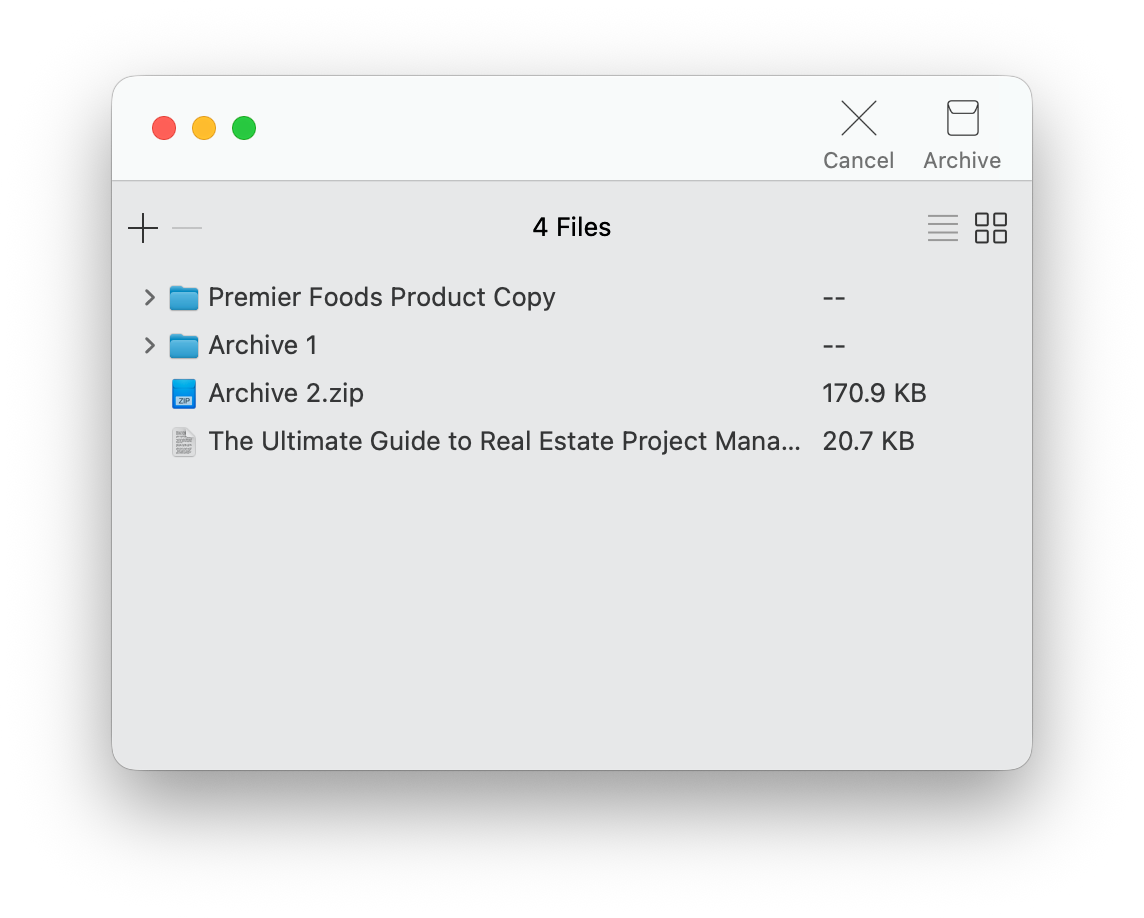
**Archiver**, in my view, is one of the best 7z file openers. Its really simple interface belies the ace functionality.
I’ve found that I can split massive files into chunks while archiving them for quick transfer. When opening 7z files, I can simply drag and drop them into the app. Job done!
2. For an instant fix, try Archive Utility
Go native. I found Archive Utility is macOS’s built-in tool for handling compressed files. Therefore, it’ll be able to extract 7z archives.
Now, the caveat is that it doesn’t allow me to preview or edit anything. But, for a quick and easy go-to, it’s a winner and means I don’t need to download any additional software.
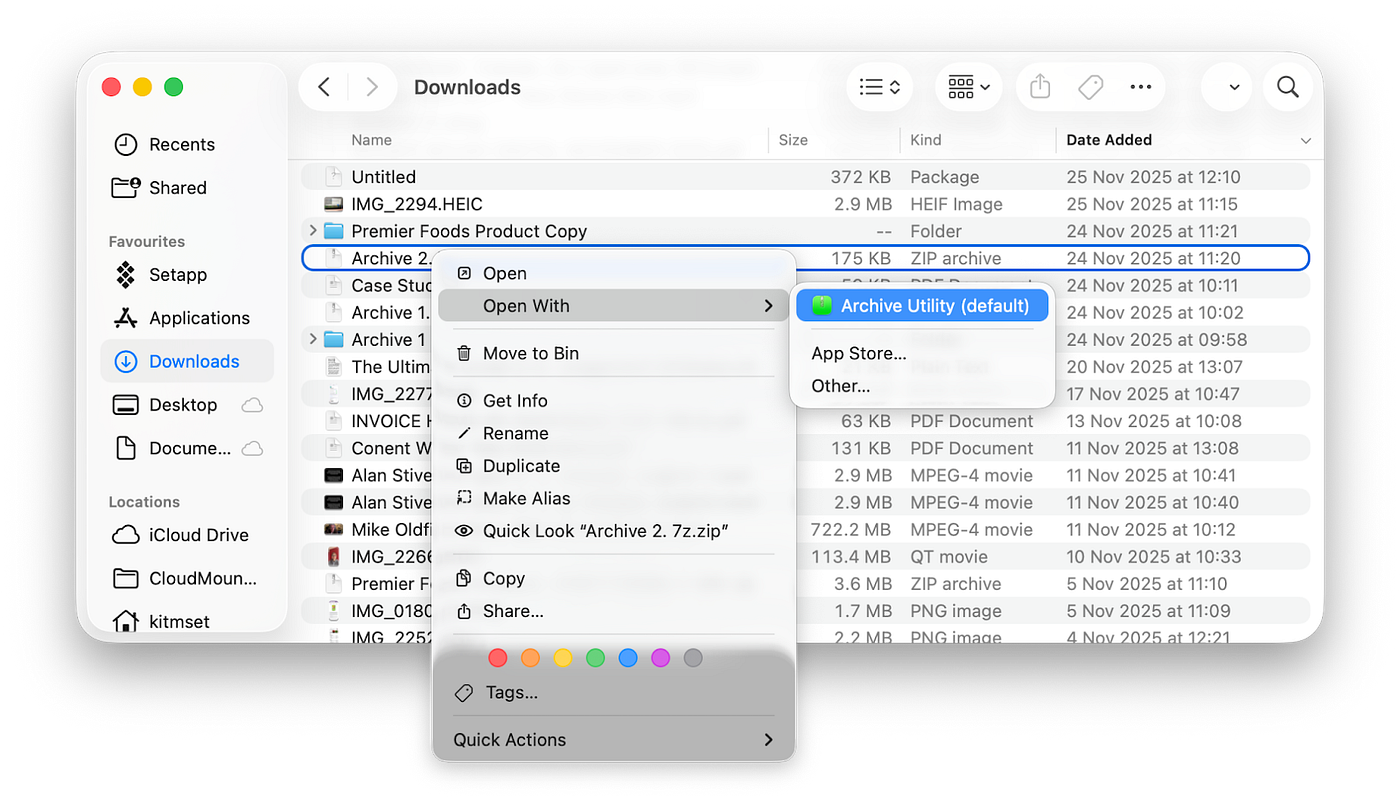
How to unzip 7z files using Archive Utility:
- Locate your 7z archive on Mac.
- Right-click it
- Select Open With > Archive Utility.
- Access the newly created folder in that location.
Want to know more? Mikah Sargent’s done an ace deep dive into it on his **Hands-On Apple** YouTube channel.
3. A free tool from ezyZip
What if you do want a dedicated tool for the job? I gave **ezyZip** a trial, and it’s great for anyone who wants a specific program to use without downloading an app.
Everything is processed locally in my browser, with no file data uploaded to a server. My privacy and security are protected, and so it’s a go-to for opening anything sensitive.

It’s completely free…but the caveat with that is, there’s a lot of ads to wade through, and it won’t operate if you’ve got an ad blocker in place.
Never have an issue with 7z files again!
For me, the key to all of this was to avoid stress and keep the process frictionless and beginner-friendly. I’m tech-savvy, but I still worry about protecting my Mac.
I know that seeing odd file formats can make me panic a bit (what if it’s dodgy and corrupts my drive, etc.?)
My key takeaway is that you should find one app (my pick of the bunch here is Archiver) and stick with it, so that when you receive a file in a format that Mac doesn’t support, you can open it quickly without worrying. In the long run, it’ll save you time and hassle, and you’ll feel confident the more you do it.
Extra content on Mac management
Hey, if you’d like some more excellent blogs on Mac (and file) management, take a look at some of the other content I’ve written:
메타데이터
- post_id
- 201ad0ff8b29
- slug
- how-to-open-7z-files-simply-201ad0ff8b29
- url
- https://medium.com/@polina.fomenkova1/how-to-open-7z-files-simply-201ad0ff8b29
- canonical_url
- https://medium.com/@polina.fomenkova1/how-to-open-7z-files-simply-201ad0ff8b29
- author_url
- https://medium.com/@polina.fomenkova1
- status
- ok
- fetched_at
- 2026-06-20 20:29:01