Google MyMaps was ugly — So I built a SaaS alternative
I was tired of Google MyMaps’ clunky design… So I built a mapping SaaS alternative 🚫 no iFrames and dev-friendly 👉 mamap.io
Google MyMaps was ugly — So I built a SaaS alternative
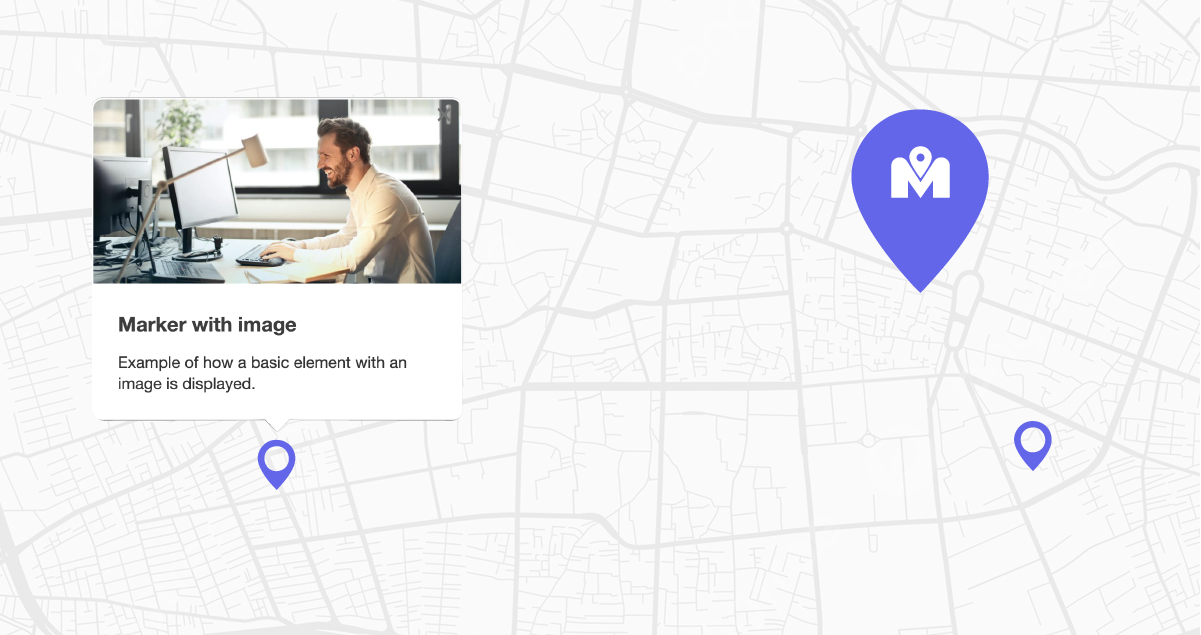
It already looks better no ?
My first Problem: Why I Hated Google MyMaps As a developer and occasional event organizer, I relied on Google MyMaps for years, because it’s useful. But let’s be honest: it’s clunky, visually outdated, and rigid. Customizing the map felt like solving a puzzle, embedding maps as iframes broke my website’s design flow and worst of all? It looked unforgivably outdated — like a relic from the early 2000s. I needed a tool that was simple, aesthetic, cheap and developer-friendly. When I couldn’t find one, I built mamap.io.

Holy Moly…is this what I really want on my beautiful Nuxt3 Frontend ?
The 2nd Problem: Why I Hated developing maps
If designing maps with Google MyMaps felt like wrestling a bear, developing them was like trying to teach that bear ballet. The real nightmare began when integrating maps into client projects. Want to link markers to a CMS like Sanity or Wordpress ? Prepare for some hours of API code. Managing images and popup content ? — a soul-crushing loop of copy-paste code from c̶h̶a̶t̶G̶p̶t̶ the package documentation.
And the search bar? The real headache wasn’t just styling it — it was reinventing the wheel every time I started a new project. Manage the zoom, update a location, refresh the map, open the popup… Ha, and popups? Also that you need to style it.
I craved a tool where the search bar intuitively worked out of the box, where popups would display my image nicely, and where CMS integration would just be a far away bad dream while I drink my nice morning espresso.
The Vision: A basic beginning
I am simple dev, so I envisioned a mapping tool that prioritized three main things in the first time:
- No Iframes: No more ugly Iframes. Users should be able to tweak all the css to match their brand.
- Ease of use and no backend management: Drag-and-drop simplicity for non-developers, handling of images, pop-up, searchbar and markers editing outside of my project.
- Avoiding Google maps pricing: No hidden fees. A stable solution for everyone based on Open-Source solution.
This led to mamap.io — a platform combining Leaflet’s open-source flexibility with SaaS-grade polish.
How mamap.io Solves the Google MyMaps Problem
Let’s break down why this tool exists:
1. Beauty Meets Functionality
Google MyMaps’ UI felt like a spreadsheet. Mamap.io’s maps are built for visual integrations. Custom CSS lets you style every element — search bars, popups, markers — to align with your website’s design. Want rounded corners? Shadow effects? A dark theme? Done. No Iframes, no constraints.
2. Developer-Friendly Integration
Forget wrestling with Google’s APIs. Mamap.io uses a lightweight script tag, letting you embed maps directly into your site. Need advanced tweaks? The CSS classes are fully exposed, so you can override styles for rapid customizations.
3. Privacy-First and Google away
Solutions based on google’s pricing tiers gave me nightmares. Mamap.io uses Leaflet in the background, slashing costs without sacrificing quality. Plus, your data stays yours — no ads, no tracking, no selling to third parties.
The Technical Nitty-Gritty
Building mamap.io meant solving real-world frustrations:
- Customization: Users demanded control. We enabled CSS overrides for everything, from popup backgrounds to search bar.
- Scalability: A centralized dashboard lets businesses manage multiple maps — stores, events, service areas — without coding.
Who can use It? (Spoiler: Everyone I think…)
- Businesses: Showcase store locations in a clean, interactive format.
- Developers: Embed maps into client sites without rebuilding functionality from scratch.
Obviously I made a tutorial to show the current state: https://www.youtube.com/watch?v=JG5nI9oOKiQ

The same map, one time with Google my maps and one time using mamap.io
The Road Ahead
Mamap.io is just starting. Future plans I have include:
- Advanced map customization
- Filters creation for searchbar
- Better management of markers customization
- Improved UI for the map editing
- Improved loading time of the script
But the core promise should remains: maps should be beautiful, simple, and accessible to all.
Try It Yourself If you’re tired of ugly, inflexible maps, or tired of integrating the same map solution in your CMS for the 10th time this year, give mamap.io a spin. I write this article because I am looking for 5 people motivated to test it for free this year against feedbacks.
If you’re interested, just ping me and let’s make mapping fun again :)
— A developer who just wanted pretty maps
Want to hire me ? Contact me at https://www.esaho.ch
메타데이터
- post_id
- 20ca324fef0d
- slug
- google-mymaps-was-ugly-so-i-built-a-saas-alternative-20ca324fef0d
- url
- https://medium.com/@anthony.cherbuin/google-mymaps-was-ugly-so-i-built-a-saas-alternative-20ca324fef0d
- canonical_url
- https://medium.com/@anthony.cherbuin/google-mymaps-was-ugly-so-i-built-a-saas-alternative-20ca324fef0d
- author_url
- https://medium.com/@anthony.cherbuin
- status
- ok
- fetched_at
- 2026-08-09 07:13:18





