How We Use Claude’s Artifacts to Build Internal Tools Without a Dev Team
The honest story of how a small team replaced their dev backlog with an AI that just… builds stuff.
How We Use Claude’s Artifacts to Build Internal Tools Without a Dev Team
The honest story of how a small team replaced their dev backlog with an AI that just… builds stuff.
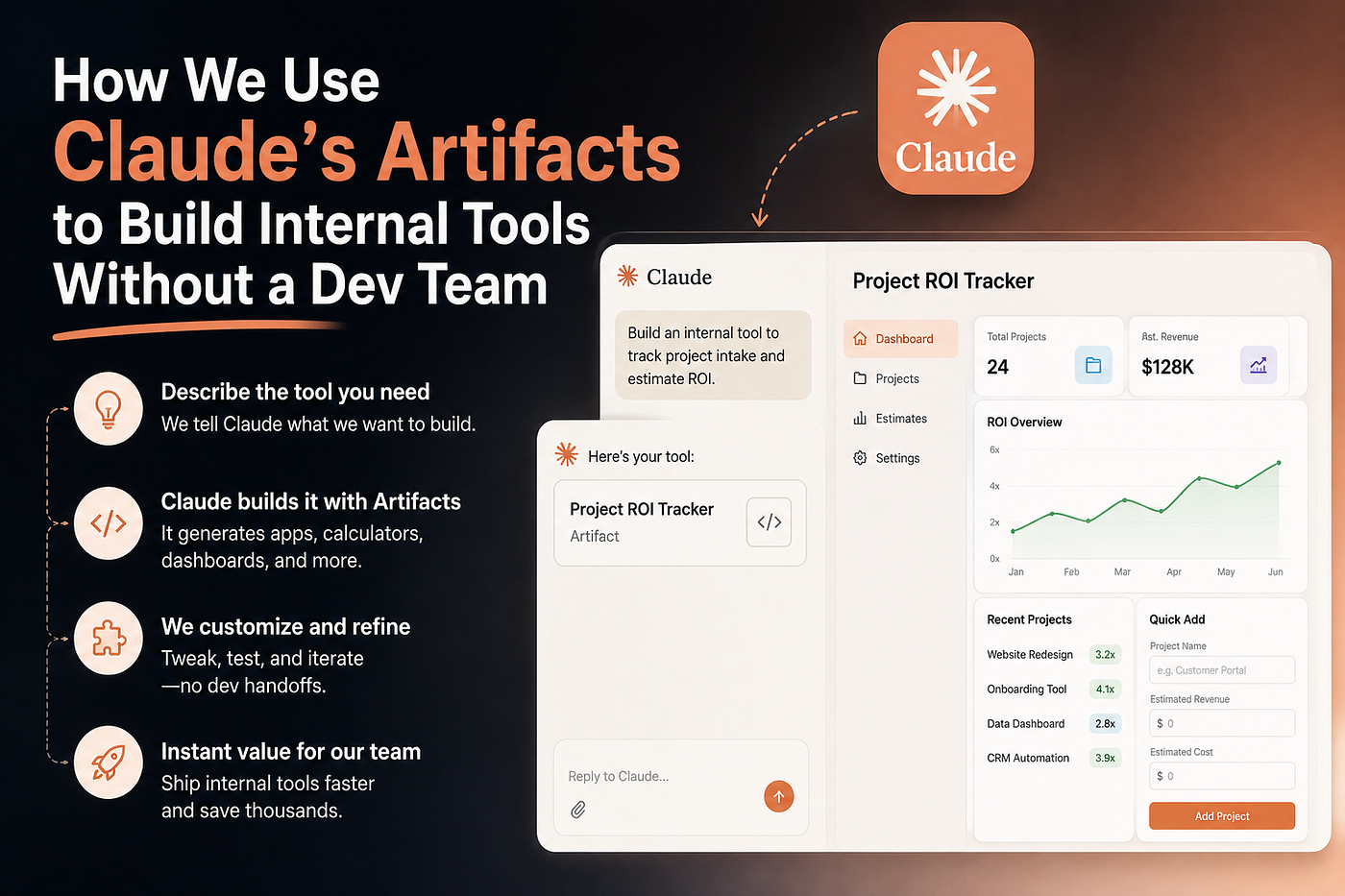
There’s a running joke in our team’s Slack. Whenever someone says “we should build a tool for this,” someone else immediately replies: “Already done. Check the shared folder.”
Six months ago, that joke would’ve been sarcastic. Now it’s just… true.
NON MEDIUM MEMBER LINK: https://medium.com/@pragneshpalsana/how-we-use-claudes-artifacts-to-build-internal-tools-without-a-dev-team-20ede5a2563f?sk=dc317d20655c1efac19905af25a364dd
We don’t have a dedicated internal tools developer. We have a designer, a couple of product people, a growth person, and me — someone who can write just enough code to be dangerous but not enough to be fast. For years, our internal tooling wishlist sat in a Notion doc collecting digital dust. “Automate the onboarding checklist.” “Build a dashboard for weekly metrics.” “Create a client report generator.” All valid. All parked. All waiting for engineering bandwidth that never came.
Then we started actually using Claude’s Artifacts feature. Not casually. Seriously.
And I want to tell you exactly how that changed things — because I think most people are sleeping on what Artifacts actually is.
First, What Even Is an Artifact?
If you’ve used Claude and noticed that sometimes it generates a response in a little separate panel — a clean, rendered output rather than just text — that’s an Artifact.
But calling it “a separate panel” is underselling it massively.
Artifacts can be fully functional HTML/CSS/JavaScript apps. React components. Data tables with live filtering. Form-based workflows. Calculators. Interactive dashboards. Things that actually run in your browser, right there, without any setup, without any deployment, without any “hey can you push this to staging” conversations.

The first time I asked Claude to “build me a simple CSV uploader that parses the data and shows me a summary table,” and it just… did it… in about 45 seconds… I sat there staring at my screen for a full minute.
This wasn’t a code snippet. This was a working thing. I could use it immediately.
The Moment We Stopped Treating It Like a Toy
There’s a phase every team goes through with new AI tools. Phase one: “Oh wow, this is cool.” Phase two: using it for one-off tasks. Phase three: actually building systems around it.
Most teams stay in phase two. We accidentally stumbled into phase three during a particularly painful week.
We had a client who needed weekly status reports. Not complicated ones — just: what we shipped, what’s blocked, what’s coming next. But the process of pulling that info from Notion, formatting it, and turning it into a PDF every Friday was taking someone about 90 minutes a week. Across a year, that’s nearly two full work weeks. Gone. For a status report.
Someone jokingly said “can Claude just do this?” So I opened Claude, described the report format we needed, gave it an example of our data structure, and asked it to build an Artifact — an interactive form where we could paste in our weekly updates and it would generate a formatted, copy-paste-ready report.
It built it in one shot. We tweaked a few things over a couple of follow-up messages. Twenty minutes later, a tool that saved 90 minutes a week was sitting in our shared folder.
That was the moment we stopped treating Artifacts like a demo feature.
What We’ve Actually Built (And How)
Here’s the real list. Not sanitized. Not cherry-picked wins. Just what we’ve actually shipped internally using Artifacts over the past several months.
1. Client Onboarding Checklist Generator
We onboard a new client roughly twice a month. Every onboarding has the same 40-ish steps, but they vary by client type — SaaS vs. e-commerce vs. service business requires different configurations. Before this tool, someone was manually duplicating a Notion template and editing it each time.
Now: fill out a short form (client name, business type, services included), click generate, and the tool outputs a complete, pre-checked onboarding doc with the right items toggled on/off. What Claude built was a React-based form that held all our checklist logic and rendered a clean, formatted output.
Time to build it: two sessions with Claude, maybe 45 minutes total including tweaks.
2. Meeting Notes Formatter
Our team takes scrappy meeting notes. Like, really scrappy. Half sentences, initials instead of names, “!!!” to mean “important.” Getting those into a clean format to share with clients or leadership was a mini-nightmare.
We described our notes format to Claude and our desired output format. It built a two-panel Artifact: paste raw notes on the left, formatted version appears on the right, with a copy button. It even handles our custom shorthand (we told it what “AP:” and “DL:” mean as owner initials).
Time to build it: one session, 20 minutes.
3. Pricing Estimate Calculator
We used to do pricing estimates in a Google Sheet that had accumulated three years of badly-documented formulas. Nobody wanted to touch it. If a cell broke, it took 20 minutes to figure out why.
Claude rebuilt the whole logic as a clean Artifact — a step-by-step pricing wizard. Input project type, scope, timeline, add-ons. It shows a live estimate that updates as you fill it in, with a breakdown table at the end.
The kicker: because it’s just JavaScript in an Artifact, the logic is readable. Anyone can open the conversation, ask Claude to explain or modify a calculation, and it does. The Google Sheet logic was black-box. This isn’t.

4. Weekly Metrics Dashboard
Every Monday we review the same six numbers: revenue, churn, NPS, support tickets open, tasks shipped, pipeline value. These came from three different sources and someone was manually copying them into a slide deck. Every. Single. Week.
We built an Artifact where we paste in raw CSV exports from each tool. The Artifact parses them, pulls the six numbers we care about, and renders a clean summary with trend arrows (up/down vs. last week). No charts library drama. No deployment. Just paste and look.
5. Content Brief Template Engine
Our content team briefs writers with a specific template that varies based on content type (SEO article vs. thought leadership vs. product page). There were three different Google Docs, nobody knew which was current, and half the briefs went out with placeholder text still in them.
Artifact: dropdown to select content type, fill in topic and target audience, click generate. Out comes a complete, properly structured brief ready to send. Claude handles all the conditional logic between content types.
How We Actually Build These Things (The Process)
I want to be practical here because the approach matters as much as the outcome.
Step 1: Write a clear “spec” in plain English.
Don’t just say “build me a tool.” Say: “I need a tool that does X. The user will input Y. The output should look like Z. Here’s an example of input data: [paste example]. Here’s what the output should be: [paste example].”
The more concrete you are, the better the first draft. Claude is not magic — it’s pattern-matching on your description. Garbage in, garbage out.
Step 2: Ask for an Artifact explicitly.
In the Claude interface, you can directly ask it to create an Artifact. Say “build this as an interactive Artifact” or “create this as a React component.” It won’t always default to Artifact mode on its own for complex tools — be explicit.
Step 3: Test immediately and give specific feedback.
When it builds the first version, use it. Click things. Try edge cases. Don’t say “make it better.” Say “when I paste text with line breaks, they’re getting stripped — can you preserve them?” Specific input = specific fix.
Step 4: Ask Claude to explain the logic.
This is underrated. Before you “ship” the tool to your team, ask Claude to explain how the key parts work. Two reasons: (1) you’ll catch edge cases you missed, (2) you can modify it later without starting from scratch.
Step 5: Store it somewhere your team can find it.
We keep our Artifact conversations in a shared Chrome profiles folder, and we paste the final code into a simple HTML file on our team shared drive. Anyone can open it in a browser and use it. No server. No deployment. Just a file.

The Things That Surprised Us
It’s more maintainable than real code.
I know that sounds backwards. But when a developer builds an internal tool, it lives in a codebase somewhere, has dependencies, needs someone to remember how it works. Our Artifacts live in Claude conversations. To modify one, you open the conversation, say “change X to Y,” and it’s done. The entire context — what the tool does, why it was built this way — is right there in the chat history.
Non-technical people can modify them.
Our designer has started maintaining her own Artifacts. She doesn’t write code. But she can open a Claude conversation, describe what she wants changed in plain English, and the Artifact updates. This was genuinely not something I expected to be possible.
It forces you to articulate requirements.
There’s a hidden benefit nobody talks about. When you have to describe a tool clearly enough for Claude to build it, you end up with a clear spec. Half the time, the act of writing the prompt helps you realize the tool you thought you wanted is actually slightly different from the tool you need. Claude becomes a forcing function for clear thinking.
The 80% rule is real.
Not every Artifact is production-quality on first try. Complex conditional logic, multi-step workflows, anything that needs to persist data across sessions — these take more back-and-forth. We’ve also hit walls where what we needed was genuinely more than an Artifact could handle (real backend storage, API integrations, etc.). It’s a tool, not a magic wand.
What Artifacts Can’t Do (Be Honest With Yourself)
Let’s not oversell this.
Artifacts don’t persist data. If you need something that saves state between sessions, you’re going to need a real database somewhere. We’ve worked around this by exporting to CSV or copy-pasting outputs — ugly, but functional for many use cases.
They’re also not great for multi-user collaboration. An Artifact is essentially a single-user browser-based tool. If your workflow requires two people to edit the same data simultaneously, you’re back to needing a real app.
And there’s a complexity ceiling. The more moving parts, the more edge cases, the more custom logic — eventually you hit a point where iterating with Claude takes longer than just building it properly. In our experience, that ceiling is around “moderately complex” — which still covers the majority of internal tooling needs.

The Bigger Shift: What This Does to Your Team’s Relationship With Tooling
Here’s the thing I’ve noticed that I didn’t expect.
Before, there was a high activation energy to solving small problems with tools. You’d have to spec it out, get it prioritized, wait for dev time, review it, deploy it. Small problems weren’t worth that effort, so they stayed small problems forever.
Now the activation energy is about twenty minutes and a clear description. Small problems get solved. People stop working around broken processes because fixing them is trivially easy. The culture of the team changes in a subtle but real way.
When your product designer can build her own spec-to-brief generator without bothering anyone, she does it. And then she builds two more things. And your growth person builds a UTM builder. And the ops lead builds an invoice formatter. Suddenly everyone is adding capability without anyone getting pulled off their primary work.
That’s not a small thing. That’s compounding.
How to Start (Without Overthinking It)
Pick the most annoying manual task your team does every week. The thing where someone sighs every time it comes up on the calendar. The copy-paste-into-a-spreadsheet ritual. The “can someone just format this before the call” request.
Open Claude. Describe the task in detail. Ask it to build an Artifact that handles it.
You don’t need to fully understand how it works. You don’t need to review the code (though you can). You just need to test it, give feedback, and iterate until it does the thing.
Then share it with whoever does that task. Watch their face.
Then come back and build the next one.

That Notion doc of internal tooling wishes? We’re about halfway through it now. Not because we got more developers. Because we stopped waiting for developers.
The team builds its own tools now. One conversation at a time.
Have you built something interesting with Claude Artifacts? Drop it in the comments — I’d genuinely love to see what other teams are making.
메타데이터
- post_id
- 20ede5a2563f
- slug
- how-we-use-claudes-artifacts-to-build-internal-tools-without-a-dev-team-20ede5a2563f
- url
- https://medium.com/no-time/how-we-use-claudes-artifacts-to-build-internal-tools-without-a-dev-team-20ede5a2563f
- canonical_url
- https://medium.com/no-time/how-we-use-claudes-artifacts-to-build-internal-tools-without-a-dev-team-20ede5a2563f
- author_url
- https://medium.com/@pragneshpalsana
- status
- ok
- fetched_at
- 2026-06-20 20:29:01