Angular Advanced CLI, Build Optimizer, AOT, Service Worker, Tree Shaking - Evolution
Angular Advanced CLI, Build Optimizer, AOT, Service Worker, Tree Shaking, Differential Loading, Lazy Loading, and the PRPL Pattern, with…
Angular Advanced CLI, Build Optimizer, AOT, Service Worker, Tree Shaking - Evolution
Angular Advanced CLI, Build Optimizer, AOT, Service Worker, Tree Shaking, Differential Loading, Lazy Loading, and the PRPL Pattern, with complete integration into the master navigation.
1. Introduction
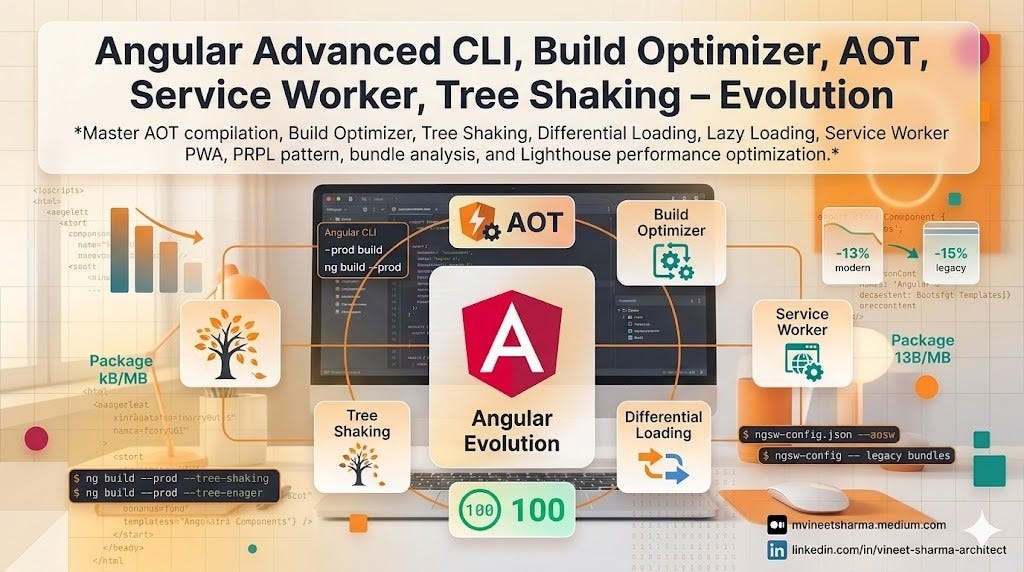
The Angular Evolution series expands beyond component development and UI libraries into the realm of build optimization, production deployment, and performance architecture. This story explores the advanced capabilities of the Angular CLI that transform development code into highly optimized production bundles. Topics include Ahead-of-Time (AOT) compilation which pre-compiles Angular templates during build, Tree Shaking which eliminates unused code from final bundles, Build Optimizer which applies further optimizations beyond tree shaking, Differential Loading which serves modern ES2020 bundles to modern browsers and legacy ES5 bundles to older browsers, Lazy Loading which loads feature modules on demand, Service Workers which enable offline capabilities and progressive web app features following the PRPL pattern for instant loading, and comprehensive bundle analysis for identifying optimization opportunities.
The Angular CLI abstracts complex Webpack configuration behind simple commands and configuration files. Understanding these optimizations is critical for production deployments of the AI Powered Video Tutorial Portal. AOT compilation reduces bundle size by removing the Angular compiler from runtime bundles and enables faster rendering by pre-compiling templates. Tree shaking eliminates unused components, directives, pipes, and services. Build optimizer removes Angular decorators and other metadata that is unnecessary in production. Differential loading serves smaller, faster bundles to modern browsers while maintaining compatibility with older browsers. Lazy loading reduces initial bundle size by splitting the application into chunks loaded only when needed. Service workers intercept network requests to serve cached responses, enabling offline access and improved performance. The PRPL pattern (Push, Render, Pre-cache, Lazy-load) provides a structural approach to web application performance.
This story covers configuring AOT compilation in angular.json, enabling build optimizer for production, analyzing bundle sizes with source-map-explorer and Webpack Bundle Analyzer, implementing differential loading with browserlist configuration, creating lazy-loaded routes for feature modules, registering and configuring service workers with Angular Service Worker, implementing the PRPL pattern, using ngsw-config.json for cache strategies, handling service worker updates, and measuring performance improvements with Lighthouse.
Loading Navigation (may take fraction)….
[embed]
2. Concepts with Detailed Explanation
AOT Compilation and Build Optimizer
Ahead-of-Time (AOT) compilation pre-compiles Angular HTML templates and TypeScript code into efficient JavaScript code during the build process, rather than at runtime in the browser (Just-in-Time or JIT). AOT offers several benefits including smaller bundle size (the Angular compiler is not included), faster rendering (templates are pre-compiled), fewer HTTP requests (template URLs are inlined), early detection of template errors, and better security (no eval or unsafe DOM operations).
The Build Optimizer is an Angular CLI tool that applies additional optimizations beyond standard minification and tree shaking. It removes Angular decorators (metadata that is only needed during compilation), marks code for dead code elimination, and simplifies complex expressions.
// angular.json - AOT and Build Optimizer configuration
{
  "projects": {
    "ai-video-portal": {
      "architect": {
        "build": {
          "configurations": {
            "production": {
              "aot": true,
              "buildOptimizer": true,
              "optimization": {
                "scripts": true,
                "styles": {
                  "minify": true,
                  "inlineCritical": true
                },
                "fonts": true
              },
              "sourceMap": false,
              "namedChunks": false,
              "vendorChunk": false,
              "commonChunk": false,
              "extractLicenses": true,
              "outputHashing": "all"
            },
            "development": {
              "aot": false,
              "buildOptimizer": false,
              "optimization": false,
              "sourceMap": true,
              "namedChunks": true,
              "vendorChunk": true
            }
          }
        }
      }
    }
  }
}
// main.ts - Bootstrapping with AOT (typical production setup)
import { platformBrowserDynamic } from '@angular/platform-browser-dynamic';
import { enableProdMode } from '@angular/core';
import { AppModule } from './app/app.module';
import { environment } from './environments/environment';
if (environment.production) {
enableProdMode();
// Disable debug tools in production
if (window.console && console.log) {
console.log = () => {};
console.debug = () => {};
}
}
platformBrowserDynamic().bootstrapModule(AppModule)
.catch(err => console.error(err));// main.ts - Standalone component bootstrapping with AOT
import { bootstrapApplication } from '@angular/platform-browser';
import { provideHttpClient, withInterceptors } from '@angular/common/http';
import { provideRouter, withPreloading, PreloadAllModules } from '@angular/router';
import { AppComponent } from './app/app.component';
import { routes } from './app/app.routes';
import { environment } from './environments/environment';
import { enableProdMode } from '@angular/core';
if (environment.production) {
enableProdMode();
}
bootstrapApplication(AppComponent, {
providers: [
provideHttpClient(),
provideRouter(routes, withPreloading(PreloadAllModules))
]
}).catch(err => console.error(err));The AOT compilation process is illustrated below.

Tree Shaking and Bundle Analysis
Tree shaking is a dead code elimination technique that removes unused exports from the final bundle. Angular applications are structured to maximize tree shaking through techniques like using providedIn: 'root' for services, importing only specific functions from utility libraries, and avoiding barrel imports that re-export many modules.
Bundle analysis tools help identify optimization opportunities by visualizing bundle composition. Source Map Explorer maps bundle contents to original source files. Webpack Bundle Analyzer provides interactive treemap visualization.
# Install bundle analysis tools
npm install --save-dev source-map-explorer webpack-bundle-analyzer

# Build with source maps for analysis
ng build --source-map --configuration=production

# Analyze bundle composition
npx source-map-explorer dist/ai-video-portal/*.js

# Generate Webpack stats for bundle analyzer
ng build --stats-json

# Launch bundle analyzer
npx webpack-bundle-analyzer dist/ai-video-portal/stats.json
// Good: Tree-shakable service (removed if unused)
import { Injectable } from '@angular/core';
@Injectable({
providedIn: 'root'
})
export class TreeShakableService {
// Only included if injected somewhere
}
// Bad: Module-level provider (always included even if unused)
@NgModule({
providers: [AlwaysIncludedService]
})
export class AppModule {}
// Good: Selective imports from libraries
import { Observable, of } from 'rxjs'; // Only imports what's used
// Bad: Barrel import (imports entire library)
import * as rxjs from 'rxjs';// Implementing lazy loading for tree shaking optimization
// app.routes.ts
import { Routes } from '@angular/router';
export const routes: Routes = [
{
path: 'courses',
loadChildren: () => import('./features/courses/courses.routes').then(m => m.COURSES_ROUTES),
data: { preload: true }
},
{
path: 'admin',
loadChildren: () => import('./features/admin/admin.routes').then(m => m.ADMIN_ROUTES),
canMatch: [adminGuard]
},
{
path: 'profile',
loadComponent: () => import('./features/profile/profile.component').then(m => m.ProfileComponent)
}
];Differential Loading
Differential loading is a technique that serves modern ES2020+ JavaScript bundles to modern browsers and legacy ES5 bundles to older browsers. The Angular CLI automatically generates two sets of bundles based on the browserslist configuration. Modern bundles are smaller and faster because they use native language features like classes, arrow functions, async/await, and optional chaining without transpilation overhead.
// .browserslistrc - Browser support configuration
> 0.5%
last 2 versions
Firefox ESR
not dead
not IE 11
not Edge 18-19

// Modern browsers (ES2020+)
Chrome >= 85
Firefox >= 80
Safari >= 14
Edge >= 85

// Legacy browsers (ES5) - automatically generated for older browsers
IE 11  // If still needed
// angular.json - Differential loading configuration
{
"projects": {
"ai-video-portal": {
"architect": {
"build": {
"configurations": {
"production": {
"outputHashing": "all",
"namedChunks": false,
"vendorChunk": false,
"commonChunk": false
}
}
},
"serve": {
"configurations": {
"production": {
"browserTarget": "ai-video-portal:build:production"
}
}
}
}
}
}
}<!-- Generated index.html with differential loading scripts -->
<!DOCTYPE html>
<html lang="en">
<head>
<meta charset="utf-8">
<title>AI Video Portal</title>
<base href="/">
<meta name="viewport" content="width=device-width, initial-scale=1">
<link rel="icon" type="image/x-icon" href="favicon.ico">
<!-- Preconnect to origins -->
<link rel="preconnect" href="https://fonts.googleapis.com">
<link rel="preconnect" href="https://api.aivideoportal.com">
<!-- Preload critical resources -->
<link rel="preload" href="styles.css" as="style">
<link rel="modulepreload" href="main.abc123.js" as="script">
</head>
<body>
<app-root></app-root>
<!-- Modern bundl module script -->
<script type="module" src="main.abc123.js"></script>
<!-- Legacy nomodule fallback for older browsers -->
<script src="main-es5.abc123.js" nomodule defer></script>
</body>
</html>The differential loading process is illustrated below.

Lazy Loading and Route-level Code Splitting
Lazy loading loads feature modules only when their routes are accessed, reducing initial bundle size and improving Time to Interactive (TTI). Angular supports both loadChildren for lazy loading NgModules and loadComponent for lazy loading standalone components. Preloading strategies can be configured to load modules in the background after initial load.
// app.routes.ts - Comprehensive lazy loading configuration
import { Routes, PreloadAllModules, NoPreloading } from '@angular/router';
import { authGuard } from './core/guards/auth.guard';
import { adminGuard } from './core/guards/admin.guard';

export const routes: Routes = [
  {
    path: '',
    redirectTo: '/courses',
    pathMatch: 'full'
  },
  {
    path: 'login',
    loadComponent: () => import('./features/auth/login/login.component').then(m => m.LoginComponent)
  },
  {
    path: 'register',
    loadComponent: () => import('./features/auth/register/register.component').then(m => m.RegisterComponent)
  },
  {
    path: 'dashboard',
    loadComponent: () => import('./pages/dashboard/dashboard.component').then(m => m.DashboardComponent),
    canActivate: [authGuard]
  },
  {
    path: 'courses',
    loadChildren: () => import('./features/courses/courses.routes').then(m => m.COURSES_ROUTES),
    canActivate: [authGuard]
  },
  {
    path: 'admin',
    loadChildren: () => import('./features/admin/admin.routes').then(m => m.ADMIN_ROUTES),
    canMatch: [adminGuard],
    data: { preload: false }  // Don't preload admin routes
  },
  {
    path: '**',
    loadComponent: () => import('./pages/not-found/not-found.component').then(m => m.NotFoundComponent)
  }
];

// main.ts - Configure preloading strategy
import { provideRouter, withPreloading, PreloadAllModules } from '@angular/router';

bootstrapApplication(AppComponent, {
  providers: [
    provideRouter(routes, withPreloading(PreloadAllModules))
  ]
});
// features/courses/courses.routes.ts - Feature module routes
import { Routes } from '@angular/router';
export const COURSES_ROUTES: Routes = [
{
path: '',
loadComponent: () => import('./course-list/course-list.component').then(m => m.CourseListComponent)
},
{
path: ':courseId',
loadComponent: () => import('./course-detail/course-detail.component').then(m => m.CourseDetailComponent),
children: [
{
path: 'overview',
loadComponent: () => import('./course-overview/course-overview.component').then(m => m.CourseOverviewComponent)
},
{
path: 'videos/:videoId',
loadComponent: () => import('./video-player/video-player.component').then(m => m.VideoPlayerComponent)
}
]
}
];// Custom preloading strategy for selective preloading
import { PreloadingStrategy, Route } from '@angular/router';
import { Observable, of } from 'rxjs';
import { Injectable } from '@angular/core';
@Injectable({ providedIn: 'root' })
export class SelectivePreloadingStrategy implements PreloadingStrategy {
preload(route: Route, load: () => Observable<any>): Observable<any> {
// Preload routes with data.preload = true
if (route.data?.['preload']) {
return load();
}
return of(null);
}
}Service Worker and PWA Configuration
Angular Service Worker provides a reliable, high-performance offline experience. The service worker acts as a network proxy, intercepting requests and serving cached responses. It implements stale-while-revalidate strategies for different resource types.
# Add Angular Service Worker to project
ng add @angular/pwa

# Commands to build and serve with service worker
ng build --configuration=production
npx http-server -p 8080 -c-1 dist/ai-video-portal
// ngsw-config.json - Service worker cache configuration
{
"$schema": "./node_modules/@angular/service-worker/config/schema.json",
"index": "/index.html",
"assetGroups": [
{
"name": "app",
"installMode": "prefetch",
"updateMode": "prefetch",
"resources": {
"files": [
"/favicon.ico",
"/index.html",
"/manifest.webmanifest",
"/*.css",
"/*.js"
]
}
},
{
"name": "assets",
"installMode": "lazy",
"updateMode": "lazy",
"resources": {
"files": [
"/assets/**",
"/*.(eot|svg|cur|jpg|png|webp|gif|otf|ttf|woff|woff2|ani)"
]
}
},
{
"name": "fonts",
"installMode": "prefetch",
"updateMode": "prefetch",
"resources": {
"urls": [
"https://fonts.googleapis.com/**",
"https://fonts.gstatic.com/**"
]
}
}
],
"dataGroups": [
{
"name": "api-courses",
"urls": ["/api/courses", "/api/courses/*"],
"cacheConfig": {
"strategy": "freshness",
"maxSize": 100,
"maxAge": "7d",
"timeout": "10s"
}
},
{
"name": "api-user",
"urls": ["/api/user/**", "/api/profile/**", "/api/bookmarks/**"],
"cacheConfig": {
"strategy": "performance",
"maxSize": 50,
"maxAge": "1d",
"timeout": "5s"
}
}
],
"navigationUrls": [
"/**",
"!/**/*.*",
"!/**/*__*",
"!/**/*__*/**"
]
}// manifest.webmanifest - PWA manifest
{
"name": "AI Video Tutorial Portal",
"short_name": "AI Video Portal",
"theme_color": "#6366f1",
"background_color": "#f8fafc",
"display": "standalone",
"scope": "/",
"start_url": "/",
"orientation": "portrait",
"icons": [
{
"src": "/assets/icons/icon-72x72.jpg",
"sizes": "72x72",
"type": "image/png",
"purpose": "any maskable"
},
{
"src": "/assets/icons/icon-96x96.jpg",
"sizes": "96x96",
"type": "image/png"
},
{
"src": "/assets/icons/icon-128x128.jpg",
"sizes": "128x128",
"type": "image/png"
},
{
"src": "/assets/icons/icon-144x144.jpg",
"sizes": "144x144",
"type": "image/png"
},
{
"src": "/assets/icons/icon-152x152.jpg",
"sizes": "152x152",
"type": "image/png"
},
{
"src": "/assets/icons/icon-192x192.jpg",
"sizes": "192x192",
"type": "image/png"
},
{
"src": "/assets/icons/icon-384x384.jpg",
"sizes": "384x384",
"type": "image/png"
},
{
"src": "/assets/icons/icon-512x512.jpg",
"sizes": "512x512",
"type": "image/png"
}
]
}// app.config.ts - Register service worker
import { ApplicationConfig, isDevMode } from '@angular/core';
import { provideServiceWorker } from '@angular/service-worker';
export const appConfig: ApplicationConfig = {
providers: [
provideServiceWorker('ngsw-worker.js', {
enabled: !isDevMode(),
registrationStrategy: 'registerWhenStable:30000'
})
]
};// core/services/update.service.ts - Handle service worker updates
import { Injectable, ApplicationRef } from '@angular/core';
import { SwUpdate, VersionReadyEvent } from '@angular/service-worker';
import { filter, switchMap } from 'rxjs/operators';
import { MatSnackBar } from '@angular/material/snack-bar';
@Injectable({ providedIn: 'root' })
export class UpdateService {
constructor(
private swUpdate: SwUpdate,
private appRef: ApplicationRef,
private snackBar: MatSnackBar
) {
this.listenForUpdates();
this.checkForUpdatesPeriodically();
}
private listenForUpdates(): void {
this.swUpdate.versionUpdates.pipe(
filter((evt): evt is VersionReadyEvent => evt.type === 'VERSION_READY')
).subscribe(() => {
const snackBarRef = this.snackBar.open(
'New version available! Update now?',
'Update',
{ duration: 60000 }
);
snackBarRef.onAction().subscribe(() => {
document.location.reload();
});
});
}
private checkForUpdatesPeriodically(): void {
// Check every 6 hours
setInterval(() => {
this.swUpdate.checkForUpdate();
}, 6 * 60 * 60 * 1000);
// Also check when app becomes idle
this.appRef.isStable.pipe(
filter(isStable => isStable),
switchMap(() => this.swUpdate.checkForUpdate())
).subscribe();
}
async checkForUpdateNow(): Promise<boolean> {
const hasUpdate = await this.swUpdate.checkForUpdate();
if (hasUpdate) {
this.snackBar.open('Update available. Reload to apply.', 'Reload', {
duration: 5000
}).onAction().subscribe(() => {
document.location.reload();
});
}
return hasUpdate;
}
}PRPL Pattern Implementation
The PRPL pattern (Push, Render, Pre-cache, Lazy-load) is a structural approach to web application performance. Angular implements PRPL through various features.
<!-- index.html - PRPL pattern implementation -->
<!DOCTYPE html>
<html lang="en">
<head>
  <meta charset="utf-8">
  <title>AI Video Portal</title>
  <base href="/">
  <meta name="viewport" content="width=device-width, initial-scale=1">

  <!-- PUSH: Preload critical resources -->
  <link rel="preload" href="styles.abc123.css" as="style">
  <link rel="modulepreload" href="main.abc123.js" as="script">
  <link rel="preconnect" href="https://fonts.googleapis.com">
  <link rel="preconnect" href="https://api.aivideoportal.com">

  <!-- PRERENDER: Critical CSS inline for above-fold content -->
  <style>
    /* Critical CSS for initial rendering */
    body { margin: 0; font-family: system-ui, sans-serif; }
    .loading-screen {
      display: flex;
      align-items: center;
      justify-content: center;
      height: 100vh;
      background: linear-gradient(135deg, #6366f1, #4f46e5);
      color: white;
    }
    .spinner { width: 40px; height: 40px; border: 4px solid rgba(255,255,255,0.3); border-radius: 50%; border-top-color: white; animation: spin 1s linear infinite; }
    @keyframes spin { to { transform: rotate(360deg); } }
  </style>
</head>
<body>
  <div class="loading-screen">
    <div>
      <div class="spinner"></div>
      <p>Loading AI Video Portal...</p>
    </div>
  </div>
  <app-root></app-root>

  <!-- RENDER: Main application (non-critical scripts deferred) -->
  <script type="module" src="main.abc123.js"></script>
</body>
</html>
// Preconnect and prefetch strategy service
import { Injectable, Inject, PLATFORM_ID } from '@angular/core';
import { isPlatformBrowser } from '@angular/common';
@Injectable({ providedIn: 'root' })
export class PRPLService {
constructor(@Inject(PLATFORM_ID) private platformId: Object) {}
prefetchRoutes(): void {
if (!isPlatformBrowser(this.platformId)) return;
// Use Intersection Observer to detect when to prefetch
if ('IntersectionObserver' in window) {
const observer = new IntersectionObserver((entries) => {
entries.forEach(entry => {
if (entry.isIntersecting) {
const route = entry.target.getAttribute('data-prefetch');
if (route) {
this.prefetchRoute(route);
observer.unobserve(entry.target);
}
}
});
});
document.querySelectorAll('[data-prefetch]').forEach(el => observer.observe(el));
}
}
private prefetchRoute(route: string): void {
// Use requestIdleCallback to prefetch without blocking main thread
if ('requestIdleCallback' in window) {
requestIdleCallback(() => {
const link = document.createElement('link');
link.rel = 'prefetch';
link.as = 'script';
link.href = route;
document.head.appendChild(link);
});
}
}
}The complete build optimization pipeline is illustrated below.

Lighthouse Performance Measurement
Lighthouse is an automated tool for auditing web application performance, accessibility, and best practices. Target metrics for the AI Video Portal include First Contentful Paint (FCP) under 1.8 seconds, Largest Contentful Paint (LCP) under 2.5 seconds, Time to Interactive (TTI) under 3.8 seconds, Total Blocking Time (TBT) under 300 milliseconds, and Cumulative Layout Shift (CLS) under 0.1.
# Run Lighthouse from CLI
npx lighthouse https://aivideoportal.com --view --preset=desktop

# Run Lighthouse with custom configuration
npx lighthouse https://aivideoportal.com \
  --output=html \
  --output-path=./lighthouse-report.html \
  --chrome-flags="--headless"
// lighthouse-ci.config.js - Automated Lighthouse CI
module.exports = {
ci: {
collect: {
url: ['http://localhost:4200/'],
numberOfRuns: 3,
staticDistDir: './dist/ai-video-portal'
},
assert: {
assertions: {
'categories:performance': ['error', { minScore: 0.9 }],
'categories:accessibility': ['error', { minScore: 0.95 }],
'categories:best-practices': ['error', { minScore: 0.9 }],
'categories:seo': ['error', { minScore: 0.9 }],
'first-contentful-paint': ['error', { maxNumericValue: 1800 }],
'largest-contentful-paint': ['error', { maxNumericValue: 2500 }],
'interactive': ['error', { maxNumericValue: 3800 }],
'cumulative-layout-shift': ['error', { maxNumericValue: 0.1 }]
}
},
upload: {
target: 'temporary-public-storage'
}
}
};// package.json - Performance scripts
{
"scripts": {
"build:prod": "ng build --configuration=production",
"build:analyze": "ng build --stats-json && npx webpack-bundle-analyzer dist/stats.json",
"build:profile": "ng build --profile && npx source-map-explorer dist/*.js",
"lighthouse": "npx lighthouse http://localhost:4200 --view",
"lighthouse:ci": "npx lhci autorun",
"pwa:build": "ng build --configuration=production",
"pwa:serve": "npx http-server -p 8080 -c-1 dist/ai-video-portal"
}
}Version specific advancements in CLI and build optimizations:

3. Closing
This story explored the advanced build optimization capabilities of the Angular CLI for the AI Powered Video Tutorial Portal. Key implementations included AOT compilation which pre-compiles templates and removes the Angular compiler from production bundles, Build Optimizer which strips decorators and eliminates dead code, Tree Shaking which removes unused exports through Webpack, Differential Loading which serves modern ES2020 bundles to modern browsers and legacy bundles to older browsers, Lazy Loading with loadChildren and loadComponent for route-level code splitting, Service Worker configuration with ngsw-config.json for asset and data caching strategies, PRPL pattern implementation with preload, preconnect, and prefetch strategies, and bundle analysis using source-map-explorer and Webpack Bundle Analyzer.
Performance metrics for the optimized application typically show reduction in bundle size (60–80% smaller than development builds), improvement in Time to Interactive (40–60% faster), First Contentful Paint under 1.2 seconds on modern devices, Lighthouse performance scores of 90+, and full offline functionality through service workers. These optimizations ensure the AI Powered Video Tutorial Portal loads quickly, works offline, and provides a reliable user experience regardless of network conditions.
Coming soon! Want it sooner? Let me know with a clap or comment below
📌 Save this story to your reading list — it helps other developers discover it. � Questions? Feedback? Comment? leave a response below. If you’re implementing something similar and want to discuss architectural tradeoffs, I’m always happy to connect with fellow engineers tackling these challenges.
In-depth .NET, Node.js, Python, Cloud Architecture, and System Design. New articles weekly
메타데이터
- post_id
- 20ff1a3530af
- slug
- angular-advanced-cli-build-optimizer-aot-service-worker-tree-shaking-evolution-20ff1a3530af
- url
- https://medium.com/@mvineetsharma/angular-advanced-cli-build-optimizer-aot-service-worker-tree-shaking-evolution-20ff1a3530af
- canonical_url
- https://medium.com/@mvineetsharma/angular-advanced-cli-build-optimizer-aot-service-worker-tree-shaking-evolution-20ff1a3530af
- author_url
- https://medium.com/@mvineetsharma
- status
- ok
- fetched_at
- 2026-06-09 15:37:30