The Architect’s Blueprint Series: API Architecture
Over the years working across cloud platforms and enterprise systems, I’ve touched APIs in every shape — REST endpoints serving millions of…
The Architect’s Blueprint Series: API Architecture
Over the years working across cloud platforms and enterprise systems, I’ve touched APIs in every shape — REST endpoints serving millions of requests, SOAP integrations with legacy systems, event-driven architectures powering real-time workflows, and microservices communicating across dozens of AWS accounts.
Through all of that, I kept the same set of notes. Scribbled during design reviews. Updated after interviews. Refined after production incidents taught me what the documentation didn’t.
I finally organized all of it into a single 6-page visual reference card: The API Architect’s Blueprint.
To keep it concrete, every example in the cheat sheet uses one domain end to end — insurance (claims, policies, quotes). No placeholder data. Every URI, every request body, every use case maps to something a real API platform would handle.
This article walks through what’s inside and why each section matters.
— -
Page 1: The Fundamentals
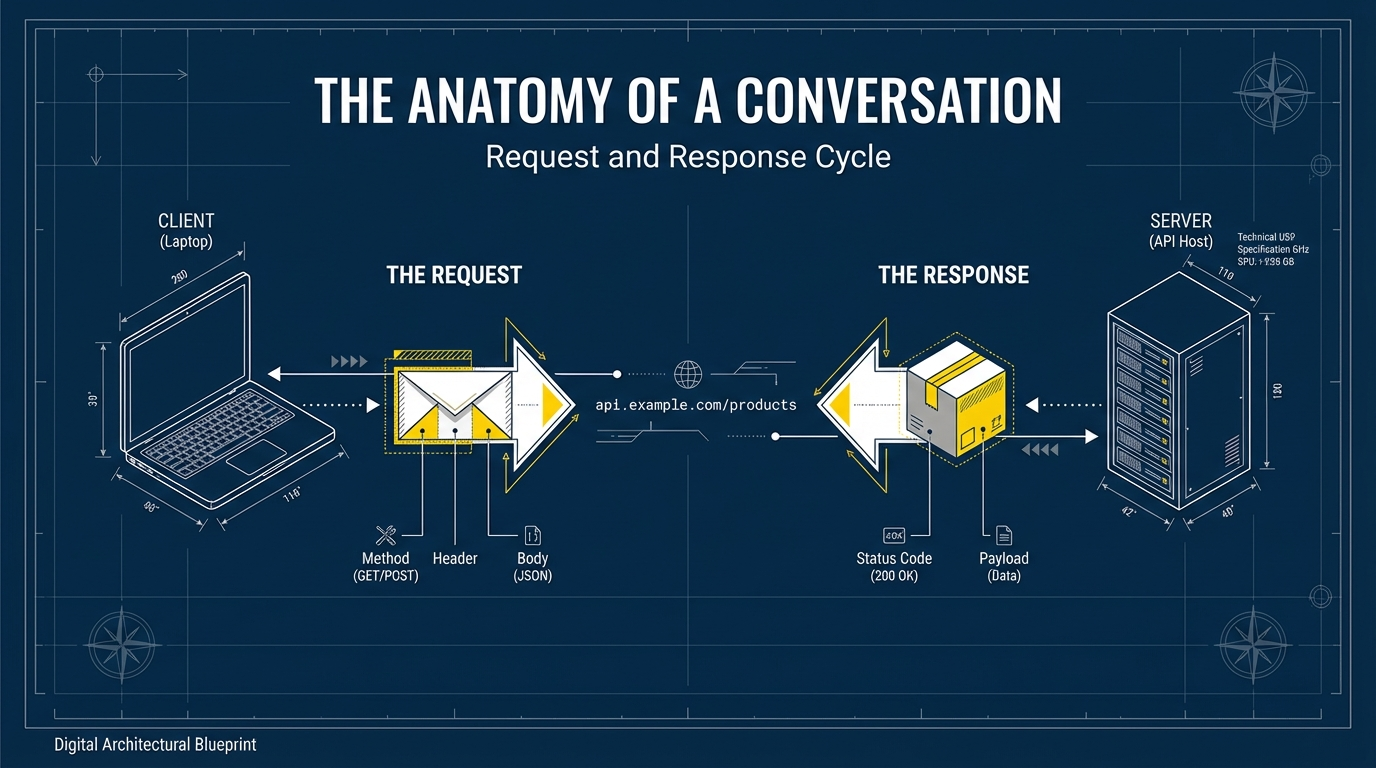
Every API conversation starts here — the client-server model, what makes up an HTTP request (URI, method, headers, body), and the CRUD matrix.
Instead of abstract examples, the request anatomy uses:
GET /api/v1/claims/1042with a body like:
{ "type": "auto_collision" }The CRUD matrix maps directly to real operations:
- POST to file a new claim
- GET to retrieve policy details
- PUT to replace an entire claim record
- PATCH to update just the claim status
- DELETE to cancel a pending quote
The CRUD matrix looks basic — until someone asks whether PATCH is idempotent.
It depends.
A PATCH that sets status = approved is idempotent.
A PATCH that increments attempt_count++ is not.
That distinction matters when you design retry logic for claim updates. Idempotency isn’t academic — it determines whether retries are safe.
— -
Page 2: HTTP Status Codes, REST, and Naming
Status codes grouped by family (1xx–5xx), the REST constraints that matter in practice (statelessness, cacheability, layered system, uniform interface), and the four architectural styles you’ll encounter:
- REST
- SOAP
- Microservices
- Event-Driven
Naming conventions use insurance URIs to show what clean design looks like:
GET /claimsnotGET /getClaims/policies/11not/policy/11/claim-documentsusing spinal-case
The data flow controls section shows patterns that separate usable APIs from dangerous ones:
- Pagination →
GET /claims?range=1-25 - Filtering →
GET /claims?status=pending - Sorting →
GET /claims?sort=date,desc - Partial responses →
GET /policies?fields=id,name
Without these controls, APIs become bandwidth-heavy and expensive.
— -
Page 3: Security and Advanced Patterns
Security deserves its own page.
Most API failures aren’t caused by bad code — they’re caused by missing guardrails.
The cheat sheet highlights four common risks:
- DDoS
- SQL injection
- Logic flaws
- BOLA (Broken Object Level Authorization — the #1 API risk in the OWASP Top 10)
Authentication vs Authorization
Authentication answers: Who are you?
Authorization answers: What are you allowed to do?
Example: A policyholder logs in and requests:
GET /claims/1042Authentication confirms their identity.
Authorization checks whether claim 1042 actually belongs to them.
If that ownership check is missing, you’ve just exposed someone else’s claim.
That’s BOLA — and it’s more common than people think.
A rule I’ve learned to apply consistently:
API keys identify machines. Tokens identify human permissions.
Versioning
Instead of breaking clients, version intentionally:
/v1/policies
/v2/policies
Deprecate gradually. Monitor usage. Communicate changes early.
— -
Page 4: Documentation, Connections, and Error Handling
This is the page that covers how APIs actually work in practice, not just in theory.
Documentation
Good API documentation should answer three questions quickly:
- How do I authenticate?
- What does a successful request look like?
- What happens when something fails?
At minimum, your API should provide:
- Clear request/response examples
- Meaningful error codes with explanations
- An authentication guide
- A sandbox or test environment
If developers can’t try your API within minutes, they’ll abandon it.
Clarity is part of architecture.
Choosing the Right Connection Pattern
Not every interaction should be synchronous REST.
Here are the most common patterns — and when to use them:
- Synchronous REST → Quick lookups (e.g., retrieve policy details)
- Asynchronous messaging (queues/events) → Long-running processes (e.g., claims intake)
- Webhooks → Notify external systems when something changes
- Polling → Simple, but inefficient fallback option
A simple rule:
If the operation takes time, don’t block the client.
Asynchronous patterns reduce retries, improve scalability, and lower infrastructure stress.
Error Handling & Resilience
Failures will happen. Design for them.
Three practical patterns:
- Retry with exponential backoff and jitter
- Circuit breaker to prevent cascading failures
- Timeouts and graceful fallback
Before approving an API design, I ask:
- Is this endpoint safe to retry?
- What happens if a downstream service is slow?
- Does failure isolate — or cascade?
Resilience isn’t optional. It’s part of being production-ready.
— -
Page 5: Toolbelt, Testing, and Observability
The tools page covers four categories. These stay domain-agnostic because tools serve all domains equally.
Design & Documentation — Swagger, Stoplight, Postman, OpenAPI Spec.
Implementation — Spring, Flask, Express, FastAPI, Go on the framework side. Amazon API Gateway, Apigee, Kong, Azure API Management on the gateway side.
Testing — Functional testing with Postman and Karate DSL (BDD-style, no coding required), performance testing with JMeter and k6, and security testing with Burp Suite, OWASP ZAP, and APIsec for business logic flaws.
Observability — The three pillars (logs, metrics, traces) and the tools that support them: Datadog, New Relic, Grafana, Prometheus, Pingdom, and the ELK Stack. The goal isn’t just monitoring — it’s understanding system state in real time so you can catch issues before your policyholders do.
— -
Page 6: API Economics and Cost
This is the section most API guides leave out entirely. But if you’ve ever managed API platforms across multiple accounts and business units, you know that cost visibility matters just as much as uptime.
Monetization Models — each mapped to insurance. Freemium with a basic quote API and upgrade for bulk access. Pay-per-call at $0.02 per claims status check from a partner portal. Tiered plans where Gold tier gets higher SLAs and access to underwriting APIs. Usage-based billing per policy document generated.
Chargeback vs Showback — with real numbers. Showback: the claims team used 1.2M API calls last month, underwriting used 400K. Both see the reports but aren’t charged directly. Chargeback: the claims department gets billed $4,200 for API consumption, which drives cost-conscious design and caching adoption.
Metering Strategy — What to meter (calls per endpoint, data transfer, compute time, documents generated) and at what granularity (per team like claims vs underwriting, per environment).
Cost Optimization — practical steps. Cache policy details with Redis or CDN since they don’t change every minute. Batch requests — pull 50 claim statuses in one call instead of 50 separate calls. Use webhooks instead of polling. Set budget alerts to catch spikes early, especially after a storm event floods the claims API.
The formula at the bottom of the page sums it up:
Total API Cost = (Calls x Per-Call Rate) + Data Transfer + Compute + Support Tier
— -
Final Thought
This isn’t meant to be exhaustive.
It’s meant to be useful.
It’s the reference I reach for during design reviews, architecture interviews, and production discussions. Every section came from a real situation — a failure, a tradeoff, or a scaling decision.
API maturity shows up in the edge cases — permissions, retries, failures, and cost.
That’s where systems either scale — or break.
The full 6-page PDF is available on LinkedIn and Github.
Save it. Share it. Tell me what’s missing.
— -
Great APIs are designed for humans, not just machines. Build securely. Document clearly. Keep it simple.
메타데이터
- post_id
- 2102f2e6f2fa
- slug
- the-architects-blueprint-api-visual-cheat-sheet-2102f2e6f2fa
- url
- https://medium.com/@thepragmaticarchitect/the-architects-blueprint-api-visual-cheat-sheet-2102f2e6f2fa
- canonical_url
- https://medium.com/@thepragmaticarchitect/the-architects-blueprint-api-visual-cheat-sheet-2102f2e6f2fa
- author_url
- https://medium.com/@thepragmaticarchitect
- status
- ok
- fetched_at
- 2026-06-24 23:31:39





