How to Create AI Ad Images and Videos from One Product on Pixmax
AI helps brands turn one product image into ad visuals, short videos, and social-ready campaign assets with lower production cost.
How to Create AI Ad Images and Videos from One Product on Pixmax
AI helps brands turn one product image into ad visuals, short videos, and social-ready campaign assets with lower production cost.
Advertising often becomes expensive before the first ad is finished.
A brand may need product photos, model shots, close-ups, lifestyle visuals, short videos, and different versions for TikTok, Instagram, YouTube Shorts, product pages, and paid ads. In a traditional workflow, each new direction can mean a new shoot, a new setup, new lighting, new editing, and more production time.
That works for large teams with large budgets. It is much harder for small brands, independent sellers, creators, and fast-moving marketing teams.
AI changes the starting point.
Instead of treating every ad as a separate production, one product image can become the base for a full set of campaign assets. The product stays consistent, while the background, model, lighting, scene, camera angle, and motion can change around it.
One product can become many ad visuals
The real value of AI advertising is not just generating one good image. The value is being able to test more visual directions without rebuilding the whole production process.
A lip gloss, perfume bottle, skincare jar, sneaker, handbag, or drink can become several different ad concepts. One version can feel clean and minimal, while another can feel glossy and premium.
AI gives teams more options before they spend heavily on production.For beauty and lifestyle brands, this is especially useful. A single product can become a product close-up, a model holding shot, an application scene, a texture detail, or a campaign collage. These images help teams quickly judge which direction fits the product best.
Start with ad images, then move into video
A strong AI ad workflow usually begins with still images.
Images are usually easier to review at the early stage than videos. Before adding motion, creators need to know whether the basic visual direction works. A still image makes it easier to check the product shape, brand mood, lighting, scene setup, and overall ad feel without being distracted by camera movement or animation.
For example, a lip gloss campaign may need a bottle close-up, a hand-held product shot, a model applying the gloss, and a macro texture shot. Together, these images can already form a useful set for social posts, landing pages, product pages, or creative testing.
Once the strongest image direction is clear, it can become the base for motion.
This is where AI video starts to become useful. Instead of organizing a full shoot for every new concept, teams can take a product visual that already works and extend it into motion. Once the still direction is clear, it becomes much easier to build a short ad video around it, using movement, light, and close-up detail to make the product feel more alive and attention-grabbing.
For social platforms, the video does not need to be long. A 5 to 10 second product ad can be enough to test attention, pacing, and visual appeal.
The key is that the video grows from the same product direction. It is an extension of the ad image set rather than a random new output.
[embed]
Why this lowers production cost
AI lowers cost because it reduces how often teams need to start from zero.
In a traditional campaign, testing several visual directions can require multiple concepts, mockups, or shoots. With AI, teams can create early directions first, compare them, and decide which one deserves more refinement.
This is especially valuable for teams that need more product content but do not have the time or budget to rebuild every campaign from scratch. Instead of waiting until a full production is ready, they can test creative directions earlier, compare different visual ideas, and keep producing assets for social platforms, ecommerce pages, and paid campaigns with a lighter workflow.
When teams can see more options earlier, they can reject weak directions faster and find stronger angles before launch.
A practical Pixmax workflow
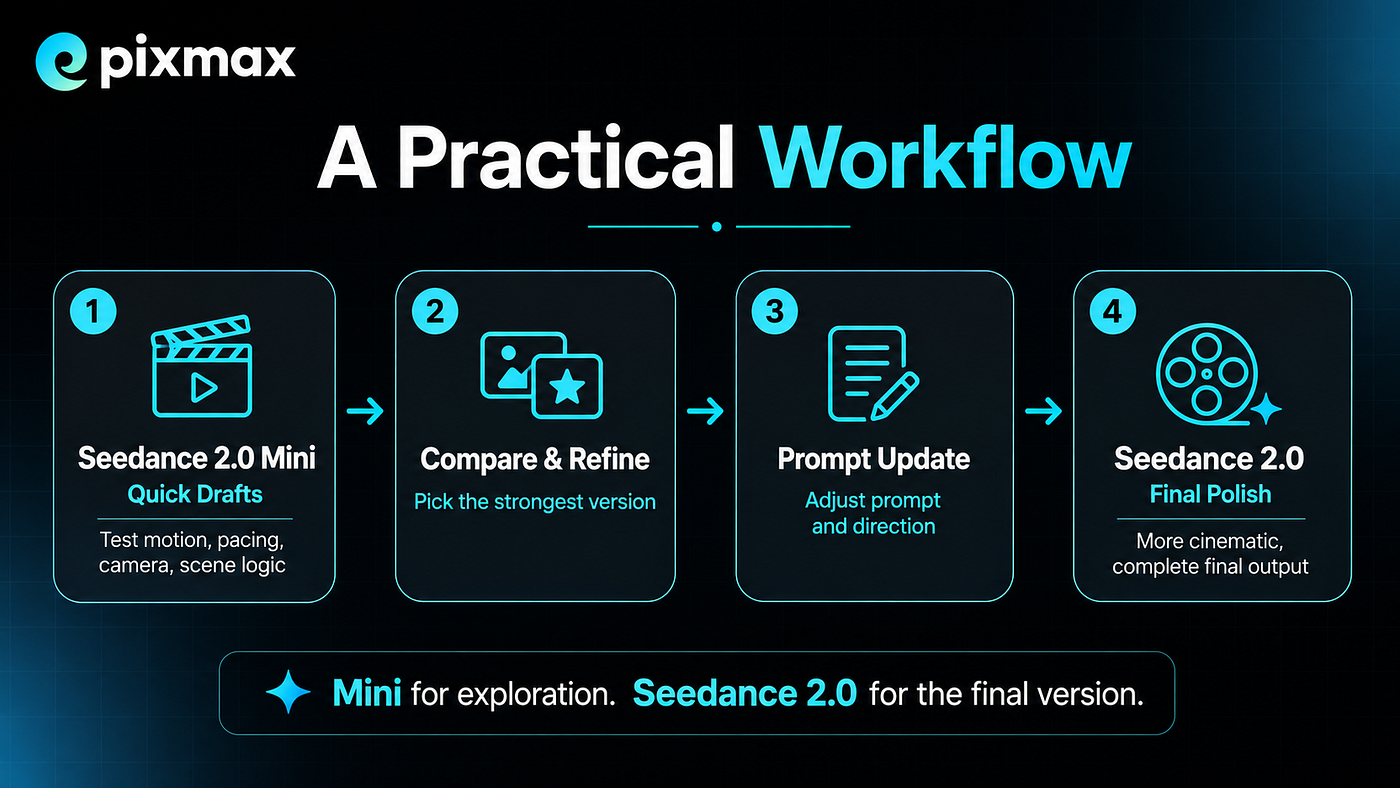
A simple Pixmax workflow starts with one product image.
The structure is clear: product image first, ad image set next, short video after that, campaign assets at the end. This workflow can work for beauty, fashion, food, electronics, home goods, and lifestyle products. The category changes, but the logic stays the same.
The goal is not to make every ad look identical. The goal is to build a repeatable path from product to content.
The new role of AI in advertising
AI doesn’t guarantee good ads; bad inputs still yield bad outputs. But it does give smaller teams a real edge — products can skip the long production pipeline and become multiple ad formats (images, short videos, social assets) far more quickly.
That is the opportunity Pixmax is built around: helping creators and teams turn product ideas into useful visual assets without treating every campaign like a full shoot from scratch.
Subscribe to Pixmax for more AI advertising workflows, product creative tips, and the latest updates on turning product ideas into campaign-ready images and videos.
메타데이터
- post_id
- 2114fbbf6658
- slug
- how-to-create-ai-ad-images-and-videos-from-one-product-on-pixmax-2114fbbf6658
- url
- https://medium.com/@pixmax.ai1/how-to-create-ai-ad-images-and-videos-from-one-product-on-pixmax-2114fbbf6658
- canonical_url
- https://medium.com/@pixmax.ai1/how-to-create-ai-ad-images-and-videos-from-one-product-on-pixmax-2114fbbf6658
- author_url
- https://medium.com/@pixmax.ai1
- status
- ok
- fetched_at
- 2026-07-08 18:29:56