Part 1: Demystifying RecyclerView Architecture: Layout, Drawing, and the View Lifecycle
An elite-level deep dive into LayoutManagers, the Recycler retrieval loop, the ViewHolder lifecycle, and RenderThread synchronization.
Part 1: Demystifying RecyclerView Architecture: Layout, Drawing, and the View Lifecycle
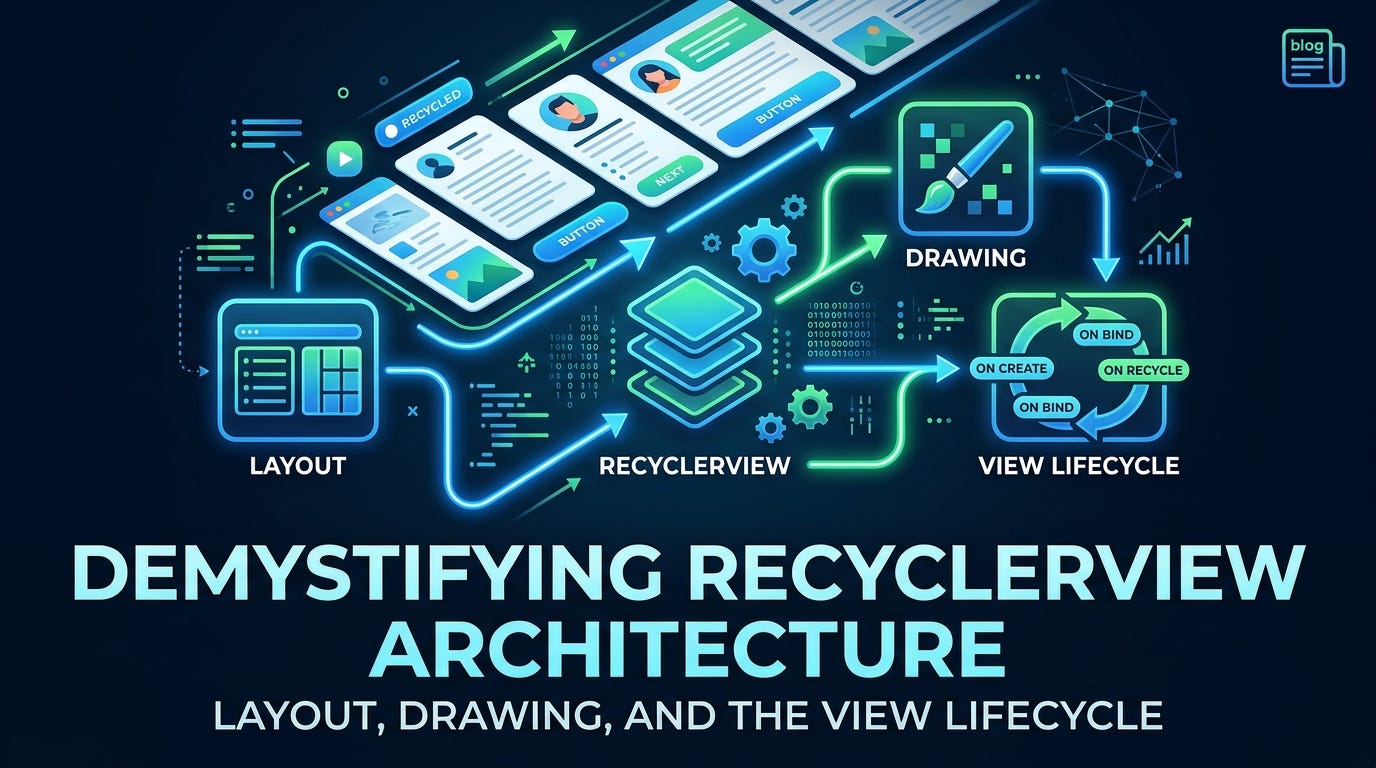
Demystifying RecyclerView Architecture: Layout, Drawing, and the View Lifecycle
Not a Medium Member? “Read For Free”
Almost every Android developer has written RecyclerView code, but few truly understand the complex, multi-threaded engine operating beneath the surface. It is often treated as a black box: you plug in an adapter, supply a layout manager, and items appear.
However, when you scale an application to support heavy media feeds, intricate multi-view-type systems, or high-refresh-rate displays (90Hz/120Hz), a superficial understanding inevitably leads to dropped frames, visual jank, and elusive state bugs.
This deep dive breaks open that black box. We will explore how RecyclerView coordinates with its internal subsystems, trace its lifecycle across the Android graphics rendering pipeline, and map exactly what happens to a ViewHolder's state as it travels across the viewport.
The Triad: Adapter, LayoutManager, and Recycler
At its core, RecyclerView functions via a strict separation of concerns divided among three primary components. Understanding how these pieces interact during standard view passes is vital to diagnosing rendering bugs.
+---------------------------------------------------------+
|                      RecyclerView                       |
|                                                         |
|  +------------------+      Measure /      +----------+  |
|  |  LayoutManager   | <-----------------> | Recycler |  |
|  +------------------+      Layout         +----------+  |
|           |                                     ^       |
|           | Requests View                       |       |
|           v                                     |       |
|  +----------------------------------------------+----+  |
|  | Adapter (onCreateViewHolder / onBindViewHolder)   |  |
|  +---------------------------------------------------+  |
+---------------------------------------------------------+
1. The Measure and Layout Pass
When RecyclerView enters the layout pass via the standard Android View hierarchy mechanics (onMeasure() and onLayout()), it delegates sizing and positioning completely to the LayoutManager.
The LayoutManager does not create views itself. Instead, it calculates the available viewport bounds and determines where views need to go. When it determines an item must be placed at a specific position, it turns to RecyclerView.Recycler and requests a view matching that data index.
2. The Recycler’s Retrieval Loop
RecyclerView.Recycler is the gatekeeper of memory allocation and view reuse. Upon receiving the LayoutManager's request, it executes a strict, multi-tiered inspection fallback loop:
- Scrap & Cache Check: It checks if a recently used, matching view is readily available in the local scrap arrays or the
mCachedViewspool. If found, the view can be returned instantly and reused without rebinding if it remains bound to the same adapter position and is not invalidated. - Type Matching & Rebinding: If it must fall back to the global
RecycledViewPool, it looks for an unboundViewHoldermatching the specific ViewType. If a view exists but is unbound to the target position, theRecyclerinvokes theAdapter'sonBindViewHolder()method to refresh its data context. - Allocation: If all cache tiers fail, the
Recyclerinvokes theAdapter'sonCreateViewHolder()to allocate a brand-new structural instance for that specific ViewType.
Expert Note (The
AdapterHelperPipeline): Before the layout pass even begins,RecyclerViewinternally uses an internal utility class calledAdapterHelperto batch and reorder update operations (like inserts, moves, and deletes). This ensures total structural consistency between your asynchronous adapter mutations and the eventual layout state calculated by theLayoutManager.
3. The Draw Pass
Once the LayoutManager finishes positioning the child views, the drawing traversal—orchestrated as part of the ViewRootImpl-driven traversal—records these placements. The RecyclerView iterates through its children during draw(), pushing canvas operations into a hardware-accelerated command structure rather than drawing directly to a live bitmap canvas.
Scrap vs. Detach vs. Recycle: The ViewHolder Lifecycle
A frequent root cause of visual glitches — such as checkboxes toggling themselves or text elements showing stale data — is a misunderstanding of how a RecyclerView.ViewHolder transitions through internal memory states.
1. Scrap (Attached vs. Changed)
Scrap is a lightweight, temporary collection pool used entirely within a single layout pass. When a structural layout pass begins, the LayoutManager may move currently attached views into scrap for rapid reuse during layout calculations.
- Attached Scrap (
mAttachedScrap): These views are clean, unaltered, and temporarily set aside. If the layout pass finishes and these views are still positioned within the viewport, they are re-attached instantly. This operation requires zero re-binding or layout overhead. - Changed Scrap (
mChangedScrap): This pool holds views whose data has been flagged as altered (e.g., vianotifyItemChanged()). It allows theItemAnimatorto extract both the pre-layout and post-layout visual states to execute fluid transitions before discarding the old view.
2. Detach vs. Remove
Understanding the difference between detaching and removing a child view is crucial for custom view architecture:
- Detach (
detachView()): A lightweight, structural separation. The child view is unlinked from the parentRecyclerView's immediate child array but remains structurally tracked internally. This is utilized for transient states—like when a view is being re-ordered or temporarily shuffled during execution. It is typically reattached quickly during layout. - Remove (
removeView()): A permanent dismissal from the current layout pass. The view is completely stripped from the active viewport context and passed further down the recycling pipeline.
3. Cache (mCachedViews) vs. Recycle Pool (RecycledViewPool)
When a view scrolls completely out of bounds, its destination depends heavily on its status:
**mCachedViews(The View Cache):** Views initially enter this localized cache. It retains recently used views for quick reuse. If a user scrolls an item off-screen and immediately scrolls back up, the item is pulled straight out ofmCachedViewsand reused without rebinding if it remains bound to the same adapter position and is not invalidated.**RecycledViewPool: If themCachedViewspool reaches its maximum capacity (default is 2), the oldest cached view is evicted, stripped of its position tracking, flagged as unbound/invalid, and may eventually move into theRecycledViewPoolwhen cache limits are exceeded. Here, it is grouped strictly byViewType. When pulled back out for a different position, it must** run throughonBindViewHolder()to overwrite its previous state completely.
Transient State Exception: A
ViewHoldercan also enter a transient state (e.g., while executing custom item animations), during whichRecyclerViewmay completely avoid recycling it to prevent cutting off the visual transition.
Code Demonstration: Observing Internal Lifecycle Triggers
To visualize how these components communicate, examine this custom implementation tracker:
import android.view.LayoutInflater
import android.view.View
import android.view.ViewGroup
import android.widget.TextView
import androidx.recyclerview.widget.RecyclerView

class DiagnosticAdapter(private val dataset: List<String>) :
    RecyclerView.Adapter<DiagnosticAdapter.TelemetryViewHolder>() {

    class TelemetryViewHolder(view: View) : RecyclerView.ViewHolder(view) {
        val textView: TextView = view.findViewById(android.R.id.text1)
    }

    override fun getItemViewType(position: Int): Int {
        // Crucial for telling the Recycler which structural pool this item belongs to
        return super.getItemViewType(position)
    }

    override fun onCreateViewHolder(parent: ViewGroup, viewType: Int): TelemetryViewHolder {
        // Triggered only when the Recycler cannot find an available view structurally matching this viewType
        println("Telemetry: onCreateViewHolder allocating for viewType $viewType")
        val view = LayoutInflater.from(parent.context)
            .inflate(android.R.layout.simple_list_item_1, parent, false)
        return TelemetryViewHolder(view)
    }

    override fun onBindViewHolder(holder: TelemetryViewHolder, position: Int) {
        // Triggered when an unbound/invalidated view requires data population
        println("Telemetry: onBindViewHolder executing for position $position")
        holder.textView.text = dataset[position]
    }

    override fun onViewRecycled(holder: TelemetryViewHolder) {
        // Triggered when a ViewHolder leaves active layout/cache states and enters the RecycledViewPool
        super.onViewRecycled(holder)
        println("Telemetry: onViewRecycled - Holder for text '${holder.textView.text}' sent to pool.")

        // Anti-Pattern Prevention: Clear transient or checked states here to prevent state leaks
        holder.itemView.isSelected = false
    }

    override fun getItemCount(): Int = dataset.size
}
Integration with the Android Rendering Pipeline
To understand how a list maintains rock-solid performance, we must trace how its lifecycle interacts directly with the OS graphics architecture: ViewRootImpl, Choreographer, the main UI thread, and the RenderThread.
1. The VSYNC Signal & Choreographer Loop
The rendering pipeline is driven by hardware VSYNC (Vertical Synchronization) pulses. When a scroll touch input occurs, the system schedules a frame update. The Choreographer subsystem receives the next VSYNC pulse and coordinates a frame callback on the main UI thread.
2. The UI Thread: Traversal & DisplayList Generation
Under the direction of ViewRootImpl, the standard view traversal pass (measure, layout, draw) sweeps through the hierarchy.
RecyclerViewprocesses layout mutations through itsLayoutManager.- As new item positions are revealed, the
Recyclerretrieves views, executing binding logic on the UI thread when cache misses occur. - During the drawing pass,
RecyclerViewrecords visual drawing operations into a hardware-accelerated DisplayList. This list is a sequential collection of structural canvas commands (e.g.,drawRect,drawText) rather than an actual raw pixel bitmap canvas.
3. The Choreographed Sync: UI Thread to RenderThread
Once the UI thread completes recording the DisplayList for the frame, it performs an atomic synchronization step with the RenderThread. The RenderThread is a specialized, non-blocking background thread designed to isolate rendering heavy-lifting away from user interaction main loops.
4. The RenderThread & GPU Execution
The RenderThread reads the high-level DisplayList instructions and translates them into optimized hardware commands (OpenGL ES or Vulkan). It minimizes overhead by batching state changes and pipeline commands before passing them directly to the GPU, which performs the final rasterization to display pixels on the hardware panel.
Frame Budget = 1000 ms / Refresh Rate
- At 60Hz, the entire UI thread execution window is 16.6ms.
- At 120Hz, that frame window drops down to a demanding 8.33ms.
📊 Micro-Benchmark Insight
Inflating a standard, semi-complex layout containing 5 to 7 nested views can easily take 1ms to 4ms per item on mid-range devices. If your list triggers multiple
onCreateViewHoldercalls during a fast scroll frame, you will instantly blow past your 8.33ms target window, causing noticeable frame drops.
⚡ Debugging Real-World Traps: The Flickering Feed
The Scenario
You are building a dynamic feed where items update dynamically. Every time an item updates or you scroll back to it, the list item noticeably flickers, flashes, or loses its scroll position.
The Root Cause
This is often driven by a misuse of the recycling system combined with rough notification updates. If you use a broad notifyDataSetChanged(), RecyclerView marks all ViewHolders as invalid, forcing a full rebind and layout across the entire visible hierarchy. Because they are completely unbound and re-bound, images flash as they reload from cache and text views re-measure their layout dimensions mid-frame.
The Fix
- Move away from universal updates and use granular notifications (which we will break down using
DiffUtilin Part 4). - Explicitly clear out transient view animations and states inside
onViewRecycled()so that when the view is pulled out of the pool again, it doesn't try to complete an outdated fade or slide animation.
🎯 Common Mistakes Checklist
- Heavy Lifting in
onBindViewHolder(): Avoid parsing JSON strings, formatting complex dates, or initializing database/network queries inside the bind block. This code must remain pure, lightning-fast object mapping. - Leaking State by Not Resetting Views: Failing to reset visual states (like checkbox selections, background colors, or toggle visibility) during the
onBindViewHolderstep. - Ignoring
getItemViewType(): Returning the same view type for completely structurally distinct items, forcing theRecyclerto parse mismatched view layouts out of the pool. - Deep Nested Layouts: Designing item XML layouts with multiple deeply nested weights or configurations that trigger expensive multi-pass layout evaluations.
🧠 RecyclerView Mental Model Summary
To permanently internalize this architecture, keep this simple reference framework in mind:
- LayoutManager: “Where should items go right now, and how many fit?”
- RecyclerView.Recycler: “Do I already have an existing view structure available for this position or type, or do I need to build one?”
- Adapter: “I will create the visual holder shell if asked, or map fresh data variables onto an existing one.”
- The Rendering Pipe: UI Thread (Processes inputs and records instructions) → RenderThread (Translates and optimizes drawings) → GPU (Draws actual pixels).
- The Golden Performance Rule: Never block the UI thread during creation or binding phases. Treat your frame budget as non-negotiable.
🙋 Frequently Asked Questions (FAQs)
Why do some items in my list change their checkbox states randomly when I scroll?
This occurs because of view recycling. When a ViewHolder containing a checked box scrolls off-screen and leaves mCachedViews, it may eventually move into the RecycledViewPool when cache limits are exceeded. When that same view structure is re-bound to a completely different item position, the checkbox remains checked unless you explicitly reset or overwrite its checked status in onBindViewHolder(). Always tie your view states directly to your underlying data layer inside the binding step.
What is the explicit operational difference between Detached and Recycled views?
A detached view is temporarily hidden or separated from the view array during an active layout pass and is typically reattached quickly during layout calculations without altering its underlying data. A recycled view has been explicitly removed from the active layout context, stripped of its data position identity, and placed into a pool where it must pass through onBindViewHolder() before it can safely appear on-screen again.
Can a slow onCreateViewHolder call cause frame drops if it only runs at the beginning?
Yes. If your list features a wide variety of distinct ViewType allocations, onCreateViewHolder() calls will fire mid-scroll as new item types surface for the first time. If the layout inflation time exceeds the display panel's frame budget, users will experience a stutter during scroll execution.
💬 Let’s Discuss!
As you evaluate your current codebase’s list performance, consider these architectural questions:
- Have you inspected your list layout depths using Android Studio’s Layout Inspector to determine if item containers are forcing multi-pass measurements?
- In your complex list configurations, are you performing data manipulation or string formatting directly inside
onBindViewHolder()instead of preprocessing it in a background architecture layer?
👉 Part 2: Eliminating RecyclerView Jank: A Deep Dive into Caching & Prefetching
📘 Master Your Next Technical Interview
Since Java is the foundation of Android development, mastering DSA is essential. I highly recommend “Mastering Data Structures & Algorithms in Java”. It’s a focused roadmap covering 100+ coding challenges to help you ace your technical rounds.
- E-book: **Available on Google Play**
- Kindle Edition: **Available on Amazon**
- Also available in Paperback & Hardcover.
메타데이터
- post_id
- 2115e83d8b88
- slug
- demystifying-recyclerview-architecture-layout-drawing-and-the-view-lifecycle-2115e83d8b88
- url
- https://medium.com/@sivavishnu0705/demystifying-recyclerview-architecture-layout-drawing-and-the-view-lifecycle-2115e83d8b88
- canonical_url
- https://medium.com/@sivavishnu0705/demystifying-recyclerview-architecture-layout-drawing-and-the-view-lifecycle-2115e83d8b88
- author_url
- https://medium.com/@sivavishnu0705
- status
- ok
- fetched_at
- 2026-07-11 13:11:35







