The Ultimate Guide to an IT Disaster Recovery Plan That Won’t Be Ignored
Picture this: It is 3:15 PM on a Friday. The air is thick with the scent of upcoming weekend freedom. Suddenly, your core web application…
The Ultimate Guide to an IT Disaster Recovery Plan That Won’t Be Ignored
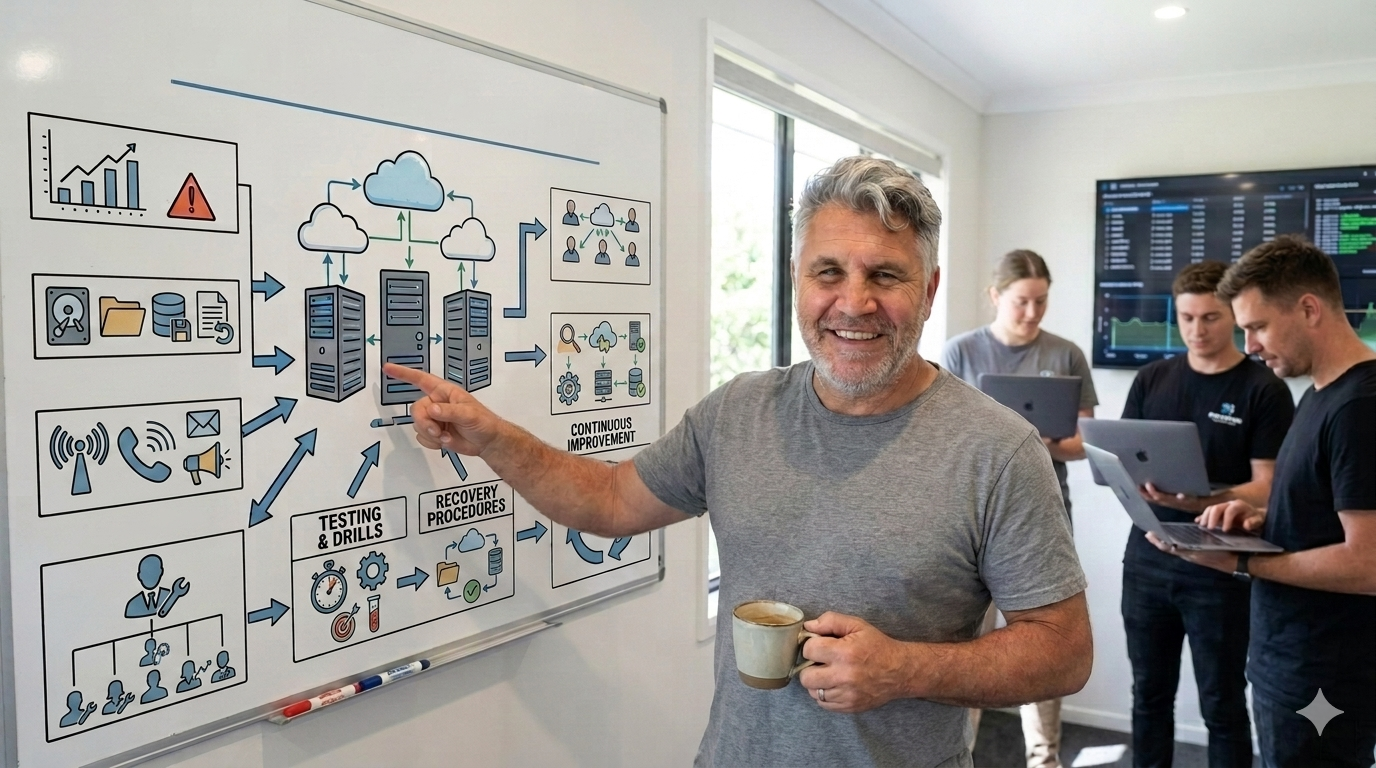
Keep calm and drink coffee: We have a recovery plan that doesn’t require a PhD to read.
Picture this: It is 3:15 PM on a Friday. The air is thick with the scent of upcoming weekend freedom. Suddenly, your core web application drops offline. A frantic ping from the database administrator confirms your worst nightmare: the primary database cluster has vanished into the digital ether.
In many companies, this is the exact moment the corporate “Disaster Recovery Plan” is pulled from the deepest, darkest corner of the company wiki. It is a 400-page masterpiece of dense, unreadable jargon written by a consultant three years ago. It contains detailed instructions on how to manually reconfigure physical routers that your company sold in 2024. Your engineers look at it, blink twice, and immediately close the tab to look for answers on Stack Overflow instead.
An unused, unreadable disaster recovery (DR) plan is just as dangerous as having no plan at all. When the digital sky is falling, your team does not need an academic thesis on network architecture. They need a simple, high-utility battle plan.
Here is how to build an IT disaster recovery plan from a practical tech perspective — one that your staff will actually read, understand, and execute when everything goes wrong.
Why Most DR Plans Fail the Friday Afternoon Test
The biggest flaw in traditional disaster recovery planning is a fundamental misunderstanding of human psychology during a crisis. When a critical system goes down, adrenaline levels spike, cognitive bandwidth plummets, and chaos takes over.
Standard DR plans usually fail for three distinct reasons:
- The War and Peace Syndrome: The document is far too long. If your team has to scroll through twenty pages of corporate governance policy just to find the database restoration command, your recovery time objective (RTO) is already dead.
- Outdated Spec Sheets: Infrastructure changes rapidly. A plan that hardcodes specific server IP addresses or relies on manual server builds is obsolete the moment your team adopts containerized microservices or shifts to serverless infrastructure.
- The “Hero Culture” Trap: The plan assumes your star infrastructure engineer, Dave, will be available to save the day. If Dave is currently on a flight to Tokyo or hiking a mountain without cell reception, your recovery plan is completely stuck.
A successful DR plan operates on a strict principle of high information density and ultra-low cognitive load. It should be written for a tired, stressed-out engineer who was woken up at 2:00 AM by an automated alerting system.
Phase 1: Stripping the Bloat (The Tech POV)
To make a recovery plan usable, you must ruthlessly eliminate anything that does not directly contribute to restoring services or keeping the business afloat.
Ditch the “What Happened” and Focus on “What is Broken”
When a crisis hits, finding the root cause is a secondary priority. Your plan should not care why the cloud region went offline (whether it was a sophisticated cyberattack, a rogue BGP routing update, or a backhoe cutting a fiber optic cable outside the data center). The recovery steps remain identical. Structure your plan around specific system states, not historical post-mortems.
Treat Your DR Plan Like Code
If your infrastructure is defined as code (IaC), your disaster recovery steps should match that philosophy. Keep your recovery documentation as close to the operational environment as possible — ideally in a clean, version-controlled markdown file inside your main infrastructure repository. If your system changes, the documentation updates alongside the pull request.
Phase 2: Defining the Rules of Engagement
A chaotic incident room is a loud, inefficient place. Everyone wants to help, which usually means five different engineers are typing commands into production servers simultaneously, actively overriding each other’s work.
Your plan must establish a clear, military-style command structure the moment an incident is declared. Every individual must know exactly what role they play, and more importantly, what roles they do not play.
The Incident Commander (The Dictator)
This person does not write code, log into servers, or fix databases. The Incident Commander’s sole responsibility is high-level orchestration. They keep track of time, assign specific technical debugging tasks to individual engineers, and prevent the team from chasing unproductive rabbit holes.
The Comms Lead (The Shield)
The biggest distraction for a technical team during an outage is management asking for status updates every four minutes. The Communications Lead acts as a protective shield. They take high-level technical updates from the Incident Commander, translate them into plain business language, and broadcast them to stakeholders, clients, and the rest of the company. This keeps the engineers entirely focused on fixing the underlying issue.
Phase 3: The Lean Business Continuity Strategy
True business continuity is about pragmatism and compromise. When systems crash, you rarely get a perfect, instantaneous restoration of your entire ecosystem. You must teach your team how to gracefully degrade your applications.
Identify the “Minimum Viable Business”
What is the absolute core function your company needs to survive an outage? If you run an e-commerce platform, your customer-facing checkout system is critical. Your internal analytics dashboard, employee HR portal, and automated recommendation engine are not.
Your recovery plan should explicitly rank systems by priority. Staff must be instructed to abandon non-essential services entirely until the core revenue-generating pipeline is stable.
The Power of Static Fallbacks
Sometimes, the fastest way to maintain business continuity is to step away from complex databases altogether. If your primary web application is completely broken, can your Comms Lead flip a switch to route all web traffic to a static, read-only page hosted on an independent content delivery network (CDN)?
A simple page reading: “We are currently performing emergency maintenance. Your data is safe, and we will be back shortly” keeps your brand looking professional while your engineering team works without the added pressure of a publicly throwing 500 Internal Server Errors.
The “Read-In-A-Crisis” Disaster Recovery Template
This streamlined template is designed to be copied, customized, and placed directly into your team’s internal documentation system. It fits onto a few pages and strips out all unnecessary administrative overhead.
Navigating a Crisis: The Core Service Outage Disaster Recovery Plan
When a critical, revenue-generating service goes down, time is money, and chaos is the enemy. A successful recovery relies entirely on swift, highly coordinated execution rather than frantic guesswork. This framework outlines exactly how our organization identifies an IT disaster, structures the emergency response team, activates business continuity fallbacks, and executes safe restoration protocols.
Incident Activation Criteria
Not every technical glitch warrants a full-scale emergency response. An official IT Disaster is declared if, and only if, a core revenue-generating service experiences a complete outage that lasts longer than 15 minutes with no immediate, clear solution in sight. Once this threshold is crossed, the organization transitions immediately into emergency operations.
Emergency Incident Roles
A structured response requires clear division of labor. During an active incident, three core roles are filled immediately by designated primaries or their assigned backups:
- Incident Commander (IC): Primarily assigned to [Name 1] (with [Name 2] as backup), the IC owns the overall timeline and makes final technical calls. The IC is responsible for assigning debugging tasks and keeping the team moving forward, which means they must focus entirely on coordination and refrain from writing code.
- Technical Lead: Primarily assigned to [Name 3] (with [Name 4] as backup), this individual directly manages the engineering team, diagnoses underlying infrastructure problems, and executes critical restoration scripts.
- Communications Lead: Primarily assigned to [Name 5] (with [Name 6] as backup), this role manages internal staff updates and handles external client communications. Crucially, the Communications Lead acts as a buffer, shielding the technical team from management pings so they can focus on the fix.
Immediate Protocol: The First 30 Minutes
The moments immediately following an outage set the tone for the entire recovery effort. The first 30 minutes require a strict, two-step protocol to centralize data and establish leadership.
Step 1: Open the War Room
The individual who first discovers the outage bears the responsibility of opening a dedicated video bridge. Simultaneously, they must create a temporary text channel in the company chat application named #incident-[YYYY-MM-DD]. To prevent information fragmentation, all automated system alerts, status updates, and diagnostic logs must be funneled exclusively into this channel.
Step 2: Establish the Roles
To ensure there is never a leadership vacuum, the first person to join the newly created incident channel automatically assumes the role of Incident Commander. They remain in this position until a designated primary IC arrives to take over. Upon taking command, the IC must explicitly and immediately assign the Technical Lead and Communications Lead roles.
Business Continuity and Graceful Degradation
If the primary systems cannot be successfully restored within the first 30 minutes, the focus expands to include operational fallbacks. These defensive strategies are designed to keep the business functional and protect system integrity while engineers work on a permanent fix.
For customer-facing systems like a customer checkout, the designated fallback action is to immediately deploy a static “Maintenance Mode” landing page via the CDN provider dashboard. This safely halts failing transactions, prevents database corruption, and maintains a clean, professional brand image. For back-of-house operations like an internal database or ERP system, the team instructs operations personnel to switch to manual logging using a pre-configured offline spreadsheet system. This allows the physical operations of the business to keep running, with the understanding that all manual data will be backfilled via automated scripts once the primary databases are online.
Recovery and Restoration Protocols
When working to restore systems under intense pressure, engineers must adhere to strict operational guardrails to prevent making a bad situation worse.
If the outage occurs immediately following a production deployment, teams must never attempt to patch the live code. Instead, the Technical Lead must instantly trigger an automated rollback to the previous stable build container. In cases where data corruption has already occurred, the team relies on restoring the database to a known clean state, specifically the snapshot taken during the daily scheduled backup at [Insert Schedule Time, e.g., 02:00 UTC daily]. Above all, the golden rule of incident response must be respected: no developer may run a manual, destructive command—such as DROP TABLE or rm -rf—in a production environment without a second pair of eyes explicitly verifying the exact syntax in the chat channel beforehand.
Communication Templates
Clear, proactive communication reduces anxiety for both internal stakeholders and external users. The Communications Lead utilizes standardized templates to deliver rapid updates.
Internal Company Broadcast
Distributed to the entire company via email or announcements channel within 15 minutes of the incident declaration:
Subject: Technical Incident: [Service Name] Outage
Team,
We are currently experiencing an unscheduled outage affecting [Service Name]. The engineering team is actively investigating the root cause under the leadership of Incident Commander [Incident Commander Name].
To allow our engineers to focus entirely on the resolution, please refrain from opening individual support tickets or messaging the engineering team directly. We will provide transparent progress updates in the
#announcementschannel every 30 minutes until the service is fully restored.
External Customer Notice
Posted to the public status page and corporate social media channels within 30 minutes of the incident declaration:
Update: We are currently experiencing technical difficulties affecting our [Platform/Service]. Our engineering team is fully engaged in resolving the issue, and we can confirm that your data remains completely secure.
We sincerely apologize for this disruption to your day and your workflow. You can track our live progress toward a fix at any time right here on our dedicated status page.
Phase 4: Keeping the Plan Alive Without Boring Your Staff
Writing a simple, clean document is only half the battle. A disaster recovery plan is a living system. If it sits completely unread for a year, it will fail you when you need it most.
The traditional way to test a DR plan is to schedule a massive, terrifying weekend simulation that ruins everyone’s plans and causes immense operational anxiety. Instead, take a modern engineering approach: The Tabletop Micro-Drill.
Once a quarter, spend exactly 45 minutes during a regular team meeting playing a conceptual game of “What If.” Bring a laptop, pick a random service from your cloud architecture diagram, and tell your engineers: “This specific microservice just blew up. Walk me through exactly who you call, where you look, and what step in our markdown file tells you how to fix it.”
You will quickly find out if your documentation is actually accurate, if your backup staff know where the encryption keys are kept, and if the links in your recovery plan still work. It turns a boring compliance exercise into a quick, collaborative team puzzle.
Keep your disaster recovery plan short, keep the responsibilities crystal clear, and write it for humans operating under immense stress. When your next major system outage inevitably occurs, your team won’t panic. They will simply open their battle plan and get straight to work.
메타데이터
- post_id
- 211d95e90aa3
- slug
- the-ultimate-guide-to-an-it-disaster-recovery-plan-that-wont-be-ignored-211d95e90aa3
- url
- https://medium.com/@tania_51061/the-ultimate-guide-to-an-it-disaster-recovery-plan-that-wont-be-ignored-211d95e90aa3
- canonical_url
- https://medium.com/@tania_51061/the-ultimate-guide-to-an-it-disaster-recovery-plan-that-wont-be-ignored-211d95e90aa3
- author_url
- https://medium.com/@tania_51061
- status
- ok
- fetched_at
- 2026-08-01 04:14:42