So I Vibe Coded a Suno Prompt Builder in 45 Seconds…
Okay, full transparency: it did not take 45 seconds.
So I Vibe Coded a Suno Prompt Builder in 45 Seconds…
vibeproducing — suno — screenshot by me
Okay, full transparency: it did not take 45 seconds.
It took considerably more than 45 seconds. But here’s the thing — by the time I was done, I had built a fully functional tool, and I was genuinely surprised by that fact, which means the bar I set for myself going in was somewhere around “45 seconds sounds about right.” That’s vibe coding. That’s the lifestyle.
The tool is called VibeProducing. It’s a Suno prompt builder for Amapiano, EDM, Drill, and UK Drill. You can use it right now at **bwanaerp.com/vibeproducing**.
Here’s why it exists.
The Problem: Normal People Describing Music Is Genuinely Harrowing
I do not make music. I cannot make music. I once tried to learn guitar and my neighbour knocked on my wall after 20 minutes — not to complain, but to check if I was okay. That’s the level we’re working with.
But I love Suno. The AI music generator that lets you describe a song and it just… builds it. Incredible technology. Completely ruined by the fact that the average person’s prompting ability is, to put it diplomatically, deeply cooked.
Here’s the real issue though, and it goes deeper than laziness. Music production has an entire vocabulary. DAW terminology. Instrument-specific language. Genre conventions. The average person — even someone with impeccable taste in music — has never had a reason to learn any of it. Why would they? They listen to music, they don’t build it.
So what happens when you ask them to prompt Suno?
“make it sound like an RnB vibe with that breathy instrument, the one that goes like whooo”
That’s a saxophone. They want a saxophone. What they typed will get them a flute. Sometimes a pan flute. Once, famously in my testing, something that I can only describe as a disappointed recorder.
This is not their fault. “Ping,” “echo,” “reverb tail,” “808 sub,” “triplet hi-hat” — these are not words that appear in normal human conversation. A person can spend their entire life with exceptional taste in drill music and have absolutely no idea what a sliding 808 is, even though it is the reason their favourite songs feel the way they do.
Suno needs specificity. People have vibes. VibeProducing is the translator.
What It Actually Does
Step 1: Setup — You Pick, It Knows
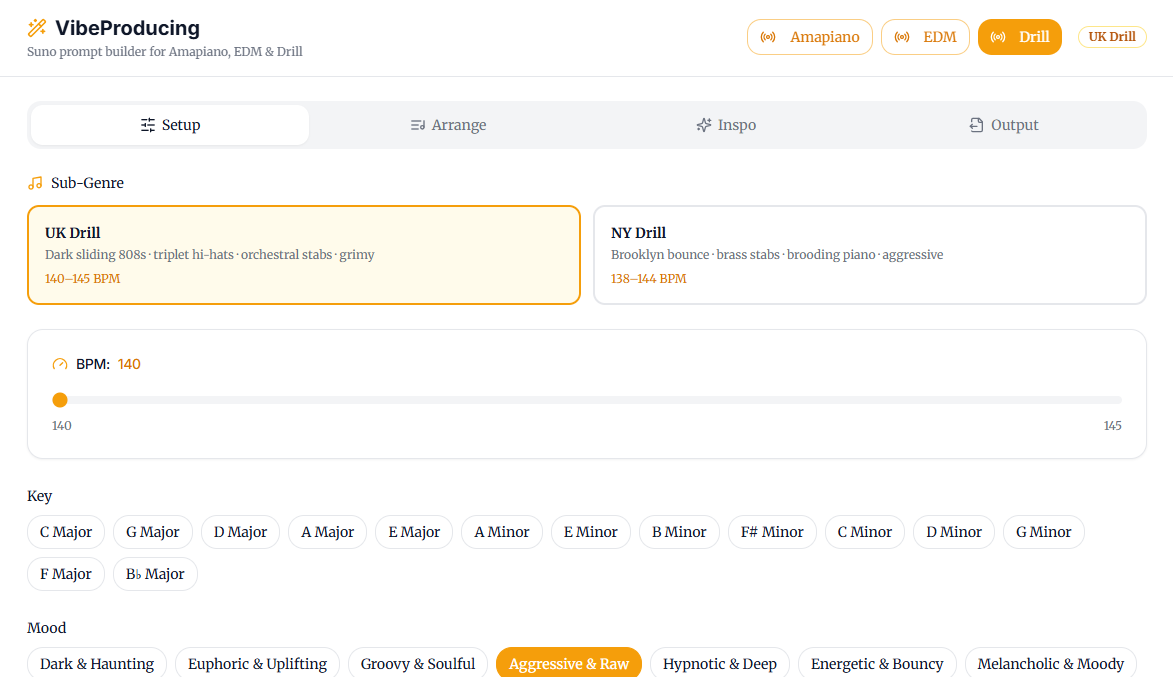
You hit the Setup tab at **bwanaerp.com/vibeproducing** and choose your genre. Amapiano, EDM, Drill, UK Drill. Each button is glowing with the energy of a genre that respects itself.
Click Drill. The app immediately knows things you didn’t have to tell it. It knows BPM ranges. It knows the sub-genres: UK Drill (dark sliding 808s, triplet hi-hats, orchestral stabs, grimy — 140–145 BPM) versus NY Drill (Brooklyn bounce, brass stabs, brooding piano, aggressive — 138–144 BPM). Yes, those four BPMs matter enormously. No, I will not be taking questions.
You pick your sub-genre, set your BPM, choose your key, and select your mood from options like Dark & Haunting, Aggressive & Raw, Hypnotic & Deep, and Triumphant & Anthemic. Real descriptors. Not “hard but also kinda sad.”
Step 2: Global Instruments — The Saxophone Problem, Solved
This is the section that does the actual heavy lifting.
Based on everything you just told it, VibeProducing pre-populates a full instrument palette with genre-accurate defaults:
- PERCUSSION: triplet hats, sharp snare
- BASS: 808 sub, sliding 808
- MELODY: orchestral strings, brooding piano, brass stabs
- TEXTURE: dark pads, cold pads
- FX: glitch fx, sub rumble
Every element is a clickable tag. Selected ones glow orange. You can add, remove, swap. But the defaults are already correct — because they were built from actual research into what makes each genre sound like itself, not vibes-based guesswork.
This is where “I want that breathy whooo instrument” becomes “brooding piano + brass stabs + orchestral strings.” The person gets what they meant, not what they typed.
Step 3: Arrange — Because Songs Have Structure, Not Just Energy
The Arrange tab is where you stop thinking in feelings and start thinking in sections. Intro, Verse, Hook, Bridge, Outro. Each section gets:
- A name and intensity level (1–5, because even drill has dynamics and five minutes of maximum everything is a headache not a song)
- Per-section instruments — your verse broods, your hook explodes
- A Vocal Chant field (“Mans not hot” goes here)
- A Rhythm Pattern field — actual BOM-ka notation.
BOM-ka-ka-BOM-ka-ka-BOM-ka-ka. This is real. Suno reads this. Your prompt just got a skeleton. - A Notes field for any final direction: “Drill groove. Piano loop carries the melody.”
The orange tags at the bottom of each section give you a live summary of what’s active. No losing track of what you built.
Step 4: Inspo (Currently On Timeout — Blame Your Appetites)
The Inspo tab has a YouTube URL field. Paste a track you love, click Analyze, and the AI breaks down what it’s actually hearing — production elements, genre markers, energy — and feeds it into your prompt.
It’s the best feature in the app. It currently needs a Gemini API key to run, and I have, very wisely, turned it off for public use because you lot would eat through my credits like a group project where only one person has a Netflix login.
It’s coming back. Properly. With guardrails. Watch this space.
Step 5: Output — The Part Where You Actually Get Something
The Output tab hands you a complete, formatted, Suno-ready prompt. Not emotional approximations. Not “make it hard.” A structured, genre-aware, instrument-specific prompt that tells Suno exactly what to build.
You paste it. You hit “Create”. It goes hard.
Obviously it goes hard. You told it to go hard correctly this time.
For my personal trials I have used it to create a chill but uplifting Amapiano song with a female vocalist check it below:
[embed]
What’s Coming
Two features in the pipeline that I’m genuinely excited about:
Lyrics Binding — attach actual lyrics to your song structure so Suno knows what goes where, not just the sonic palette but the words and how they sit in each section.
A fixed YouTube Analyzer — the Inspo tab, fully restored, not eating my API budget alive, with better analysis and more actionable output.
The “Buy Me AI Credits” Button Situation
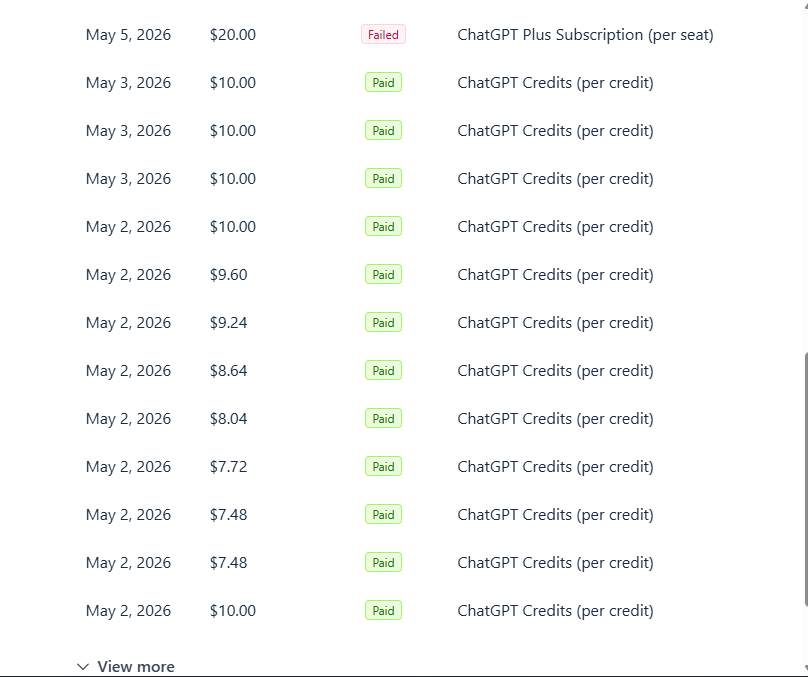
Building this costs me actual money in API calls. Not a lot. But Gemini credits accumulate like a subscription you forgot you had, and every time someone analyzes a YouTube link, a small piece of my wallet cries.
There’s a **Buy Me AI Credits** button on the site. It’s a Gumroad link. It’s $2, but you can put in anything from $3 upward — so even if your budget is “I appreciate this person’s suffering and I have the price of a candy bar,” that counts. It goes directly to keeping the analyzer running and the servers alive.
No pressure. The tool is free. But if VibeProducing saved you from accidentally making an RnB song with a flute, maybe consider it.
Try It
**bwanaerp.com/vibeproducing**
Amapiano, EDM, Drill, UK Drill. More genres coming. The saxophone is already in there. You just have to click the right button.
Built in what felt like 45 seconds. Took longer. Absolutely worth it.
메타데이터
- post_id
- 21991998d1b9
- slug
- so-i-vibe-coded-a-suno-prompt-builder-in-45-seconds-21991998d1b9
- url
- https://medium.com/@bwanaerp/so-i-vibe-coded-a-suno-prompt-builder-in-45-seconds-21991998d1b9
- canonical_url
- https://medium.com/@bwanaerp/so-i-vibe-coded-a-suno-prompt-builder-in-45-seconds-21991998d1b9
- author_url
- https://medium.com/@bwanaerp
- status
- ok
- fetched_at
- 2026-06-17 14:34:23