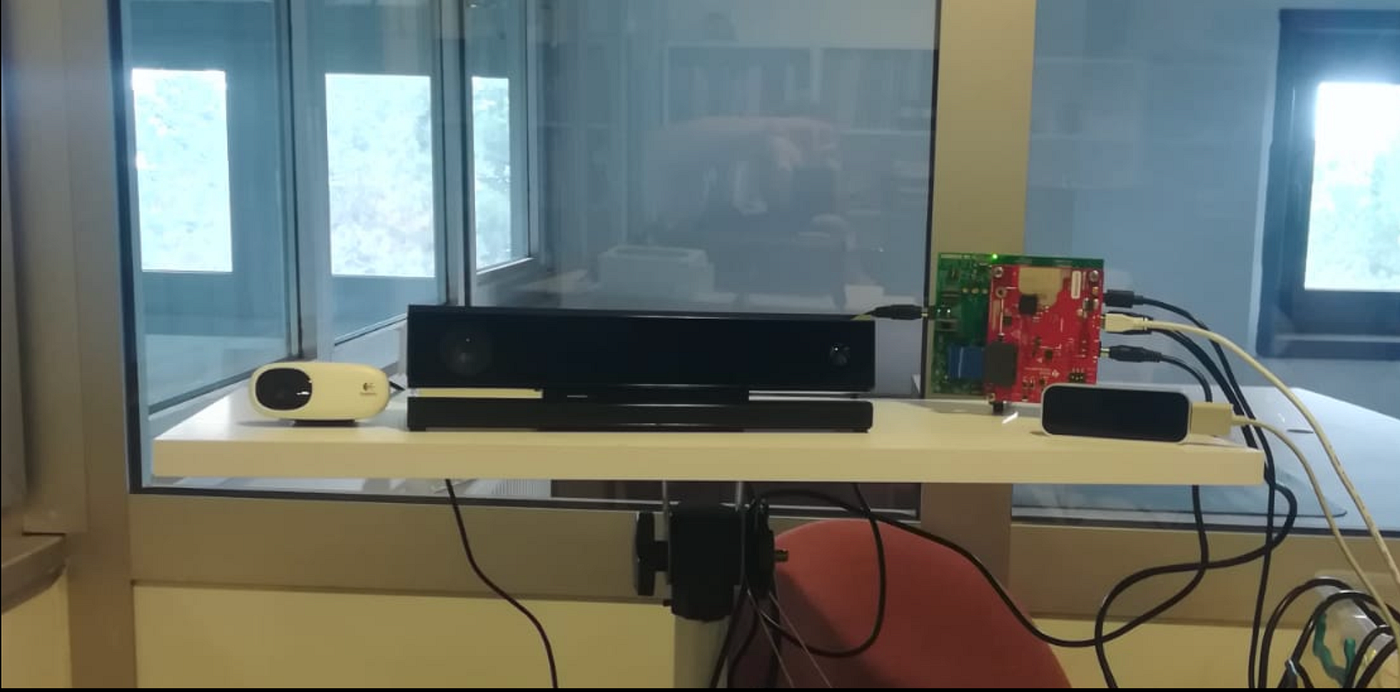
DCA1000EVM CLI Comands Usage
The CLI (Command Line Interface) is a text-based method of interacting with radar systems and related software.
Texas Instruments DCA1000EVM Data Capture Card CLI Comands Usage
Introduction
Millimeter-wave (mmWave) radar research often requires not only high-precision sensors but also flexible tools for data collection and system control. In this context, the Command Line Interface (CLI) and the DCA1000EVM (Data Capture Adapter Evaluation Module) play a crucial role in bridging hardware and software for radar experiments.
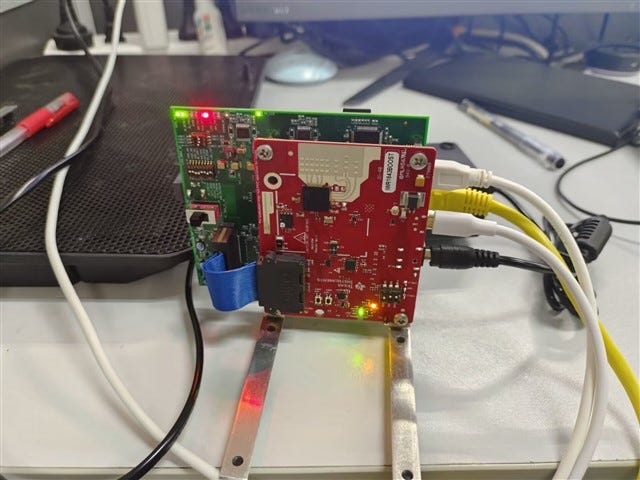
The CLI (Command Line Interface) is a text-based method of interacting with radar systems and related software. Instead of graphical menus, users send commands directly through the terminal, which provides greater control, automation, and reproducibility. For radar studies, the CLI allows researchers to configure the radar’s parameters, initiate or stop recordings, and reset devices quickly. Since research environments often require customized setups, CLI ensures flexibility and the ability to run scripts in batch mode, making large-scale or repetitive experiments efficient and reliable.
On the other hand, the DCA1000EVM is a specialized evaluation module developed by Texas Instruments for raw data capture from mmWave radar sensors. While most radar systems process data internally and only output selected results, DCA1000EVM enables researchers to access unprocessed raw ADC (Analog-to-Digital Converter) data. This raw data is critical for algorithm development, signal processing research, and the creation of advanced applications such as gesture recognition, medical monitoring, or autonomous navigation. By working in conjunction with a radar sensor and the CLI, DCA1000EVM records the radar signals into binary files (.bin), which can then be analyzed offline using MATLAB, Python, or other scientific computing platforms.
Together, CLI and DCA1000EVM provide researchers with a powerful experimental toolkit: CLI ensures command-level control and automation, while DCA1000EVM guarantees full access to radar signals for high-fidelity analysis. This combination enables the development of cutting-edge mmWave applications across domains such as healthcare, automotive safety, industrial automation, and human–computer interaction.
Lets Get started.
- The source code file is copied to Linux
- Installation is done with make.
- CLI command files can be made executable with chmod +x.
COMANDLAR
- conda deactivate && conda activate radar
- export LD_LIBRARY_PATH=$LD_LIBRARY_PATH:$pwd
- ./DCA1000EVM_CLI_Control fpga configFile.json
- ./DCA1000EVM_CLI_Control record configFile.json
- ./DCA1000EVM_CLI_Control start_record configFile.json
- ./DCA1000EVM_CLI_Control stop_record configFile.json
- ./DCA1000EVM_CLI_Control reset_ar_device configFile.json
- export LD_LIBRARY_PATH=$LD_LIBRARY_PATH:$pwd && ./DCA1000EVM_CLI_Control fpga configFile.json && ./DCA1000EVM_CLI_Control record configFile.json && ./DCA1000EVM_CLI_Control start_record configFile.json
TRICK
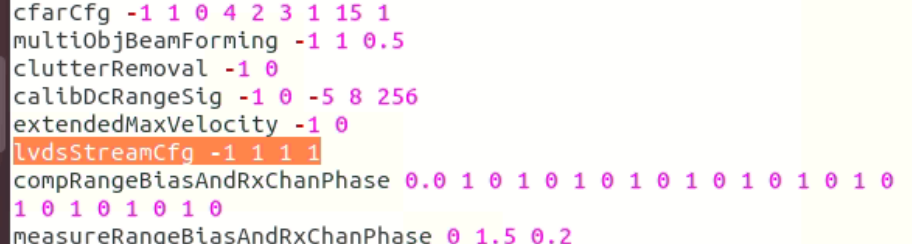
In the radar config file, you need to change the lvdsStreamCfg parameter to -1 1 1 1.
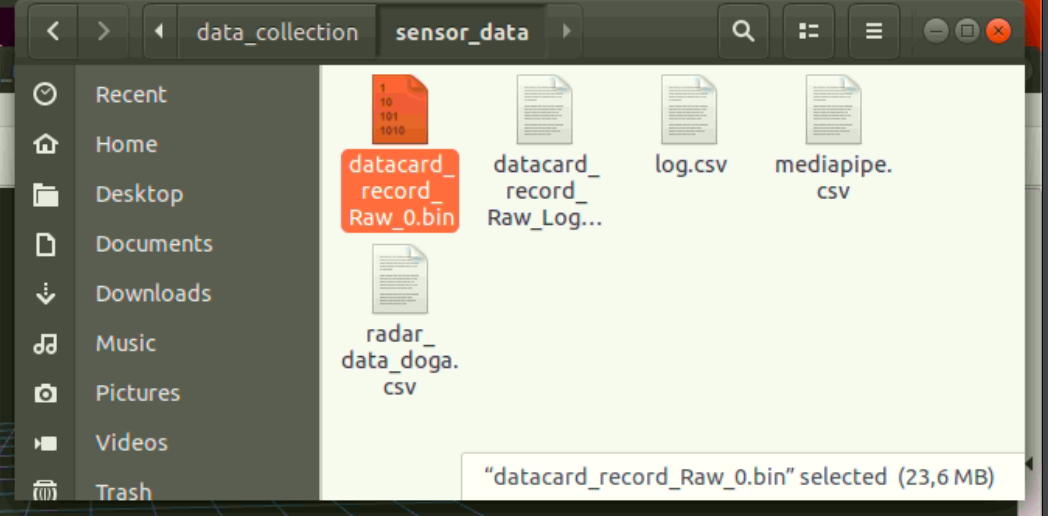
The file path in the config.json file creates a .bin file.
DCA1000EVM CLI usage
Introduction
Millimeter-wave (mmWave) radar sensors have become an essential tool in modern research and industry thanks to their high accuracy, robustness under challenging conditions, and ability to capture motion and distance information at a very fine scale. However, the effectiveness of these devices relies not only on the hardware itself but also on the tools and workflows that enable researchers to configure, capture, and analyze raw data efficiently. For this purpose, Texas Instruments provides the DCA1000EVM (Data Capture Adapter Evaluation Module), which allows users to record raw ADC data from mmWave radar devices for offline processing.
While graphical interfaces such as mmWave Studio (for Windows) offer user-friendly interaction, many advanced users and researchers prefer the Command Line Interface (CLI) for its flexibility, reproducibility, and suitability for automated workflows. With CLI usage, radar experiments can be executed on Linux environments such as Ubuntu 18.04 or 20.04 LTS, offering stability and customization that are often required in academic and industrial projects. This setup makes it possible to run repeatable experiments, write automated scripts for long-duration data collection, and minimize dependency on graphical tools.
The CLI workflow essentially involves compiling and running the control utilities provided in the DCA1000 package, adjusting configuration files such as configFile.json, and executing commands that manage FPGA setup, recording initialization, and data storage. This process not only gives direct control over the radar hardware but also allows users to adapt the configuration to different environments, network setups, and research goals. Additionally, it opens up opportunities to integrate mmWave radar data into larger ecosystems such as ROS (Robot Operating System), machine learning pipelines, or real-time monitoring systems.
In this guide, we will walk through the requirements, installation process, and essential CLI commands for successfully operating TI’s IWR1843 radar with the DCA1000EVM in a Linux environment. The goal is to provide a clear, step-by-step pathway for setting up the system, recording data, troubleshooting common issues, and ensuring smooth operation for both beginners and advanced researchers. By mastering the CLI, users gain not only precision and flexibility in radar data collection but also the ability to extend mmWave technology into a wide range of applications — from autonomous systems and industrial sensing to healthcare and rehabilitation studies.
Requirement
IWR1843 DCA1000 EVM Ubuntu 18.04 or 20.04 LTS (tested by ti on 16.04) mmWave_sdk install mmWave Studio for windows
Usage
It is suggested in the Texas Instruments documentation with 8Gb ram and Ubuntu 16.04 LTS. A laptop with 16GB of RAM was used in this study. We also tried to run it with 20.04 and 18.04 Ubuntu LTS and we didn’t have any problems. There is no information for RAM usage below 8Gb as we did not test with lower hardware.
First of all, copy the DCA1000 folder below from mmWave studio that has installed on a windows machine and paste it to a linux machine. “C:\ti\mmwave_studio_02_01_01_00\mmWaveStudio\ReferenceCode\DCA1000”. You should check that the existing documents in the doc folder are up-to-date. Outdated documents can confuse you. We recommend that you check these documents first and obtain new ones if they are out of date.
We change the directory to /source_code in DCA1000: cd <copied directory path>
You have to use make command now. After the make processes are completed, the file named “Release” will be created. We change directory to this folder. make cd <path>/Release
We make the DCA1000EVM_CLI_Record and DCA1000EVM_CLI_Control files executable: chmod +x DCA1000EVM_CLI_Control chmod +x DCA1000EVM_CLI_Record
We update the LD_LIBRARY_PATH with the command: export LD_LIBRARY_PATH=$LD_LIBRARY_PATH:$pwd
configFile.json needs to be added to the source cnfiguration file we used in the study as an example below.
configFile.json includes; { “DCA1000Config”: { “dataLoggingMode”: “raw”, “dataTransferMode”: “LVDSCapture”, “dataCaptureMode”: “ethernetStream”, “lvdsMode”: 1, “dataFormatMode”: 1, “packetDelay_us”: 25, “ethernetConfig”: { “DCA1000IPAddress”: “192.168.33.180”, “DCA1000ConfigPort”: 4096, “DCA1000DataPort”: 4098 }, “ethernetConfigUpdate”: { “systemIPAddress”: “192.168.33.30”, “DCA1000IPAddress”: “192.168.33.180”, “DCA1000MACAddress”: “12.34.56.78.90.12”, “DCA1000ConfigPort”: 4096, “DCA1000DataPort”: 4098 }, “captureConfig”: { “fileBasePath”: “D:\capture”, “filePrefix”: “outdoor_capture”, “maxRecFileSize_MB”: 1024, “sequenceNumberEnable”: 1, “captureStopMode”: “duration”, “bytesToCapture”: 50000, “durationToCapture_ms”: 5000, “framesToCapture”:10 }, “dataFormatConfig”: { “MSBToggle”: 0, “reorderEnable”: 1,
“laneFmtMap”: 0, “dataPortConfig”: [ { “portIdx”: 0, “dataType”: “real” }, { “portIdx”: 1, “dataType”: “complex” }, { “portIdx”: 2, “dataType”: “real” }, { “portIdx”: 3, “dataType”: “real” }, { “portIdx”: 4, “dataType”: “complex” }]}}}
CLI COMMANDS
Configuring fpga ./DCA1000EVM_CLI_Control fpga configFile.json
Configuring record delay ./DCA1000EVM_CLI_Control record configFile.json
Start Recording ./DCA1000EVM_CLI_Control start_record configFile.json
use it in a comand
export LD_LIBRARY_PATH=$LD_LIBRARY_PATH:$pwd && ./DCA1000EVM_CLI_Control start_record configFile.json && ./DCA1000EVM_CLI_Control record configFile.json && ./DCA1000EVM_CLI_Control start_record configFile.json
Stop Recording ./DCA1000EVM_CLI_Control start_record configFile.json
For successful record process, FPGA should be reconfigure FPGA if, the system is booted or rebooted, FPGA or DCA1000EVM is reset or switched multi-mode and raw mode.
Usefull Comands and FAQ
Use **ifconfig command to set network settings. If it is not installed, you can download it with the command `sudo apt install net-tools**. Theservice network stop` command stops the network card. The **service network start command opens the card. You can reset the network card with `service network restart**. You can check withifconfig <port number>` ethernet port. You can monitor the transmission status by sending packets with the **ping 192.168.33.30** command.
메타데이터
- post_id
- 22ec9d88c47
- slug
- dca1000evm-cli-comands-usage-22ec9d88c47
- url
- https://medium.com/@doganalci/dca1000evm-cli-comands-usage-22ec9d88c47
- canonical_url
- https://medium.com/@doganalci/dca1000evm-cli-comands-usage-22ec9d88c47
- author_url
- https://medium.com/@doganalci
- status
- ok
- fetched_at
- 2026-07-17 13:02:47