Behind the Scenes of MONSTER STRIKE: How Our Creative Team Used Generative AI to Create a…
Introduction
Behind the Scenes of MONSTER STRIKE: How Our Creative Team Used Generative AI to Create a 135-Second 3D Animation Featuring Oragon
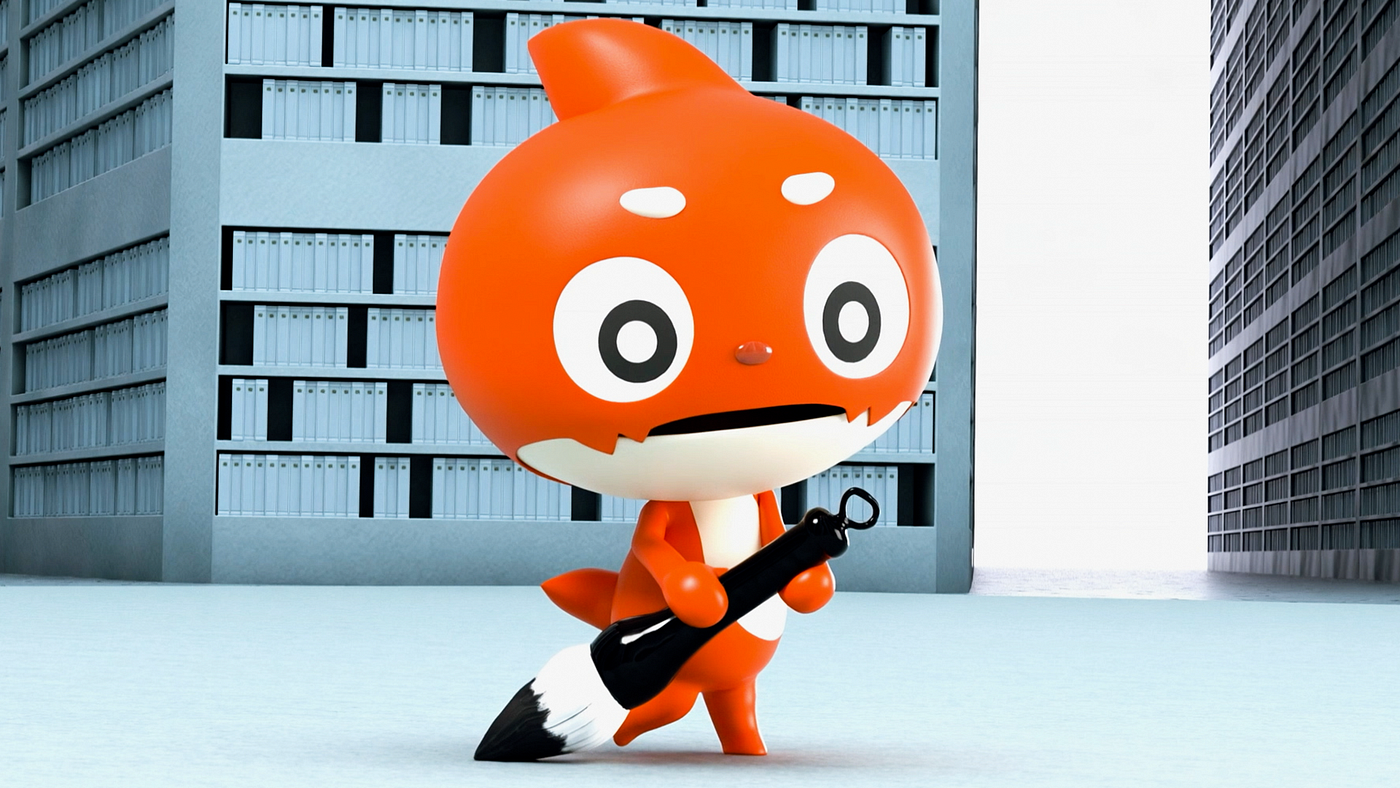
Introduction
The Video Design Division of MIXI’s Design Department is a team whose mission is to bring “discontinuous evolution” to visual expression by combining CG and graphics with AI. In this article, we’ll share how our team used the integrated generative AI tool Runway to create a 135-second teaser for a MONSTER STRIKE announcement. We’ll share the real-world experience of the production process, including our workflow, tips for effectively using generative AI, and the challenges we’ve encountered along the way.
Overview
The goal for this project was to attract as many people as possible to MONSTER STRIKE News for an announcement regarding a collaboration with another company’s IP. MONSTER STRIKE News is the game’s official news program, streamed on YouTube every Thursday at 4:00 PM.
For MONSTER STRIKE, we always put tremendous effort into announcing collaborations with other IPs. This time, as a way to pique the interest of users, we posted short videos every day, starting a week in advance to build awareness and anticipation.
Using Runway, we created a 135-second video of the character Oragon working hard to paint a picture with a brush, then shared it in short segments every day. The news segment for that day was designed to allow viewers to go back through their memories of the past week and then see the final announcement together by combining all the separate parts into a single video. (The end result was over 120,000 users watching the countdown in real time.)
We’ll get more into the specifics later, but using AI allowed us to save approximately 1.96 million yen and around 16 days of work compared to outsourcing the work to a production company!
Here is the actual video we produced: (This video is for reference only. Some parts have been cut due to rights restrictions.)
[embed]
We posted 10- to 15-second segments daily on social media starting one week before the news release.
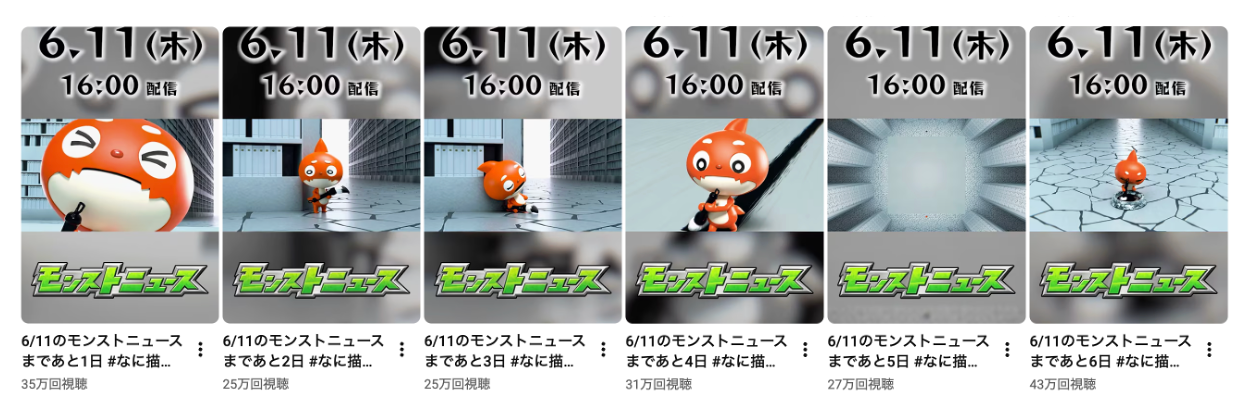
Our YouTube Shorts screen
On the day of the news release, we achieved a peak of 159,000 concurrent viewers, and the video now has over 1 million views.
(There was also a major synergistic effect from various PR initiatives, including OOH advertising)
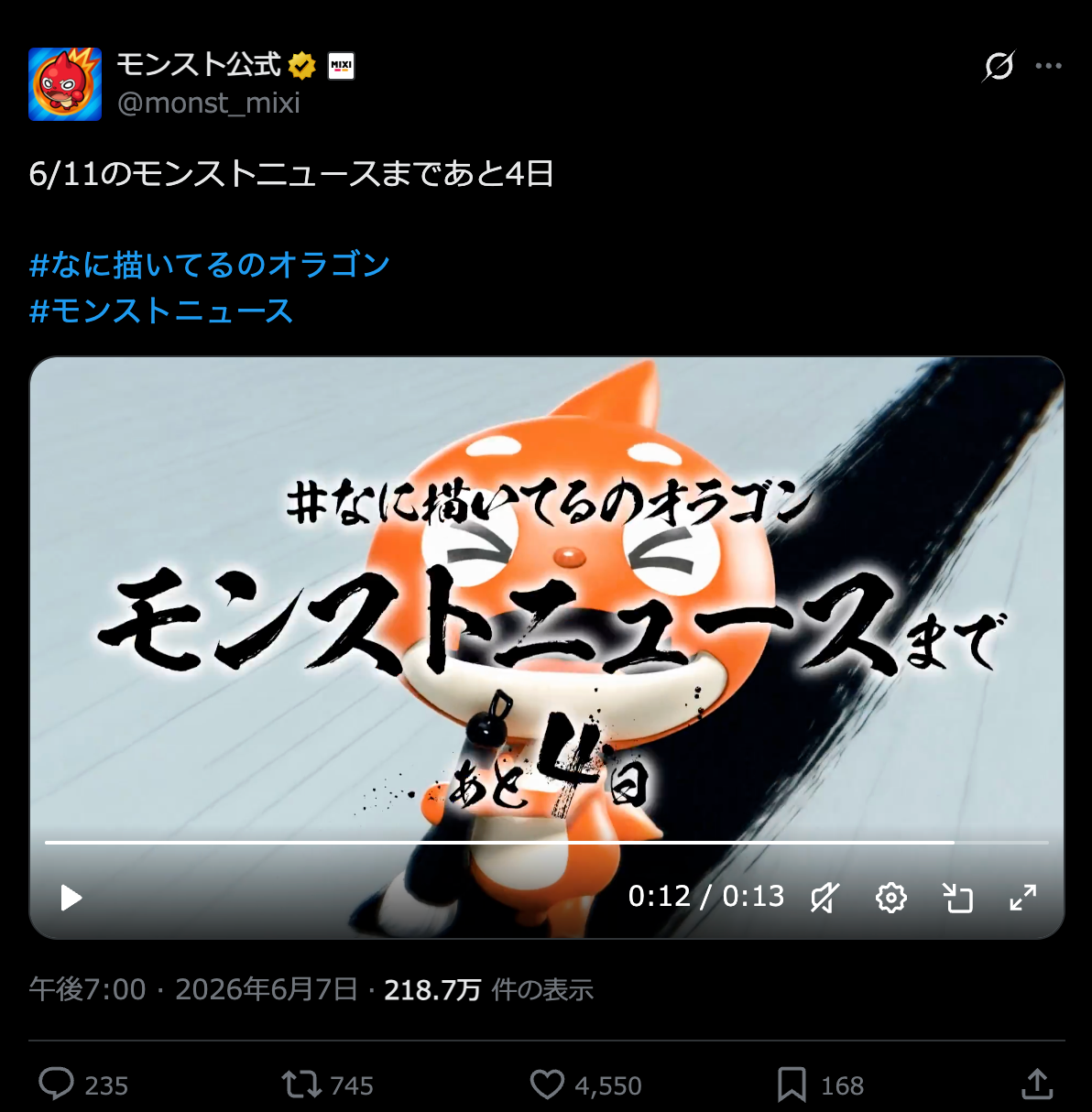
A post from the official MONSTER STRIKE X account
Production Workflow
It took some time to finalize the plans, so we weren’t able to start production until mid-April. Even with this limited schedule, we didn’t want to compromise on quality. That’s why we chose to leverage AI tools for the production of this video.
Our main tool was Runway.
Including the review period, it took about six weeks, but the actual hands-on work was completed in an even shorter timeframe.
Step 1: Creating a Storyboard
We visualized the story beats and shot composition in Adobe Firefly Boards. By having a visual reference for the shot composition and motion before moving on to AI generation, we were able to reduce inconsistencies later in the process.
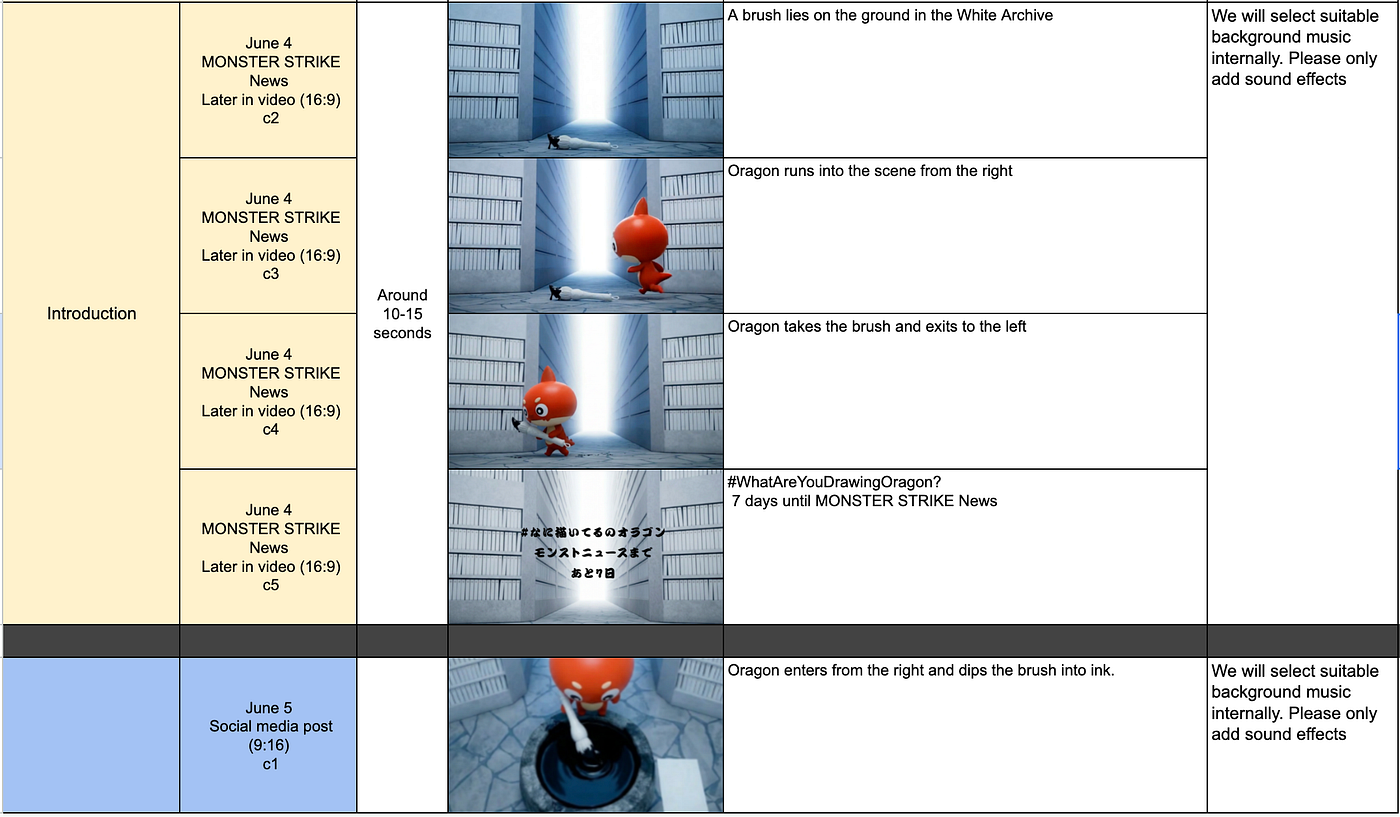
A storyboard being made in advance on a spreadsheet
Step 2: Creating Still Images
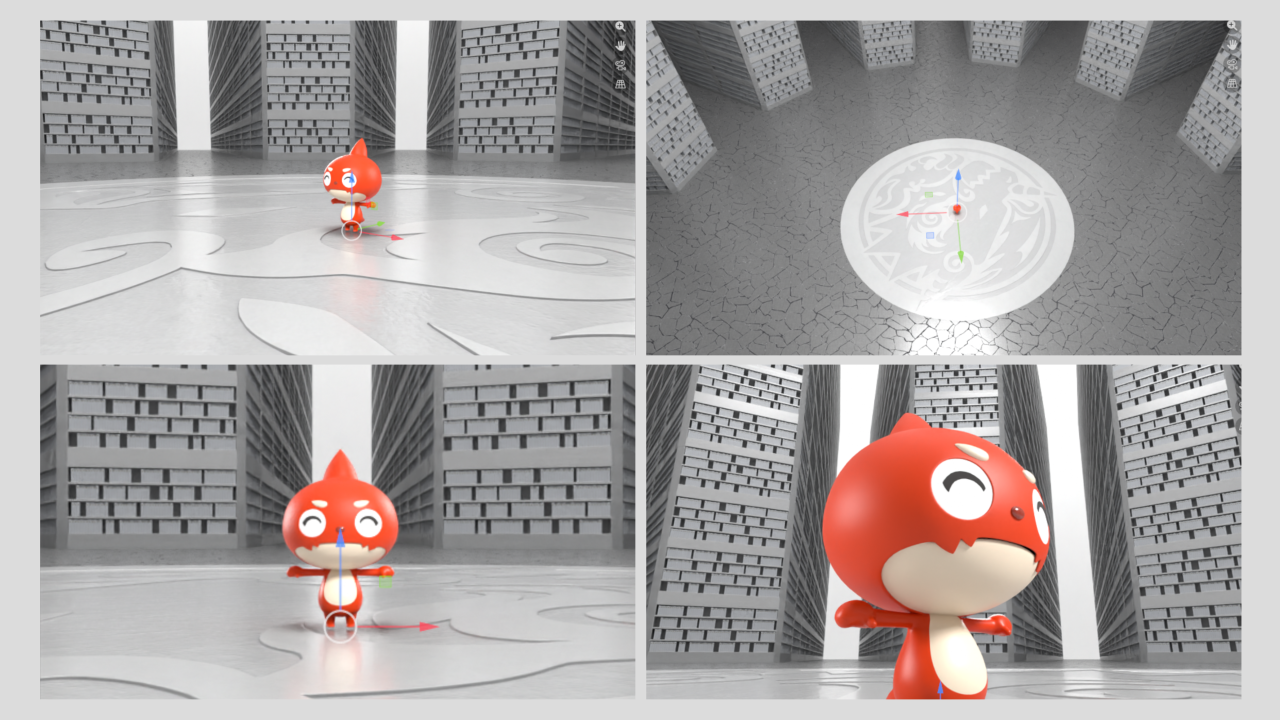
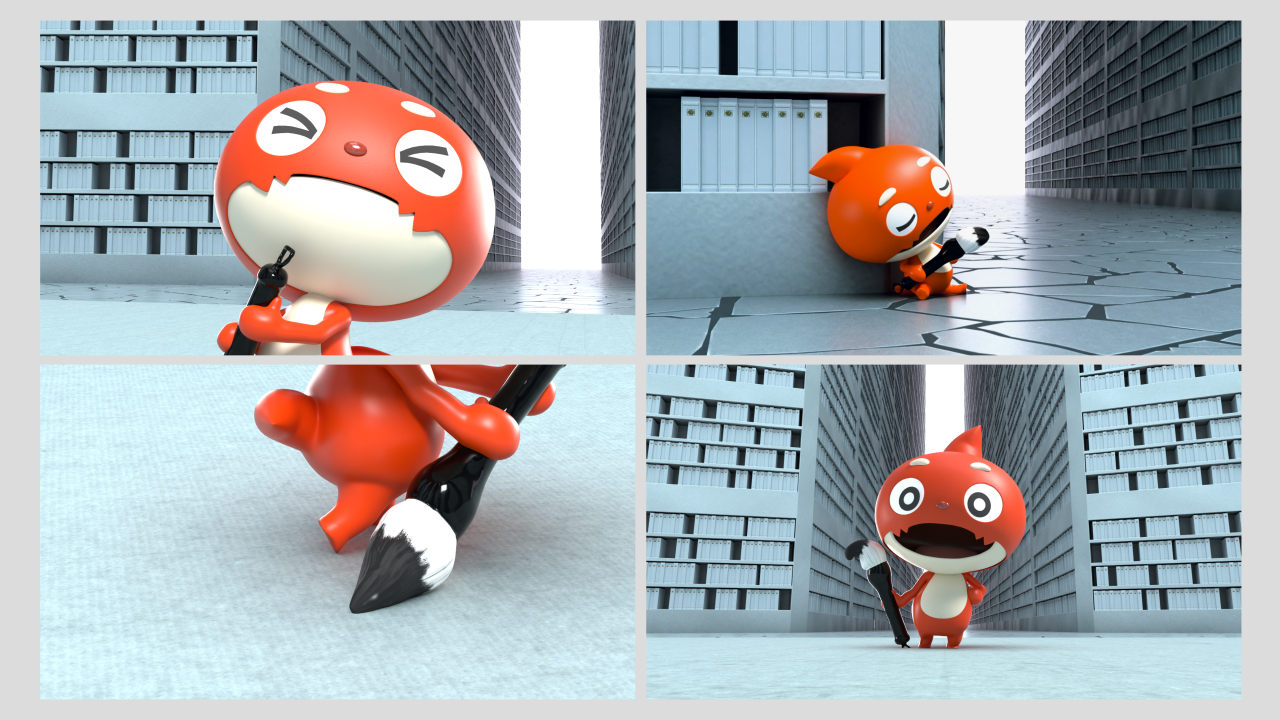
To serve as the base for video generation in Runway, we created still images of the scene where Oragon is painting with a brush using Blender.
If we generated everything using generative AI alone, the character’s expression, size, color tone, and how the background appears could vary from shot to shot. So we first determined the placement of the character, background, and brush in CG to keep the overall tone and composition consistent before moving into production with generative AI.
Step 3: Bringing It to Life in Runway
We generated the video in Runway based on the still images created in Blender. Using the Runway Workflows feature, we use a combination of tools, including Kling 3.0 Pro, Nano Banana Pro, and ChatGPT Images 2.0, during production.
The key point for this production was the team working in parallel.
We shared the workflows within the team and set up a process where multiple people could generate content at the same time, using the same source materials and generation steps. Also, because the still images made in Blender generally included Oragon, we removed him to create background-only images when necessary.
The Runway credits we used came to about 34,000 in total for the team, which amounts to several tens of thousands of yen.
What mattered even more than the cost aspect was that this budget allowed us to run more than 200 rounds of trial and error. The finished video runs 2.5 minutes, and we refined the quality by repeatedly trying out different takes, movements, and prop generation.
On the other hand, there were also challenges unique to generative AI. With upper-body-only shots, it was hard to clearly convey the motion of painting with a brush, and fine changes in expression such as blinking did not always come through as intended.
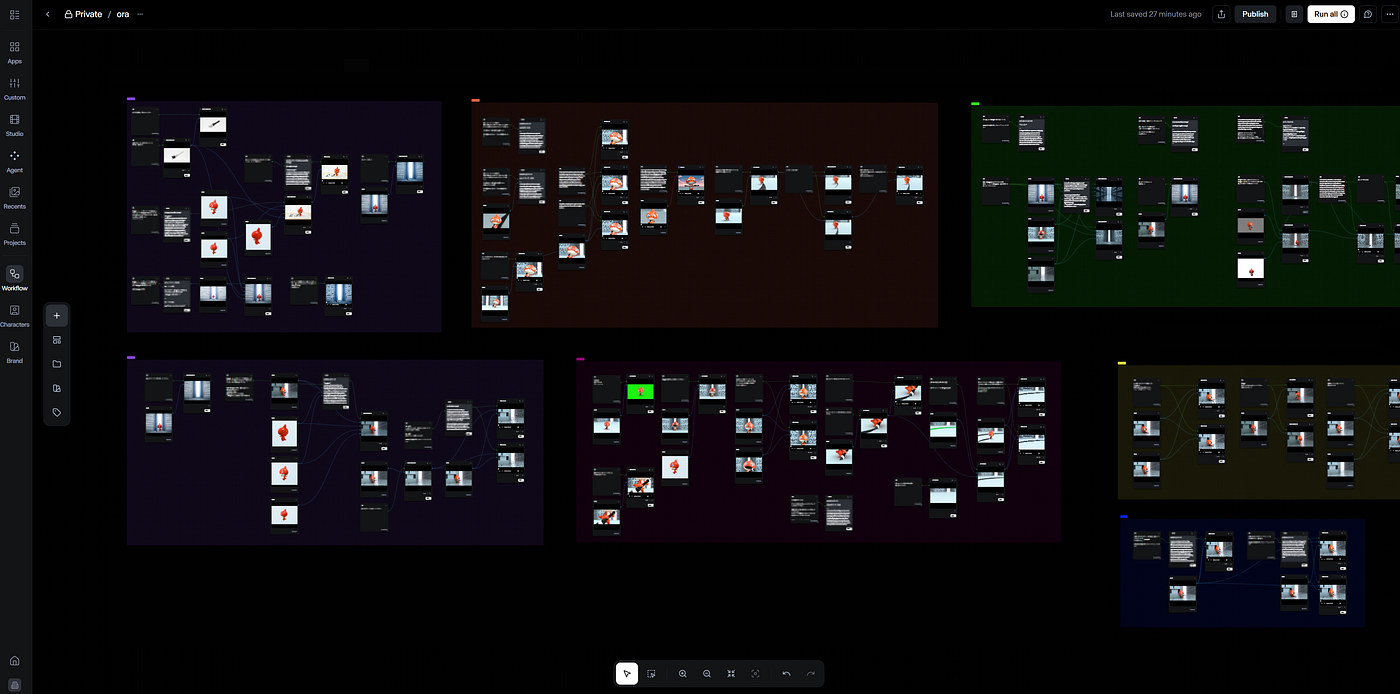
Runway Workflows screen
Step 4: Final Touches in After Effects
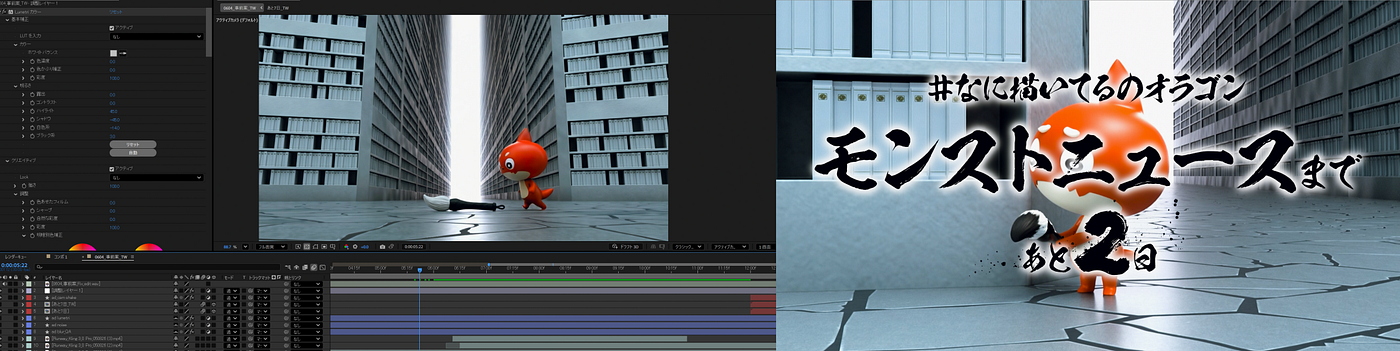
We imported the video assets generated in Runway into After Effects and handled color correction, timing adjustments for transitions between shots, and the creation of text overlays. Even for footage made with generative AI, the final polish was completed through compositing work, just as in conventional CG production.
ROI
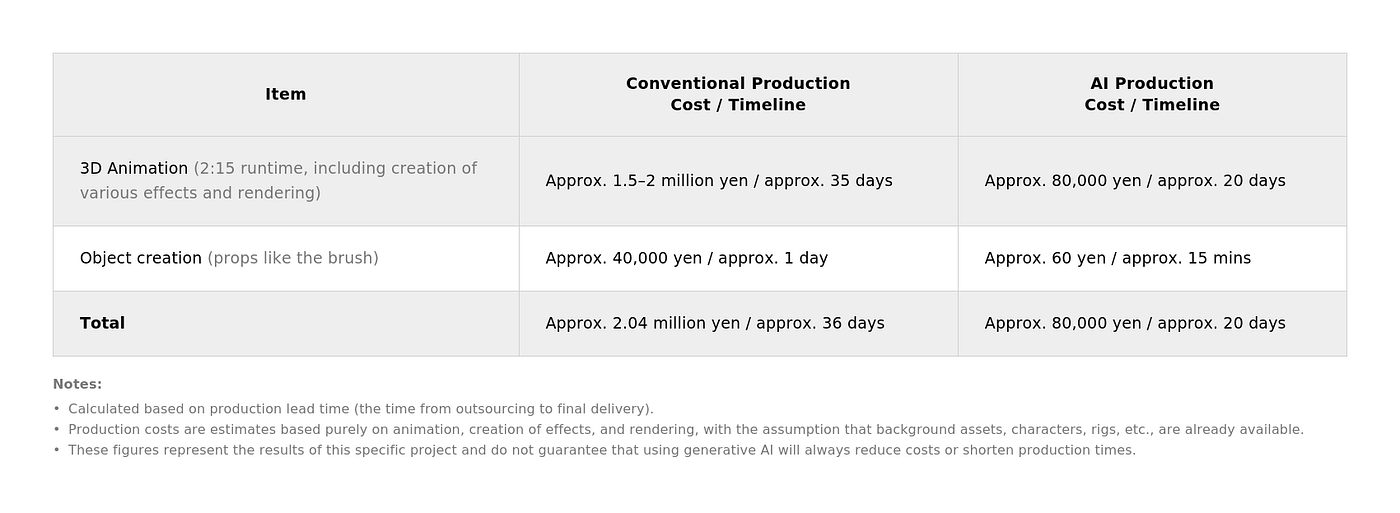
As a result, we reduced costs by approximately 1.96 million yen and saved about 16 days of work!
Conclusion
If we had tried to create this video using full 3D animation, it would have been extremely difficult in terms of both schedule and resources.
3D animation and the creation of 3D effects are highly specialized tasks that only a limited number of people in-house can handle. Under our usual in-house workflow, it would have been an intense rush to finish within the timeframe.
However, by establishing a workflow of creating the base in Blender, generating with Runway, and doing final touches in After Effects, we were able to bring the video to life in a short period.
Leveraging generative AI allowed us to proceed with animation and effects work in a manner where discrepancies in skill had minimal impact, which was a major factor in giving us some breathing room in the schedule.
Generative AI doesn’t always work perfectly on the first try. There were many times when the visuals got distorted, or things didn’t move the way we wanted.
It was exciting to expand our creativity in a way that wasn’t possible with previous workflows. The team was experimenting a lot, picking out the best takes, saying things like, “This movement looks good,” or “We can use this shot.”
Furthermore, gaining hands-on experience in a real-world project with a workflow where we created still images as key frames and used AI to interpolate between them was a major achievement.
Creating this video gave us renewed appreciation of how critical the ability to put things into words and prompt effectively is. To get AI to understand the things we can naturally intuit, we need to be precise in the words we choose. This is a skill we feel we still need to hone.
Moving forward, we will keep exploring how to work with generative AI to maximize its potential while addressing these challenges, as we continue to take on new forms of visual expression.
메타데이터
- post_id
- 238eda795bb4
- slug
- behind-the-scenes-of-monster-strike-how-our-creative-team-used-generative-ai-to-create-a-238eda795bb4
- url
- https://medium.com/@mixi_design/behind-the-scenes-of-monster-strike-how-our-creative-team-used-generative-ai-to-create-a-238eda795bb4
- canonical_url
- https://medium.com/@mixi_design/behind-the-scenes-of-monster-strike-how-our-creative-team-used-generative-ai-to-create-a-238eda795bb4
- author_url
- https://medium.com/@mixi_design
- status
- ok
- fetched_at
- 2026-07-13 16:42:33