TCL: The Language Nobody Talks About — That Runs Every EDA Tool You Use
You have been writing Tcl for years. You just did not know it.
TCL: The Language Nobody Talks About — That Runs Every EDA Tool You Use
You have been writing Tcl for years. You just did not know it.
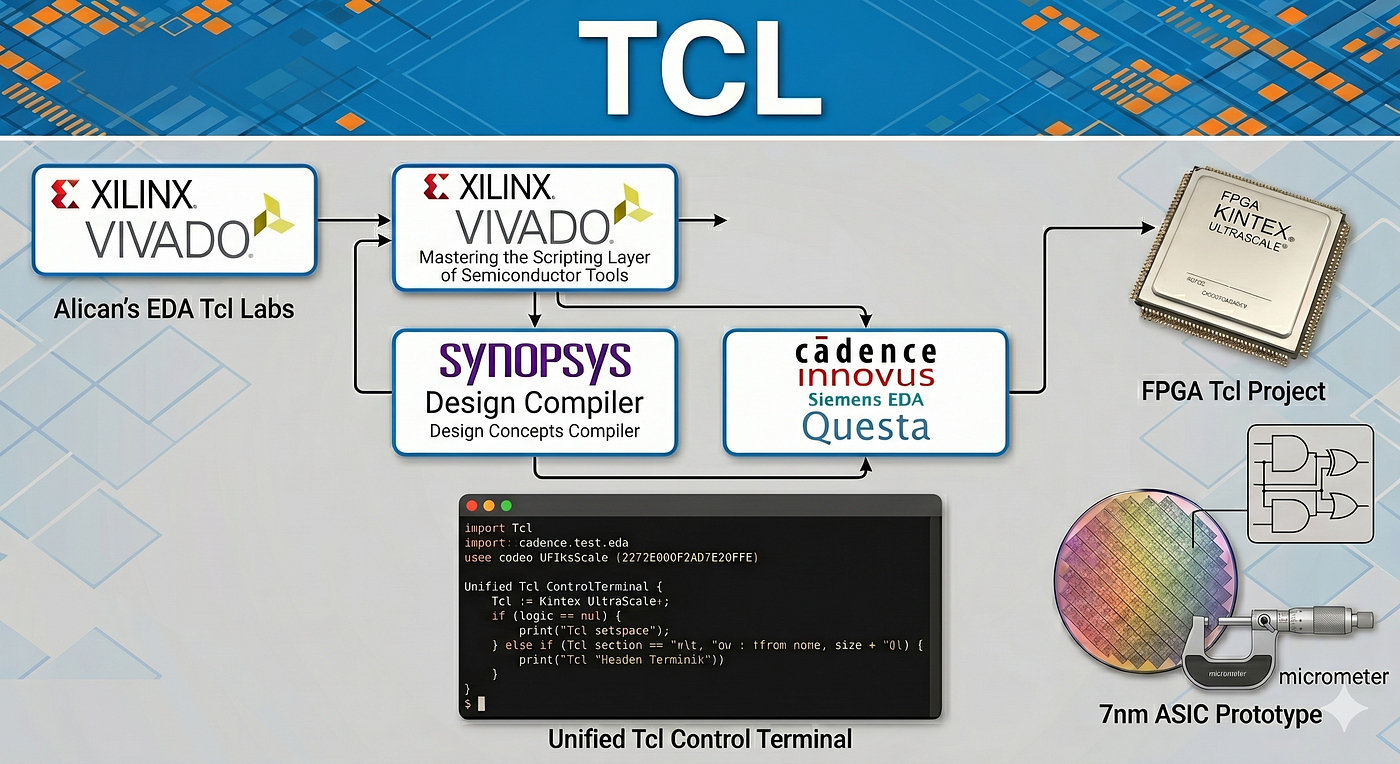
Every time you opened Vivado and clicked “Run Synthesis,” Vivado translated that click into a Tcl command and executed it. Every constraint you set in the GUI — create_clock, set_false_path, set_input_delay — got written into an XDC file. An XDC file is a Tcl script. Every time you ran a simulation in ModelSim and typed run 100ns into the console, you were typing Tcl.
Tcl is the scripting layer underneath almost every major EDA tool in existence. Vivado, Quartus, ModelSim, QuestaSim, Synopsys Design Compiler, Cadence Innovus, Genus — all of them embed Tcl as their command language. This is not a coincidence. It is a deliberate architectural choice that goes back decades, and understanding why it happened is the first step to actually using the language instead of just accidentally running it.
Part 1: What is Tcl, and why did EDA adopt it?
The origin
Tcl — pronounced “tickle” — was created in 1988. The full name is Tool Command Language, and the name is the design philosophy: Tcl was built to be embedded inside other applications as a scripting layer, not to be a standalone programming language.
This is the key distinction. Python was built to be a general-purpose language. C was built to write systems. Tcl was built specifically to be the glue between a user and a tool — a lightweight, embeddable interpreter that any C/C++ application could incorporate with minimal effort.
In the late 1980s and early 1990s, EDA tools were large, complex C++ applications. They needed scripting layers so engineers could automate repetitive tasks. And Tcl was exactly the right answer: small, embeddable, with a simple syntax, and already proven in tools like the Tk GUI toolkit.
The EDA industry adopted Tcl and never looked back. By the mid-1990s, it was the de facto standard. New tools adopted it because their users expected it. Existing tools kept it because replacing it would break every existing script in every existing design flow.
Why it survived
You might ask: this is 2026. Python exists. Why are we still using a language from 1988?
The honest answer is inertia, but inertia with a reason. Every major semiconductor company has years — sometimes decades — of Tcl scripts embedded in their design flows. Synthesis scripts, timing closure scripts, constraint generation scripts, regression automation, report parsing. Rewriting all of that in Python is a massive investment with limited return.
There is also a technical reason. EDA vendors expose their internal data models through Tcl APIs. When you type get_cells, get_nets, or report_timing in Vivado's Tcl console, you are calling functions that directly query Vivado's internal database. Exposing this through Python would require vendors to maintain two APIs. Most have not bothered — and when they do (like Cadence with its Python API in Innovus), the Tcl API still exists and is still more complete.
The pragmatic conclusion: Tcl is not going anywhere in the EDA world for the foreseeable future. Learning it is not nostalgia — it is a career skill.
Part 2: The language itself — what you need to know
Everything is a string
Tcl’s fundamental rule is radical: everything is a string. Numbers are strings. Commands are strings. Lists are strings. Code is a string. This sounds insane if you come from a typed language, and it takes some getting used to. But it is also what makes Tcl so easy to embed — the interpreter is simple, and extending it is trivial.
# Variables
set my_var 42
set my_name "RTL_Engineer"
puts "Value is: $my_var"          ;# outputs: Value is: 42
puts "Name is: $my_name"          ;# outputs: Name is: RTL_Engineer
# Arithmetic - expr evaluates math expressions
set result [expr {$my_var * 2}]
puts "Result: $result"             ;# outputs: Result: 84
# String operations
set signal "clk_100MHz"
puts [string length $signal]       ;# outputs: 10
puts [string toupper $signal]      ;# outputs: CLK_100MHZ
Notice the [...] syntax: in Tcl, square brackets mean "execute this as a command and substitute the result." This is command substitution, and you will use it constantly.
Control flow
# if/else
set freq 100
if {$freq > 200} {
    puts "High frequency — check timing carefully"
} elseif {$freq > 50} {
    puts "Medium frequency"
} else {
    puts "Low frequency — you'll be fine"
}
# foreach - iterates over a list
set ports [list clk rst_n data_in data_out]
foreach port $ports {
    puts "Processing port: $port"
}
# for loop
for {set i 0} {$i < 8} {incr i} {
    puts "Bit $i"
}
# while
set count 0
while {$count < 5} {
    puts "Count: $count"
    incr count
}
Procedures (functions)
proc check_timing {slack_margin path_name} {
    if {$slack_margin < 0} {
        puts "FAIL: $path_name has negative slack: $slack_margin ns"
        return 0
    } else {
        puts "PASS: $path_name — slack: $slack_margin ns"
        return 1
    }
}
# Call it
check_timing -0.3 "clk_to_data_path"
check_timing  0.8 "reset_fanout_path"
Lists and dicts — the workhorses
# Lists
set sources [list top.sv alu.sv regfile.sv decoder.sv]
lappend sources "branch_unit.sv"           ;# add to list
puts [llength $sources]                    ;# length: 5
puts [lindex $sources 0]                   ;# first element: top.sv
puts [lrange $sources 1 3]                 ;# slice: alu.sv regfile.sv decoder.sv
# Dicts - key-value pairs
set constraints [dict create \
    clk_period   10.0 \
    input_delay   2.5 \
    output_delay  3.0 \
]
puts [dict get $constraints clk_period]    ;# 10.0
dict set constraints clk_period 8.0       ;# update
File I/O — where real automation happens
# Read a file
set fh [open "timing_report.txt" r]
set content [read $fh]
close $fh
# Write a file
set fh [open "results.log" w]
puts $fh "Synthesis completed: [clock format [clock seconds]]"
close $fh
# Process line by line
set fh [open "netlist.v" r]
while {[gets $fh line] >= 0} {
    if {[string match "*module*" $line]} {
        puts "Found module: $line"
    }
}
close $fh
Regular expressions — parsing EDA output
One of the most practical Tcl skills for RTL engineers: parsing timing reports, utilization summaries, and simulation logs programmatically.
set report_line "  WNS(ns)   TNS(ns)   TNS Failing Endpoints"
set data_line   "   -0.312  -12.480          42"
if {[regexp {(-?\d+\.\d+)\s+(-?\d+\.\d+)\s+(\d+)} $data_line -> wns tns failing]} {
    puts "WNS: $wns ns"
    puts "TNS: $tns ns"
    puts "Failing endpoints: $failing"
    if {$wns < 0} {
        puts "WARNING: Timing not closed - $failing failing paths"
    }
}
Part 3: GUI vs Script — when to use which
This is the question most engineers get wrong. The answer is not “always script everything” or “GUI is fine for everything.” There is a real division of labor.
Use the GUI for:
Exploration and debugging. When you are diagnosing a timing violation and want to click through the schematic, trace a path, inspect a cell’s properties — the GUI is irreplaceable. You are exploring, not automating.
First-time setup. When you are bringing up a new tool or a new IP, the GUI wizards guide you through options you did not know existed. Use them. Then export the resulting Tcl script and never use the wizard again.
Waveform viewing. No script replaces visually inspecting a waveform. GTKWave, Vivado’s waveform viewer, ModelSim’s wave window — these are GUI tools and they should be.
Use scripts for:
Anything you do more than once. This is the rule. If you ran synthesis by clicking through the GUI today, and you will need to run it again tomorrow — script it today.
CI/CD and regression. You cannot plug a GUI into an automated pipeline. Scripts are the only option for nightly regression, pull request checks, and automated build systems.
Reproducibility. A GUI project file captures state but not intent. A Tcl script is the intent. Six months from now, when you need to reproduce a result, the script will work. The GUI project might not, especially if the tool version has changed.
Report generation and parsing. Generating timing reports, utilization reports, power estimates — and then parsing them to extract key metrics — is exactly what Tcl is built for.
# GUI approach: click Run Synthesis, wait, click Generate Report, copy numbers manually
# Script approach:
launch_runs synth_1
wait_on_run synth_1
open_run synth_1
report_timing_summary -file timing_summary.rpt
report_utilization    -file utilization.rpt
Part 4: Real-world EDA automation
The XDC file is a Tcl script
This one surprises engineers who have been writing constraints for years. Your .xdc file is not a custom format — it is a Tcl script that runs inside Vivado. Every line is a Tcl command.
# This is your XDC file — but it is also valid Tcl
create_clock -period 10.000 -name clk [get_ports clk]
set_input_delay  -clock clk -max 2.000 [get_ports {data_in[*]}]
set_output_delay -clock clk -max 3.000 [get_ports {data_out[*]}]
set_false_path -from [get_cells rst_sync_reg] -to [get_cells *]
Once you realize this, you can do things like generate constraints programmatically:
# Generate input delays for all input ports except clk and rst_n
foreach port [get_ports -filter {DIRECTION == IN}] {
    set port_name [get_property NAME $port]
    if {$port_name ne "clk" && $port_name ne "rst_n"} {
        set_input_delay -clock clk -max 2.0 $port
    }
}
This is a single loop that replaces twenty manual set_input_delay lines — and it automatically adapts when you add new ports to your design.
Vivado build flow automation
This is the script that replaces the entire “click through the GUI” flow:
# create_project.tcl — full Vivado build from scratch
set project_name  "my_uart_design"
set project_dir   "./vivado_project"
set part          "xc7a35tcpg236-1"
# Create project
create_project $project_name $project_dir -part $part -force
# Add RTL sources
set rtl_files [glob -r ./rtl/*.sv ./rtl/*.v]
add_files -norecurse $rtl_files
set_property top uart_top [current_fileset]
# Add constraints
add_files -fileset constrs_1 ./constraints/timing.xdc
# Add simulation sources
add_files -fileset sim_1 ./tb/uart_tb.sv
set_property top uart_tb [get_filesets sim_1]
# Run synthesis
launch_runs synth_1 -jobs 4
wait_on_run synth_1
if {[get_property PROGRESS [get_runs synth_1]] != "100%"} {
    puts "ERROR: Synthesis failed"
    exit 1
}
# Run implementation
launch_runs impl_1 -jobs 4
wait_on_run impl_1
# Generate bitstream
launch_runs impl_1 -to_step write_bitstream -jobs 4
wait_on_run impl_1
puts "Build complete: [clock format [clock seconds]]"
Run this with:
vivado -mode batch -source create_project.tclNo GUI. No clicking. Reproducible. Git-friendly. CI-ready.
ModelSim / QuestaSim simulation automation
# sim.tcl — compile and simulate without opening the GUI
vlib work
vmap work work
# Compile RTL
vlog -sv ./rtl/uart_tx.sv
vlog -sv ./rtl/uart_rx.sv
vlog -sv ./rtl/uart_top.sv
# Compile testbench
vlog -sv ./tb/uart_tb.sv
# Run simulation
vsim -t 1ns -novopt work.uart_tb
# Add waves
add wave -radix hex /uart_tb/clk
add wave -radix hex /uart_tb/tx_data
add wave -radix hex /uart_tb/rx_data
add wave -radix bin /uart_tb/valid
# Run for 10 microseconds
run 10us
# Check results and quit
if {[examine /uart_tb/test_pass] == "1'b1"} {
    puts "SIMULATION PASSED"
    quit -code 0
} else {
    puts "SIMULATION FAILED"
    quit -code 1
}
This runs headless, returns an exit code, and integrates directly into a CI pipeline.
Timing report parsing
# parse_timing.tcl — extract WNS, TNS, failing paths from a Vivado timing report
proc parse_timing_summary {report_file} {
    set fh [open $report_file r]
    set wns ""
    set tns ""
    set failing 0
    while {[gets $fh line] >= 0} {
        # Look for the WNS/TNS summary line
        if {[regexp {^\s*(-?\d+\.\d+)\s+(-?\d+\.\d+)\s+(\d+)} $line -> w t f]} {
            set wns $w
            set tns $t
            set failing $f
            break
        }
    }
    close $fh
    puts "===== Timing Summary ====="
    puts "WNS: $wns ns"
    puts "TNS: $tns ns"
    puts "Failing endpoints: $failing"
    if {$wns < 0} {
        puts "STATUS: TIMING NOT CLOSED"
        return 1
    } else {
        puts "STATUS: TIMING CLOSED"
        return 0
    }
}
parse_timing_summary "timing_summary.rpt"
Part 5: Advantages and disadvantages — the honest assessment
Advantages
Ubiquity. One language, every tool. Vivado, QuestaSim, Synopsys DC, Cadence Innovus — all speak Tcl. Learning it once gives you a scripting superpower that transfers across your entire toolchain.
Deep tool integration. Tcl in EDA is not a surface-level scripting layer. It has access to the tool’s internal database. In Vivado, you can query every cell, net, pin, and path in your design. In ModelSim, you can inspect any signal value at any simulation time. This is not something Python can replicate without the tool vendor explicitly supporting it.
Lightweight and embeddable. The Tcl interpreter is tiny. It starts instantly, runs in batch mode without overhead, and adds zero meaningful latency to an automated flow.
Established ecosystem. Every problem you will encounter has been solved before. Timing report parsing, project creation, regression automation — the internet is full of Tcl examples for EDA workflows.
Disadvantages
The syntax is genuinely unusual. Tcl’s “everything is a string” philosophy and its substitution rules ($var, [command], {braces}) are unlike any modern language. The learning curve is not steep but it is real, and subtle bugs around quoting and substitution are common for beginners.
# This looks like it should work — and it does not
set x 5
if $x > 3 { puts "greater" }
# This is the correct one
if {$x > 3} { puts "greater" }No package management. Python has pip. Tcl’s package ecosystem is fragmented and much smaller. For general-purpose scripting, this matters. For EDA automation where you mostly use the tool’s built-in commands, it rarely does.
Not great for complex data structures. When your automation script grows to hundreds of lines and needs nested data structures, error handling, and unit tests — Tcl starts to feel limiting. At that point, some teams reach for Python to orchestrate the flow and call Tcl only where the tool requires it.
Inconsistent across tools. The core language is standard, but every tool’s API is different. get_cells in Vivado is not the same as get_cells in Innovus. The language transfers; the API does not. You will always need to read the tool's reference manual.
Part 6: The repository
All of the concepts in this article — from basic syntax to full Vivado build automation — have working examples in the open-source repository:
**https://github.com/ayengec/TCL_for_RTL**
The repo is structured progressively, so you can start wherever your current level is:
Basics — variables, puts, expressions, string operations. The foundation you need before anything else.
If-else and Loops — control flow for real automation logic. foreach over a list of source files. while for polling a run status. for for iterating over port indices.
Functions (Procedures) — proc definitions with arguments and return values. How to structure reusable automation logic instead of writing monolithic scripts.
Data Types — lists, dicts, arrays with practical design flow examples. How to store a mapping from module names to source file paths. How to build a list of failing paths dynamically.
Strings — string match, string map, regexp, regsub. The practical skills for parsing EDA output — timing reports, utilization summaries, simulation logs.
Vivado Build Flow — a complete, working Tcl script that creates a Vivado project from scratch, adds sources, runs synthesis and implementation, generates a bitstream, and produces timing and utilization reports. No GUI required.
Vivado Testbench Example — simulation automation: compile RTL and testbench, add signals to the wave window, run for a defined simulation time, and exit with a pass/fail code that a CI system can consume.
The repo is actively maintained and growing. If you clone it and find something missing or something that could be cleaner — pull requests are open.
Part 7: Where to go from here
If you are starting from zero: work through the repo folders in order. Run every example. Modify them. Break them intentionally and fix them. The language is small enough that a weekend of focused effort will get you comfortable with the syntax.
If you already know the basics: go directly to the Vivado build flow scripts. Take your current project and write a Tcl script that recreates it from scratch — no .xpr file, just the script. This exercise forces you to understand what Vivado's project format actually contains.
If you are comfortable with automation: the next level is writing Tcl procedures that parse your tool’s output and make decisions. Timing not closed? Automatically try tightening specific constraints and re-run implementation. Utilization over 80%? Flag it and send a notification. This is where Tcl stops being a convenience and becomes real infrastructure.
The rule that applies at every level is the one written in the repo:
“If you are doing the same task twice in an EDA tool, you should have scripted it in Tcl already.”
Part 8: The future — will Tcl survive?
This is the question the EDA industry has been debating for years. And the honest answer is: it depends on which layer you are talking about.
The Python pressure is real
Synopsys made their position clear. They described Tcl as “an effective interactive CLI, but far from a true programming language,” and announced aggressive Python support across tools like PrimeTime. Cadence has been quietly adding Python APIs to Innovus and Genus. The TIOBE index — which tracks programming language popularity — has Tcl effectively off the charts while Python sits at the top.
The argument against Tcl is straightforward: the engineering talent coming out of universities knows Python. They use it for machine learning, data analysis, automation. They do not know Tcl. Hiring someone who can write a PrimeTime analysis script in Python is easier than finding someone who can write the same thing in Tcl. And as AI-driven EDA becomes more central to the industry — timing prediction, placement optimization, power estimation — Python’s ecosystem of ML libraries becomes a genuine advantage that Tcl cannot match.
But the installed base is immovable
Here is the counterforce: every major semiconductor company has years — some have decades — of Tcl scripts embedded in their design flows. Synthesis scripts. Timing closure procedures. Regression automation. Constraint generation.
Rewriting all of that in Python is not a technical problem — it is an economic one. Who pays for it? Who tests it? Who validates that the new Python scripts produce identical results to the Tcl scripts that have been trusted for fifteen years? The risk-reward calculation almost never pencils out, especially in an industry where a single respun chip costs millions.
This is why the most accurate prediction is not “Tcl dies” or “Tcl survives” — it is coexistence. Python for new tools, new flows, and new automation built on top of EDA APIs. Tcl for the core inside the tools, for existing flows, and for anything that touches legacy infrastructure.
The hybrid reality
The pattern emerging at most major EDA vendors looks like this:
The tool’s internal command language remains Tcl. When you open Vivado and type in the console, you are typing Tcl. When Innovus processes a constraint file, it runs Tcl. This is not changing — the internal APIs are too deeply tied to the Tcl interpreter to replace without a complete rewrite of the tools themselves.
What is changing is the outer layer. Synopsys now lets you write PrimeTime analysis scripts in Python. Cadence exposes some Innovus functionality through Python. The Python script calls into the tool’s Tcl engine under the hood — but you do not have to know that. From the user’s perspective, they are writing Python.
For the RTL and verification engineer, this means one practical thing: knowing both is the advantage, but knowing Tcl is still the prerequisite. Python wraps Tcl. To understand what Python is doing when it calls get_timing_paths(), you need to understand what the underlying Tcl command does. The abstraction does not remove the need for the underlying knowledge — it just moves it one level deeper.
Open-source EDA changes the equation
There is a third force in this story: open-source EDA tools. OpenROAD, Yosys, OpenLane — these tools are increasingly capable, increasingly adopted in academia and smaller companies, and they are not bound by decades of Tcl legacy. OpenROAD uses Python heavily. Yosys uses its own scripting but also supports Python through APIs.
As open-source EDA matures and adoption grows, the next generation of flow automation is being written in Python from day one. For engineers entering the field today, Python fluency in EDA contexts will matter more with every passing year.
My take
Tcl is not dying — it is getting older. It will be inside commercial EDA tools for the next twenty years because replacing it is too expensive and too risky. Every engineer working in physical design, STA, or RTL flow automation will need to read and write Tcl for the foreseeable future.
But the growth is in Python. New tools, new APIs, new automation frameworks, ML-driven EDA — all of it is being built in Python. If you are early in your career, learn Tcl because you have to, and learn Python because it is where the new work is being done.
The good news: the skills transfer more than you would expect. The concepts — querying the tool’s database, parsing reports, building reproducible flows, driving simulation automatically — are identical in both languages. Once you understand why you are automating an EDA flow, switching the scripting language is just syntax.
Learn Tcl. Understand the tools. Then reach for Python when the tool lets you.
Don’t forget to visit my GitHub: https://github.com/ayengec/TCL_for_RTL
References
- Tcl Developer Xchange — Official Documentation https://www.tcl.tk/doc/
- Vivado Design Suite Tcl Command Reference Guide — AMD/Xilinx UG835 https://docs.amd.com/r/en-US/ug835-vivado-tcl-commands
- ModelSim / QuestaSim Command Reference — Siemens EDA https://www.intel.com/content/www/us/en/docs/programmable/683081/
- Tcl/Tk: A Developer’s Guide, 3rd Edition — Clif Flynt The most comprehensive Tcl reference book.
- TCL_for_RTL — GitHub repository https://github.com/ayengec/TCL_for_RTL
- Synopsys Design Compiler Tcl Interface — Synopsys Application Note Available through Synopsys SolvNet (requires account).
메타데이터
- post_id
- 23ab6671a4d0
- slug
- tcl-the-language-nobody-talks-about-that-runs-every-eda-tool-you-use-23ab6671a4d0
- url
- https://medium.com/@acrby/tcl-the-language-nobody-talks-about-that-runs-every-eda-tool-you-use-23ab6671a4d0
- canonical_url
- https://medium.com/@acrby/tcl-the-language-nobody-talks-about-that-runs-every-eda-tool-you-use-23ab6671a4d0
- author_url
- https://medium.com/@acrby
- status
- ok
- fetched_at
- 2026-06-13 16:00:06


