Reolink vs Arlo: No Subscription vs Premium Security — Which Is the Best Security Camera for Home?
At 2:11 AM, my phone buzzed.
Reolink vs Arlo: No Subscription vs Premium Security — Which Is the Best Security Camera for Home?

At 2:11 AM, my phone buzzed.
Half asleep, I reached for it. Motion detected at the front driveway.
I opened the app. The loading screen felt longer than it should have. When the footage finally appeared, it was just headlights passing by. Another false alarm.
That week, I had both Reolink and Arlo installed around my house. I was no longer reading spec sheets. I was testing them in real conditions, in darkness, in rain, with unstable WiFi, and during those late-night alerts that make you question your setup.
If you are trying to decide between a no-subscription security camera and a premium cloud-based system, this is what I discovered.
Why Most “Top 10 Security Camera” Lists Miss the Point
Before installing anything, I searched for the best security camera for home.
Every list looked the same.
Clean images. Highlighted specs. Affiliate links everywhere.
What most of them ignore:
- Real notification delay
- How aggressive subscription prompts feel
- Night vision clarity at distance
- App performance under weak WiFi
- Long-term ownership cost
That is why I stopped relying on lists and started testing both systems myself.
Real-World Setup: Reolink vs Arlo at My Home
For this comparison, I installed:
- Reolink Argus 3 Pro
- Arlo Pro 5S
Both are popular Amazon security camera options. Both promise strong performance. Their approach to security is very different.
Reolink focuses on local control and storage. Arlo focuses on cloud intelligence and premium features.
Installation Experience
Reolink Setup
Mounting the Reolink camera was simple. It is battery-powered, so no wiring was required.
The WiFi connection took two attempts. The QR code pairing failed the first time, and I had to reset it.
After setup, the app felt straightforward. I inserted a microSD card and recording started locally.
No subscription pressure during setup.
That was noticeable.
Arlo Setup

Arlo’s onboarding process was smoother.
The app guided me step by step. Everything felt polished and structured.
However, immediately after activation, I was prompted to start a subscription trial.
You can skip it, but the message is prominent.
If you are comparing long-term cost, this is an important factor.
Night Vision Testing
I tested both cameras after midnight with all exterior lights off.
Reolink at Night
In infrared mode, clarity was solid within 15 to 20 feet. Beyond that range, details softened.
Color night mode with the spotlight improved recognition significantly.
It was not cinematic, but it was practical.
Arlo at Night
Arlo delivered sharper contrast and better subject separation.
When I reviewed the footage on my phone in a completely dark room, Arlo’s image appeared more refined.
For pure night vision performance, Arlo had a slight advantage.
But clarity alone does not determine reliability.
Motion Detection Accuracy
I tested motion by walking across the driveway at unpredictable intervals.
Reolink Motion Alerts
The notification delay averaged around 3 to 5 seconds.
Accuracy was consistent. It detected movement reliably.
During windy evenings, tree shadows occasionally triggered alerts.
Overall performance was stable.
Arlo Motion Alerts
Notification delay averaged around 2 to 3 seconds.
With an active subscription, Arlo distinguished between people and vehicles more accurately.
False alerts were fewer.
However, advanced AI filtering depends on the paid plan.
Without it, performance narrows closer to standard detection.
App Experience
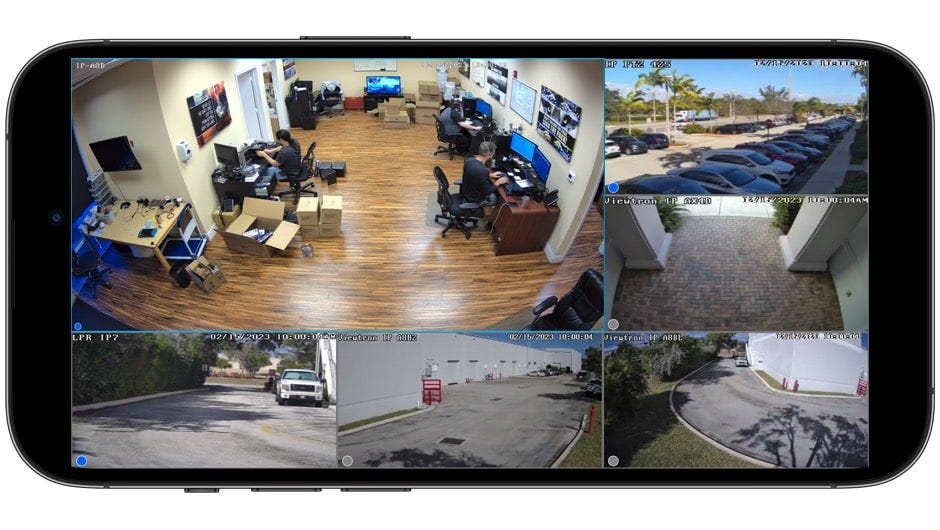
You interact with the app more than the camera itself.
Reolink App
The interface is functional and simple.
Live view loads at a reasonable speed.
Playback from the SD card works, though scrubbing is not as smooth as Arlo.
The biggest advantage is the absence of subscription reminders.
It feels like full ownership.
Arlo App
The interface feels more polished.
Playback is fluid and cloud recordings load quickly.
The design is clearly premium.
However, many advanced features depend on subscription access.
Cancel the plan and certain capabilities are reduced.
Cloud vs SD Storage
This is where the difference becomes clear.
Reolink
- Local microSD storage
- No mandatory subscription
- One-time hardware investment
You control your footage.
For those seeking a no subscription security camera, this approach is appealing.
Arlo
- Cloud storage
- AI-based smart alerts
- Advanced detection filtering
After the trial ends, monthly fees apply.
Over two years, the total cost becomes significantly higher.
When choosing the best security camera for home, total ownership cost should be considered carefully.
Privacy and Data Security
Reolink’s local storage reduces dependence on remote servers.
Arlo uses encrypted cloud storage, which is secure, but still cloud-based.
If privacy and direct control matter to you, local storage may feel more reassuring.
Honest Pros and Cons
Reolink Argus 3 Pro
Pros:
- No mandatory subscription
- 2K resolution
- Local storage support
- Lower long-term cost
Cons:
- App less refined
- Slightly slower live loading
- AI features limited compared to premium systems
Best for budget-conscious homeowners and those wanting no subscription security camera options.
Arlo Pro 5S
Pros:
- Sharper night performance
- Strong AI detection
- Polished application
- Smart home integration
Cons:
- Subscription required for full feature access
- Higher long-term cost
Best for smart home users who prefer premium automation and cloud features.
Lessons I Learned
A few things became clear during testing:
- Monthly subscriptions accumulate faster than expected
- Local storage provides peace of mind during internet outages
- Even small notification delays feel long at night
- Weather influences motion detection more than expected
These details rarely appear in product summaries.
Final Recommendations
For No Subscription Seekers
Reolink offers stronger value long term. You pay once and maintain control over recordings.
For Smart Home Integration
Arlo integrates more seamlessly with voice assistants and advanced automation.
For Outdoor Security Needs
Both function well outdoors.
Arlo offers slightly better image refinement. Reolink offers better cost efficiency.
For the Overall Best Security Camera for Home
The answer depends on your priorities.
If you prefer ownership, cost control, and local storage, Reolink makes sense.
If you value advanced AI features and polished cloud integration, Arlo may justify its cost.
Frequently Asked Questions
Is Reolink better than Arlo for home security?
Reolink is better for those wanting no subscription security camera systems with local storage. Arlo performs better in AI filtering and premium cloud features.
Which is the best wireless security camera for long-term use?
For cost efficiency, Reolink is stronger long-term. For advanced detection and ecosystem integration, Arlo may be more suitable.
Are no subscription security cameras reliable?
Yes. When configured properly, local storage systems provide secure and dependable recording without ongoing fees.
Is Arlo worth paying monthly for?
It can be worthwhile if you actively use its AI detection and cloud playback features. Otherwise, the recurring cost may outweigh the benefits.
메타데이터
- post_id
- 23cf005a643a
- slug
- reolink-vs-arlo-no-subscription-vs-premium-security-which-is-the-best-security-camera-for-home-23cf005a643a
- url
- https://medium.com/@louisspecter/reolink-vs-arlo-no-subscription-vs-premium-security-which-is-the-best-security-camera-for-home-23cf005a643a
- canonical_url
- https://medium.com/@louisspecter/reolink-vs-arlo-no-subscription-vs-premium-security-which-is-the-best-security-camera-for-home-23cf005a643a
- author_url
- https://medium.com/@louisspecter
- status
- ok
- fetched_at
- 2026-07-19 18:13:15