TYPED: A Simple but Logical Content Management System (CMS) for Writers
The hierarchical file idea works much better than the flat-file system of Roam Research
TYPED: A Simple but Logical Content Management System (CMS) for Writers
The hierarchical file idea works much better than the flat-file system of Roam Research
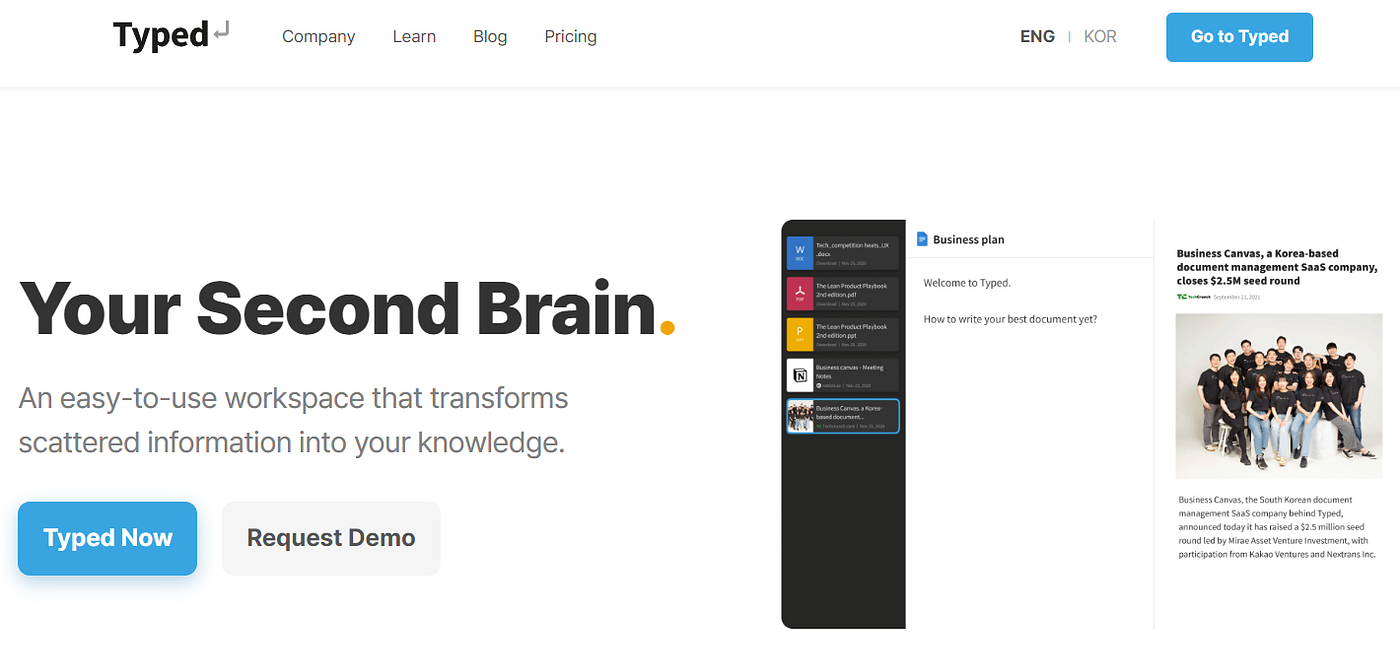
Home page of Typed
I tried Roam Research (RR) in the past to gather my reading notes and improve my writing productivity but it didn’t work.
There is no hierarchy in the RR system. It’s a true flat-file system where everything is related to everything else. Too much freedom for me to get used to.
I’m used to relating my sources to a specific article I’m writing. I like hierarchy.
For me, “The Piece” is the main unit of writing (not “The Note” or “The Quotation”). All my note-taking must serve The Piece.
RR was too versatile for my limited purposes.
The way each RR session started with that day’s calendar page confused me even more. Why was I getting a “Today” page every time I fired up RR? I didn’t want a calendar or a diary. I wanted a library linked to an article.
All I wanted was to relate A, B, and C (my online links/resources) to The Piece I was writing. I needed something much simpler than what RR has provided.
And I found that in **Typed**, a simple but logical and versatile content management system (CMS) developed by a South Korean team.
How it Works
Typed is a Google Drive interface on steroids. It’s a versatile Google Drive “macro.”
Every article, spreadsheet, or slide presentation you create in Typed is actually a Google Drive document (text, spreadsheet, or slide presentation) and is saved automatically in Google Drive.

This means that when you are signing up with Typed, you have to have a Google account and give access to your Google Drive. Otherwise, you cannot create, edit, or delete what you create inside Typed.
Things I Like About Typed
- You can save anything you see in your browser in Typed’s Inbox with just a single click on the Typed Extension Button on the Chrome toolbar. You keep browsing web pages, keep clicking, and keep accumulating online resources in your project file. Easy peasy.
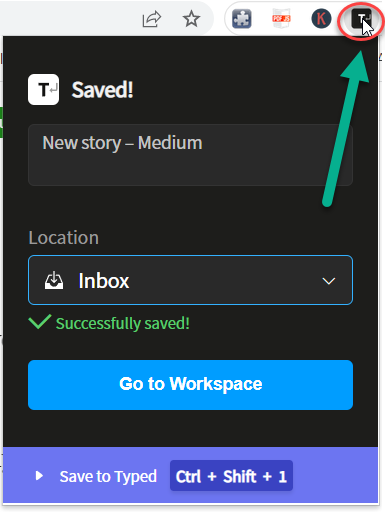
- Typed prevents you from collecting duplicate resources. If you have saved a webpage 6 months ago, Typed in warns that the resource is already saved.
- You can create as many Project folders as you like. And within each Project folder, you can create as many individual articles (pieces) as you like. Each project can have its own Library of resources.

- Typed displays your article and any selected library resource side-by-side on split screens. Wow! That means you can read your resource while you type your article, and keep making new connections. No need to jump from one browser tab to another anymore.

Three-pane structure of Typed’s writing environment is what I was looking for in a CMS (Content Management System) designed for writers.
- You can link any part of your article to the URL of any resource easily.
- You can save PDFs from your local drive, PPTs, and even YouTube videos as a resource as well.
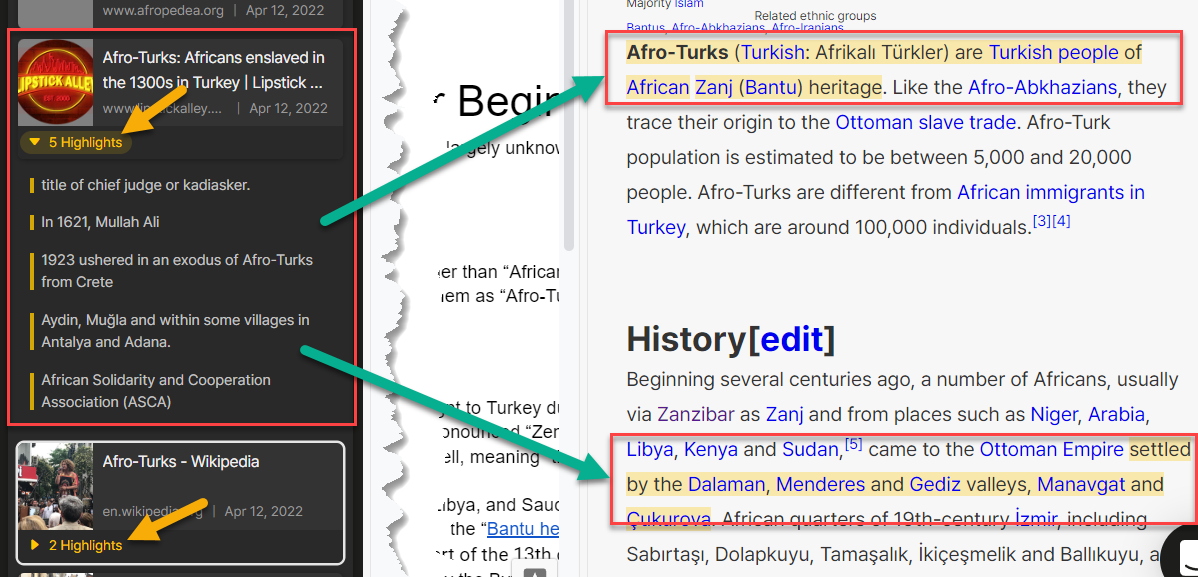
- You can HIGHLIGHT any Typed resource by using a Chrome highlighter (free) like Weave Highlighter. Highlighted snippets are summarized under the resource in the library. This way you can go directly to the highlighted parts of the resource rather than going through the whole document. This will save you considerable time and energy when you are trying to find the relevant parts in a 100- or 200-page PDF document, for example.
- Typed comes with a 30-day free trial. After that, you pay $4.20 a month. That’s a reasonable price to pay to gather all your notes / PDFs / presentations / videos and make them available for the article you are writing at any time.
Things I Don’t Like About Typed
- The majority of the Typed documentation is in Korean. I have nothing against the Korean language but I do not know Korean. (The last time I checked) 75 million people speak Korean in the world but 1.5 billion speak English. So I hope they come up with loads of English documentation very soon.
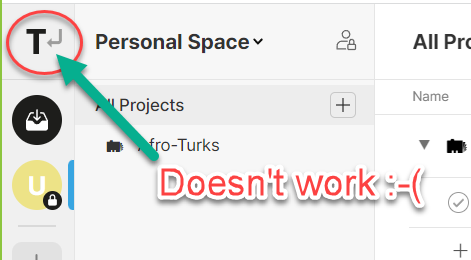
- The “Go to Home Page” icon button does not work :-( So every time you need to go back to the Home page, you need to insert the correct URL for the Home page. A small but annoying glitch.
- At this writing, Typed cannot link up with Amazon Kindle Notebook to import my Kindle eBook highlights. If the Typed developers could figure that out through Amazon API, that would be an awesome feature, opening up the Kindle floodgates. (HINT: Readwise can do that.)
Conclusion
I like Typed.
It’s a lot of tool for the price and it’s very easy to understand and use. I know I’m going to continue to use it in the future.
The Typed team is promising new features ahead. I’m looking forward eagerly to the next version of the new-and-improved Typed, plus, a lot more use cases and documentation in ENGLISH, please.
Good job guys!
UPDATE: New Feature
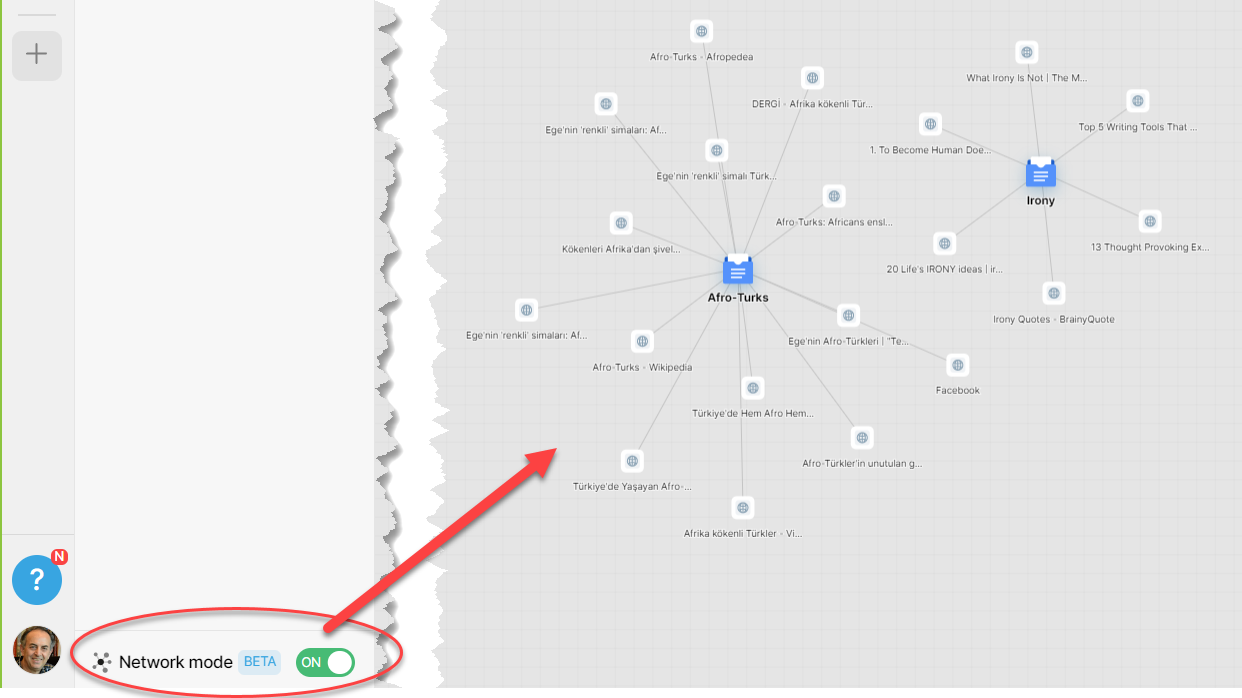
Since I wrote this post, Typed team has added a new feature: NETWORK MODE which provides a relationship map of documents and the resources they are linked to. Toggle the Network Mode button to ON to display the relationship map:
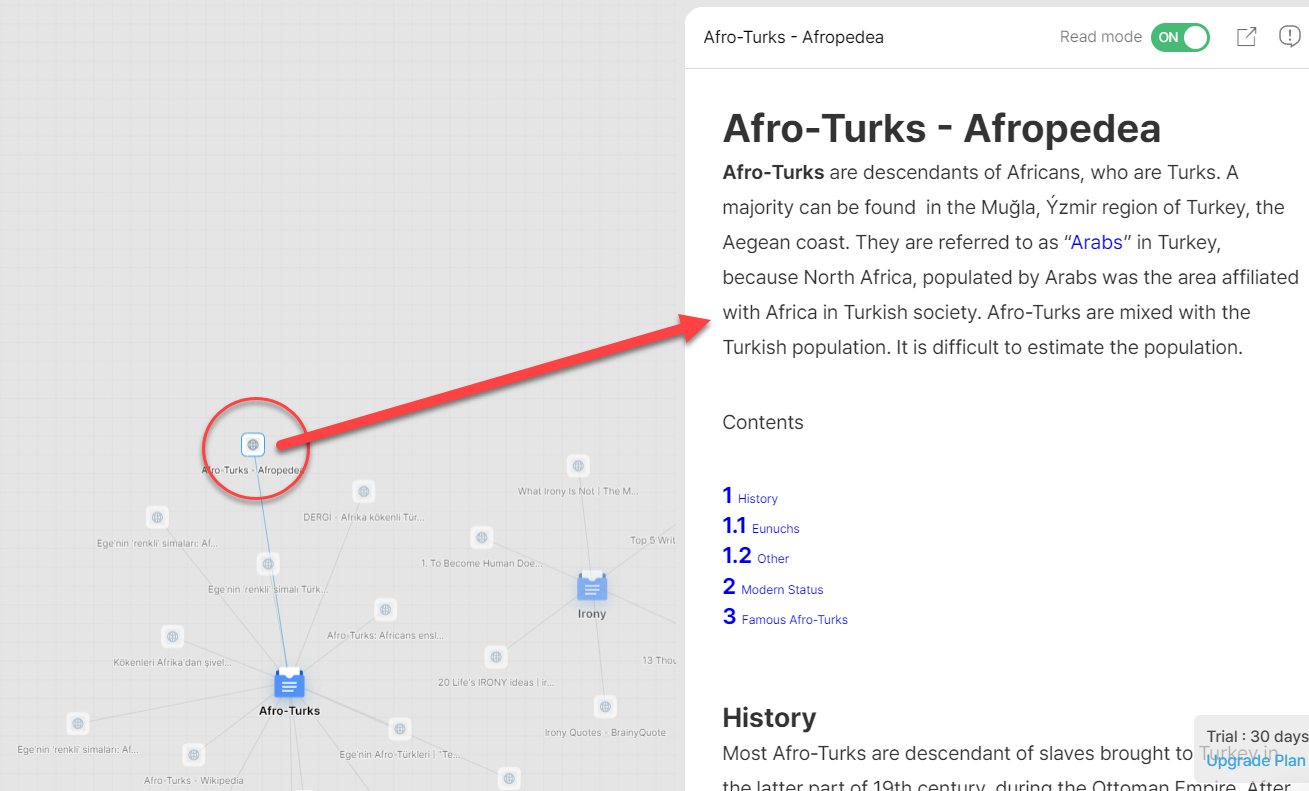
When you click on a resource, that resource is displayed automatically on the right pane:
When you click on a document, that document is displayed automatically on the right pane:

Another star for the hard-working Typed team!
메타데이터
- post_id
- 23d5aec6d190
- slug
- typed-a-simple-but-logical-content-management-system-cms-for-writers-23d5aec6d190
- url
- https://medium.com/illumination-curated/typed-a-simple-but-logical-content-management-system-cms-for-writers-23d5aec6d190
- canonical_url
- https://medium.com/illumination-curated/typed-a-simple-but-logical-content-management-system-cms-for-writers-23d5aec6d190
- author_url
- https://medium.com/@ugurakinci
- status
- ok
- fetched_at
- 2026-07-27 06:50:25