Carla Introduction: an Open Urban Driving Simulator
Note: Unfortunately, I have to uninstall CARLA and Unreal Engine because they require too much hardware and graphical power. While…
Carla Introduction: an Open Urban Driving Simulator
Note: Unfortunately, I have to uninstall CARLA and Unreal Engine because they require too much hardware and graphical power. While exploring the program, it sometimes freezes, and the startup time is very long. I will look for alternatives or maybe reinstall them in the future.
Carla is a open-source simulator for self driving cars.
After more than a day, I installed Carla and Unreal Engine 4.26.2. I encountered many errors, and I searched for solutions on ChatGPT, the Carla GitHub page issues, Google, and so on.
This has been quite a new experience for installing a program like this, as there is no standard tutorial available. The tutorial itself is 1 hour and 30 minutes long, and some parts are sped up.
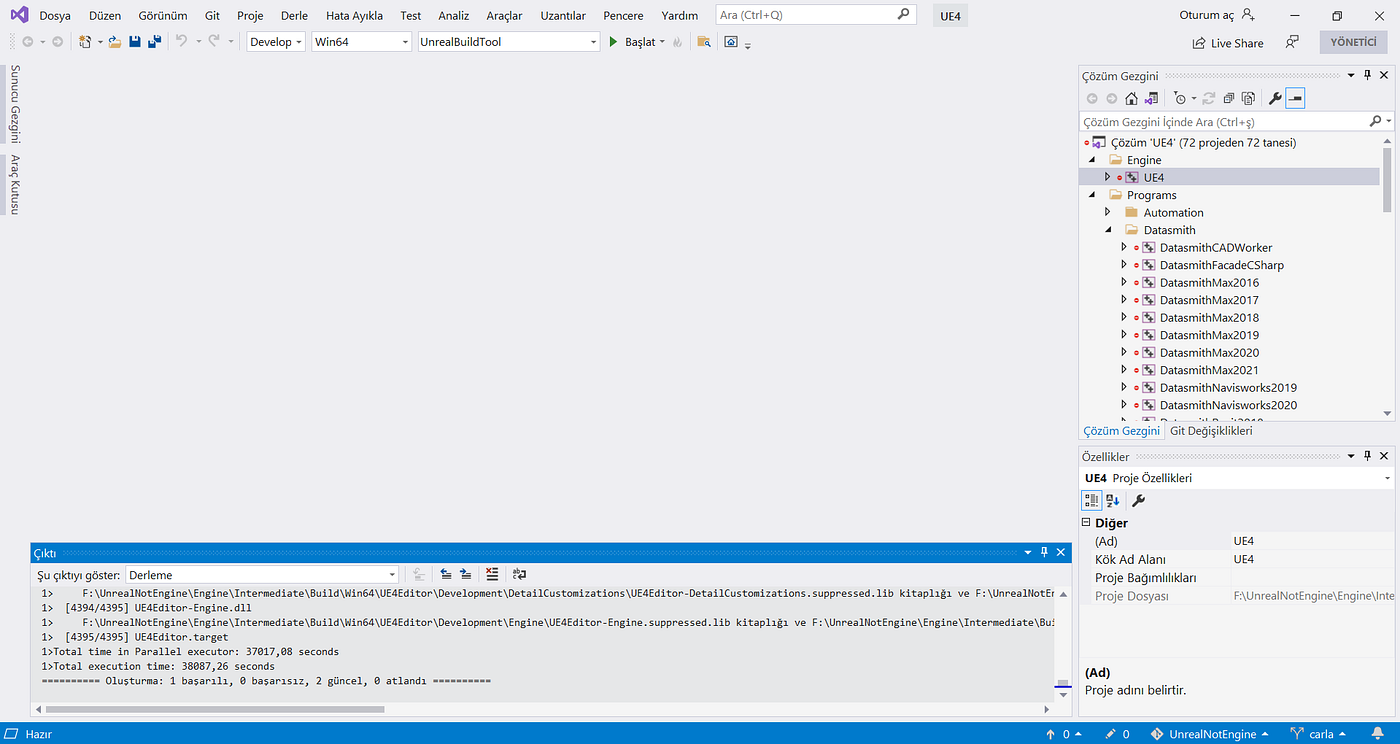
End of the build
In Visual Studio 2019, the build process took around 10 hours, while they had estimated it would take 8 hours or more, depending on your internet speed and computer performance.
During the process, I paused it multiple times, and sometimes my excluded driver caused problems, but I didn’t give up. I used the x64 Native Tools Command Prompt for VS 2019 to try building it, and although each step took time and I faced errors, I managed to solve some of them. However, I still see some warnings when opening the program.

Files size
Also, the program requires more than 150GB of storage.

First Opening
My goal is to understand how Carla works, how it can be used for self-driving cars, and I want to share my experiences.
To interact with the simulation, I followed a tutorial that uses Anaconda, which you can download from its official website. The goal is to create a virtual environment named carla-sim.
Since I use Windows, I’ll explain the process for Windows users. Open the Windows search bar and type Anaconda Prompt to launch it.
Next, navigate to the folder containing the CARLA Python API examples. In my case, the path is:
F:/carla/PythonAPI/examples
Here’s how I use it:

Author’s Screenshot
Next, we activate the virtual environment by using the following command:
activate carla-sim
After that, we install some required libraries using pip install, such as:
pip install carla
pip install pygame
pip install numpy
pip install jupyter
pip install opencv-python
Once the libraries are installed, open the UE4 editor and start the simulator. When the simulator is running, you can execute the following Python script: python generate_traffic.py
Here is the output from the simulator:

generate_traffic.py result
This is an introduction to starting CARLA. I have included the Anaconda setup and the initial tutorial for getting started.
[embed]
메타데이터
- post_id
- 2597cecec8b4
- slug
- carla-introduction-an-open-urban-driving-simulator-2597cecec8b4
- url
- https://medium.com/@me.muhammed.dinc/carla-introduction-an-open-urban-driving-simulator-2597cecec8b4
- canonical_url
- https://medium.com/@me.muhammed.dinc/carla-introduction-an-open-urban-driving-simulator-2597cecec8b4
- author_url
- https://medium.com/@me.muhammed.dinc
- status
- ok
- fetched_at
- 2026-06-26 21:52:29