eInk Photo Frames from BLOOMIN8 and paperlesspaper in your Smart Home
Are they worth it — and how can you integrate them into your smart home and Home Assistant?
eInk Photo Frames from BLOOMIN8 and paperlesspaper in your Smart Home
Are they worth it — and how can you integrate them into your smart home and Home Assistant?
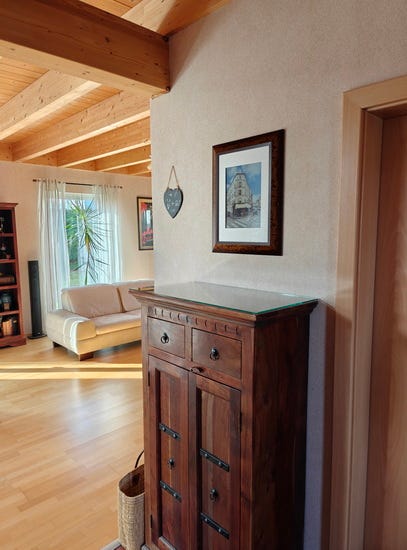
I love capturing beautiful moments in photos. But what’s the point if those pictures end up lingering on a smartphone or NAS, barely ever looked at consciously? Printed photos in classic frames, to be honest, I only swap out once in a blue moon. And digital photo frames? They were never a serious option for me: glowing displays, a distinctly technical look, and a permanent power cable.
Recently, however, a new generation of eInk photo frames has been heavily promoted — BLOOMIN8 and SwitchBot seem to be everywhere. eInk is familiar from Kindle e-readers: paper-like appearance, no backlight, extremely low power consumption. The promise sounds compelling: no power cable, multi-year runtime, photos that look like prints.
I was curious and decided to try it myself — with a **BLOOMIN8 frame in 13.3 inches and the [paperlesspaper Open Paper in 7 inches](https://paperlesspaper.de/buy-7-inch-epaper-picture-frame)**.
My idea was simple: hang the frames in a central spot, show a new photo every twelve hours, and bring beautiful memories back into everyday life. It worked surprisingly well — we genuinely enjoy the changing photos every single day.
Why BLOOMIN8 and paperlesspaper?

BLOOMIN8 frame directly after unwrapping it
eInk fits so well into my smart home not because it adds more technology, but because it demands less attention. No glow, no flicker, no “look at me”, no “I need to take care of this”. The images are simply there.
As for the hardware: the eInk panels themselves are identical across manufacturers — they all use Spectra 6 displays. The differences therefore don’t come from the panel, but from everything around it: enclosure, power supply, software, and overall philosophy.
BLOOMIN8 currently uses by far the largest battery. What’s particularly interesting is that the frame can be operated entirely locally and without any cloud — at least to the best of my current knowledge, this is a unique feature. According to the team, paperlesspaper is actively working towards the same goal.
paperlesspaper itself is a particularly interesting project: the German startup has fully open-sourced both hardware and software, the frame is designed to be repairable, and it runs on standard AAA batteries. It hardly gets more sustainable than that. With BLOOMIN8, the battery could become a long-term weak point — aside from a classic hardware defect — but given my usage pattern, I consider a lifespan well beyond ten years to be realistic.
Delivery and initial setup

The BLOOMIN8 ships in a black aluminum frame with a relatively wide mat and no glass. The outer mat frame can be removed, reducing its size by several centimeters. With a suitable external frame, you can even achieve a frameless look.
Initial setup is quick and straightforward via Bluetooth using the BLOOMIN8 app.

I decided to have a custom frame with UV70 museum glass made by a local frame shop. Cost: around €80. The glass was important to us for two reasons: it makes the frame look like a true classic photograph, and it protects the mat and surface from dust and dirt. One small downside: due to the hardware thickness (around 1.5 cm) — and potentially mat and glass — you need a sufficiently sturdy frame so it doesn’t stand off the wall. Visually, though, the effort is absolutely worth it in my view.

The paperlesspaper comes directly in a wooden frame with UV70 museum glass, but it cannot be placed standing upright. A suitable stand such as the **EaselMate**, which is simply screwed on, solves this. The paperlesspaper is also quick to set up via its app.
Image quality — who it’s for, and who it isn’t
Image quality strongly depends on both the source material and personal expectations. eInk displays are often advertised with oil paintings — and yes, artwork works very well on them. As a hobby photographer, however, I display a colorful mix of portraits, travel photography, action shots, and casual snapshots.
This works well too — but under two conditions.
First, the images require targeted post-processing (more on that shortly). Second, the frames really shine when they’re well lit, for example by daylight or room lighting. In dark corners or heavy shadow, content is harder to see than on printed photos.

BLOOMIN8: Left the original, right after optimization

paperlesspaper: Left the original, right after optimization
Overall, colors appear a bit flatter than the original. Images are also rendered using dithering, meaning a visible dot pattern. This is more noticeable on the paperlesspaper (and generally on all 7-inch Spectra 6 displays) than on the 13.3-inch BLOOMIN8 with its higher resolution. With a bit of viewing distance — about one meter for the paperlesspaper and around 70 cm for the BLOOMIN8 — the effect fades into the background.
In short: I genuinely like the way both frames look. It’s not perfect — but it’s really good.
Who eInk photo frames are not for
- Anyone who wants to display videos or animations — the technology simply doesn’t support that
- Anyone expecting punchy colors and maximum contrast
- Anyone with zero interest in an initial setup phase
Battery life — first impressions
I’ve been running the BLOOMIN8 for about six weeks with two image changes per day. The current battery level is 87%. Extrapolated, that suggests a runtime of roughly nine months — realistically, I expect to recharge it after about six months.
I’ve been using the paperlesspaper for three weeks, also with two updates per day, powered by four Varta Longlife AAA alkaline batteries. The measured voltage started at 6.55 V and is currently around 6.0 V. I tested a lot on the first day, and alkaline batteries tend to drop more quickly at the beginning. Over the last seven days, the voltage has remained stable between 5.99 and 6.01 V. According to the manufacturer, the frame shuts down at 4 V. Based on my usage, paperlesspaper estimates about a year of runtime — personally, it’s still a bit early for me to say.

Connecting Immich and automatic image optimization
I use the excellent open-source photo platform **Immich** on my NAS. There, I mark photos as favorites. A shell script (with a detailed description and Home Assistant integration), triggered via Home Assistant, automatically syncs these favorites to the Home Assistant server and optimizes them for the eInk frames.
It works beautifully: photos land in Immich, I mark favorites — and from that moment on, they automatically appear on the frames. Set it up once, forget about it, and simply enjoy.
Displaying photos directly without adjustments works only to a limited extent. That’s why I developed **eink-optimize**, a small Node.js service (also available as a Docker image) that automatically optimizes images. The detailed README explains the background and configuration options:
- For BLOOMIN8, this mainly means slightly brightening images, increasing color saturation, and lifting shadows.
- For paperlesspaper, the approach is different: images need to be pre-dithered and color-adjusted. paperlesspaper provides EPD-Optimize, which I integrated accordingly.
Integrating with Home Assistant
Why Home Assistant at all?
My entire smart home runs on Home Assistant — so it was only logical to control the photo frames through it as well.
What does the integration actually give me?
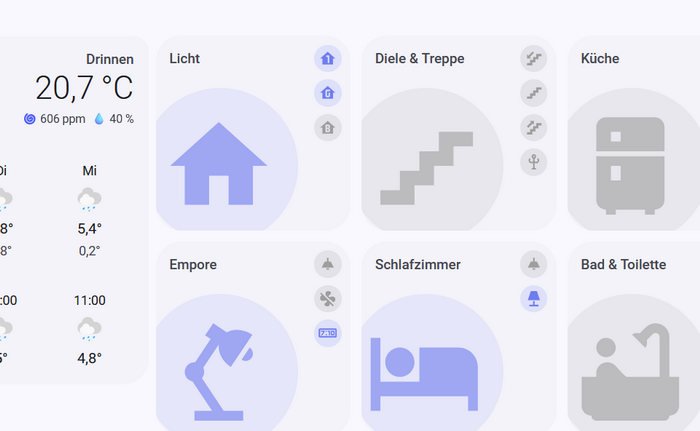
Automatic image changes, status sensors, push triggers, and error monitoring. I’ve built a custom dashboard that lets me see the current state of the frames and the images being displayed at any time.

Examples including code can be found here:
Custom components
BLOOMIN8 does provide an official Home Assistant integration, but it doesn’t allow fully local operation without the cloud. That’s why I wrote my own custom component (**bloomin8_pull**), which can be conveniently installed via HACS. It allows you to run your BLOOMIN8 frame completely locally.
At the moment, there is no official integration for paperlesspaper. Here too, I developed my own custom component (**paperlesspaper_push**), also installable via HACS. It exposes telemetry data such as battery level and last synchronization.
In the READMEs of both custom components, I describe the setup in detail and provide code examples for integrating them into Home Assistant.
Conclusion
In our home, the eInk photo frames have become a genuine enrichment. We deliberately placed them in central locations where you naturally pass by. The images change regularly, and we enjoy them together every day.
With Immich and Home Assistant in the loop, the concept becomes perfect for me:
Set it up once — and simply enjoy it from then on.
메타데이터
- post_id
- 26c04d9bbf93
- slug
- eink-photo-frames-from-bloomin8-and-paperlesspaper-26c04d9bbf93
- url
- https://medium.com/@fwmone/eink-photo-frames-from-bloomin8-and-paperlesspaper-26c04d9bbf93
- canonical_url
- https://medium.com/@fwmone/eink-photo-frames-from-bloomin8-and-paperlesspaper-26c04d9bbf93
- author_url
- https://medium.com/@fwmone
- status
- ok
- fetched_at
- 2026-07-14 08:54:03