Manual GST Processing vs Automated GST Software: Which Is Better?
If you run a business in India, you already know GST isn’t a once-a-year headache; it’s a monthly (sometimes fortnightly) ritual of…
Manual GST Processing vs Automated GST Software: Which Is Better?
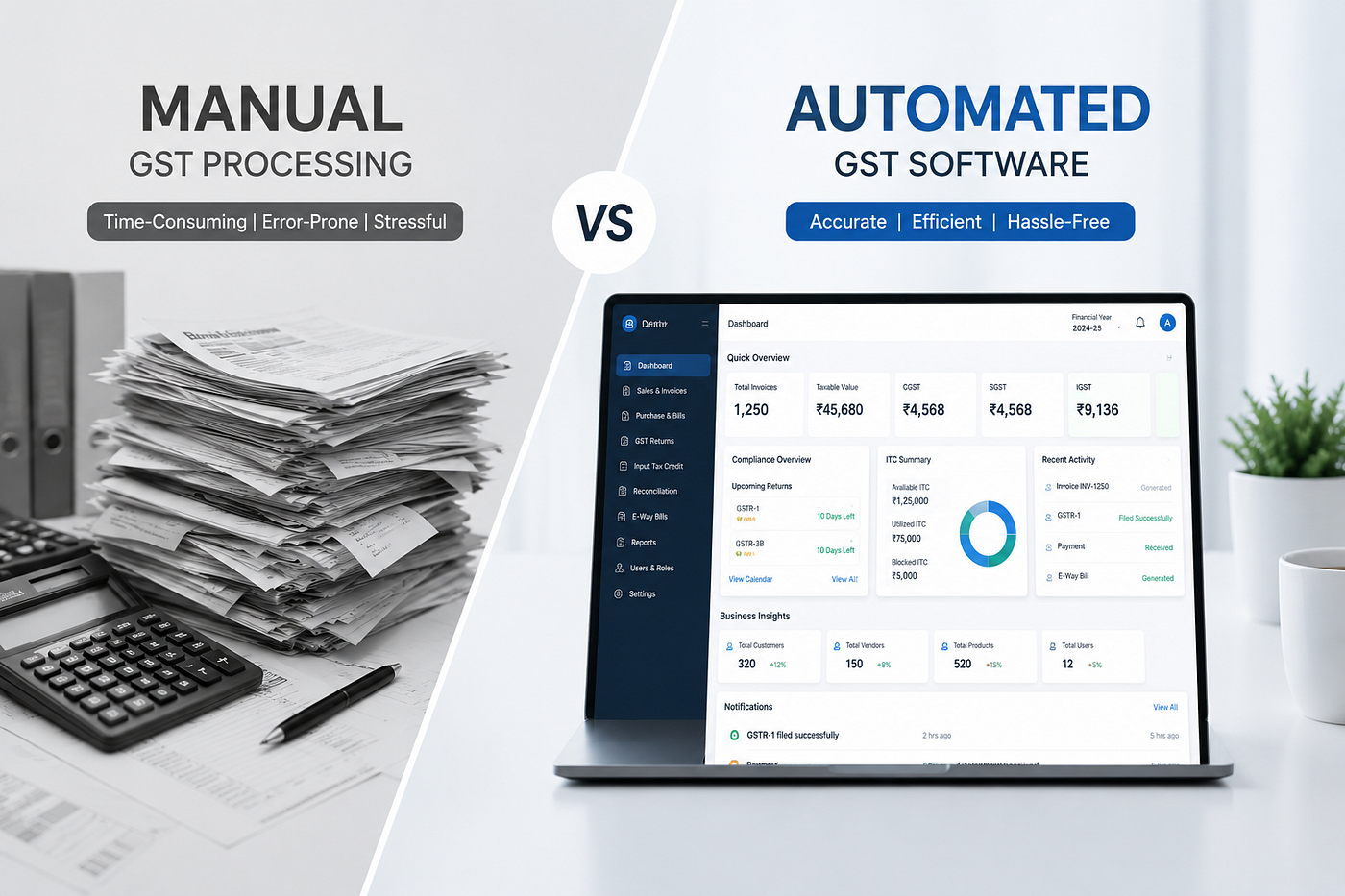
If you run a business in India, you already know GST isn’t a once-a-year headache; it’s a monthly (sometimes fortnightly) ritual of invoices, reconciliations, and return filings. And at some point, almost every business owner asks the same question: should we keep doing this by hand, or is it time to bring in software?
There’s no one-size-fits-all answer. A freelancer raising ten invoices a month and a manufacturer with 3,000 vendor entries are not solving the same problem. So instead of just declaring a winner, let’s actually walk through what each approach looks like in practice: the real costs, the real risks, and where each one genuinely makes sense.
What “Manual GST Processing” Actually Involves
Manual processing doesn’t necessarily mean pen and paper anymore; most businesses use Excel or Tally as their “manual” backbone. But the core characteristics stay the same:
- Invoices are entered by hand into spreadsheets or basic accounting tools
- GSTR-1, GSTR-3B, and other returns are compiled manually before upload
- Input Tax Credit (ITC) is reconciled by cross-checking GSTR-2A/2B against purchase records, often line by line
- HSN/SAC codes and tax rates are applied based on the person’s own knowledge (or a printed rate chart)
- Filing deadlines are tracked through reminders, calendars, or simply memory
For a small business with low transaction volume, this works fine. The problem shows up as volume grows.
What “Automated GST Software” Actually Involves
GST software, such as ClearTax, Zoho Books, TallyPrime with GST modules, or dedicated GST suites, handles the mechanical parts of the process:
- Auto-generates GST-compliant invoices with correct tax splits (CGST/SGST/IGST)
- Pulls GSTR-2A/2B data and matches it against purchase registers automatically
- Flags mismatches, missing invoices, or vendor non-compliance before filing
- Auto-populates return forms using existing sales and purchase data
- Sends deadline alerts and, in many cases, allows direct filing from within the tool
The software doesn’t replace judgment; someone still needs to review exceptions and sign off, but it removes a lot of the repetitive, error-prone work.
Where Manual Processing Actually Wins
It’s worth being honest here: manual processing isn’t automatically the “bad” option.
Low upfront cost. No subscription fees, no onboarding, no learning curve for new software. If your accountant already knows the process inside and out, that’s a sunk cost you don’t have to pay again.
Full transparency for small volumes. When you’re dealing with 15–20 invoices a month, doing it by hand means you see every transaction. Some business owners genuinely prefer that visibility over trusting a system.
No dependency on the internet or software uptime. If your GST software has an outage close to a filing deadline, that’s now your emergency too.
Flexibility for unusual cases. Manual processing can adapt on the fly to edge cases, such as a weird composite supply or a one-off export transaction, without waiting for the software to support that scenario.
The catch: all of these advantages shrink fast as transaction volume rises.
Where Automated Software Actually Wins
Fewer reconciliation errors. ITC mismatches are among the most common reasons businesses lose credit or receive notices. Software that auto-matches 2A/2B data catches discrepancies a tired human eye might miss at 11 PM before a deadline.
Time saved compounds. A business filing returns for multiple GSTINs, or handling hundreds of invoices a month, can cut return-preparation time from days to hours.
Lower risk of missed deadlines. Late filing under GST comes with real financial consequences: late fees and interest that add up fast. Automated reminders and pre-filled forms reduce the chance of a last-minute scramble.
Audit trail built in. Software logs every entry, edit, and filing timestamp automatically. If you’re ever questioned by the department, having a clean digital trail is worth a lot.
Scales without proportional extra effort. Doubling your invoice volume doesn’t double your GST workload the way it would manually.
The catch here: software has a learning curve and a recurring cost, and it’s only as good as the data fed into it. Garbage in, garbage out still applies.
So, Which One Should You Actually Choose?
Here’s a practical way to think about it, rather than a blanket recommendation:
- Under ~30 invoices a month, single GSTIN, straightforward transactions: Manual processing with a good spreadsheet template is often genuinely fine. Don’t over-engineer it.
- Growing volume, multiple vendors, frequent ITC reconciliation headaches: This is where software starts paying for itself, often within a couple of filing cycles, once you count the time and late-fee risk saved.
- Multiple GSTINs, high invoice volume, or a finance team that’s stretched thin: Automated software isn’t really optional at this point; it’s closer to a necessity for accuracy and sanity.
A hybrid approach is common too: many businesses use software for the heavy lifting (invoice generation, 2A/2B matching) while keeping a human reviewer for exceptions and sign-off. That combination tends to catch the best of both speed from automation and judgment from a person who knows the business.
Final Thought
The “manual vs automated” question isn’t really about which method is smarter; it’s about matching the tool to where your business actually is right now. What works for a two-person consultancy will buckle under the weight of a business issuing hundreds of invoices a month, and what makes sense for that larger business would be overkill for the consultancy.
The businesses that get burned are usually the ones that stick with their original setup too long, either paying for software they don’t need yet or drowning in spreadsheets they’ve long outgrown. Revisit the decision every time your transaction volume meaningfully changes, and you’ll rarely get it wrong for long.
Read also: Top Features to Compare Before Choosing an AI Dashboard for Tally Users
메타데이터
- post_id
- 271122eee4cf
- slug
- manual-gst-processing-vs-automated-gst-software-271122eee4cf
- url
- https://medium.com/@kolossusai.india/manual-gst-processing-vs-automated-gst-software-271122eee4cf
- canonical_url
- https://medium.com/@kolossusai.india/manual-gst-processing-vs-automated-gst-software-271122eee4cf
- author_url
- https://medium.com/@kolossusai.india
- status
- ok
- fetched_at
- 2026-08-19 07:18:33