Claude Routines :- Build Discord + AI Newsletter in 5 mins
I used claude a lot an year ago after that I shifted back to Gemini as their pro/flash model seems to working quite well in my cases. But…
Claude Routines :- Build Discord + AI Newsletter in 5 mins
I used claude a lot an year ago after that I shifted back to Gemini as their pro/flash model seems to working quite well in my cases. But after hearing lot of recent updates in claude, I took pro subscription again, and now I can say it’s on steroids.
Today, I am gonna show you one of their feature that allows you automate things that you want. I never worked with No-Code automation workflow like n8n, etc. whenever I wanted to build any kind of automation, I would build script and connect it with platform like discord, etc, and then would host it on server. then activate Node cron type setup that triggers an specific action daily at specific time and all.
But Claude routine made entire things so smooth and easy, I am going to show you that through step by step guide.

Discord + Claude routine
What is Claude Routine:
Claude Routines are a feature in Claude that allows you to set up autonomous, repeatable AI workflows, imagine there is certain task that you do on daily basis through claude once a day, you can automate that entirely by handing it off to claude routine.
How to setup and use claude routine
In order to use claude routine, first create an account on claude and get your subscription. Every tier has it’s own limit:
- Pro: It comes with 5+ runs a day
- Max: It comes with 15+ runs a day
- Team + Enterprise: It comes with 25+ runs a day.
Runs is basically how many maximum routine you can run in a day, there is limit.
Now let’s follow a guide step by step:
- Login inside your claude account and get your pro subscription
- You will see three tabs there: Chat, Coword, Code. Click on code. and then click on routies
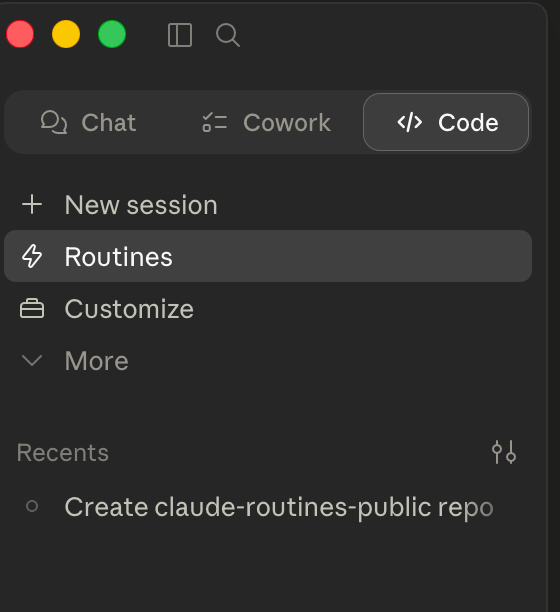
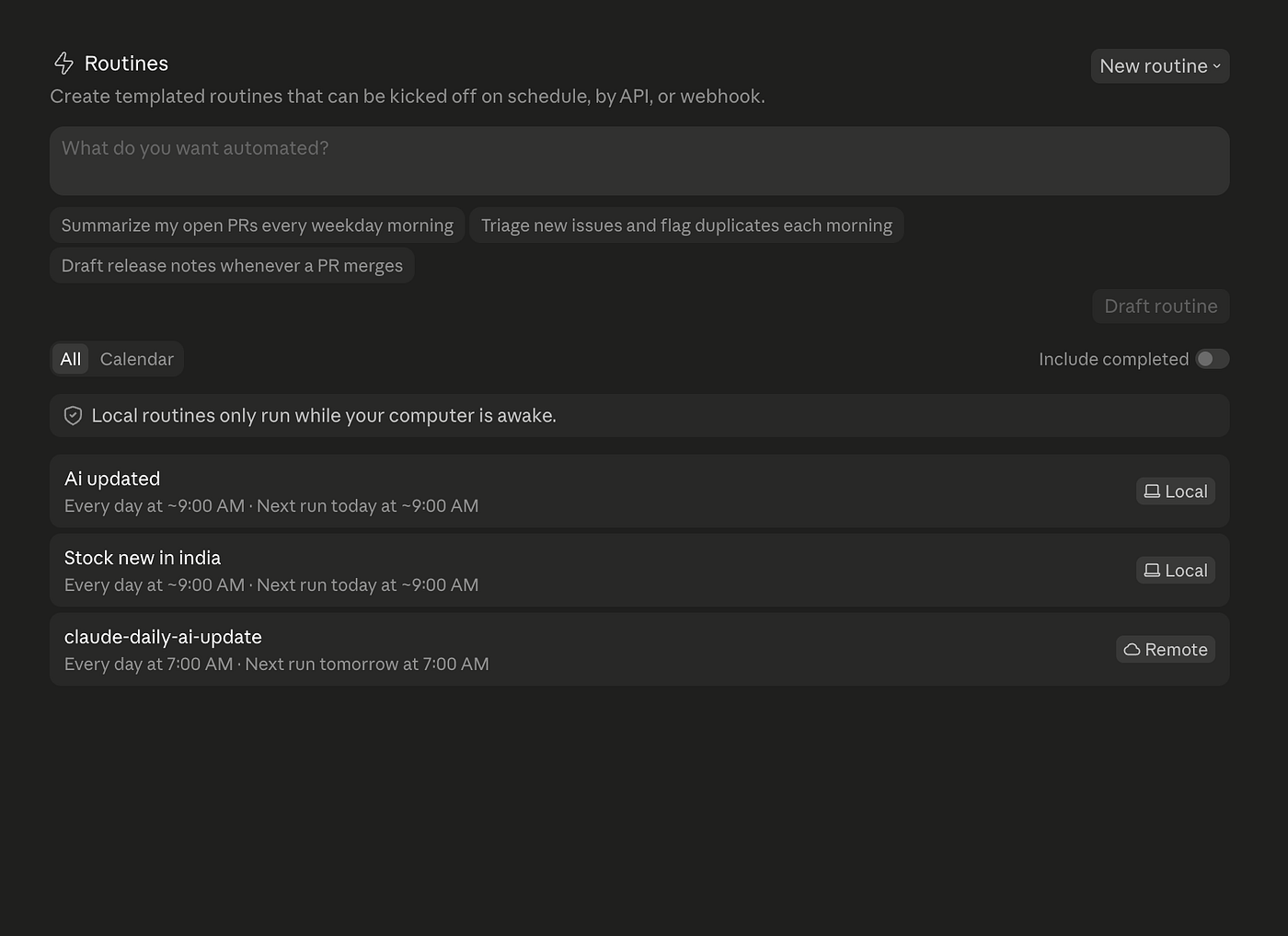
Cloud Routines — workspace.
- And then you will see screen like this. Now click on
New routineoption. you will get prompted to choose whether you wanna run it locally or remotely.
- Local: If you choose locally then you have to keep your machine running only then it will work
- Remote(preferred): By doing so, you will be able to run it even when you and your machine sleeping, it uses cloud to run your routine.
In case of remote — you have to link your github repository that you can do by running command /web-setup if you are using claude code. else you can go inside: Settings -> Connectors -> Customize(link) -> Github
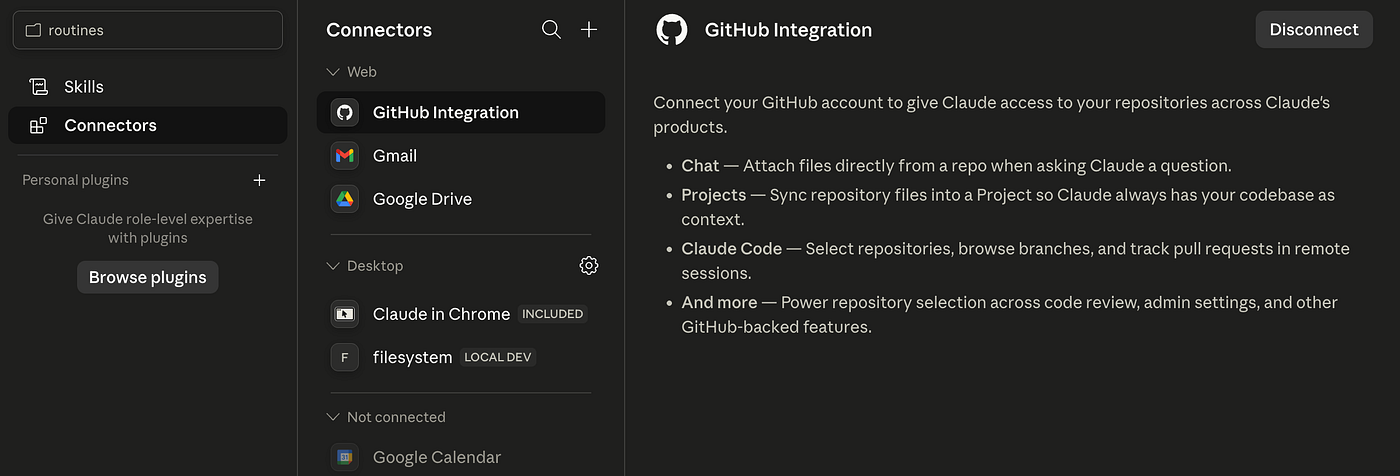
Remember without Github integeration, you won’t be able to run claude routine remotely. Once you have github account login and create blank project(new repository)
-
Now once you connected go back and click on
routines > New Routine > Remote. -
You will see an option like this with form
Name, Instructions, Trigger, Connectors.
- Name: Name of your routine
- Instruction: what steps it supposed to run on your behalf every day.
- Schedule: It’s basically when it should run, once, weekly and all(set timing).
- connectors: you can connect with your gmail and other connectors that are available makes your life easy you can directly connect to that service. e.g like I connected gmail. I can directly say inside instruction send mail to this account or analyze my mail daily(just some of the usecase and send me back report).
But in today’s article the thing that we want to build:
I want to stay updated with AI new daily so summarize news of that day
and send me to my discord channel using DISCORD_WEBHOOK_URL i provided in
environment url of your
Okay so while our claude right now can provide and fetch and answer which is latest AI news but it won’t be able to send us(report us back for that I am using discord webhook url) — that basically let anyone to post in my channel if they have my webhook.
- So open your discord server and create new channel let’s say
#claude-test-> then click on settings of that channel.
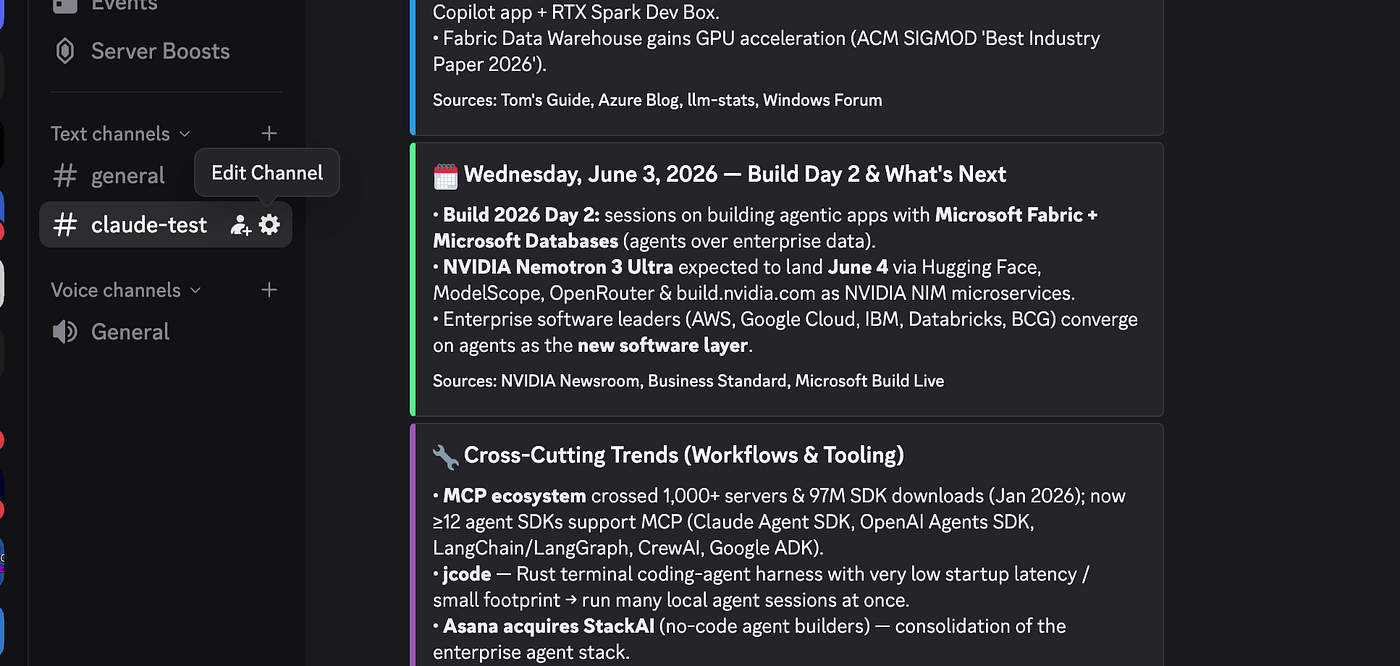
-
Now click on Integrations -> then webhooks.
-
Now create webhook and name it something and copy this webhook url.
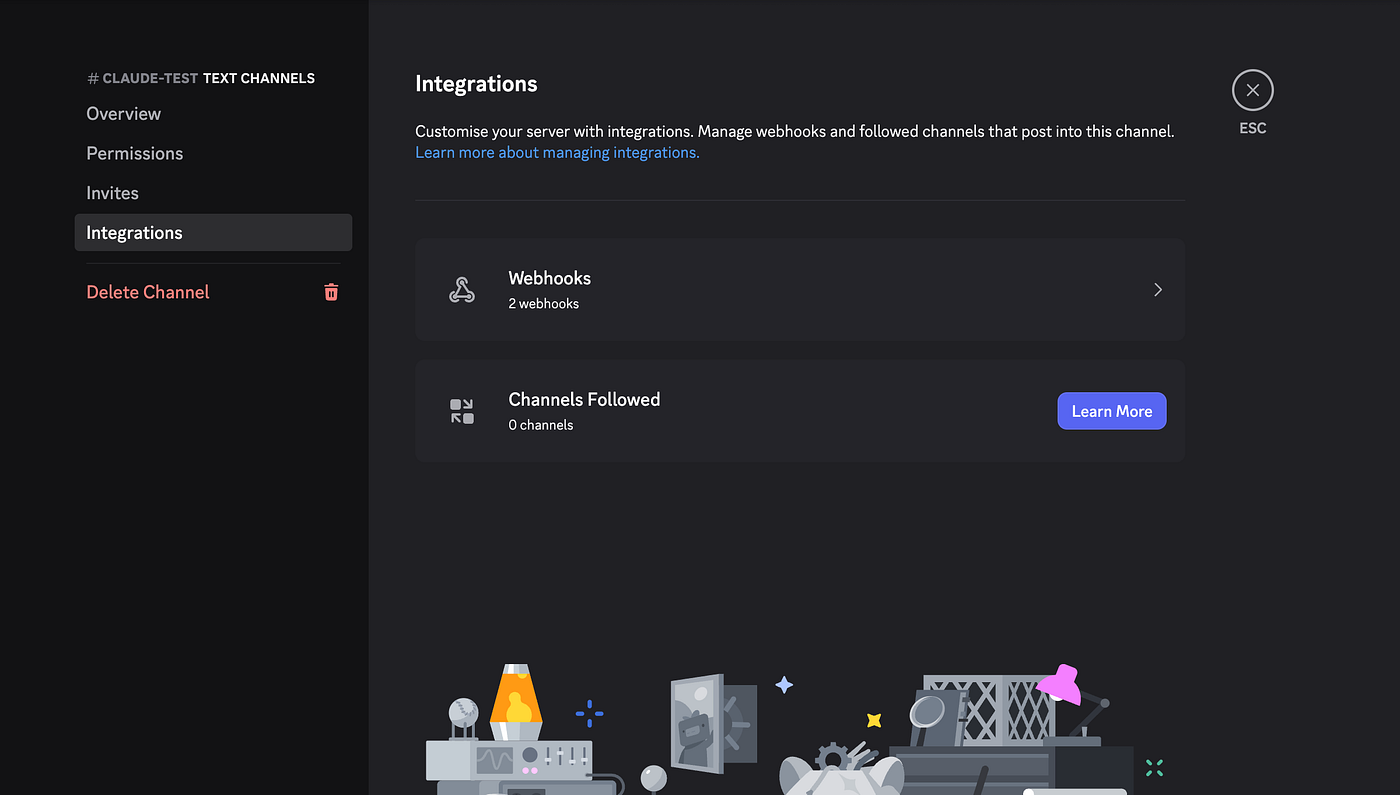
You will get something like this: https://discord.com/api/webhooks/example_id
- Now go back to your claude routine creation dashboard and click on add
New Environment Variable, like I did and click on save
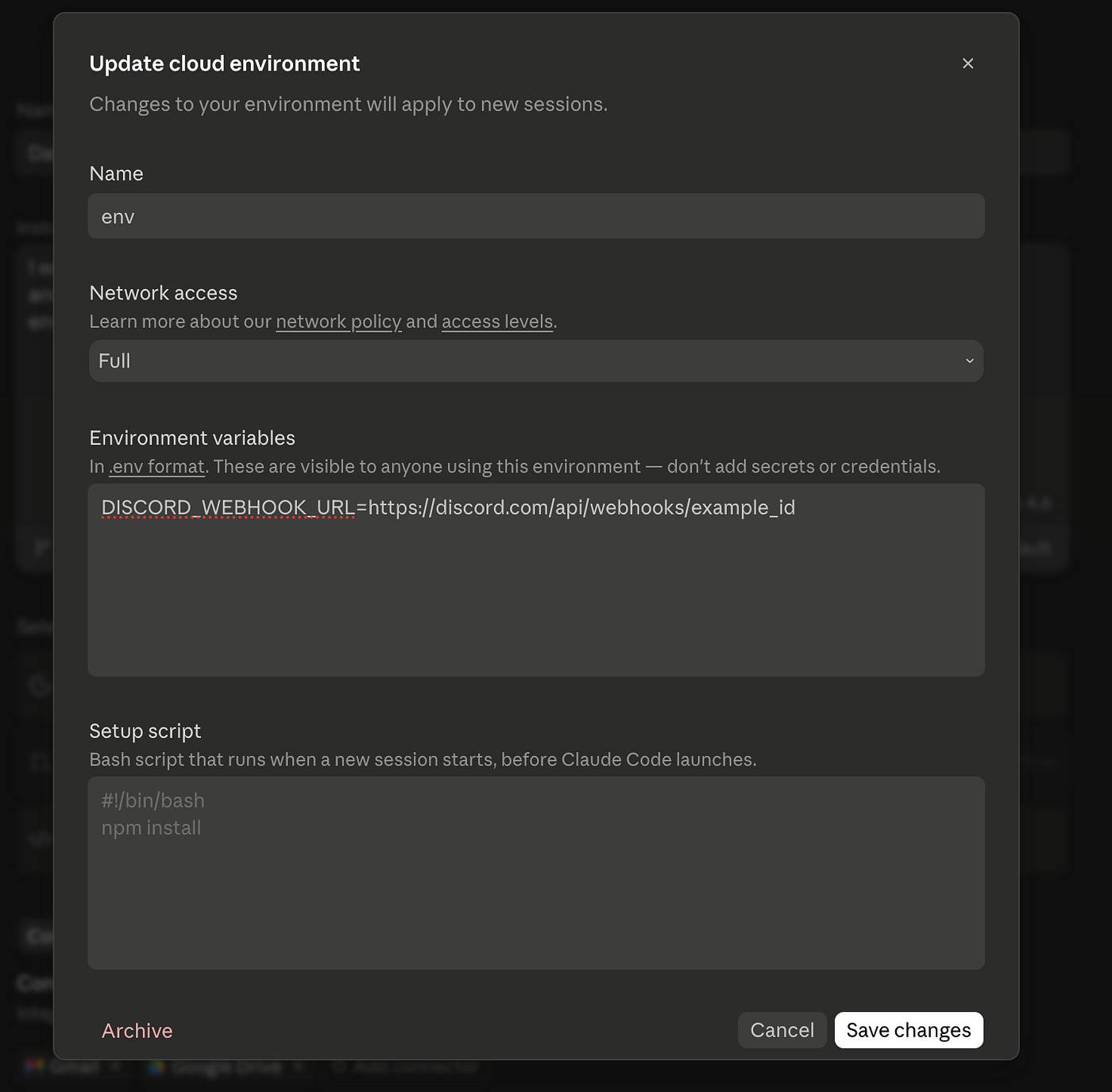
- Now click on set repository and then schedule the time at which you want it to get triggered, there are different trigger like webhook, API, github push…. But without complicating it -> we are going to use time one. choose time 7:00 AM or whatever.
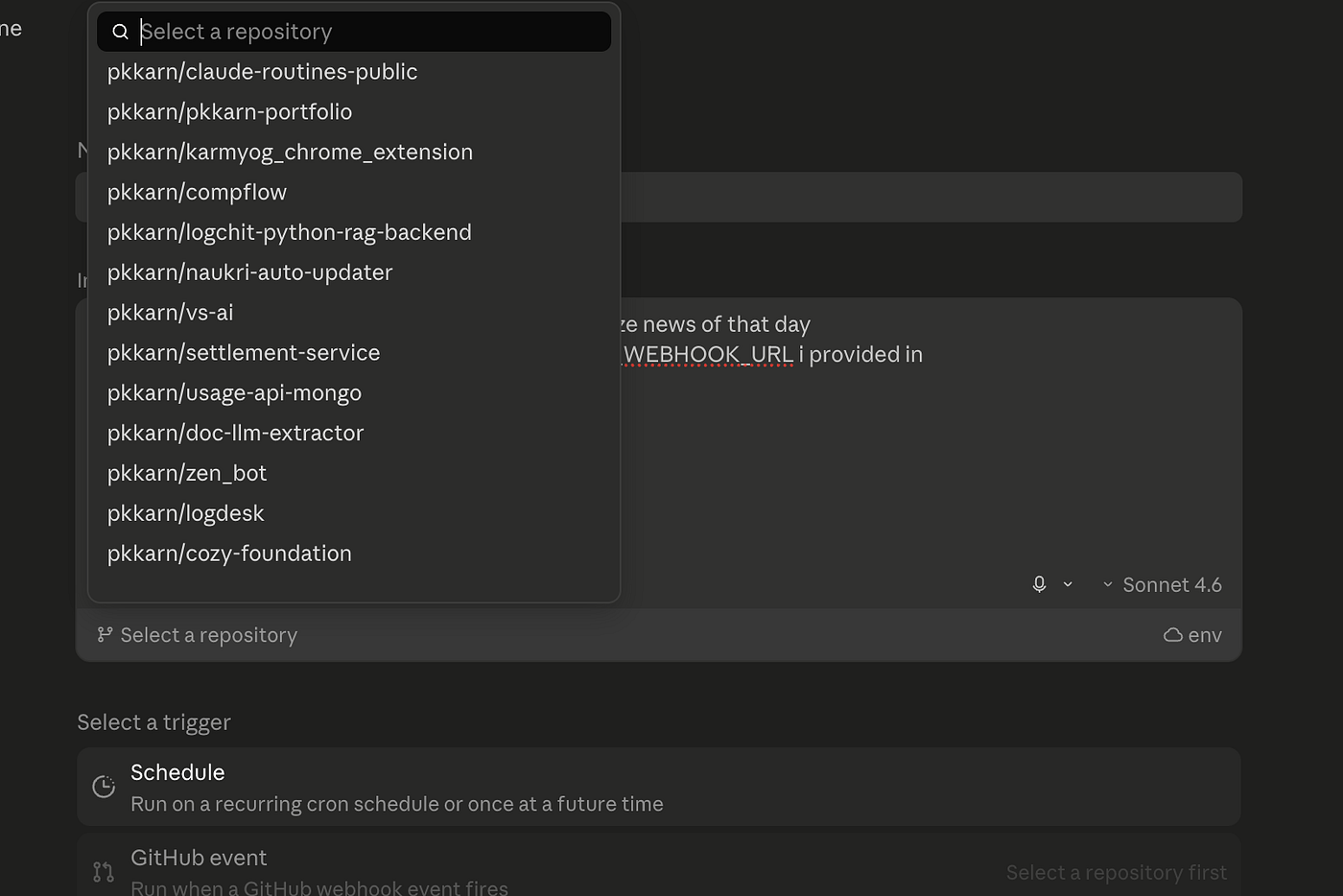
and finally click on create button.

You can manually run it once to test it out. and it should pull news and update you inside your discord server like this.
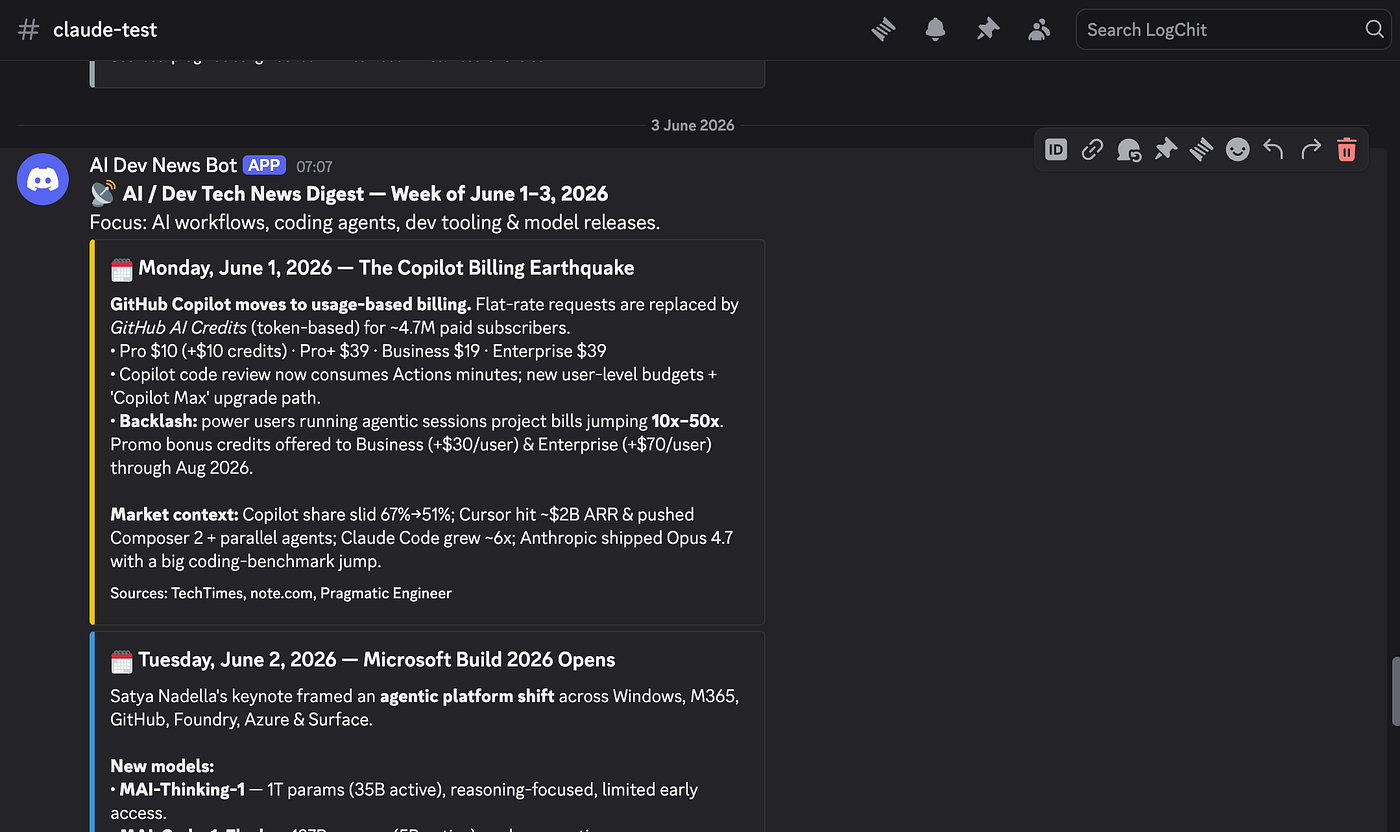
This was by far simplest explanation of how you could use Claude Routines. Now from here one sky is open — be creative and see what you can automate and do with it.
Thanks for read.
메타데이터
- post_id
- 2775ceba5315
- slug
- claude-routines-build-discord-ai-newsletter-in-5-mins-2775ceba5315
- url
- https://medium.com/@pk2psp/claude-routines-build-discord-ai-newsletter-in-5-mins-2775ceba5315
- canonical_url
- https://medium.com/@pk2psp/claude-routines-build-discord-ai-newsletter-in-5-mins-2775ceba5315
- author_url
- https://medium.com/@pk2psp
- status
- ok
- fetched_at
- 2026-06-09 15:37:30