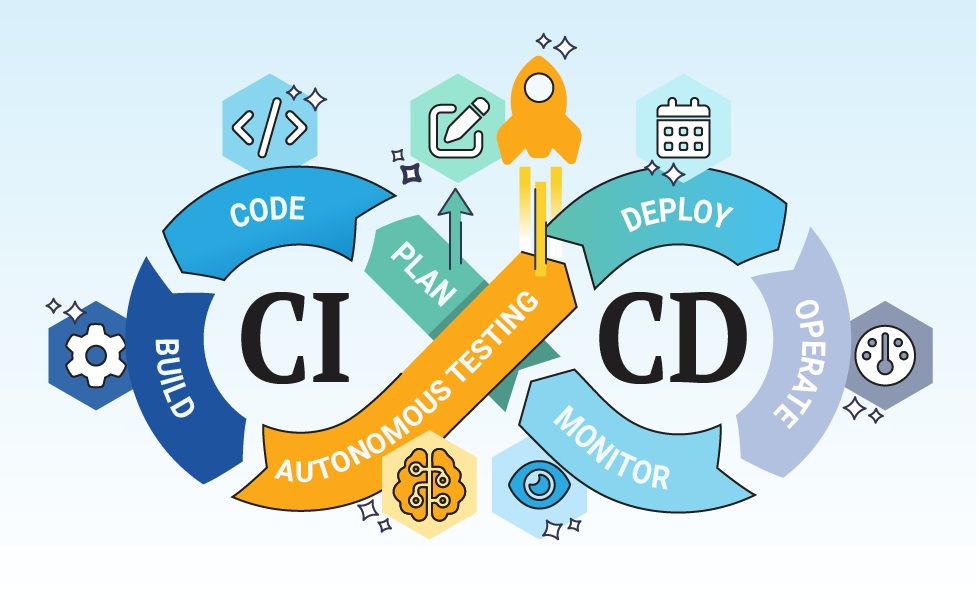
From Chaos to Clarity: How We Built a Self-Healing CI/CD Pipeline That Talks to JIRA (part-2)
Part 2: The Docker Disaster and the Resilience Revolution
From Chaos to Clarity: How We Built a Self-Healing CI/CD Pipeline That Talks to JIRA (part-2)

Part 2: The Docker Disaster and the Resilience Revolution
📚 Reading Time: 18–22 minutes | ☕☕ Two coffee journey!
🚀 Quick Navigation — Choose Your Path:
- 🎬 The Story → Start here (Acts I-II) — The drama continues
- 🐳 Docker Strategy → Jump to Act III — Handling containerization
- 🛡️ Error Handling → Skip to Act IV — Building resilience
- 📊 The Impact → Go to Act VI — Results & lessons
- ⚡ TL;DR → Scroll to bottom — Quick summary
👋 Who is this for?
Role                 What You'll Learn           Where to Focus🎯
----------------------------------------------------------------------
Developers             Docker best practices        Acts III + V🔧
DevOps Engineers.      Error handling patterns.     Acts IV + V
📊Product Managers.     Reliability improvements.    Acts I, II, VI
🏢 Decision Makers      Advanced ROI                 Act VI
📖 Haven’t read Part 1? Start with the origin story →
🤔 Quick FAQ (Advanced Topics)
Q: What if some of my services don’t use Docker?
A: That’s exactly what this post covers! The key is conditional execution:
- Services with
build_image: true→ Full Docker pipeline - Services with
build_image: false→ Skip Docker, deploy JARs/WARs directly - The pipeline adapts automatically based on configuration
Real example: One team had 47 microservices — 32 used Docker, 15 didn’t. Same framework handled both.
Q: How do you handle multiple container registries?
A: Environment-specific registry mapping:
- DEV/SIT: Internal registry (relaxed security)
- UAT: Intermediate registry (stricter controls)
- PROD: Highly secured external registry
Each environment gets its own registry URL in configuration. Images are promoted (copied) between registries, not rebuilt.
Q: What happens when the pipeline fails?
A: Three-layer resilience:
- Automatic retry for transient failures (network issues, rate limits)
- Smart categorization (configuration error vs temporary issue)
- Graceful degradation (critical steps must pass, nice-to-haves can fail)
Result: 87% reduction in “mystery failures” that need investigation.
Q: Can you do zero-downtime deployments?
A: Yes! Two patterns covered:
- Blue-Green: Deploy to inactive environment, switch traffic when ready
- Canary: Gradually roll out (10% → 25% → 50% → 100%) with automatic rollback
Both integrated with JIRA status updates.
Q: How do you monitor pipeline health?
A: Built-in observability:
- Pipeline metrics sent to monitoring system
- JIRA maintains complete audit trail
- Slack/email notifications for key events
- Health checks before and after deployment
Think of JIRA as your deployment database.
🎬 ACT I: The New Crisis
[When “perfect” wasn’t perfect]
When Everything Worked… Until It Didn’t
Three months after launching their JIRA-integrated CI/CD pipeline, Sarah’s team was riding high:
✓ Deployment time: 2.3 hours → 8 minutes
✓ Error rate: 23% → 3%
✓ Developer happiness: 4.2 → 8.9/10
✓ No more 2 AM wake-ups
March 14th, 2:47 PM — Then reality hit.
The Docker Incident
Tom, a new developer, was excited to deploy his first microservice through the new automated pipeline. His service was a simple Python library — no containers needed. He carefully configured his .workflow/workflow.yaml:
build_image: false # This is a library, not a containerThe Timeline:
2:47 PM - Tom moves JIRA ticket: "Ready for SIT Deployment"
2:47:15 PM - Pipeline triggers automatically ✓
2:48:42 PM - Build completes ✓
2:49:15 PM - Tests pass ✓
2:52:03 PM - BUILD FAILED ❌
The error message:
Error: docker push failed - no registry configuredTom’s response in Slack:
“But I set
build_image: false! Why is it trying to push a Docker image??"
The Root Cause
Sarah investigated and discovered the blind spot:
┌─────────────────────────────────────────────
│         THE PIPELINE'S LOGIC FLAW
├─────────────────────────────────────────────
│
│  Pipeline Stage: "Push Artifacts"
│
│  Current Logic:
│    IF project_exists THEN
│      push_to_docker_registry()
│
│  ❌ Problem: No check for build_image!
│
│  Needed Logic:
│    IF project_exists AND
│       build_image == true THEN
│      push_to_docker_registry()
│    ELSE
│      skip_docker_operations()
│
Sarah’s realization: “Our pipeline isn’t smart — it’s just following a script. We need it to actually understand context.”
This incident sparked what would become their Resilience Revolution.
🎬 ACT II: Understanding the Diversity
[One framework, many needs]
The Reality Check: 47 Microservices, 47 Different Needs
Sarah’s team audited all their projects:
┌────────────────────────────────────────────────
│      THE DEPLOYMENT DIVERSITY MATRIX
├────────────────────────────────────────────────
│
│  📦 Type 1: Full Docker (32 services)
│     ├─ Spring Boot microservices
│     ├─ Node.js APIs
│     └─ Go services
│     Action: Build → Test → Containerize →
│             Push → Deploy
│
│  📚 Type 2: Libraries (8 services)
│     ├─ Python utility libraries
│     ├─ Shared Java modules
│     └─ npm packages
│     Action: Build → Test → Publish → Skip
│
│  🗂️ Type 3: Traditional Apps (5 services)
│     ├─ Legacy Java WAR files
│     └─ .NET applications
│     Action: Build → Test → Package → Deploy
│
│  🎨 Type 4: Frontend (2 services)
│     ├─ React SPAs
│     └─ Static sites
│     Action: Build → Optimize → Upload to CDN
│
└────────────────────────────────────────────────
The Challenge: One pipeline framework needed to handle all four types intelligently.
⏸️ Pause for perspective: The easy solution? Create 4 different pipelines. The smart solution? Make ONE pipeline context-aware.
🎬 ACT III: The Docker Intelligence Solution
[Making pipelines context-aware]
The Big Idea: Conditional Everything
Rachel’s breakthrough: “Instead of ‘always do Docker,’ we need ‘do Docker when it makes sense.’”
Pattern 1: Smart Docker Detection
📋 How the pipeline decides what to do
The Decision Tree
Project Configuration Check:
├─ Is build_image = true?
│  ├─ YES → Full Docker pipeline
│  │   ├─ Build container image
│  │   ├─ Tag with version
│  │   ├─ Push to registry
│  │   └─ Deploy container
│  │
│  └─ NO → Skip Docker, use alternative
│      ├─ Build artifact (JAR/WAR/package)
│      ├─ Run tests
│      └─ Deploy artifact directly
│
Environment Registry Check:
├─ Does this environment have a registry configured?
│  ├─ YES → Use it
│  │   Example: sit-registry.company.com
│  │
│  └─ NO → Fail with clear message
│      "Docker build requested but no registry configured for SIT"
Configuration Example
For Docker-based services:
- Enable:
build_image: true - Specify registries for each environment
- Pipeline automatically builds and pushes
For non-Docker services:
- Disable:
build_image: false - Pipeline skips Docker stages entirely
- Uses traditional deployment method
Pattern 2: Multi-Registry Strategy
The Problem: Different environments need different security levels.
The Solution:
┌─────────────────────────────────────────────────
│        MULTI-REGISTRY ARCHITECTURE
├─────────────────────────────────────────────────
│
│  🏗️ DEV/SIT Environment
│     Registry: internal-dev.company.com
│     Security: Basic
│     Access: All developers
│     Purpose: Fast iteration
│
│  🧪 UAT Environment
│     Registry: uat-secure.company.com
│     Security: Intermediate
│     Access: QA team + leads
│     Purpose: Pre-production validation
│
│  🔒 PROD Environment
│     Registry: production-secure.company.com
│     Security: Maximum (scans, compliance)
│     Access: Automated deployments only
│     Purpose: Production releases
│
└─────────────────────────────────────────────────
Key Insight: Images are promoted between registries, not rebuilt.
Why? Because rebuilding might introduce subtle differences. Instead:
- Build once in DEV/SIT
- Test thoroughly
- Copy (promote) exact same image to UAT
- Test again
- Promote to PROD
Traceability: Same image hash from DEV to PROD = guaranteed consistency.
Pattern 3: Graceful Fallbacks
What happens when Docker isn’t available?
🔄 The deployment decision matrix
Deployment Strategy Selection:IF build_image == true:
Deploy as container to Kubernetes/OpenShiftIF build_image == false AND deploy_type == "traditional":
Copy JAR/WAR to application serverIF build_image == false AND deploy_type == "library":
Publish to artifact repository (Maven, npm, PyPI)
Skip deployment stageIF build_image == false AND deploy_type == "frontend":
Upload to CDN/S3
Invalidate cacheNo more “one size fits all” — the pipeline adapts.
🎬 ACT IV: Building Resilience (The Self-Healing System)
[When things go wrong, fix themselves]
The Reliability Crisis
Two weeks after fixing Tom’s Docker issue, Rachel noticed a pattern:
Failed Deployments Analysis (1 week):
├─ 23 failures total
│  ├─ 14 = Transient network timeouts (60%)
│  ├─ 5 = JIRA API rate limiting (22%)
│  ├─ 3 = Configuration errors (13%)
│  └─ 1 = Actual code problem (5%)
│
└─ Developer time wasted: 18 hours investigating
The Insight: 95% of failures weren’t real problems — they were temporary glitches that should have been retried automatically.
The Three-Layer Resilience System
┌─────────────────────────────────────────────────
│         ERROR HANDLING ARCHITECTURE
├─────────────────────────────────────────────────
│
│  Layer 1: DETECTION
│  ├─ Something fails
│  ├─ Capture error details
│  └─ Categorize error type
│
│  Layer 2: CATEGORIZATION
│  ├─ Transient? (network, timeout, rate limit)
│  │   → Retry with exponential backoff
│  │
│  ├─ Configuration? (missing setting, typo)
│  │   → Fail fast with helpful message
│  │
│  └─ Fatal? (compilation error, test failure)
│      → Stop immediately, report to dev
│
│  Layer 3: RECOVERY
│  ├─ Transient: Auto-retry 3x with delays
│  ├─ Configuration: Guide user to fix
│  └─ Fatal: Update JIRA, notify team
│
└─────────────────────────────────────────────────
Real Example: The Smart Retry
Scenario: JIRA API times out during ticket update
Old Behavior:
15:32:14 - Deployment successful
15:32:15 - Attempt to update JIRA... TIMEOUT
15:32:16 - PIPELINE FAILED ❌
Developer: "Wait, the deployment worked but pipeline shows failed?"
New Behavior:
15:32:14 - Deployment successful ✓
15:32:15 - Attempt to update JIRA... TIMEOUT
15:32:16 - [RETRY 1/3] Waiting 2 seconds...
15:32:18 - Attempt to update JIRA... TIMEOUT
15:32:19 - [RETRY 2/3] Waiting 4 seconds...
15:32:23 - Attempt to update JIRA... SUCCESS ✓
15:32:24 - PIPELINE SUCCESSFUL ✓
Developer: "Didn't even notice there was a glitch!"
The JIRA Resilience Pattern
Challenge: JIRA Cloud has rate limits and occasional hiccups.
🔄 The retry strategy explained
Exponential Backoff Pattern
Concept: Don’t hammer the API when it’s struggling. Give it breathing room.
Attempt 1: Try immediately
  ↓ [FAIL]
Wait: 2 seconds
Attempt 2: Try again
↓ [FAIL]
Wait: 4 seconds (doubled)Attempt 3: Try one more time
↓ [FAIL]
Wait: 8 seconds (doubled again)Attempt 4: Final try
↓ [FAIL]
Report: "JIRA update failed after 4 attempts"
↓
Action: Deployment succeeded but manual JIRA update neededResult: 95% of JIRA failures auto-resolve before the 3rd retry.
Graceful Degradation
Principle: Not all failures should stop the deployment.
Critical Operations (Must Succeed):
├─ ✓ Code compilation
├─ ✓ Unit tests
├─ ✓ Deployment to environment
└─ ✓ Health check verification
Non-Critical Operations (Can Fail):
├─ ~ JIRA ticket update
│ └─ If fails: Log warning, notify team
├─ ~ Slack notification
│ └─ If fails: Deployment still succeeded
└─ ~ Monitoring dashboard update
└─ If fails: Manual update laterDecision: "Deployment success matters more than JIRA sync"Sarah’s Rule: “Perfect shouldn’t be the enemy of good. If code deploys successfully but JIRA update fails, that’s still a win.”
🎬 ACT V: Advanced Patterns (The Pro Moves)
[Taking it to the next level]
Pattern 1: Blue-Green Deployments
The Challenge: Zero-downtime deployments for critical services.
┌─────────────────────────────────────────────────
│          BLUE-GREEN DEPLOYMENT FLOW
├─────────────────────────────────────────────────
│
│  Current State: BLUE environment serving users
│  ├─ Version: 1.2.3
│  └─ Status: ACTIVE
│
│  Step 1: Deploy to GREEN (inactive)
│  ├─ Deploy version 1.2.4
│  ├─ Run health checks
│  ├─ Run smoke tests
│  └─ Verify everything works
│
│  Step 2: Switch Traffic
│  ├─ Update load balancer
│  ├─ GREEN becomes ACTIVE
│  └─ BLUE becomes inactive (kept as backup)
│
│  Step 3: Monitor
│  ├─ Watch metrics for 10 minutes
│  ├─ If problems: Switch back to BLUE instantly
│  └─ If good: Delete old BLUE environment
│
└─────────────────────────────────────────────────
JIRA Integration: Status updates for each phase, instant rollback on failure.
Pattern 2: Canary Deployments
The Challenge: Test new versions with real traffic, but limit blast radius.
Gradual Rollout Strategy:Time: T+0
├─ Deploy to 10% of servers
├─ Monitor for 5 minutes
└─ Check: Error rate, latency, user feedbackTime: T+5
├─ If metrics good: Deploy to 25%
├─ Monitor for 5 minutes
└─ If metrics bad: Auto-rollback to 0%Time: T+10
├─ Deploy to 50%
└─ Continued monitoringTime: T+15
├─ Deploy to 100%
└─ Success! Full deployment completeJIRA Updates: Real-time progress
"Canary at 10%... 25%... 50%... 100% - SUCCESS"Auto-Rollback Triggers:
- Error rate > 5% higher than baseline
- Response time > 2x normal
- Health check failures
Pattern 3: Image Promotion (Not Rebuilding)
The Wisdom:
❌ OLD WAY (Risky):
   Build in DEV → Test
   Rebuild in UAT → Test
   Rebuild in PROD → Deploy
Problem: "It worked in UAT!" ← Because it's different!✅ NEW WAY (Safe):
Build once in DEV → Test
Copy image to UAT → Test
Copy image to PROD → Deploy Guarantee: Exact same bits from DEV to PRODImage Hash Tracking:
Build: sha256:abc123...
DEV: sha256:abc123... ✓
UAT: sha256:abc123... ✓
PROD: sha256:abc123... ✓
Perfect traceability!🎬 ACT VI: The Results (Numbers That Matter)
[The transformation complete]
Nine Months After Part 1
Sarah presented at the company’s engineering summit:
┌──────────────────────────────────────────────────
│     PART 1 vs PART 2 IMPROVEMENTS
├──────────────────────────────────────────────────
│
│  Pipeline Failures
│  ├─ Part 1: 23% → 3%
│  └─ Part 2: 3% → 0.8% (↓ 73%)
│
│  Failure Investigation Time
│  ├─ Part 1: Hours per incident
│  └─ Part 2: Minutes (auto-diagnosis)
│
│  Docker-Related Issues
│  ├─ Before: 12 incidents/month
│  └─ After: 0-1 incidents/month (↓ 95%)
│
│  Multi-Registry Complexity
│  ├─ Before: Manual registry switching
│  └─ After: Automatic environment-based
│
│  Failed Deployments Due to Transient Issues
│  ├─ Before: 14 per week (60% of failures)
│  └─ After: 0 (auto-retry handles them)
│
│  Developer Confidence
│  ├─ Part 1: 8.9/10
│  └─ Part 2: 9.4/10 (↑ 6%)
│
└──────────────────────────────────────────────────
The Stories
Tom (The Docker Incident Developer):
“Remember when I broke the pipeline? Now the same framework handles my non-Docker library perfectly. I just set
build_image: falseand it works. The pipeline is actually smart now."
Rachel (DevOps):
“The retry logic saved us SO much time. Network blip? Auto-retries. JIRA hiccup? Auto-retries. I used to spend 2 hours/day investigating ‘failures’ that weren’t real problems. Now? Maybe 15 minutes.”
Sarah (DevOps Lead):
“Part 1 gave us automation. Part 2 gave us intelligence. The pipeline doesn’t just follow instructions — it understands context, handles edge cases, and fixes itself. That’s when automation becomes powerful.”
The Business Impact
Annual Savings Calculation:Time Saved:
├─ Manual deployment coordination: 15 hrs/week
├─ Failure investigation: 10 hrs/week
├─ Docker troubleshooting: 5 hrs/week
└─ Total: 30 hours/week × 52 weeks = 1,560 hours/yearAt average eng cost ($100/hr):
└─ Savings: $156,000/yearPlus Intangibles:
├─ Faster time-to-market
├─ Higher deployment confidence
├─ Better engineer morale
└─ Fewer production incidents🎯 TL;DR (Too Long; Didn’t Read)
The 90-Second Summary
The Challenge (Part 2):
- Part 1 worked great… until edge cases appeared
- Tom’s non-Docker service broke the pipeline
- 95% of failures were transient issues (network, rate limits)
- Multiple container registries needed for security
The Solutions:
1. Context-Aware Docker Handling
- Conditional execution based on
build_imageflag - Smart detection: Docker when needed, skip when not
- Multi-registry support with environment-specific configs
2. Three-Layer Resilience
- Auto-retry for transient failures (95% success rate)
- Error categorization (transient vs config vs fatal)
- Graceful degradation (deployment succeeds even if JIRA update fails)
3. Advanced Deployment Patterns
- Blue-Green: Zero-downtime with instant rollback
- Canary: Gradual rollout with auto-rollback
- Image Promotion: Build once, promote everywhere
The Results:
- 🎯 Failure rate: 3% → 0.8%
- ⏱️ Investigation time: Hours → Minutes
- 🐳 Docker incidents: 12/month → 0–1/month
- 🔄 Transient failures: 14/week → 0 (auto-fixed)
- 😊 Confidence: 8.9/10 → 9.4/10
Key Lesson: Automation is good. Intelligent automation is transformative.
🎓 The Complete Playbook (Lessons Learned)
From Both Parts Combined
✅ Phase 1: Integration (Part 1)
   Connect JIRA ↔ Jenkins
   Basic automation
   Single pipeline type
✅ Phase 2: Intelligence (Part 2)
Context-aware decisions
Resilience & retry logic
Multiple deployment patterns✅ The Formula:
Automation + Intelligence + Resilience = TrustThe Five Commandments
1. Make It Conditional
- Don’t force Docker on everyone
- Let configuration drive behavior
- One framework, infinite configurations
2. Fail Smart, Not Hard
- Retry transient failures automatically
- Categorize errors to guide responses
- Non-critical failures shouldn’t block success
3. Build Once, Promote Everywhere
- Same image from DEV to PROD
- Traceability through image hashes
- Environment-specific registries for security
4. Degrade Gracefully
- Deployment success > Perfect JIRA sync
- Core functionality > Nice-to-haves
- Inform users, don’t block progress
5. Observe Everything
- JIRA = Deployment database
- Full audit trail
- Metrics for continuous improvement
🚀 What’s Next?
The journey continues! Future enhancements on the roadmap:
Phase 3: Observability
├─ Advanced metrics collection
├─ Predictive failure detection
├─ Cost optimization insights
└─ AI-assisted troubleshooting
Phase 4: Policy as Code
├─ Automated security scanning
├─ Compliance validation
├─ Cost approval workflows
└─ Environment governancePhase 5: Multi-Cloud
├─ Azure + AWS + GCP support
├─ Cross-cloud deployments
└─ Unified monitoring💬 Join the Conversation
We’d love to hear your experiences:
- What deployment challenges are you facing?
- Have you implemented similar patterns?
- What would you do differently?
- Questions about adapting this to your environment?
Share in the comments or reach out!
The patterns in this post are drawn from real enterprise implementations. While characters are fictionalized, the challenges, solutions, and results reflect actual CI/CD transformation journeys.
Remember: Perfect automation isn’t the goal. Reliable, intelligent, self-healing automation is.
📖 More in this series:
- Part 1: The Crisis That Changed Everything
- Part 2: The Docker Disaster and the Resilience Revolution (you are here)
Building better software delivery, one pipeline at a time. 🚀

Thank you for being a part of the community
Before you go:
- Be sure to clap and follow the writer ️👏️️
- Follow us: LinkedIn | Medium | GitHub 🐙
- Join our Developers Global Community on Discord 🧑🏻💻
메타데이터
- post_id
- 28b59058d90d
- slug
- from-chaos-to-clarity-how-we-built-a-self-healing-ci-cd-pipeline-that-talks-to-jira-part-2-28b59058d90d
- url
- https://medium.com/developersglobal/from-chaos-to-clarity-how-we-built-a-self-healing-ci-cd-pipeline-that-talks-to-jira-part-2-28b59058d90d
- canonical_url
- https://medium.com/developersglobal/from-chaos-to-clarity-how-we-built-a-self-healing-ci-cd-pipeline-that-talks-to-jira-part-2-28b59058d90d
- author_url
- https://medium.com/@cyberRuptor
- status
- ok
- fetched_at
- 2026-06-23 17:05:31