Cursor Based Pagination in NestJs with React, database(MongoDB).
In Simple wording in cursor pagination user don,t need to manually click button of “load More” to load data from backend -> Database. User…
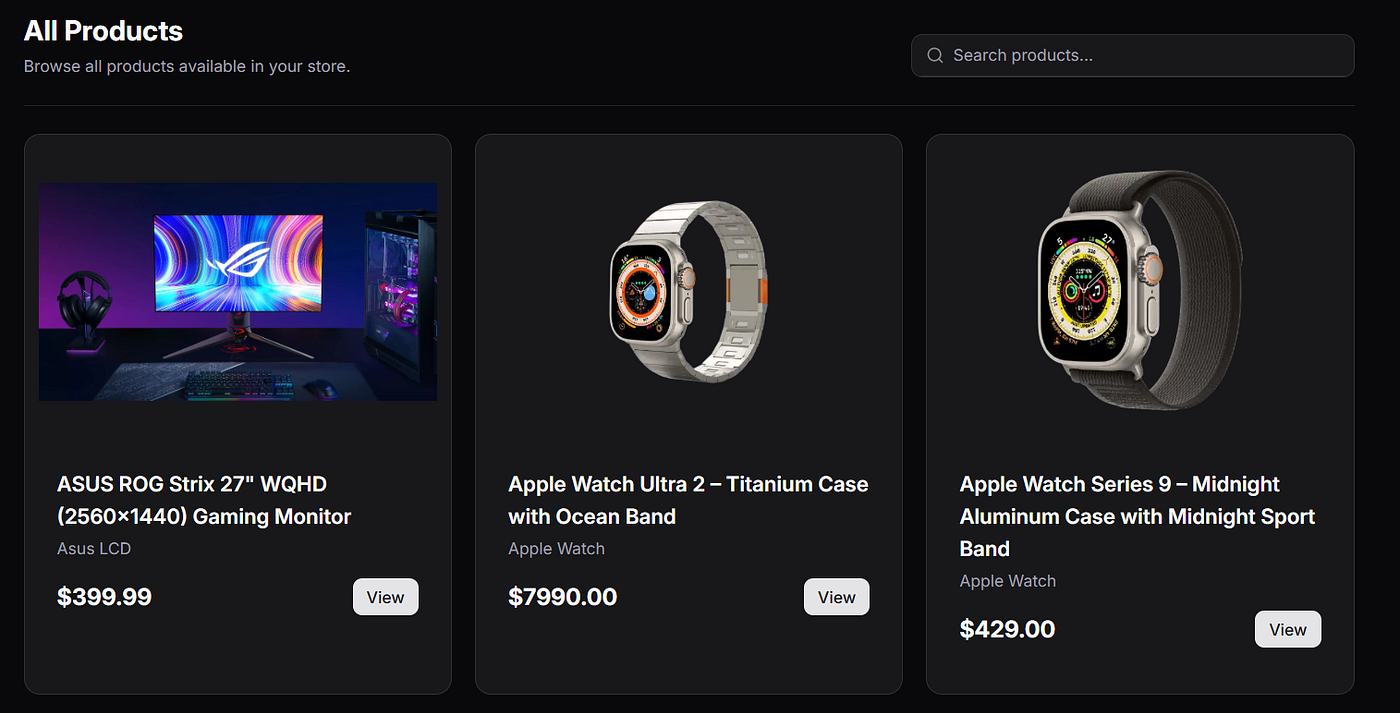
Cursor Based Pagination in NestJs with React, database(MongoDB).
In Simple wording in cursor pagination user don,t need to manually click button of “load More” to load data from backend -> Database. User scroll and data load automatically by limit set from frontend.
Dont worry if you didn,t understand, Stay with me in the end of this article you can fully understand what cursor pagination is and how to implement.
Cursor-based Pagination:
Before jumping to code first you have to know cursor pagination need two thing:
1- Limit.
— limit is how much data i want to load like 5 or 10 according to your need.
2- Cursor.
—Cursor is the unique value( usually the last item’s _id or timestamp). In simple wording cursor is the last “id” of product user see. It tell backend “give me items after this point”.
Backend:
products.controller.ts:
@Get('allProductscursor')
  @SkipThrottle()
  async allProducts(
    @Query('limit') limit = 5,   // let say limit = 5
    @Query('cursor') cursor: string,
  ) {
    return await this.productsService.getAllProducts(Number(limit), cursor);
  }
products.service.ts:
async getAllProducts(limit: number, cursor?: string) {

  const query= {};

    if (cursor) {
      query._id = { $lt: cursor };
    }

    const products = await this.productModel
      .find(query)
      .sort({ _id: -1 })
      .limit(limit + 1)
      .lean();

    const hasNextPage = products.length > limit;

    if (hasNextPage) {
      products.pop(); // remove extra item
    }

    const nextCursor =
      products.length > 0 ? products[products.length - 1]._id : null;

    return {
      data: products,
      nextCursor,
      hasNextPage,
    };
  }
1- const query = {}:
I assign a empty object with variable of query. Why i assign this i tell you later, dont be affraid in within few minutes you properly understand it.
2- if (cursor) query._id = { $lt: cursor }:
if user already see products and again want to see the prodcuts, so they get the last product id and gave us the data which is upload before that product like
let user see product
 ["A100","A99","A98","A97","A96"];

//  so after "A96" products they back to another page or close the tab and after sometime they came and open to see products. So the last id of products "A96" _id store in cursor and they gave us data which post before the "A5" products. We can do this by last seen productId.

// After
 ["A95","A94","A93","A92","A91"];
3- const products = await this.productModel.find().sort({_id}).limit(limit +1):
They find the all products in productModel and sort the product and they get the product data as response according to limit , if you know i set the limit to 5, so why i add +1. Because i want to know if more products available in database (just for checking). But they gave us data of 6 (limit = 5 +1 => 6). But we want only 5 at a time.
4- const hasNextPage = products.length > limit:
mean if the products (all store data in database), mean if the length of products is greater then the limit i set (which is 5).
5- if (hasNextPage) products.pop():
they remove the last product because i only want 5 products data shown at a time.
6- const nextCursor =products.length > 0 ? products[products.length — 1]._id : null:
if products data available then in products array gave us the last “_id” of products data.
7- return data: products,nextCursor,hasNextPage:
return the data of products, nextCursor(last seen product id), hasNextPage( if more data have then remove the last product).
Frontend:
1- products.thunk.ts:
export const getAllProductsCursorThunk = createAsyncThunk(
  "all/productsCursor",
  async (
    { limit = 5, cursor }: { limit?: number; cursor?: string },
    { rejectWithValue },
  ) => {
    try {
      const response = await api.get("products/allProductscursor", {
        params: { limit, cursor },
      });
      // pass the limit and cursor as params.
      return response.data;
    } catch (error) {
      const err = error as AxiosError<{ message: string }>;
      const message =
        err.response?.data.message || "Failed to get Products. Try Again";

      toast.error(message);
      return rejectWithValue(message);
    }
  },
);
2- products.slice.ts:
reducers: {
    resetProducts(state) {
      state.items = [];
      state.nextCursor = null;
      state.hasNextPage = true;
    },
  },

.addCase(getAllProductsCursorThunk.pending, (state) => {
        state.loading.moreCursorLoading = true;
        state.error.moreCursorError = null;
      })
      .addCase(getAllProductsCursorThunk.fulfilled, (state, action) => {
        state.loading.moreCursorLoading = false;
        const existingIds = new Set(state.items.map((p) => p._id));
         // get the list of productsId with map and use Set put those IDs into a Set( It cannot contain duplicates and also it fast)
        const newItems = action.payload.data.filter(
          (p) => !existingIds.has(p._id),
        );

// action.payload.data  = > data come from backend
// !existingIds.has(p._id) = > Keep this product only if its ID is NOT already in existingIds

        state.items.push(...newItems);
        state.nextCursor = action.payload.nextCursor;
        state.hasNextPage = action.payload.hasNextPage;
      })
      .addCase(getAllProductsCursorThunk.rejected, (state, action) => {
        state.loading.moreCursorLoading = false;
        state.error.moreCursorError =
          (action.payload as string) || "Failed to load products";
      });
3- Product.tsx:
// initial load
useEffect(() => {
   dispatch(resetProducts());
  dispatch(getAllProductsCursorThunk({ limit: 5 }));
// first automatically products load by 5
}, [dispatch]);
// After 5 products data loadMore function, when this function data load by 5 more.
const loadMore = useCallback(() => {
if (!hasNextPage || moreCursorLoading) return;
dispatch(
getAllProductsCursorThunk({
limit: 5,
cursor: nextCursor!, // ! is called non-null assertion operator. I am fully sure this value is not null or undefined right now.
}),
);
}, [dispatch, hasNextPage, moreCursorLoading, nextCursor]);4- For Infinite Scroll:
useEffect(() => {
  if (!hasNextPage || moreCursorLoading) return;

  const observer = new IntersectionObserver(
    // IntersectionObserver = watcher
    //   Browser, please watch something for me
    //   Watch what?
    // 👉 An invisible div at the bottom of the page.

    ([entry]) => {
      // ([entry]) => { ... } this is a callback function, When the browser notices something, call this function
      // entry = This is the report from the browser
      // Is the thing visible or not
      if (entry.isIntersecting) {
        // if (entry.isIntersecting)
        // isIntersecting = true
        //   “YES, the user has scrolled close enough and can see the bottom.” If the bottom of the page is visible
        loadMore();
      }
    },
    { rootMargin: '200px' },
    //   Trigger 200 pixels BEFORE the bottom is actually visible
  );

  if (loadMoreRef.current) {
    // Do we actually have the bottom div in the page? If yes
    observer.observe(loadMoreRef.current);
    //   Start watching this bottom div.
  }

  return () => observer.disconnect();
  // When this component updates or disappears, stop watching.
}, [loadMore, hasNextPage, moreCursorLoading]);
JSX:
{hasNextPage && <div ref={loadMoreRef} className="h-10" />}

      {moreCursorLoading && (
        <div className="flex justify-center py-6">
          <span>Loading...</span>
        </div>
      }
So the data load automatically by 5. So hope so you fully understand it. Thank you so much….
메타데이터
- post_id
- 2922f4bb0cb1
- slug
- cursor-based-pagination-in-nestjs-with-react-database-mongodb-2922f4bb0cb1
- url
- https://medium.com/@ali.marif/cursor-based-pagination-in-nestjs-with-react-database-mongodb-2922f4bb0cb1
- canonical_url
- https://medium.com/@ali.marif/cursor-based-pagination-in-nestjs-with-react-database-mongodb-2922f4bb0cb1
- author_url
- https://medium.com/@ali.marif
- status
- ok
- fetched_at
- 2026-06-09 14:34:10