Use of Amazon SNS and SQS for Asynchronous Communication and Large Message Handling
Modern distributed systems often require scalable and reliable ways to handle asynchronous communication between various services. Amazon…
Use of Amazon SNS and SQS for Asynchronous Communication and Large Message Handling
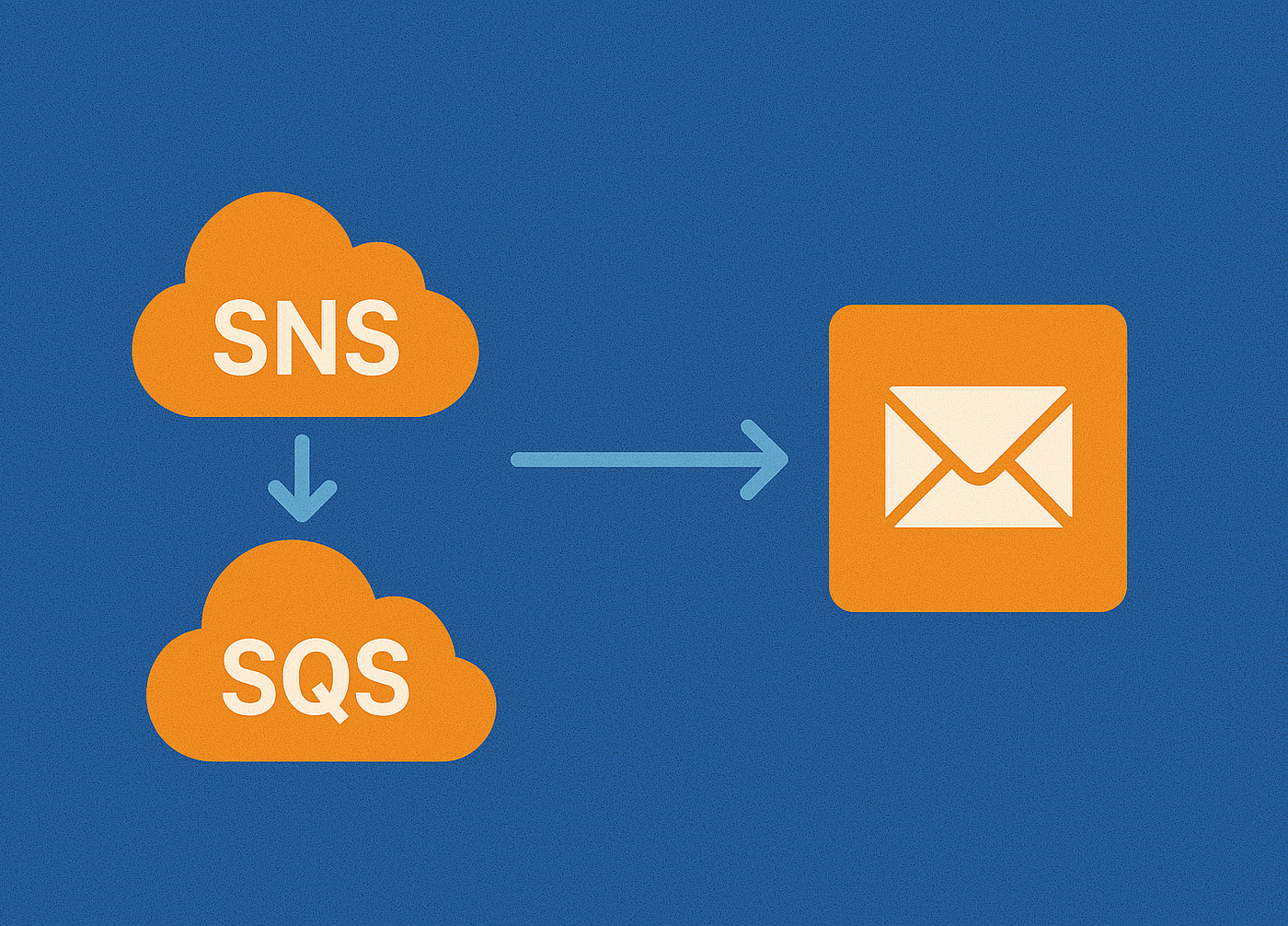
Modern distributed systems often require scalable and reliable ways to handle asynchronous communication between various services. Amazon Simple Notification Service (SNS) and Amazon Simple Queue Service (SQS) are two powerful AWS services that complement each other in enabling event-driven architectures. Let’s explore how SNS and SQS work together, particularly in handling asynchronous communication and transferring large messages effectively.
What is Amazon SQS?
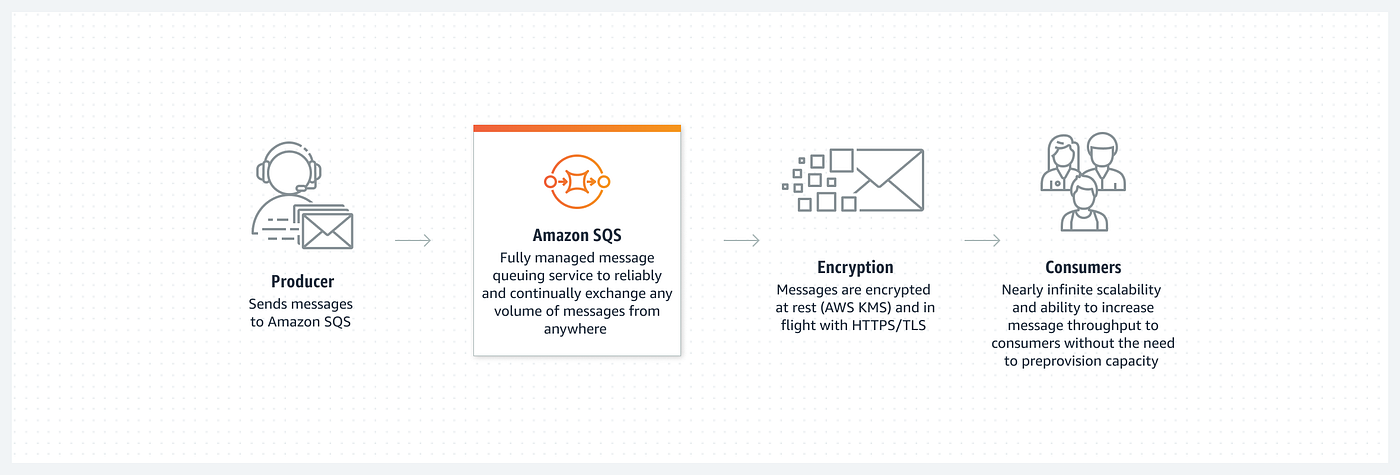
Amazon SQS is a fully managed message queuing service that enables the decoupling and scaling of microservices, distributed systems, and serverless applications. It supports two types of queues to cater to different use cases: Standard and FIFO (First-In-First-Out).
Amazon SQS
Standard Queue:
- High throughput with unlimited processing capacity.
- Guarantees at-least-once delivery (messages might be delivered more than once).
- Messages can arrive out of order.
FIFO Queue (First-In-First-Out):
- Guarantees that messages are processed in the exact order they are sent.
- Ensures exactly-once processing, avoiding duplicate messages.
- Throughput is limited compared to Standard queues.
Its Key features include:
Security: It provides end-to-end encryption using AWS Key Management Service (KMS) and supports Access Control Policies to regulate who can send, receive, or delete messages
Reliability: Messages are stored redundantly across multiple availability zones (AZs), ensuring durability. Also, it provides Dead Letter Queues (DLQs) to capture messages that cannot be processed successfully, enabling debugging and retries.
Scalability: It automatically scales based on the demand, making it suitable for large-scale applications.
Customization: Generally queues can store the contents of messages up to 256KB in size. For larger messages (> 256 KB), Amazon SQS can be combined with Amazon S3 to store the payload and send a reference to the queue. We can use the same bucket for multiple SNS topics for content larger than 256KB. Also, we can modify the threshold value to save the message smaller than 256KB. We will be elevating this power of SQS & S3 with SNS in a beautiful way.
What is Amazon SNS?
Amazon SNS is a fully managed messaging service that enables applications, end-users, and devices to send and receive notifications from the cloud. It is designed for high-throughput, push-based, many-to-many messaging.

Amazon SNS
Some key features of SNS are:
Pub/Sub Messaging: It supports the publish-subscribe pattern, where messages are published to a topic and distributed to multiple subscribers. Subscribers can include SQS queues, AWS Lambda functions, HTTP/S endpoints, email, or SMS.
Message Filtering: It enables subscribers to receive only messages of interest by applying message filtering policies and reduces unnecessary traffic and processing on subscriber endpoints.
Publish Large Message: To publish large Amazon SNS messages, we can use the Amazon SNS Extended Client Library for Java. This library is useful for messages that are larger than the current maximum of 256 KB, with a maximum of 2 GB. This library saves the actual payload to an Amazon S3 bucket and publishes the reference of the stored Amazon S3 object to the Amazon SNS topic. Subscribed Amazon SQS queues can use the Amazon SQS Extended Client Library for Java to de-reference and retrieve payloads from Amazon S3. The same S3 bucket can be used to store large-size messages under multiple topics.
Data Protection Policies: Amazon SNS uses data protection policies to select the sensitive data for which we want to scan, and the actions that we want to take to protect that data from being exchanged by your Amazon SNS topics. To select the sensitive data of interest, we can use data identifiers. Amazon SNS message data protection then detects sensitive data by using machine learning and pattern matching. To act upon data identifiers that are found, we can define an audit, de-identify, or deny operation. These operations let you log the sensitive data that is found (or not found), mask or redact sensitive data, or deny message delivery.
Dead-letter Queue: A dead-letter queue is an Amazon SQS queue that an Amazon SNS subscription can target for messages that can’t be delivered to subscribers successfully. Messages that can’t be delivered due to client errors or server errors are held in the dead-letter queue for further analysis or reprocessing. But for that, the SQS queue has to be under the same AWS Account as the SNS and be in the same region.
Asynchronous Communication with SNS and SQS
How They Work Together
When SNS and SQS are used together, they offer a flexible and scalable architecture for asynchronous communication:

Asynchronous Communication between microservices
1. Publish Messages with SNS:
A service publishes a message to an SNS topic.
2. Distribute to Multiple Subscribers:
The SNS topic fans out the message to all subscribed SQS queues. Each service can process its copy independently.
3. Process Messages with SQS:
Subscribers (via SQS) pull messages at their own pace, ensuring each consumer can scale independently of others.
This approach is ideal for systems requiring fault-tolerant communication, such as:
- Event-driven microservices.
- Fan-out scenarios (one publisher, multiple consumers).
- Systems with varying consumer processing speeds.
Handling Large Messages with SNS and SQS
Here we will use Amazon SNS Extended Client Library for Java to achieve this.
1. Create SQS queue and SNS topic:
Create an SNS topic and SQS queue from the AWS console with proper permissions.
2. Configuration on AWS console:
Carefully configure the permission of the SQS queue (make itself accessible from the SNS topic). Here is an example of the Queue Access Policy of SQS:
//Queue Access-Policy:
{
  "Version": "2012-10-17",
  "Id": "__default_policy_ID",
  "Statement": [
    {
      "Sid": "__owner_statement",
      "Effect": "Allow",
      "Principal": {
        "AWS": "*"
      },
      "Action": "SQS:*",
      "Resource": "<arn-of-the-queue>",
      "Condition": {
        "ArnEquals": {
          "aws:SourceArn": "<arn-of-the-sns-topic>"
        }
      }
    }
  ]
}
The SQS queue should be subscribed to the SNS topic (Also it can be possible to configure from code). At the time of configuring the SQS queue subscription to the SNS topic the protocol should be set to sqs and raw message delivery should be set to enabled.
4. Implementation
For a Springboot Project, the dependencies (specific to SNS and SQS) we need are the following:
<dependency>
  <groupId>software.amazon.awssdk</groupId>
  <artifactId>utils</artifactId>
  <version>2.26.5</version>
</dependency>
<dependency>
  <groupId>software.amazon.sns</groupId>
  <artifactId>sns-extended-client</artifactId>
  <version>2.1.0</version>
</dependency>
Configure Bean for SnsClient, S3Client, SqsClient, AmazonSNSExtendedClient and AmazonSQSExtendedClient:
@Configuration

public class AwsConfig {
    final int EXTENDED_STORAGE_MESSAGE_SIZE_THRESHOLD = 32;

    @Value("${aws.accessKeyId}")
    private String ACCESS_KEY;

    @Value("${aws.secretKey}")
    private String SECRET_KEY;

    @Value("${aws.region}")
    private String region;

    @Value("${aws.bucket.name}")
    private String BUCKET_NAME;

    @Bean
    public SnsClient snsClient() {
        return SnsClient.builder()
                .region(Region.of(region))
                .credentialsProvider(StaticCredentialsProvider.create(AwsBasicCredentials.create(ACCESS_KEY, SECRET_KEY)))
                .build();
    }

    @Bean
    public S3Client s3Client() {
        return S3Client.builder().region(Region.of(region))
                .credentialsProvider(StaticCredentialsProvider.create(AwsBasicCredentials.create(ACCESS_KEY, SECRET_KEY)))
                .build();
    }

    @Bean
    public SqsClient sqsClient() {
        return SqsClient.builder()
                .region(Region.of(region))
                .credentialsProvider(StaticCredentialsProvider.create(AwsBasicCredentials.create(ACCESS_KEY, SECRET_KEY)))
                .build();
    }

    @Bean
    public AmazonSNSExtendedClient amazonSNSExtendedClient(SnsClient snsClient, S3Client s3Client) {
        final SNSExtendedClientConfiguration snsExtendedClientConfiguration = new SNSExtendedClientConfiguration()
                .withPayloadSupportEnabled(s3Client, BUCKET_NAME)
                .withPayloadSizeThreshold(EXTENDED_STORAGE_MESSAGE_SIZE_THRESHOLD);
        return new AmazonSNSExtendedClient(snsClient, snsExtendedClientConfiguration);
    }

    @Bean
    public AmazonSQSExtendedClient amazonSQSExtendedClient(S3Client s3Client, SqsClient sqsClient) {
        final ExtendedClientConfiguration sqsExtendedClientConfiguration = new ExtendedClientConfiguration()
                .withPayloadSupportEnabled(s3Client, BUCKET_NAME);
        return new AmazonSQSExtendedClient(sqsClient, sqsExtendedClientConfiguration);
    }
}
Here, AmazonSQSExtendedClient and AmazonSNSExtendedClient are both configured with a common S3Bucket. In this configuration, the threshold value(EXTENDED_STORAGE_MESSAGE_SIZE_THRESHOLD) is set to 32KB.
Now we can use these beans in our Service files. Here is an example of a Service file:
@Service

public class SNSService {
    // Declaration of arns, urls is only for demo purpose.
    final String topicArn1 = "<arn-of-extended-client-topic-1>";
    final String topicArn2 = "<arn-of-extended-client-topic-2>";

    final String queueUrl1 = "https://.../extended-client-queue-1";
    final String queueUrl2 = "https://.../extended-client-queue-2";

    @Autowired
    AmazonSNSExtendedClient snsExtendedClient; // SNS - extended - client

    @Autowired
    AmazonSQSExtendedClient sqsExtendedClient; // SQS -extened - client

    public void publishMessage(String message, int topicOp) {
        String topicArn;
        if (topicOp == 1)
            topicArn = topicArn1;
        else
            topicArn = topicArn2;

        snsExtendedClient.publish(
                PublishRequest.builder()
                .topicArn(topicArn)
                .message(message)
                .build()
        );
    }

    public String pollMessage(int queueOp) {
        String queueUrl;
        if (queueOp == 1)
            queueUrl = queueUrl1;
        else
            queueUrl = queueUrl2;
        ReceiveMessageResponse response = sqsExtendedClient.receiveMessage(ReceiveMessageRequest.builder().queueUrl(queueUrl).build());
        System.out.println("Received message is " + response.messages().get(0).body());
        return response.messages().get(0).body();
    }
}
Two methods are defined here.
-
publishMessage: Publish the message to the SNS topic.
-
pollMessage: Receive messages from the SQS queue.
The above example is built with 2 SNS topics and 2 SQS queues and both the (SNS-SQS) combinations use the same S3 Bucket for storing large messages. We can use this basic structure and implement a more scalable system with asynchronous communication.
Amazon SNS and SQS are indispensable tools for building robust asynchronous communication in distributed systems. By leveraging their capabilities, developers can design scalable, decoupled architectures that handle large-scale data transfer and even overcome size limitations using Amazon S3. These services simplify complexity, reduce operational overhead, and enable reliable, event-driven workflows.
References:
- https://aws.amazon.com/sqs/
- https://aws.amazon.com/sns/features/
- https://github.com/awslabs/amazon-sqs-java-extended-client-lib
- https://docs.aws.amazon.com/AWSSimpleQueueService/latest/SQSDeveloperGuide/sqs-s3-messages.html
Follow Geotech Blogs on Medium for more contents like these from our team.
메타데이터
- post_id
- 29bf5f7c6b4a
- slug
- use-of-amazon-sns-and-sqs-for-asynchronous-communication-and-large-message-handling-29bf5f7c6b4a
- url
- https://blog.geotechinfo.net/use-of-amazon-sns-and-sqs-for-asynchronous-communication-and-large-message-handling-29bf5f7c6b4a
- canonical_url
- https://blog.geotechinfo.net/use-of-amazon-sns-and-sqs-for-asynchronous-communication-and-large-message-handling-29bf5f7c6b4a
- author_url
- https://medium.com/@purnadip.manna
- status
- ok
- fetched_at
- 2026-07-20 16:49:03