🦕 Building a Dino Game in Pure Java Swing — No Engines, No Libraries
There’s something beautifully minimal about the Chrome dinosaur game. No menus. No tutorials. Just a T-Rex and an endless desert.
🦕 Building a Dino Game in Pure Java Swing — No Engines, No Libraries
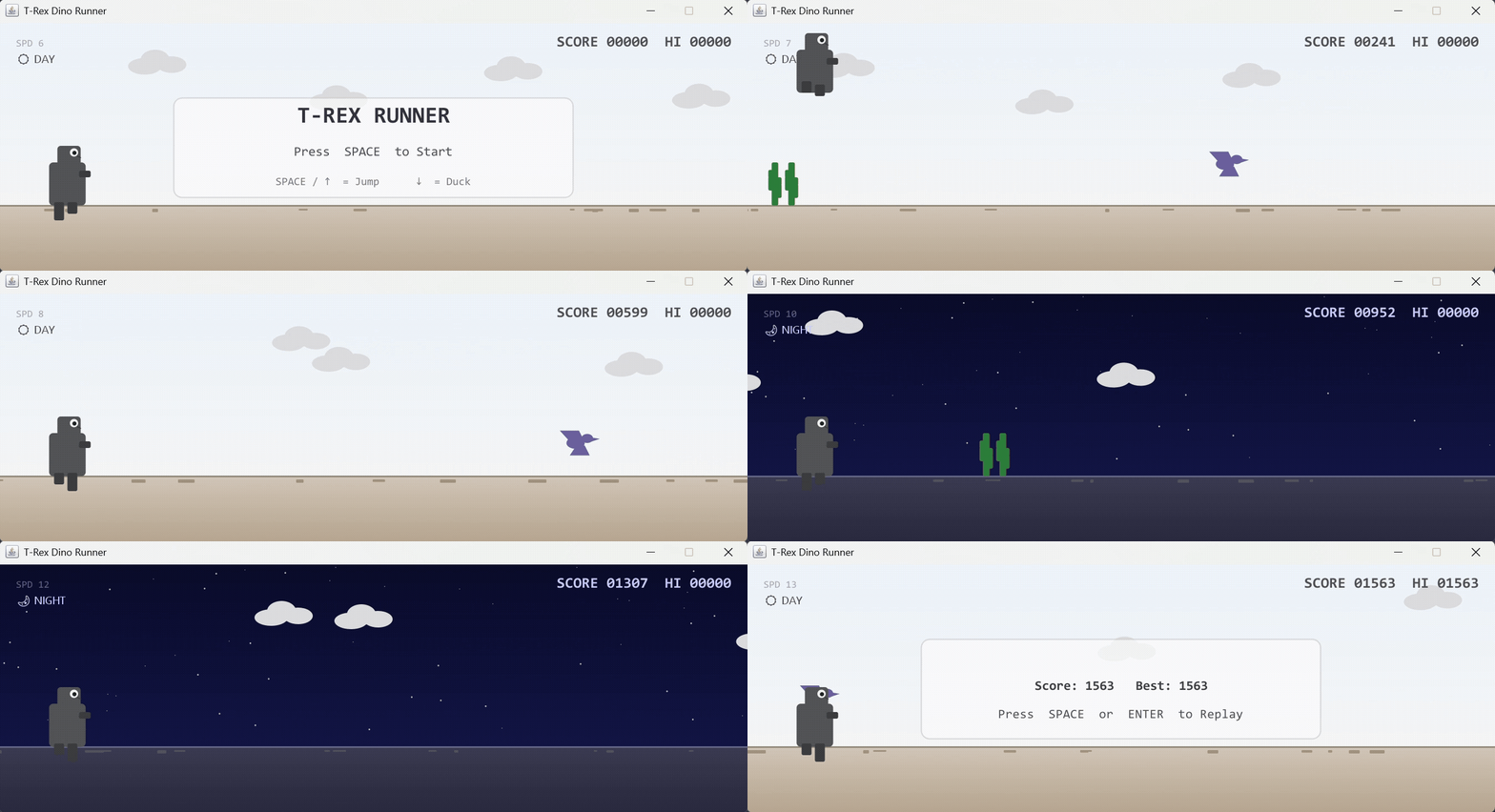
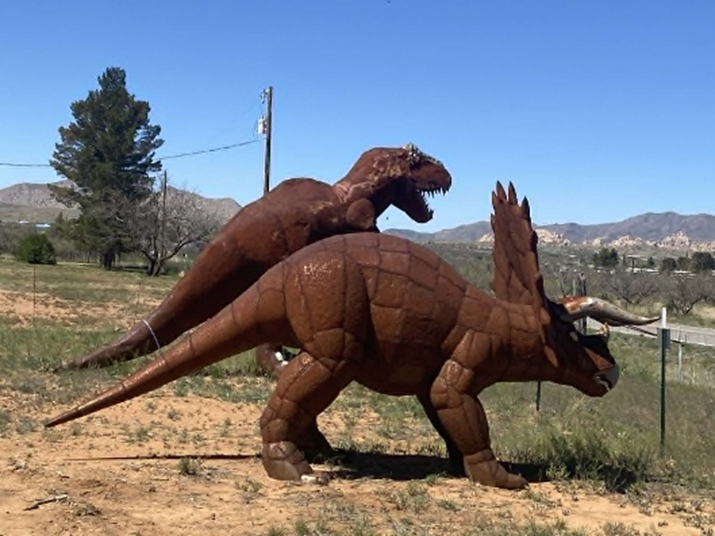
DinoGame Preview
There’s something beautifully minimal about the Chrome dinosaur game. No menus. No tutorials. Just a T-Rex and an endless desert.
So I decided to rebuild it — not in JavaScript, not in Unity — but entirely in Java Swing, using only the standard JDK.
This project, Dino Game — T-Rex Runner, is a faithful recreation of the classic Chrome offline game, built with object-oriented design, a real-time 60 FPS game loop, and zero third-party libraries
🧠 Why Rebuild the Chrome Dino Game in Java?
Most clones of the Chrome Dino are browser-based. But Swing is often underestimated as a real-time rendering toolkit.
I wanted to explore:
- How far can pure Java Swing go for 2D game development?
- Can we design a clean, scalable architecture without a game engine?
- How do we manage physics, collision detection, and animation at 60 FPS using only
javax.swing.Timer?
This project became a deep dive into:
- Game-loop architecture
- Real-time rendering
- OOP-based entity design
- State management
- Performance-conscious UI programming
🎮 Core Gameplay Mechanics
At its heart, this is an endless runner.
Controls
Space/↑→ Jump↓→ DuckEnter→ Restart after Game Over
Physics System
The Dino uses:
- Velocity-based jump physics
- Constant gravity
- Dynamic hitbox adjustment while ducking
- Frame-based animation logic
All physics updates happen inside the game loop, driven by a javax.swing.Timer firing roughly every 16ms (~60 FPS).
🏗️ Architecture: Clean, Component-Based Design
Instead of putting everything in one giant file, the game follows a modular structure
DinoGame/
├── DinoGame.java
├── Dino.java
├── ObstacleGenerator.java
├── Cloud.java
└── GameState.java
🧩 Key Components
1️⃣ DinoGame
The central hub:
- Owns the game loop
- Handles rendering order
- Processes keyboard input
- Manages score and difficulty
- Controls state transitions
2️⃣ Dino
A fully encapsulated player entity:
- Jump logic
- Duck state
- Leg animation
- Hitbox control
3️⃣ ObstacleGenerator
- Spawns cactus variants (single, double, triple)
- Spawns pterodactyls at different heights
- Adjusts spacing based on game speed
4️⃣ Cloud
Implements parallax scrolling at 1/3 game speed for depth illusion.
5️⃣ GameState
A clean enum:
IDLE | RUNNING | GAME_OVERThis prevents messy conditional logic and keeps transitions structured
🌗 The Day/Night Cycle (One of My Favorite Features)
Every 700 score points:
- The entire scene toggles between day and night
- Colors dynamically adapt (sky, ground, HUD)
- Emoji badges update
- Clouds maintain parallax depth
This adds visual rhythm without increasing complexity.
It’s a small feature — but it makes the game feel alive.
📊 Scoring & Difficulty Scaling
The difficulty increases every 200 points:
- Scroll speed gradually accelerates
- Speed caps at 16 px/tick
- Obstacle spacing dynamically scales with speed
- README
The HUD includes:
- Zero-padded live score
- Session high score
- Current speed indicator
- Day/Night badge
- README
This creates tension naturally — no artificial difficulty spikes.
⚙️ The Game Loop (The Real Core)
The entire system revolves around a single Timer.
Every tick:
- Update physics
- Spawn/update obstacles
- Check collisions
- Update score
- Trigger difficulty changes
- Repaint the panel
Rendering is done via Graphics2D with anti-aliasing enabled
No threads. No external frameworks. No engine abstractions.
Just pure Swing.
💡 Technical Decisions That Matter
🔹 Why No External Libraries?
To demonstrate that:
- The JDK alone is powerful.
- Clean design matters more than heavy tooling.
- You can build performant UI-driven systems without engines.
🔹 Why Component Separation?
It improves:
- Readability
- Maintainability
- Scalability
- Future feature expansion
🔹 Why Enum-Based GameState?
Because boolean flags become unmanageable quickly in game logic.
Enums enforce clarity.
📦 Distribution: Even a Windows Installer
This project isn’t just source code.
It includes:
- A Windows
.msiinstaller - Bundled JRE (no Java installation required)
- Versioned GitHub release (v1.0.0)
That transforms it from a “college project” into a polished desktop application.
🚀 Future Enhancements
Planned improvements include:
- Sound effects
- Persistent high score storage
- Settings panel
- Difficulty presets
- Touch-style controls
The architecture is already structured to support these without refactoring the entire system.
👨💻 What This Project Demonstrates
As a developer, this project shows:
- Real-time rendering fundamentals
- Game loop architecture
- OOP design in Java
- Collision detection logic
- State-driven programming
- Performance-aware Swing usage
- Desktop packaging & release management
For someone building desktop tools (like my other JavaFX-based systems), understanding real-time UI performance and state management is incredibly valuable.
👨💻 About Me
I’m Ankesh Kumar, a Java developer passionate about building intuitive and efficient desktop apps that make everyday technical tasks simpler.
📌 GitHub — AnkeshGG 📌 LinkedIn — Ankesh Kumar 📌 Project Repo — DinoGame
🔚 Final Thoughts
Built with nothing but pure Java and clean design principles, this project proves that powerful, interactive applications don’t always need heavy engines — just solid fundamentals and thoughtful architecture.
👉 Download the latest release here ⭐ Star the repo if you like the project!
If you enjoyed this, check out my other projects on GitHub. If you’re learning Java, try building something interactive like this — it changes how you understand programming.
🦖 Keep running.
메타데이터
- post_id
- 29d3c4e2ce4f
- slug
- building-a-dino-game-in-pure-java-swing-no-engines-no-libraries-29d3c4e2ce4f
- url
- https://medium.com/@ankeshGG/building-a-dino-game-in-pure-java-swing-no-engines-no-libraries-29d3c4e2ce4f
- canonical_url
- https://medium.com/@ankeshGG/building-a-dino-game-in-pure-java-swing-no-engines-no-libraries-29d3c4e2ce4f
- author_url
- https://medium.com/@ankeshGG
- status
- ok
- fetched_at
- 2026-06-17 08:20:12