Today I made a BLE RC car
Miniseries
Today I made a BLE RC car
Miniseries
Like every excellent maker story, it begins in the neighborhood’s trash — a place of fortune and endless possibilities, where the open-minded thrive and prosper :)
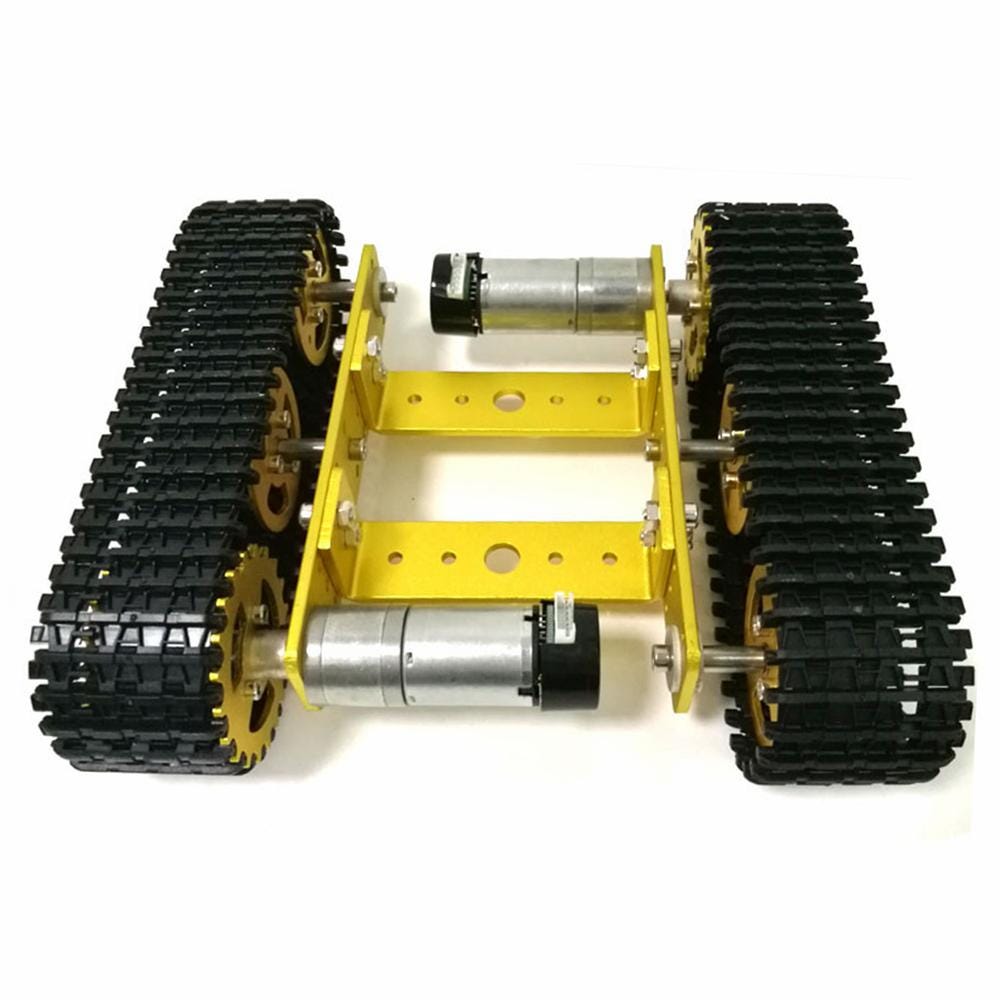
Well, the other day, I found there this gorgeous remote-controlled truck.

This truck was missing a remote control, and initially, I thought to clean it and give it to Rosie (my 20th-month-old daughter) to play with. Still, when I showed, as usual, my latest trash findings to the IoT connect squad (my squad) at the morning sync, they suggested making it BLE controlled.
Surprised by this wonderful idea — I remembered that although I have been an IoT Linux engineer at Augury (a company that defines the cutting-edge IoT technologies of Industry-4.0) for the past 1.5 years — I have no clue how BLE works underneath. It is a damn good time to find out.
Part 1 — turning on LED using BLE
When approaching new technologies, it is best to start from scratch. So I look for the most straightforward examples when learning new tech.
This is the ESP32 pinout map (It will come in handy later).

Following this Nice BLE_uart_server tutorial and using the nRF-connect android app, I quickly connected to the ESP32’s BLE and turned on a LED.

It was as simple as adding an if input== “led on” statement in their provided example:
class MyCallbacks : public BLECharacteristicCallbacks
{
  void onWrite(BLECharacteristic *pCharacteristic)
  {
    std::string rxValue = pCharacteristic->getValue();

    if (rxValue.length() > 0)
    {
      if (rxValue == "led on")        // My addition
      {                               //
        digitalWrite(LED_PIN, HIGH);  // turn the LED on
      }                               //
      Serial.println("*********");
      Serial.print("Received Value: ");
      Serial.println(rxValue.c_str());
      for (int i = 0; i < rxValue.length(); i++)
        Serial.print(rxValue[i]);

      Serial.println();
      Serial.println("*********");
    }
  }
};
And voila, the led turned on when I sent “led on” using the nRF-connect app.
Example Breakdown
I want to dig deeper and detail precisely where the led on logic interfaces the BLE stack. I have implemented the following:

In code, it looks like this:
- I have initialized a BLE service called
UART_service(I'll cover these UUIDs later, stay tuned :))
  // Create the BLE Device
  BLEDevice::init("UART Service");

  // Create the BLE Server
  pServer = BLEDevice::createServer();
  pServer->setCallbacks(new MyServerCallbacks()); // This is just for tracking who is connected and disconencted

  // Create the BLE Service.
  // This is tha actual part where I create my own service (all the above where BLE initiations
BLEService *pService = pServer->createService(SERVICE_UUID);- Created the
pServiceTX characteristic
// Create a BLE Characteristic
  pTxCharacteristic = pService->createCharacteristic(
      CHARACTERISTIC_UUID_TX,
BLECharacteristic::PROPERTY_NOTIFY); // See NOTIFY and other properties - https://embeddedcentric.com/lesson-2-ble-profiles-services-characteristics-device-roles-and-network-topology/- Created the
pServiceRX characteristic
  BLECharacteristic *pRxCharacteristic = pService->createCharacteristic(
      CHARACTERISTIC_UUID_RX,
BLECharacteristic::PROPERTY_WRITE); // Property is the permission this characteristic has for this service- Attached my own callback (this is the connection to the application layer)
pRxCharacteristic->setCallbacks(new MyCallbacks());- Inside
MyCallbacksI have the*led on*logic
// I must implemnt expected BLECallback interface
class MyCallbacks : public BLECharacteristicCallbacks
{
  void onWrite(BLECharacteristic *pCharacteristic)
  {
    std::string rxValue = pCharacteristic->getValue();

    if (rxValue.length() > 0)
    {
      if (rxValue == "led on")
      {
        turn_led = true; // turn the LED on
      }
    }
  }
};
What are BLE UUIDs?
In BLE, each service and within — each characteristic has a unique UUID. As for the example I used, the UUIDs are:
// These UUID's are NUS (Nordic Uart Service) https://developer.nordicsemi.com/nRF_Connect_SDK/doc/1.4.0/nrf/include/bluetooth/services/nus.html#api-documentation
#define SERVICE_UUID "6E400001-B5A3-F393-E0A9-E50E24DCCA9E" // UART service UUID
#define CHARACTERISTIC_UUID_RX "6E400002-B5A3-F393-E0A9-E50E24DCCA9E"
#define CHARACTERISTIC_UUID_TX "6E400003-B5A3-F393-E0A9-E50E24DCCA9E"
At first glance, it looks like a made-up UUID. They even provide a link to UUID-generator. But once I connected to the EPS32 using the nRF-connect app, the app immediately recognized this service as Nordic UART service , and the characteristics RX and TX . HOW?
Well, these services are registered in the BLE database. And Nordic provide their exposed interface for them nordic’s documentation of their binary library —
The Bluetooth LE GATT Nordic UART Service is a custom service that receives and writes data and serves as a bridge to the UART interface.
Like every good first example, I implemented it independently (I just used their already-known UUIDs).
I can make and use my own UUIDs. It won't appear as a nice human readable title when connecting to the device.
And that’s BLE folks (in a nut-shell)
I can see my new BLE device, and when connecting to it using the nRF-Connect app, I can write led on to the RX characteristic, and BOOM!
[embed]
A simple LED ON over BLE example, using the nRF-connect app as the client and a UART_service in the server:

By pressing “send” in the nRF connect app, the LED turned on
That’s the end of Part 1.
Part 2, should you choose to read it, is HERE
메타데이터
- post_id
- 2a2a7b2289b3
- slug
- today-i-made-a-ble-rc-car-2a2a7b2289b3
- url
- https://medium.com/augury-research-and-development/today-i-made-a-ble-rc-car-2a2a7b2289b3
- canonical_url
- https://medium.com/augury-research-and-development/today-i-made-a-ble-rc-car-2a2a7b2289b3
- author_url
- https://medium.com/@gal080592
- status
- ok
- fetched_at
- 2026-06-29 22:44:20