Mendix Runtime Error After Module Rename: How I Traced a “key not found” Issue
At the beginning of a Mendix project, module naming usually feels like a simple organizational decision. Giving modules meaningful…
Mendix Runtime Error After Module Rename: How I Traced a “key not found” Issue
At the beginning of a Mendix project, module naming usually feels like a simple organizational decision. Giving modules meaningful, purpose-driven names makes the project easier to understand and maintain.
We followed the same approach in our project. However, as the number of Mendix projects within the company grew, a new requirement emerged: module standardization across projects.
To make modules reusable and easily identifiable, we decided that all module names should start with a specific prefix. Sounds simple, right? I started renaming around 40 modules based on this rule. Most of them went smoothly. So I assumed the rest would too. Until I tried to run the application.
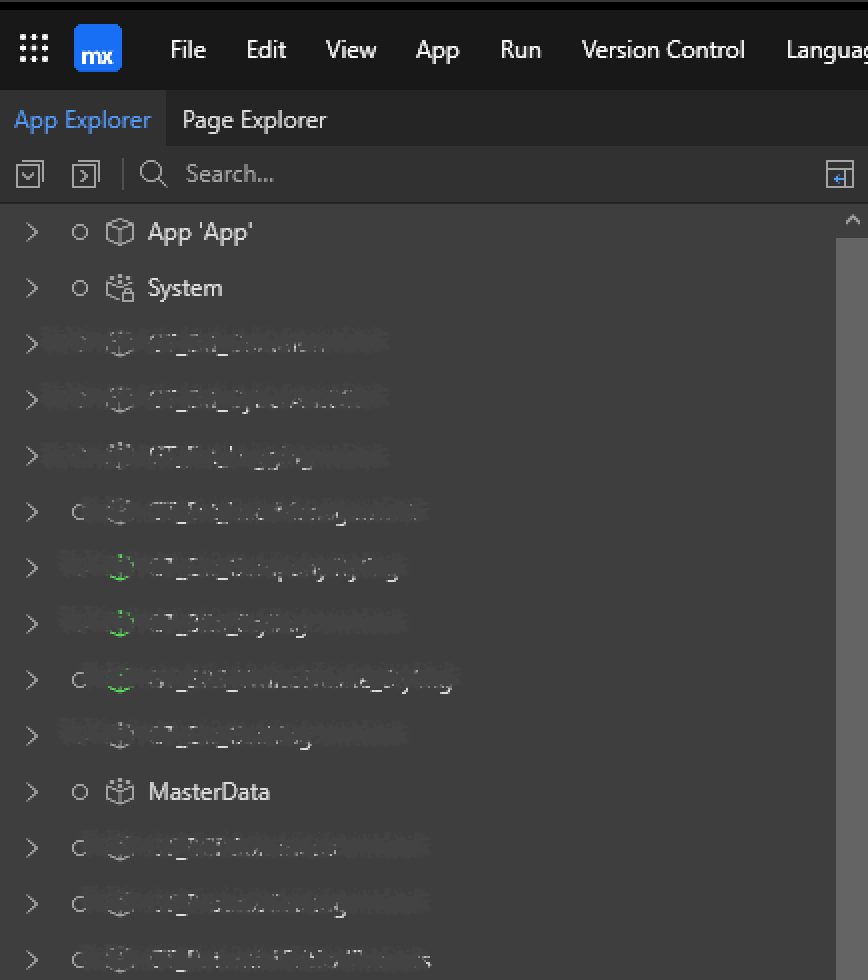
a module before the renaming
First Sign: “Something went wrong”
When I ran the app, Mendix showed a generic error: “Something went wrong”. Not very helpful. But the real issue was visible in the console:

At this point, the application wouldn’t even start.
What Does This Error Actually Mean?
The critical part is:
key not found: uniq_prefix_masterdata$supplier_suppliername
If you Google this like “key not found uniq_tablename_attributename in mendix”, you’ll likely find suggestions about duplicate data issues. And honestly, that’s a reasonable assumption. The keyword uniq strongly suggests a unique constraint problem. But in this case, it wasn’t about duplicate data. Instead, it looked more like:
- A mismatch between model and runtime metadata after renaming
- A broken reference related to a unique constraint
- Mendix runtime is expecting a constraint key that no longer exists or is not properly synced
So the issue was not in the data, but in the model and runtime synchronization layer.
Where Was the Problem?
The problematic entity was:
- Supplier entity
- SupplierName attribute
- With a Unique validation rule
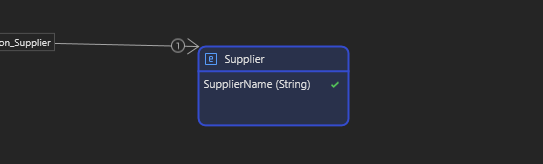
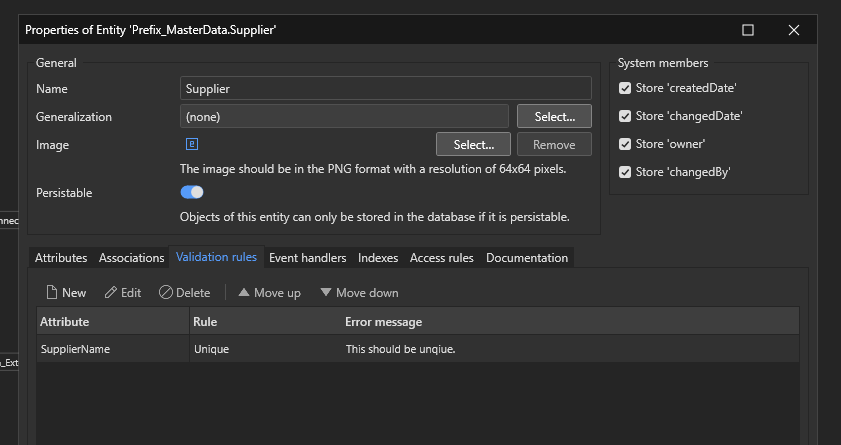
This means Mendix internally generates a unique constraint key for that attribute. After renaming the module, it seems that the internal key and the runtime expectation got out of sync. To be clear, the exact root cause is not always fully transparent in these cases, but the behavior strongly indicates a metadata inconsistency around the constraint.
How I Solved It?
The solution turned out to be quite simple and practical. I started by temporarily removing the Unique validation rule from the SupplierName attribute. To maintain data integrity, I moved the uniqueness check to the application layer by implementing a validation microflow before commit, where I checked if a SupplierName already existed and returned an error in case of duplicates. With this setup, the application was able to start successfully,, and the deployment completed without any issues. After the system was up and running, I re-added the Unique constraint to the entity and deployed again, and this time, everything worked perfectly without any errors.
Key Takeaway
This experience showed me something important. In some cases, Mendix constraint metadata can get “stuck” or out of sync during refactor operations like module renaming. A practical workaround is:
- Remove the constraint
- Let the application run and stabilize
- Then reapply the constraint
This forces Mendix to recreate the constraint properly.
Don’t Forget Hardcoded References
When renaming modules, Mendix handles most references automatically, but not all. Make sure to manually check:
- OQL queries
- Deeplink configurations
- Constants
- Custom Java / JavaScript code
Because module names might be hardcoded in these places.
메타데이터
- post_id
- 2aea4e5fbd6f
- slug
- mendix-runtime-error-after-module-rename-how-i-traced-a-key-not-found-issue-2aea4e5fbd6f
- url
- https://medium.com/@ahmetkudu314/mendix-runtime-error-after-module-rename-how-i-traced-a-key-not-found-issue-2aea4e5fbd6f
- canonical_url
- https://medium.com/@ahmetkudu314/mendix-runtime-error-after-module-rename-how-i-traced-a-key-not-found-issue-2aea4e5fbd6f
- author_url
- https://medium.com/@ahmetkudu314
- status
- ok
- fetched_at
- 2026-07-28 01:14:14