Test Automation with TestProject
Introduction to TestPrject tool by Chirantha Peramunage
Test Automation with TestProject

What is TestProject?
TestProject is an end-to-end automation tool that provides capabilities to automate Web, API, and Mobile applications. The tool is owned by Tricentis, which is a company dedicated to the field of software testing. It is an open-source tool built on top of Selenium and Appium. This article gives an introduction to the TestProject tool and its uses.
Link for TestProject tool: https://testproject.io/
Download TestProject Agent: https://app.testproject.io/#/download
Documentation: https://docs.testproject.io/
Blog: https://blog.testproject.io/
Platforms Supported


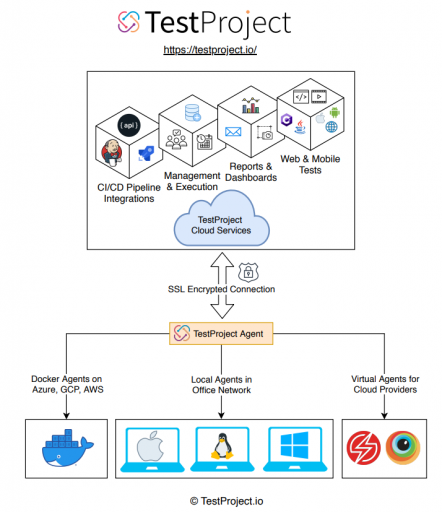
Architecture
Why TestProject?
Installation of the tool is quite straightforward.
It’s free. 🤩
It has a cool & “easy to learn” interface.
No coding knowledge or effort is required.
Easy deployment and test executions.
Lots of add-ons available.
Lots of integrations like Jenkins, and Slack (Especially for dev-ops) are available.
Consists of a collaborative testing repository.
Features
Let’s take a look at some of the features of this awesome tool. 🛠
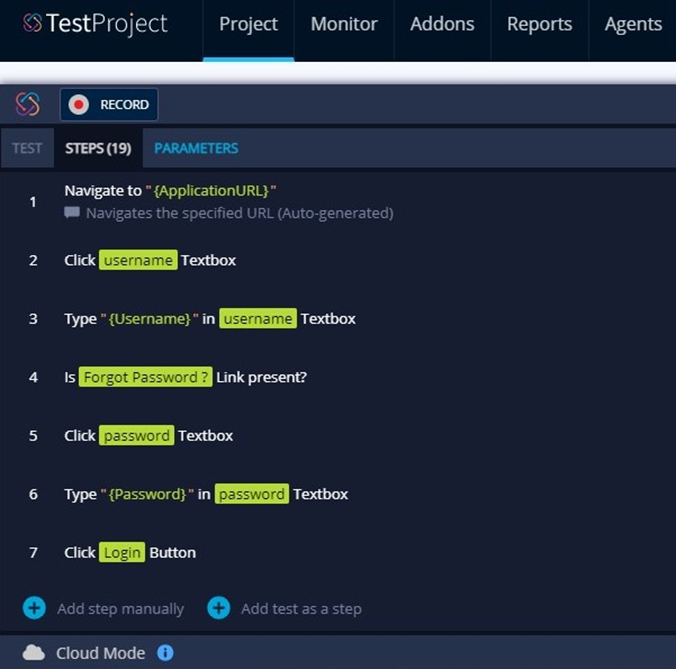
Test Recorder
Click and record your tests and it will record actions performed on the browser. Simultaneously, a Selenium/ Appium Code will be generated automatically in the background.
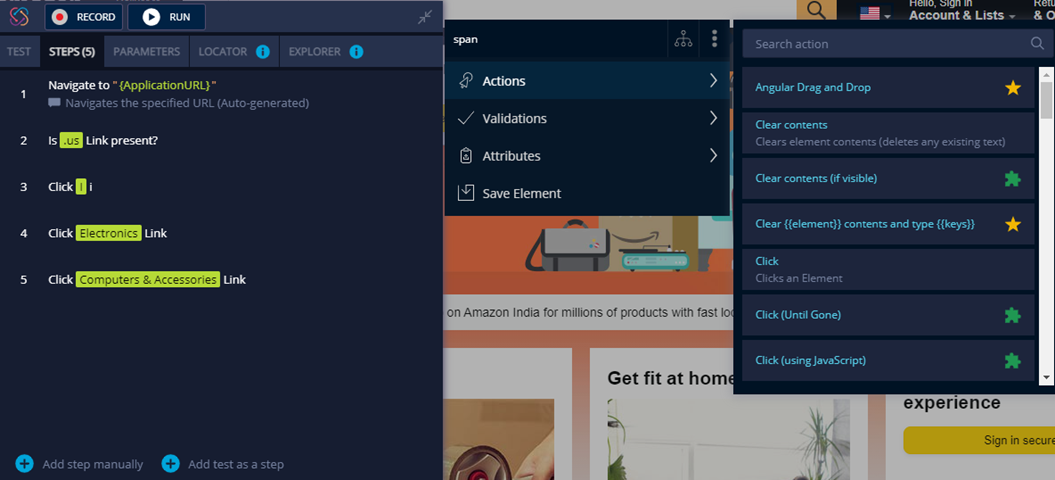
Element Inspector
This can identify any elements of an application. Users can select built-in or suggested actions, validations, attributes, save elements, etc to inspect an element.
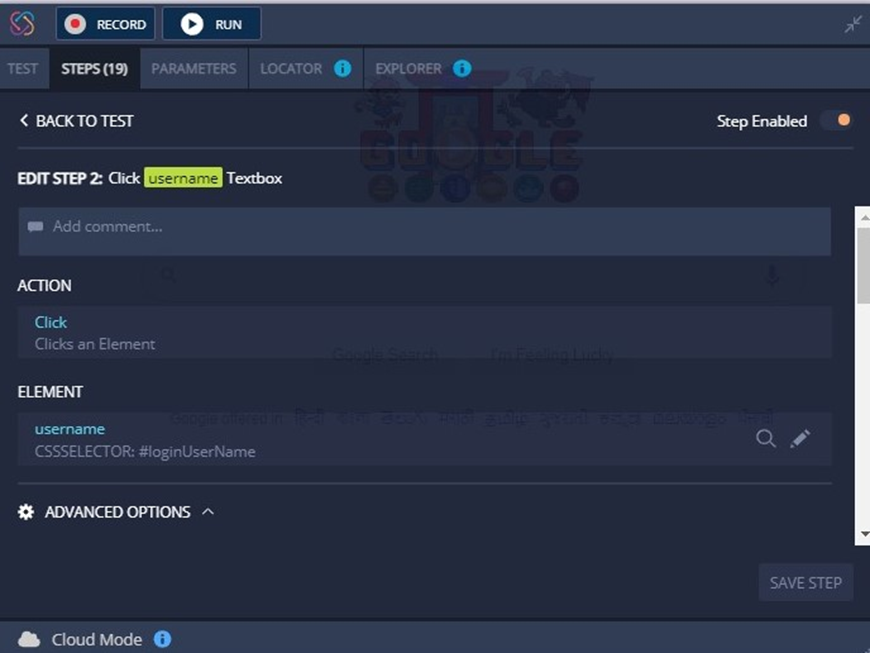
Test Editor
Test Editor can create, edit & organize tests. Users can add comments, create parameters, perform certain actions, define failure behavior, add wait times, take screenshots, etc. Also, it is possible to change the order of steps, insert steps in between and add or delete steps. In addition, users can insert tests as steps of another test. (Group Tests)
Documentation
This feature facilitates the auto-generation of test documents and manual test cases.

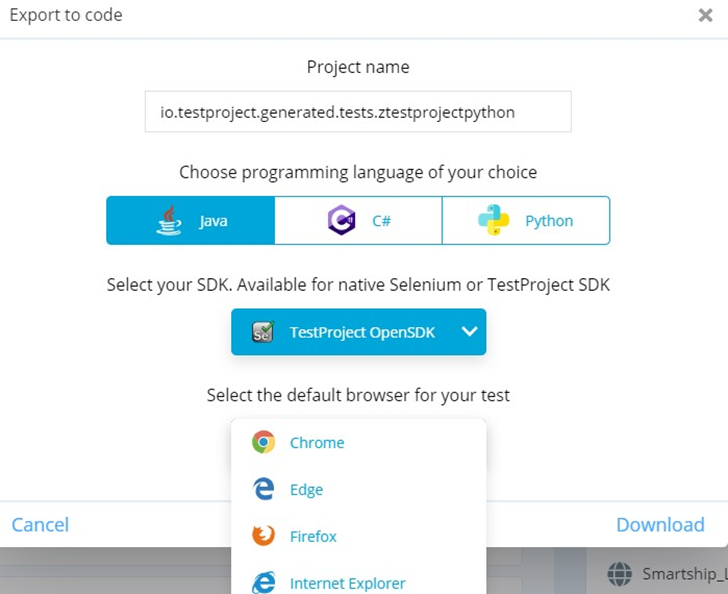
Generate Code
Users can export code in Python, Java, and C#. This exported code can then be changed/modified and re-uploaded at TestProject to execute again as a coded test.
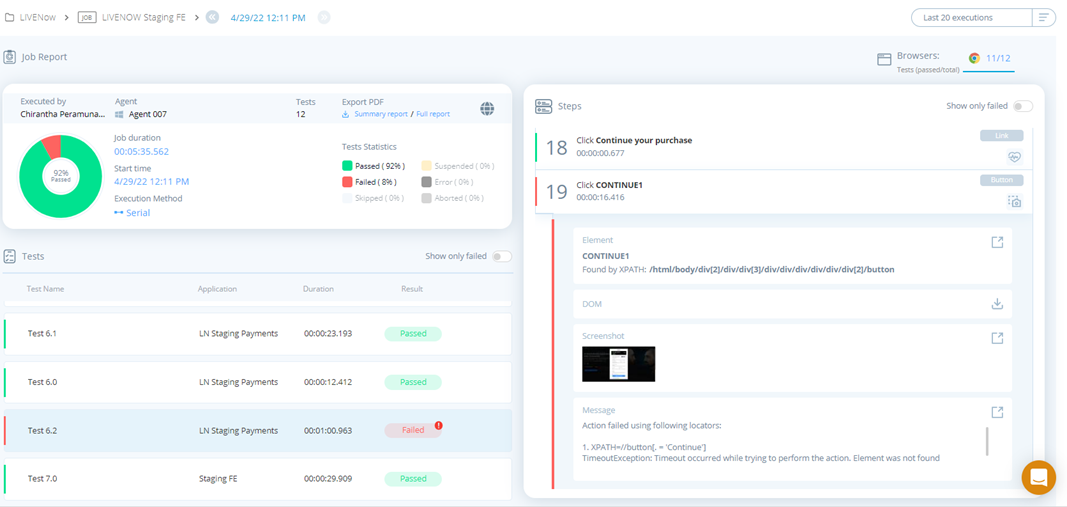
Reports
This feature provides comprehensive reports for single tests and test suites. Also, it provides aggregate reports and tests summary reports. In addition, the test reports contain screenshots & error messages of the failed test steps.
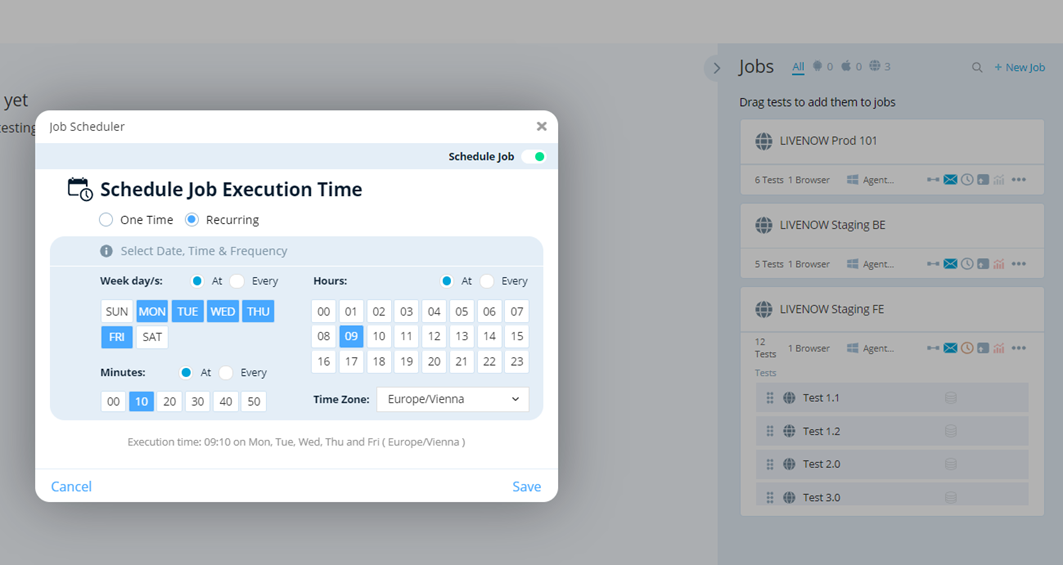
Jobs
Tests can be run as scheduled jobs. It’s possible to set job notification preferences by Email or with webhooks.
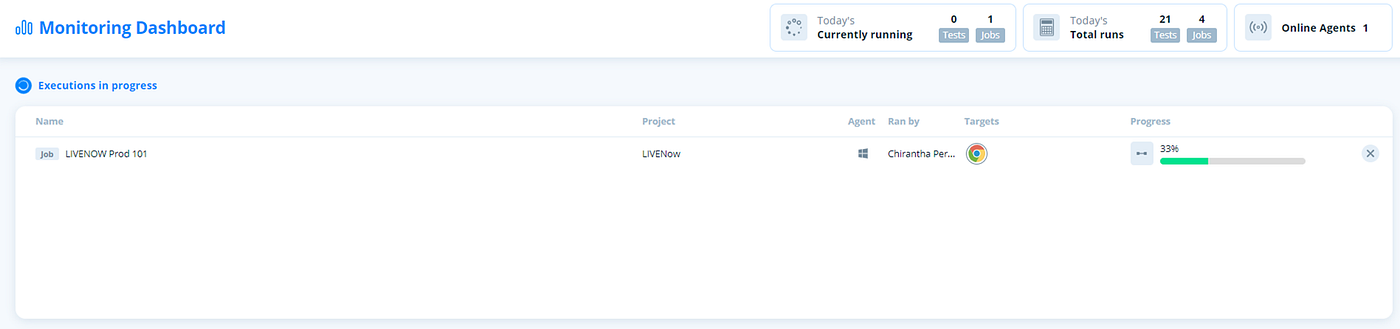
Monitoring Dashboard
This monitors test executions that are in progress and provides relevant information to the user.
Drawbacks of TestProject
Users have to create separate test suites for each platform. (ex: iOS, Andriod for mobile)
There’s no chance to add conditional statements in test steps.
Some features like swipe, click, and scroll can take a long time to execute.
If an element locator is changed it takes a long time to roll back.
Conclusion
Pros of TestProject win over its Cons.
It’s a great tool for test automation beginners.
It’s a great option for quick automation solutions.
It’s not a reliable test automation tool in the long run.
References
메타데이터
- post_id
- 2b145bcede5d
- slug
- test-automation-with-testproject-2b145bcede5d
- url
- https://medium.com/@chiranthaperamunage/test-automation-with-testproject-2b145bcede5d
- canonical_url
- https://medium.com/@chiranthaperamunage/test-automation-with-testproject-2b145bcede5d
- author_url
- https://medium.com/@chiranthaperamunage
- status
- ok
- fetched_at
- 2026-08-06 14:42:57