Learn How to Make Your Pinterest Videos Speak with Subtitles!
Learn how to add subtitles to Pinterest videos effortlessly. Enhance accessibility and engagement with our step-by-step guide!
Learn How to Make Your Pinterest Videos Speak with Subtitles!
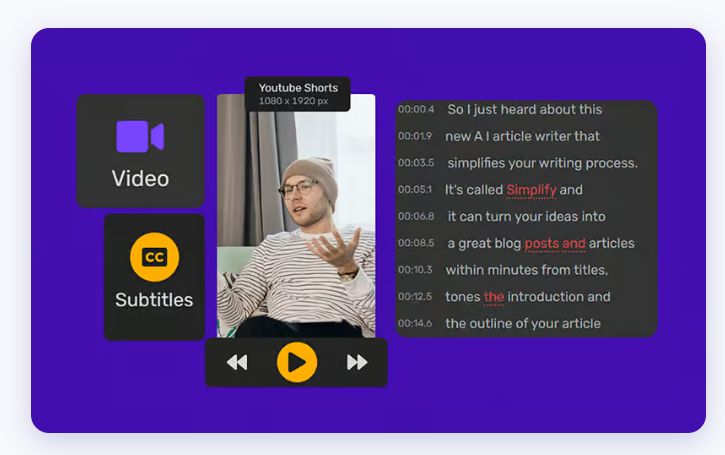
In today’s digital age, captivating visuals are key to grabbing attention and engaging audiences. As Pinterest continues to rise in popularity as a visual discovery platform, it’s essential to make your videos stand out. One effective way to enhance your Pinterest videos is by adding subtitles. Not only do subtitles make your content more accessible to a wider audience, but they also increase engagement by allowing viewers to follow along even without sound.
Source: Simplified
Adding subtitles to your Pinterest videos might sound like a daunting task, but fear not! With the right tools and techniques, you can easily make your videos speak with subtitles. In this blog post, we’ll walk you through the process step by step, from finding the right subtitle generator to seamlessly integrating subtitles into your Pinterest videos.
Why Add Subtitles to Pinterest Videos?
Before we dive into the how-to, let’s quickly explore why adding subtitles to your Pinterest videos is beneficial:
- Accessibility: Subtitles make your content accessible to viewers who are deaf or hard of hearing, as well as those who prefer to watch videos without sound.
- Increased Engagement: Research shows that videos with subtitles have higher engagement rates and longer watch times compared to those without.
- Reach a Global Audience: Subtitles enable viewers who speak different languages to understand your content, helping you reach a broader audience.
Step 1: Choose the Right Subtitle Generator
To add subtitles to your Pinterest videos, you’ll need a reliable subtitle generator. Fortunately, there are several options available, including both manual and AI-powered tools. Here are a few popular choices:
- Pinterest Subtitle Generator: Pinterest offers its own built-in subtitle tool, making it easy to add subtitles directly within the platform.
- AI Captioning Tools: Explore AI-powered captioning tools like Rev, Kapwing, or Subly, which can automatically generate captions for your videos in minutes.
Step 2: Generate AI Captions for Your Pinterest Video
Once you’ve selected your subtitle generator, it’s time to generate captions for your Pinterest video. If you’re using an AI-powered tool, simply upload your video file, and the tool will automatically transcribe the audio and generate accurate subtitles. Be sure to review and edit the captions for accuracy and formatting.
Step 3: Integrate Subtitles into Your Pinterest Video
With your captions ready, it’s time to integrate them into your Pinterest video. If you’re using the Pinterest Subtitle Generator, you can easily add subtitles to your video during the editing process. For other tools, you’ll need to download the subtitle file and then upload it to your video editing software to overlay the subtitles onto your video.
Step 4: Preview and Fine-Tune
Before publishing your Pinterest video with subtitles, take the time to preview it and make any necessary adjustments. Ensure that the subtitles are synced correctly with the audio and that they are easy to read and understand.
Step 5: Publish and Share Your Subtitled Pinterest Video
Once you’re satisfied with your subtitled Pinterest video, it’s time to publish and share it with your audience! Upload your video to Pinterest, add a compelling description and relevant hashtags, and watch as your subtitled video captures the attention of viewers scrolling through their feeds.
Conclusion:
By adding subtitles to your Pinterest videos, you can make your content more accessible, engaging, and appealing to a wider audience. Whether you opt for Pinterest’s built-in subtitle tool or utilize AI-powered captioning tools, the process is simple and effective. So why wait? Start making your Pinterest videos speak with subtitles today and watch your engagement soar!
메타데이터
- post_id
- 2b5db389bc39
- slug
- learn-how-to-make-your-pinterest-videos-speak-with-subtitles-2b5db389bc39
- url
- https://medium.com/@pinterest-video-subtitle/learn-how-to-make-your-pinterest-videos-speak-with-subtitles-2b5db389bc39
- canonical_url
- https://medium.com/@pinterest-video-subtitle/learn-how-to-make-your-pinterest-videos-speak-with-subtitles-2b5db389bc39
- author_url
- https://medium.com/@pinterest-video-subtitle
- status
- ok
- fetched_at
- 2026-06-24 11:06:28



