Understanding Log Levels in Salesforce B2C Commerce (SFCC)
When working with Salesforce B2C Commerce Cloud (SFCC), logging is one of the most important tools for debugging, monitoring, and…
Understanding Log Levels in Salesforce B2C Commerce (SFCC)
When working with Salesforce B2C Commerce Cloud (SFCC), logging is one of the most important tools for debugging, monitoring, and maintaining your application. Yet, many developers either overuse logging (causing noise and performance issues) or underuse it (making debugging difficult).
This guide explains how SFCC log levels work, what they actually capture, and how to use them effectively across environments.
Understanding Log Levels in Salesforce B2C Commerce
Why Logging Matters in SFCC
Logging helps you:
- Debug issues in integrations (e.g., payment gateways)
- Monitor production errors
- Trace application behavior
- Audit system activity
But the key is using the right log level.
Log Level Hierarchy Explained
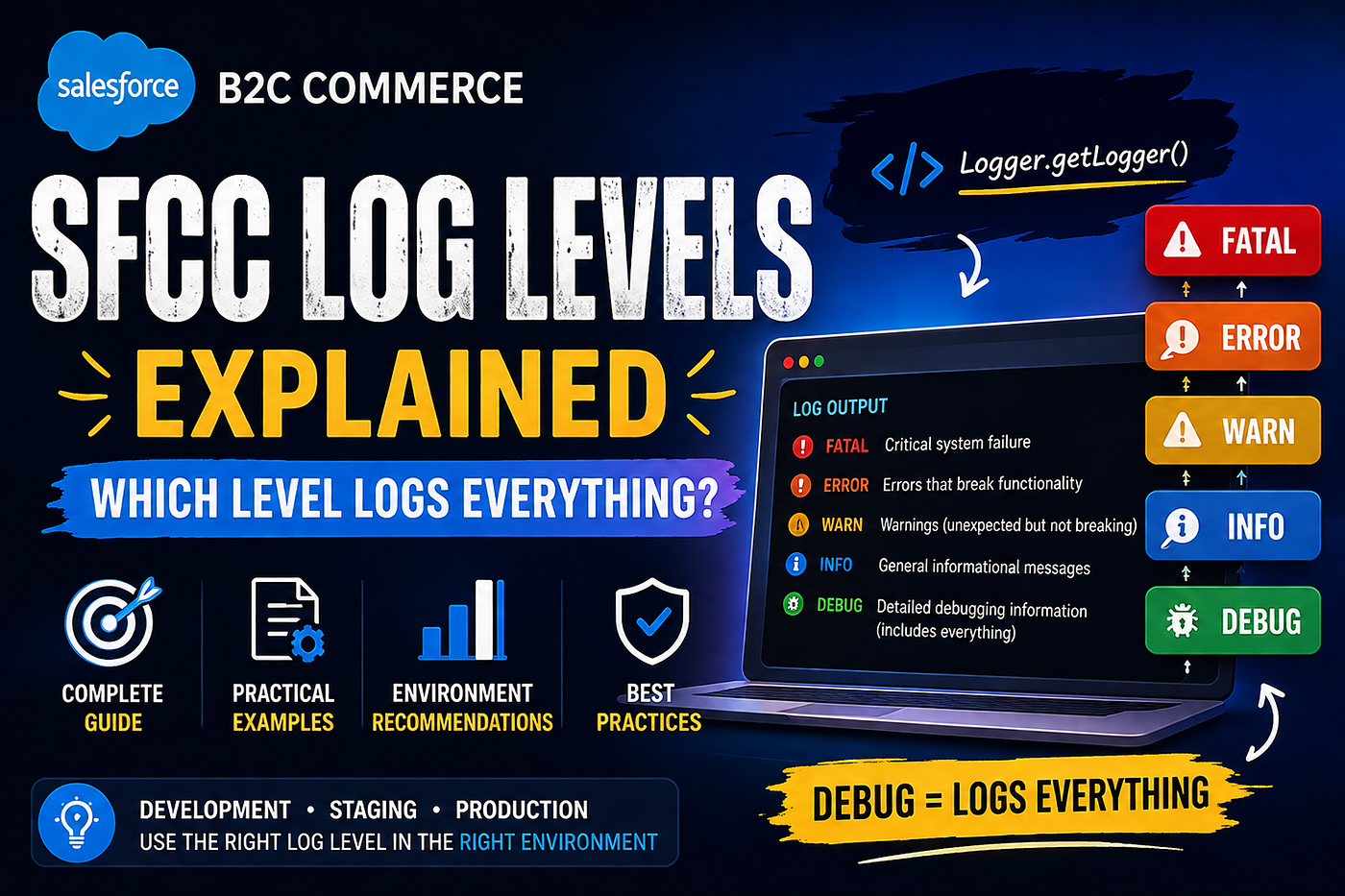
SFCC log levels follow a hierarchical structure, meaning each level includes all levels above it in severity.
From highest severity → lowest:
- FATAL — Critical system failure (application may stop functioning)
- ERROR — Functional errors that break features
- WARN — Unexpected situations, but not breaking
- INFO — General system information
- DEBUG — Detailed debugging data (most verbose)
What “Log Everything” Actually Means
If your goal is to capture all logs, then:
Use DEBUG level
Because it includes:
- DEBUG
- INFO
- WARN
- ERROR
- FATAL
This makes DEBUG the most detailed and comprehensive logging level.
Example in SFCC Code
var log = Logger.getLogger('error_log', 'Adyen');
log.error('Payment failed');
log.debug('Request payload: ' + requestBody);
What gets logged based on level?
Choosing the Right Log Level by Environment
🔧 Development (DEV)
- Use: DEBUG
- Why: Full visibility for troubleshooting
🧪 Staging (UAT / STG)
- Use: INFO or WARN
- Why: Reduce noise but still monitor behavior
🚀 Production (PRD)
- Use: ERROR (sometimes WARN)
- Why: — Avoid performance overhead — Prevent sensitive data exposure — Keep logs clean and actionable
Common Mistakes to Avoid
1. Using DEBUG in Production
This can:
- Flood logs
- Impact performance
- Expose sensitive data
2. Logging Sensitive Information
Never log:
- Payment details
- Tokens
- Personal user data (PII)
3. Not Structuring Logs Properly
Instead of:
log.error('Error occurred');Use:
log.error('payment failed for order {0}', orderNo);Pro Tip: Custom Log Categories
You can organize logs using categories:
Logger.getLogger('Error_log', 'Adyen');This helps:
- Separate logs by feature (e.g., payments, shipping)
- Improve debugging efficiency
- Filter logs easily in Business Manager
Understanding log levels isn’t just about turning logging on or off, it’s about using the right level at the right time.
- Use DEBUG when you need full visibility
- Use INFO/WARN for controlled monitoring
- Use ERROR in production for clean and actionable logs
Author
Mr. Ritik Yadav
메타데이터
- post_id
- 2b66eeffba1e
- slug
- understanding-log-levels-in-salesforce-b2c-commerce-sfcc-2b66eeffba1e
- url
- https://medium.com/@mr-ritikyadav/understanding-log-levels-in-salesforce-b2c-commerce-sfcc-2b66eeffba1e
- canonical_url
- https://medium.com/@mr-ritikyadav/understanding-log-levels-in-salesforce-b2c-commerce-sfcc-2b66eeffba1e
- author_url
- https://medium.com/@mr-ritikyadav
- status
- ok
- fetched_at
- 2026-06-09 21:21:26