Issue Tracking for QA Teams: Why It Matters and How to Get It Right
Quality assurance has changed a lot over the last decade. Testing is no longer a phase that happens right before release it’s woven into…
Issue Tracking for QA Teams: Why It Matters and How to Get It Right
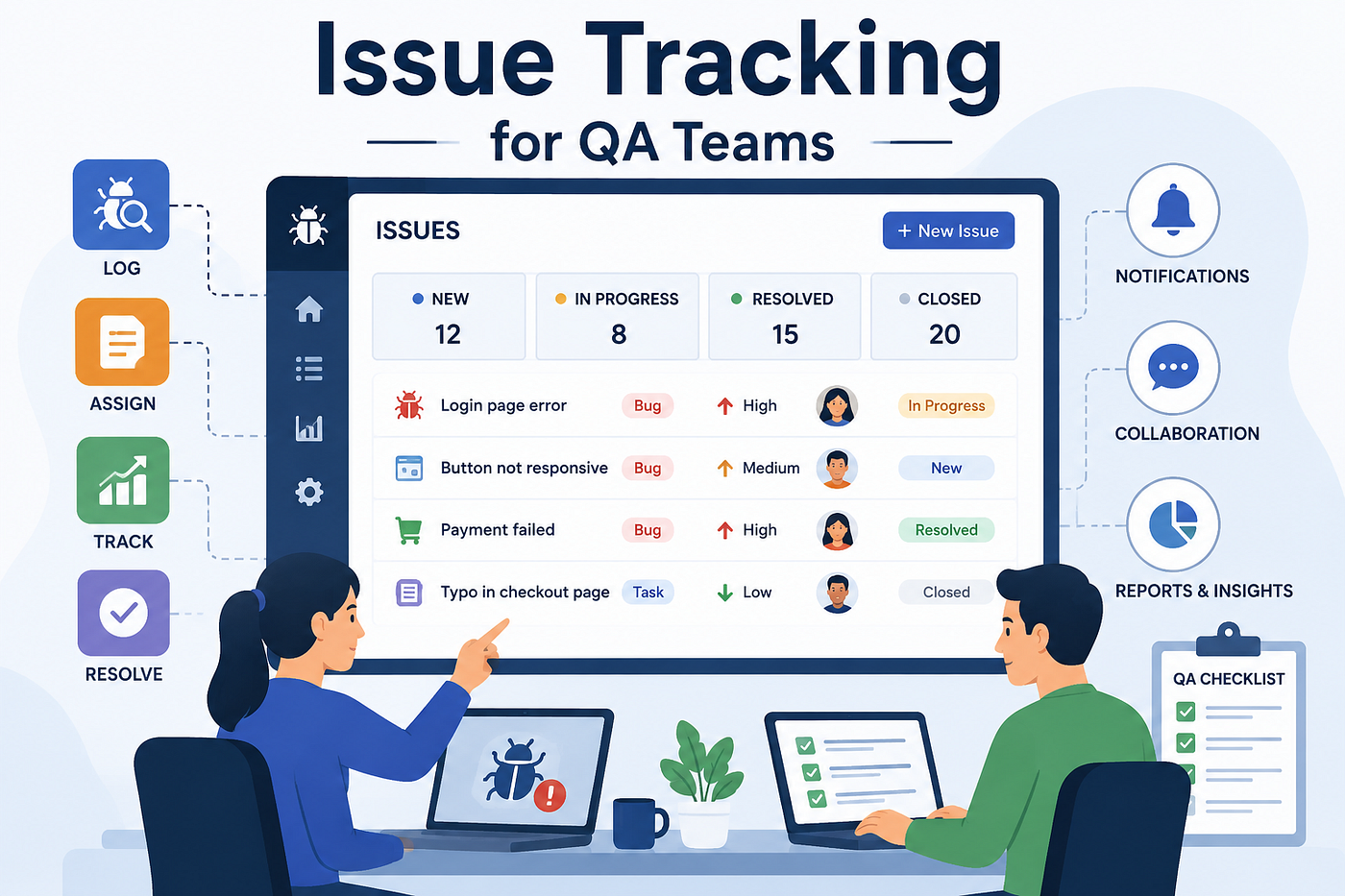
Quality assurance has changed a lot over the last decade. Testing is no longer a phase that happens right before release it’s woven into every sprint, every commit, and every conversation between developers and testers. But no matter how modern your QA process looks, one thing hasn’t changed: bugs still need to be found, logged, tracked, and fixed. And that’s exactly where issue tracking for QA teams becomes the backbone of everything else you do.
If you’ve ever worked on a QA team without a proper issue tracking system, you know the chaos that follows. Bugs get reported in Slack messages that scroll away. Testers keep their own private spreadsheets. Developers argue about whether a bug was “already fixed” because nobody has a single source of truth. Release day turns into a fire drill because nobody actually knows how many open issues are left, how severe they are, or who is responsible for closing them.
This article breaks down what issue tracking really means for QA teams, why it’s more than just “bug logging,” what to look for in a tool, and how different platforms on the market including Tuskr, Kualitee, Qase, SpiraTest, Test Collab, and TestRail approach the problem differently.
What Is Issue Tracking, Really?
At its core, issue tracking is the practice of recording, categorizing, prioritizing, and following a problem from the moment it’s discovered to the moment it’s verified as resolved. For a QA team, an “issue” could be:
- A functional bug (a button that doesn’t work)
- A UI/UX inconsistency
- A performance regression
- A security vulnerability found during testing
- A requirement mismatch (the feature does something, but not what was actually asked for)
Issue tracking isn’t just about creating a ticket and forgetting about it. A mature issue tracking process includes:
- Capturing the issue with enough context — steps to reproduce, environment details, screenshots, logs, and severity.
- Triaging — deciding how urgent the issue is and who should own it.
- Assigning ownership — a developer, or sometimes another QA engineer, takes responsibility.
- Tracking status — open, in progress, fixed, retest, closed, reopened.
- Verifying the fix — QA re-tests to confirm the issue is genuinely resolved, not just marked as “done.”
- Reporting and analytics — understanding trends like which modules produce the most bugs, or which testers find the most critical issues.
When any of these steps breaks down, quality suffers. A bug that’s poorly documented takes longer to fix. A bug that’s never retested might sneak back into production. A bug that’s untracked entirely might just disappear from everyone’s radar until a customer finds it.
Why QA Teams Need Dedicated Issue Tracking (Not Just a Generic Tool)
A lot of teams start out using a general-purpose project management tool for bug tracking something built for tasks and epics, not specifically for QA workflows. This works for a while, especially for small teams. But as testing scales, cracks start to show.
Generic tools often lack:
- Built-in linkage between test cases and defects. When a test case fails, you want that failure to automatically become a traceable issue — not something you manually copy-paste into another tool.
- Test run context. A bug found during regression testing on a specific build, browser, and test cycle carries information that a plain “task” ticket doesn’t naturally capture.
- QA-specific status workflows. Concepts like “retest,” “verified,” or “reopened after retest” aren’t standard in most generic issue trackers.
- Traceability back to requirements. QA teams often need to answer: “Is this issue linked to a specific requirement or user story we’re testing against?”
This is why so many QA-focused test management platforms build issue tracking directly into their product, rather than treating it as an afterthought bolted onto a kanban board.
What to Look For in a QA Issue Tracking Tool
If you’re evaluating tools for your team, here are the things that actually matter in daily use:
1. Seamless integration with test case management The best setups let you go from “this test case failed” to “here’s a ticket with all the context already filled in” in one click, rather than forcing testers to manually recreate details already captured during the test run.
2. Clear severity and priority frameworks Not all bugs are equal. A tool should make it easy to distinguish a cosmetic issue from something that blocks release and should let teams customize these classifications to match their own risk tolerance.
3. Custom workflows Every QA team works a little differently. Some need a “needs more info” status. Others need multiple rounds of verification. Flexibility in workflow configuration avoids forcing your process into someone else’s rigid template.
4. Integration with developer tools Bugs eventually need to reach the people who fix them. Integrations with tools like Jira, GitHub, GitLab, or Azure DevOps mean testers and developers aren’t working in two disconnected systems.
5. Reporting and dashboards Good issue tracking isn’t just about individual tickets it’s about visibility. Can you see bug trends over time? Can you tell which release had the most regressions? Can leadership get a quick health check before a release decision?
6. Simplicity and speed This one gets overlooked constantly. If logging a bug takes five minutes of clicking through unnecessary fields, testers will start cutting corners, and issue quality drops. The tools that succeed are the ones testers actually enjoy using.
A Look at Popular Tools in the Space
There isn’t a shortage of tools claiming to solve issue tracking for QA teams. Each has its own philosophy, strengths, and trade-offs. Here’s a practical rundown of some of the well-known names:
- Kualitee — Positioned as an all-in-one test management platform, Kualitee bundles test case management, defect tracking, and requirements traceability together, with an emphasis on mobile app testing support alongside web testing.
- Qase — A modern, cloud-based test management tool that’s gained popularity for its clean interface and strong API support, making it a favorite for teams that want to automate parts of their QA reporting pipeline and integrate tightly with CI/CD.
- SpiraTest — Known for deep requirements traceability, SpiraTest ties test cases, requirements, and defects together tightly, which appeals to teams in regulated industries where audit trails matter as much as the testing itself.
- Test Collab — A lighter-weight test management tool that focuses on collaboration between testers, with straightforward defect logging and a relatively low learning curve for smaller teams.
- TestRail — One of the most established names in the space, TestRail is widely used for its mature reporting features, broad third-party integrations, and long track record with enterprise QA teams.
Each of these tools takes a slightly different angle — some lean toward enterprise compliance, others toward developer-friendly automation, others toward simplicity for smaller teams. There’s no universally “best” choice; it depends on your team’s size, workflow complexity, and how tightly you need testing tied to requirements and code.
On that note, it’s worth mentioning Tuskr as well, which has been carving out space in this same category. Tuskr takes a fairly minimal, no-clutter approach to test management, with issue tracking built in as part of the natural test execution flow rather than as a separate bolted-on module. For teams that want something straightforward without a steep onboarding curve, it’s one of the newer options worth a look alongside the more established names above.
Building a Practical Issue Tracking Workflow
Regardless of which tool you pick, the workflow itself matters more than the software. Here’s a workflow that tends to work well for most QA teams:
Step 1: Standardize your bug report template Every issue should include steps to reproduce, expected vs. actual behavior, environment details, and severity. A missing template is one of the most common reasons bugs take longer to fix than they should.
Step 2: Triage daily or per sprint Don’t let issues pile up unreviewed. A short daily or twice-weekly triage session where QA and dev leads review new issues keeps priorities aligned and prevents surprises before release.
Step 3: Link issues to test cases and requirements Whenever possible, tie a defect back to the specific test case that caught it and the requirement it violates. This makes future regression testing and root-cause analysis much faster.
Step 4: Automate what you can If your team runs automated tests, failures should automatically generate tickets (or update existing ones) rather than requiring someone to manually check dashboards and file reports by hand.
Step 5: Close the loop with retesting A bug isn’t done when a developer marks it “fixed” — it’s done when QA confirms it in a build. Skipping this step is how regressions sneak back into production.
Step 6: Review trends, not just individual bugs Every few sprints, look at the bigger picture. Which modules produce the most bugs? Which types of issues keep recurring? This is where issue tracking data turns into actual process improvement.
The Bottom Line
Issue tracking for QA teams isn’t just a checkbox feature — it’s the connective tissue between testing effort and product quality. A team that logs bugs in scattered spreadsheets and chat messages will always struggle with visibility, accountability, and speed. A team with a clear, tool-supported issue tracking process — one that links defects to test cases, requirements, and releases — moves faster and ships with more confidence.
Whether you land on an established platform like TestRail, a requirements-heavy option like SpiraTest, a lightweight collaborative tool like Test Collab, an automation-friendly platform like Qase, an all-in-one solution like Kualitee, or a simpler newer entrant like Tuskr, the important thing is picking a system your team will actually use consistently. The best issue tracking tool isn’t the one with the most features — it’s the one your testers open every single day without complaint.
Good QA isn’t about finding bugs once. It’s about building a repeatable system that catches them early, tracks them faithfully, and closes the loop every time. That system starts with how you track issues.
메타데이터
- post_id
- 2bac47f55c21
- slug
- issue-tracking-for-qa-teams-why-it-matters-and-how-to-get-it-right-2bac47f55c21
- url
- https://medium.com/@waghvinayak914/issue-tracking-for-qa-teams-why-it-matters-and-how-to-get-it-right-2bac47f55c21
- canonical_url
- https://medium.com/@waghvinayak914/issue-tracking-for-qa-teams-why-it-matters-and-how-to-get-it-right-2bac47f55c21
- author_url
- https://medium.com/@waghvinayak914
- status
- ok
- fetched_at
- 2026-08-04 02:42:28