How to Deal with Crowds in Travel Photos?Tutorial on how to eliminate passers-by with Dr.Watermark
During holiday travel, taking photos at popular scenic spots is essential. If you travel during peak tourist season, you may encounter…
How to Deal with Crowds in Travel Photos?Tutorial on how to eliminate passers-by with Dr.Watermark

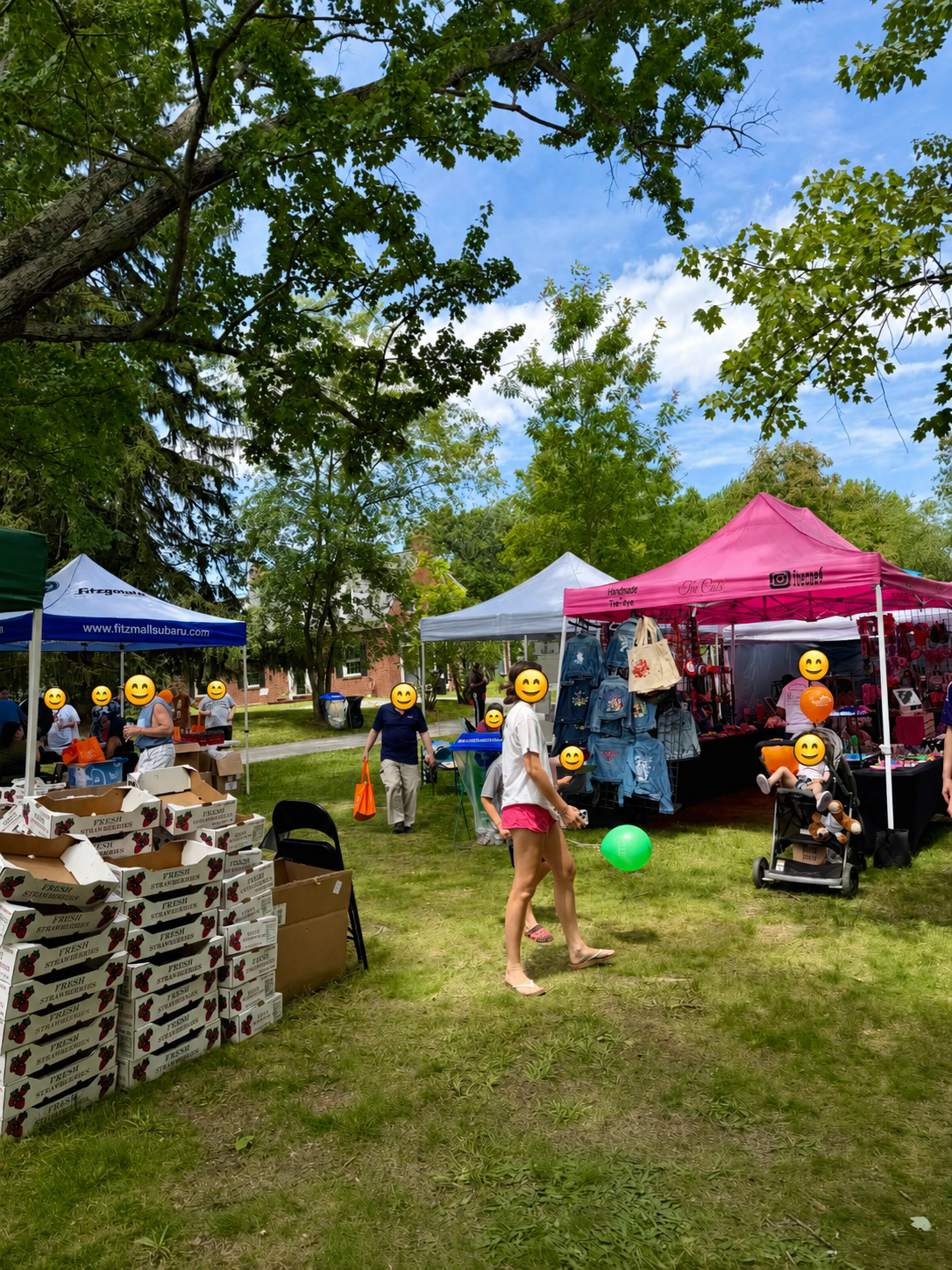
During holiday travel, taking photos at popular scenic spots is essential. If you travel during peak tourist season, you may encounter situations where there are crowds of people taking photos everywhere and it is impossible to get a clean background.
This article will introduce you to a practical online tool , Dr. Watermark , which is specially designed to help you remove unnecessary elements in your photos, such as pedestrians and other objects. By using Dr. Watermark , you can easily improve the background of your photos and make your travel photos more outstanding on social media.
Photography tips for tourist attractions
When taking photos at tourist attractions, facing many tourists and complex backgrounds, here are some tips that can help you take better photos:
- Get up early or come back late : choose to shoot before and after the opening of the scenic spot to avoid the peak period of tourists.
- High Angle Shooting : Use a tripod or selfie stick to shoot from a height to avoid crowds on the ground.
- Low angle shooting : try to shoot from a low point up, with the sky or the upper part of the building as the background, reduce the interference of the crowd.
- Use telephoto lens : Through the compression effect of the telephoto lens, the distant scenery can be zoomed in and the unwanted elements in the background can be reduced.
- Post-processing : Use image editing software or tools such as Dr. Watermark to remove unwanted elements from photos.
- Interactive shooting : use tourists as part of the photo, capture the interaction between people and attractions, and create a sense of story.
- Use light : Shoot during prime time (before and after sunrise and sunset) and use soft natural light to enhance the photo effect.
Introduction to Dr. Watermark
Dr. Watermark is an advanced AI-driven image processing tool designed to meet the needs of modern photographers and image editors. Its core functions include but are not limited to removing watermarks, pedestrians, and other unwanted elements from images, as well as quickly removing image backgrounds. Dr. Watermark’s AI technology can intelligently recognize and process images, ensuring that the natural and realistic feeling of the image is maintained when removing unwanted elements.
Key features and advantages include:
- AI intelligent recognition : Using the latest artificial intelligence algorithms, Dr. Watermark can accurately identify and remove interfering elements in photos.
- One-click operation : The user-friendly interface design makes it easy for even beginners to complete complex image editing tasks with one click.
- Efficient processing : Dr. Watermark ‘s AI engine processes images quickly and efficiently even in batches.
- High-quality output : After removing elements, Dr. Watermark can intelligently fill in the background to ensure that the image quality is not affected.
How to use Dr. Watermark to eliminate passersby
Quick steps to get started:
- Upload image : Select the image to be processed and upload it to Dr. Watermark with one click.
- Start processing : Smear the passersby or debris that needs to be removed, and Dr. Watermark will start automatically processing the image.
- Preview the result and download the image : After processing, preview the result to ensure that it meets your needs. If satisfied, you can download the processed image.
The following is a demonstration of the operation process of one-click elimination of passers-by. The operation steps of removing background , full-screen removing watermark , removing passers-by , and removing objects are the same. If you need to use other functions, please log in to the official website to view them.
Dr. Watermark, your travel photo editing tool
With Dr. Watermark , you only need to upload photos with unwanted backgrounds, and its AI technology will automatically analyze and identify excess elements in the photos. You can then choose to remove these elements, and Dr. Watermark will intelligently fill in the background to ensure the natural harmony of the photos. This process not only saves you time for manual editing, but also avoids the risk of affecting the quality of the photos due to improper editing.
Dr. Watermark ‘s convenience lies in its one-click operation and intuitive interface design, even users who are not familiar with image editing can quickly get started. It supports multiple image formats and can be used on different devices, whether it is on a laptop during the journey or on a personal computer after returning home, you can easily process photos.
In short, Dr. Watermark is a powerful assistant for your travel photos. It can not only help you remove cluttered backgrounds from your photos, but also make your travel photos more professional and eye-catching. Next time you press the shutter in a corner of the world, you don’t have to worry about background interference, because you know that with Dr. Watermark in hand, everything will become simple and perfect.
Pricing: Click here
Other questions: Please visit this page
Contact us: watermark.service@leeta.ai
Source of the article:https://watermark.phd/en/tutorial/102/remove-people-from-photos/
메타데이터
- post_id
- 2baee98fba37
- slug
- how-to-deal-with-crowds-in-travel-photos-tutorial-on-how-to-eliminate-passers-by-with-dr-watermark-2baee98fba37
- url
- https://medium.com/@watermarkphd/how-to-deal-with-crowds-in-travel-photos-tutorial-on-how-to-eliminate-passers-by-with-dr-watermark-2baee98fba37
- canonical_url
- https://medium.com/@watermarkphd/how-to-deal-with-crowds-in-travel-photos-tutorial-on-how-to-eliminate-passers-by-with-dr-watermark-2baee98fba37
- author_url
- https://medium.com/@watermarkphd
- status
- ok
- fetched_at
- 2026-08-30 21:57:22