A Developer’s Guide to DeDi APIs
The essential API reference for developers building on Decentralized Directory.
A Developer’s Guide to DeDi APIs
The essential API reference for developers building on Decentralized Directory.

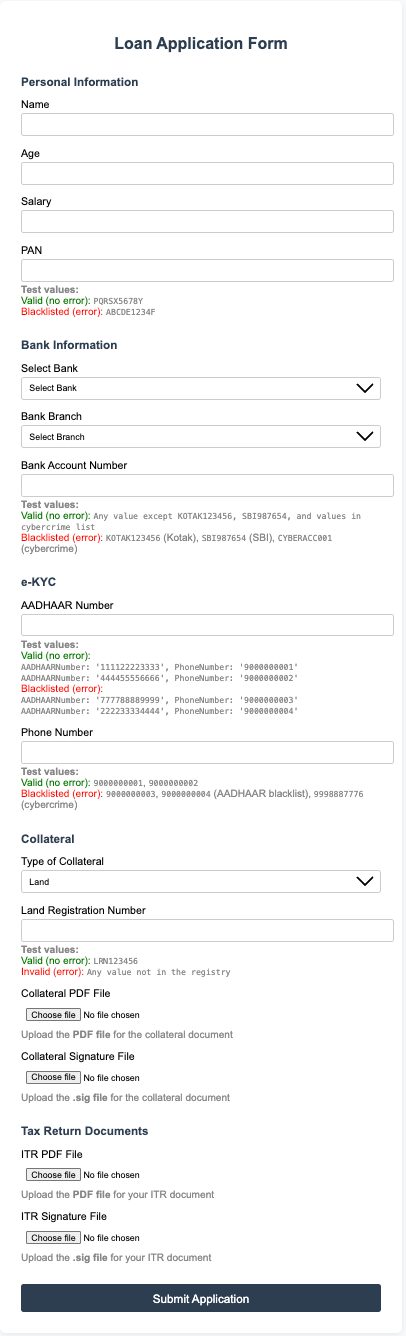
Greetings reader! In the previous article, we briefly went over what DeDi(i.e. ‘Decentralized Directory’) is and how a developer could use its APIs through a loan example. But if you were paying close attention, you might have realized that we did not actually use many different APIs. Here’s the list of the ones we did use:
- create-namespace
- create-registry
- save-record-as-draft
- publish-record
- registry query
But DeDi has a lot more to provide.
In this article, I will guide you through all the public APIs that DeDi provides, enabling you to start building on top of them.
Since this is only the second article on DeDi, I think it would be a good exercise to give you a refresher on the 3 pillars of DeDi:
- Namespace — A namespace in DeDi acts as a logical container or domain that groups related registries and records, ensuring data isolation and organization. It helps prevent naming collisions and allows for multi-tenant use. Example: A university creates a namespace called “college-abc” to manage all its students and degree data.
- Registry — A registry is a structured collection within a namespace that defines the schema and rules for a specific type of data, such as certificates or loans. It acts like a table in a database, holding multiple records of the same kind. Example: Within “college-abc”, a “degree-certificates” registry stores all issued degree records.
- Record —A record is an individual data entry in a registry, representing a single instance of the defined schema. Each record contains the actual data, such as a student’s degree details, and can be versioned or published. Example: A record in the “degree-certificates” registry contains Alice’s B.Sc. degree information.
Always remember this: Namespace > Registry > Record
What are the different kinds of APIs that DeDi provides? DeDi provides a wide range of APIs, but knowing all of them is not necessary for everyone. Since DeDi is currently in its early stages of development, there is much more that will be added to it. At Dhiway, we are actively planning several new capabilities as I write this, so the list of public APIs will continue to evolve.
To make them easier to understand, it’s useful to bifurcate the APIs:
- Authentication — These APIs handle identity and access, ensuring that only authorized users or systems can interact with DeDi. They manage login, token issuance, and verification, forming the security backbone for all other operations.
- Publish — These APIs create namespaces, registries, and records official and discoverable. They move data from draft to finalized state, ensuring visibility, integrity, and readiness for use across the network.
- Delegation — These APIs empower users to grant specific rights or permissions to others. This enables collaborative workflows, where responsibilities can be shared or transferred securely without losing control.
- Domain — These APIs help manage and verify ownership of namespaces using internet domains within DeDi. They are crucial for establishing trust anchors, linking digital identities to real-world organizations or entities.
- Update — These APIs let you modify existing namespaces, registries or records while preserving history. They ensure that changes are tracked, auditable, and compliant with governance rules, all using CORD.
- State Management — These APIs provide tools to manage the lifecycle and status of registries and records — such as draft, published, archived, or revoked— enabling robust workflows and compliance with business processes.
- Lookup — These APIs let you check the existence and metadata of namespaces, registries, or records — revealing key details without exposing their internal data. They provide a way to discover entities on the network, supporting transparency while preserving privacy.
- Query — These APIs let you explore the contents within namespaces and registries — returning lists of registries or records you’re permitted to see. They enable secure, permission-based discovery of data inside the network.
- Version — These APIs provide mechanisms to retrieve or compare different versions of a record. This supports traceability and a clear audit trail for every change.
- Search — These APIs enable powerful, flexible discovery of records and registries across namespaces. They help users find the data they need quickly, even in large, decentralized datasets.
- Watch — These APIs allow subscribing to real-time event streams from an entity in DeDi. They help users stay updated on changes being made to their desired entity. This allows 2 types of instant notifications: -> If you subscribe to a registry, you will be instantly notified when either a new record is added under it or an existing record gets updated. -> If you subscribe to a record, you will be instantly notified when it gets updated or if it goes through a state change.
NOTE: Watch APIs are currently in the beta stage.
The above overview must have given you a sense of what these APIs can do. The next logical step is to start taking a deep dive into each section and understand the individual APIs.
Prerequisite: Cookies Before we delve into the APIs, there is one prerequisite that you need to know: Cookies.
The way the DeDi APIs authenticate users is by a cookie, so it is necessary to pass them down to each endpoint that requires them. I will make sure to mention which API requires it.
Here are the steps to fetch the cookie:
- If you are a new user, call the register endpoint, and if you are already registered, call the login endpoint (these endpoints will be discussed inside the Authentication section). This will send a verification email to the address you provide.
- Open the mail in your inbox and click the verification link.
- Wait till the screen displays a green message saying ‘Email Verified’.
- Once it is done, open Developer Tools(Mac users can click ‘fn + F12’ and Windows users can click ‘Ctrl + Shift + F12’) and navigate to the ‘Application’ tab(if you do not see it, try finding ‘>>’ button and click it to expand the view).
- Under ‘Cookies’, find the website you are on and click it.
- There must be a cookie by the name ‘token’, pick its value. That is what we need.
Kudos on completing the prerequisite. (For anyone who did not know, this is how we fetch cookies)
NOTE: We plan to launch API keys soon, so that the hassle of fetching the cookie can be eliminated. Stay tuned!
NEW: Support for API keys in DeDi has been launched, which makes calling APIs much easier. All you need to do is register at ‘https://publish-dev.dedi.global’ and find the ‘Get API Key’ option under the profile section in the header. Make sure you store this API key securely, as it will not be displayed again. If someone gets their hands on your API key, they can authenticate DeDi transactions without you knowing. Questions about the safe storage of API keys always come up for services making use of them, so we have decided not to store them directly in our databases. Only the hash is being stored, so your API key is safe :) If you plan not to use the UI and go beast developer mode, there’s an endpoint to generate a new API key(if you generate more than a single API key, the older one will no longer be able to authenticate transactions). But remember, you’ll have to pass the cookie there. This is the endpoint:
=> Get API Key — • Path: {BASE_URL}/dedi/get-api-key • Method: GET • What it does: Generates a new API key for the user. • Cookie: Required • Success status code: 200 • Request body: None • Response body:
{
  "api_key": "Your API key"
}
How do you use your API key? This part is important for every endpoint that requires a cookie; we can now replace it with your API key. Instead of using the cookie, we’ll add the API key in the ‘Headers’ of the request. Set the key as ‘Authorization’ and its value as ‘Bearer <your-API-key>’. No more copy-pasting the long cookie!
Now that we have covered the introduction and the prerequisites, we are ready to get into the APIs.
(NOTE: here BASE_URL is ‘https://dev.dedi.global’)
Authentication:
- **Register — ** • Path: {BASE_URL}/dedi/register • Method: POST • What it does: Creates a new user account and sends a verification email to the provided address. • Cookie: Not required • Success status code: 201 • Request body:
{
  "email": "User's email address",
  "name": "User's display name",
  "action": "register"
}- Response body:
{
    "message": "Please verify you email"
}- NOTE: If you are calling the request API, the next step would be to click the verification link in the email.
- *Login — * • Path: {BASE_URL}/dedi/register • Method: POST • What it does: Authenticates the user and issues a session token as a cookie for subsequent requests. • Cookie: Not required in the request, but a ‘token’ cookie is set in the response upon successful login. • Success status code: 201 • Request body:
{
  "email": "User's email address",
  "action": "login"
}- Response body:
{
    "message": "Please verify you email"
}- NOTE: If you are calling the login API, the next logical step is to click the verification link in the email.
- Get current user — • Path: {BASE_URL}/dedi/auth/me • Method: GET • What it does: Fetches information about the currently authenticated user. • Cookie: Required (the ‘token’ cookie must be present) • Success status code: 200 • Request body: None • Response body:
{
  "access_token": "JWT access token for authentication",
  "id": "Unique user identifier",
  "email": "User's email address",
  "email_verified": true,
  "profile_id": "Unique CORD profile identifier"
}- Refresh token — • Path: {BASE_URL}/dedi/token/refresh • Method: POST • What it does: Generates a new access token for the user. • Cookie: Required • Success status code: 200 • NOTE: Find the refresh token in the ‘token’ cookie. • Request body:
{
  "refresh_token": "Refresh token for obtaining a new access token"
}- Response body:
{
  "message": "Token refreshed successfully",
  "data": {
    "access_token": "New JWT access token",
    "token_type": "Bearer",
    "expires_in": "Access token expiry time in seconds",
    "refresh_token": "New refresh token",
    "refresh_expires_in": "Refresh token expiry time in seconds"
  }
}- NOTE: If the access token hasn’t expired yet, this API will return the information regarding the current access token.
- Logout — • Path: {BASE_URL}/dedi/logout • Method: POST • What it does: Logs out the current user. • Cookie: Required • Success status code: 200 • Request body: None • Response body:
{
    "message": "Logged out successfully"
}
This marks the end of the authentication-related APIs. Let’s move to the next bifurcation: Publish APIs
Publish:
1) Create namespace — • Path: {BASE_URL}/dedi/create-namespace • Method: POST • What it does: Creates a new namespace, which acts as a logical container for registries and records. • Cookie: Required • Success status code: 201 • Request body:
{
  "namespace": "Name of the namespace",
  "description": "Description of the namespace",
  "version_count": "Initial verison fo the namespace", // Optional version count
  "meta": {} // Optional metadata object
}- Response body:
{
  "message": "Namespace created successfully",
  "data": {
    "namespace_id": "Unique identifier for the created namespace"
  }
}- NOTE: namespace_id is the unique identifier for the namespace.
- Create registry — • Path: {BASE_URL}/dedi/{namespace_id}/create-registry • Method: POST • What it does: Creates a new registry within a namespace, defining the schema for a type of record. • Cookie: Required • Success status code: 201 • Request body:
{
  "registry_name": "Name of the registry",
  "description": "Description of the registry",
  "schema": { /* JSON schema definition for records in this registry */ },
  "fields_to_anchor": "Array of keys to anchor on CORD", // Optional
  "meta": {} // Optional metadata object
}- Response body:
{
  "message": "Registry created",
  "data": {
    "registry_id": "Unique identifier for the created registry"
  }
}- NOTE: It is important to understand that by default, nothing from the schema will be anchored on CORD for the records that get created under this registry. If some keys and their values need to be anchored, they need to be added to ‘fields_to_anchor’. Once a registry is created with some fields in fields_to_anchor, the value for that key in each record that gets created will be anchored on CORD.
- Save record as draft — • Path: {BASE_URL}/dedi/{namespace_id}/{registry_name}/save-record-as-draft • Method: POST • What it does: Saves a new record as a draft in a registry, allowing further edits before publishing. • Cookie: Required • Success status code: 201 • Request body:
{
  "record_name": "Name of the record",
  "description": "Description of the record",
  "details": { /* JSON object following the registry schema */ },
  "valid_till": "Validity timestamp (ISO 8601)", // Optional
  "meta": {} // Optional metadata object
}- Response body:
{
    "message": "record saved as draft"
}- Publish record— • Path: {BASE_URL}/dedi/{namespace_id}/{registry_name}/{record_name}/publish-record • Method: POST • What it does: Publishes a draft record, making it live for consumers to use and anchors it on CORD. • Cookie: Required • Success status code: 200 • Request body: NONE • Response body:
{
    "message": "Record published"
}- Bulk upload — • Path: {BASE_URL}/dedi/bulk-upload • Method: POST • What it does: Takes in multiple files(CSV) and makes a registry for each file, adding all the entries inside the files as records to that registry. • Cookie: Required • Success status code: 200 • Request body: This API expects a multipart/form-data request body with keys: -> namespace: (Text) the ID of the namespace in which you wish to bulk upload. -> file: (File) CSV files you wish to bulk upload; you can send up to 1000 files. • Response body:
{
  "status": "success",
  "message": "Bulk upload job started successfully",
  "data": {
    "jobId": "Unique job identifier",
    "totalFiles": 0, // Total number of files in the job
    "statusCheckUrl": "URL to check the status of the job"
  }
}- NOTE: Use this API when there’s a need to create many records. You will have to organize them into CSV files. For each CSV file, a registry will be created and will be named as the name of the file. The first row of the file will be used to structure the schema for the registry, and the second row will be used to infer the types of each key in the schema. For each row other than the first row, a record will be created. Here’s a sample file which we could use in this API:
Sl.No,Year of Enrollment,Roll Number,School Name,Name
1,2008,23,DPS,Mudit Sarda
2,2008,15,DPS,Hridayam Desai
3,2008,32,DPS,Gauri Varshney
4,2008,34,DPS,Moksh Sarda
Here, the first row(i.e. Sl.No … Name) will be used to create the schema and 4 records will be created under that registry.
This is a powerful tool to have in your arsenal when you work with large datasets. I hope you understood this.
- Get job status — • Path: {BASE_URL}/dedi/bulk-upload/status/{JobID} • Method: GET • What it does: Retrieves the status of a bulk upload job. • Cookie: Required • Success status code: 200 • Request body:
{
  "jobId": "Unique job identifier"
}
(You can fetch the ID of a bulk upload job from the ‘bulk-upload’ response.) • Response body:
{
  "status": "success",
  "message": "Job status retrieved successfully",
  "data": {
    "jobId": "Unique job identifier",
    "status": "Job status (e.g., 'completed', 'in_progress', 'failed', 'cancelled')",
    "progress": 100, // Percentage of completion
    "totalFiles": 0, // Total number of files in the job
    "processedFiles": 0, // Number of files processed so far
    "failedFiles": 0, // Number of files that failed
    "createdAt": "Job creation timestamp (ISO 8601)",
    "updatedAt": "Last update timestamp (ISO 8601)",
    "error": null, // Error message if any, otherwise null
    "results": [
      {
        "status": "Status of the file (e.g., 'success', 'failed')",
        "fileName": "Name of the file",
        "registryId": "Registry ID associated with the file",
        "namespaceId": "Namespace ID associated with the file",
        "entriesCount": 0 // Number of entries processed in the file
      }
    ],
    "namespace": "Namespace ID for the job"
  }
}- Cancel job — • Path: {BASE_URL}/dedi/bulk-upload/cancel/{JobID} • Method: POST • What it does: Cancels an ongoing bulk upload job. • Cookie: Required • Success status code: 200 • Request body:
{
  "jobId": "Unique job identifier"
}- Response body:
{
  "status": "success",
  "message": "Job cancelled successfully",
  "data": {
    "jobId": "Unique job identifier",
    "status": "cancelled"
  }
}- Get user jobs — • Path: {BASE_URL}/dedi/bulk-upload/jobs • Method: GET • What it does: Retrieves the list of bulk upload jobs initiated by the current user. • Cookie: Required • Success status code: 200 • Request body: None • Response body:
{
  "status": "success",
  "message": "Jobs retrieved successfully",
  "data": {
    "jobs": [
      {
        "jobId": "Unique job identifier",
        "status": "Job status (e.g., 'completed', 'in_progress', 'failed', 'cancelled')",
        "progress": 100, // Percentage of completion
        "totalFiles": 0, // Total number of files in the job
        "processedFiles": 0, // Number of files processed so far
        "failedFiles": 0, // Number of files that failed
        "createdAt": "Job creation timestamp (ISO 8601)",
        "updatedAt": "Last update timestamp (ISO 8601)",
        "namespace": "Namespace ID for the job",
        "error": "Error message if any, otherwise null"
      }
      // ...more jobs
    ],
    "pagination": {
      "page": 1, // Current page number
      "limit": 10, // Number of jobs per page
      "total": 2, // Total number of jobs
      "pages": 1 // Total number of pages
    }
  }
}
With this, we bring an end to the publish-related APIs. Kudos, you are doing well! Next, we will look into the delegation APIs.
Delegation
- Add registry delegate — • Path: {BASE_URL}/dedi/{namespace_id}/{registry_name}/add-delegate • Method: POST • What it does: Adds a user as a delegate to a registry; only the admin can do this. Delegates can create records, manage their state, and update the registry. • Cookie: Required • Success status code: 200 • Request body:
{
  "email": "User's email address"
}- Response body:
{
    "message": "Delegate added successfully"
}- NOTE: There is no concept of namespace delegate or record delegate in DeDi.
Next up, we have Domain APIs; this is necessary to understand, as it allows institutions and organisations to attach their namespaces to their owned domains. This helps increase trust, as domain-verified namespaces are the ones that customers would naturally incline towards.
Domain
- Generate domain TXT — • Path: {BASE_URL}/dedi/generate-dns-txt/{namespace_id}/{domain} • Method: GET • What it does: Generates a unique DNS TXT record for a given namespace and domain, which is used to prove domain ownership. If the TXT record already exists for the namespace and domain, it returns the existing value. • Cookie: Required • Success status code: 200 • Request body: None • Response body:
{
  "message": "Generated domain's DNS TXT record",
  "txt": "TXT record"
}- NOTE: The domain must be present in the global registry and not already in use by another namespace. If you wish to add your domain to the global registry, make sure to reach out to someone from Dhiway.
- Verify domain — • Path: {BASE_URL}/dedi/verify-domain • Method: POST • What it does: Checks if the required DNS TXT record is present on the domain for the given namespace. If found, it marks the namespace as verified. • Cookie: Required (token) • Success status code: 200 • Request body:
{
  "namespace_id": "Unique identifier for the namespace"
}- Response body:
{
  "message": "Verification Successful"
}- Check verification status — • Path: {BASE_URL}/dedi/check-verification/{namespace_id} • Method: GET • What it does: Returns whether the namespace’s domain has been verified, i.e. whether the namespace has been claimed. • Cookie: Not required • Success status code: 200 • Request body: None • Response body:
{
  "verified": true,
  "domain": "Domain linked to the namespace"
}
These are the 3 domain-specific endpoints.
As we have covered how to create different entities in DeDi, now, we will look into how to update them.
Update
- Update namespace — • Path: {BASE_URL}/dedi/{namespace_id}/update-namespace • Method: POST • What it does: Updates the details (name, description, meta, or TTL) of an existing namespace and creates a new version entry for the namespace. • Cookie: Required (token) • Success status code: 200 • Request body:
{
  "name": "New namespace name (optional)",
  "description": "Updated description (optional)",
  "meta": { "key": "value" }, // Optional metadata object
  "ttl": 3600 // Optional, time-to-live in seconds
}- Response body:
{
  "message": "namespace updated",
  "data": {
    "digest": "New digest representing the updated namespace"
  }
}- NOTE: At least one updatable field (name, description, meta, or ttl) must be provided. Each update creates a new version for auditability.
- Update registry — • Path: {BASE_URL}/dedi/{namespace_id}/{registry_name}/update-registry • Method: POST • What it does: Updates the details (description, meta, query_allowed, or TTL) of a registry within a namespace, creating a new version entry for the registry. • Cookie: Required (token) • Success status code: 200 • Request body:
{
  "description": "Updated registry description (optional)",
  "meta": { "key": "value" }, // Optional metadata object
  "query_allowed": true, // Optional, whether querying is allowed
  "ttl": 3600 // Optional, time-to-live in seconds
}- Response body:
{
  "message": "Registry updated",
  "data": {
    "digest": "New digest representing the updated registry"
  }
}- NOTE: Each update creates a new version for the registry.
- Update record — • Path: {BASE_URL}/dedi/{namespace_id}/{registry_name}/{record-name}/update-record • Method: POST • What it does: Updates the details (description, details, meta, valid_till, or TTL) of a record within a registry, creating a new version entry for the record. • Cookie: Required (token) • Success status code: 200 • Request body:
{
  "description": "Updated record description (optional)",
  "details": { "field": "new value" }, // Optional, updated record data
  "meta": { "key": "value" }, // Optional metadata object
  "valid_till": "2025-12-31T23:59:59Z", // Optional, ISO date string for expiry
  "ttl": 3600 // Optional, time-to-live in seconds
}- Response body:
{
  "message": "Record updated",
  "data": {
    "digest": "New digest representing the updated record"
  }
}- NOTE: Only records in the “live” state can be updated.
The next set of APIs is responsible for maintaining the state of registries and records; these are the state management APIs.
State management
Before we begin the state management APIs, it is necessary to have a mental map of state transitions. For registries, the states are: -> Active: Fully operational with complete read-write capabilities and public visibility. -> Revoked: Temporarily suspended, read-only state that can be reinstated to active. -> Archived: Long-term storage state for inactive registries, read-only but restorable. This is how the state transition map looks:
      [Active]
        ^   ^
       /     \
      v       v
 [Revoked]  [Archived]
For records, the states are: -> Draft: Unpublished records supporting direct edits, invisible in public listings. -> Live: Published, blockchain-committed records with public visibility and versioned updates. -> Suspended: Temporarily deactivated but restorable, hidden from default views. -> Revoked: Permanently deactivated terminal state, read-only for audit purposes. -> Expired: Automatic deactivation when the validity period ends, terminal read-only state. This is how the state transition map looks:
   +------------------------------+
   |                              |
   v                              v
[draft] <----> [live] <----> [suspended]
   |              |               |
   v              v               v
[revoked]      [revoked]      [revoked]
   |              |               |
[expired] [expired] [expired]- Revoke registry — • Path: {BASE_URL}/dedi/{namespace_id}/{registry_name}/revoke-registry • Method: POST • What it does: Marks a registry as revoked, making it inactive and preventing further operations on it. • Cookie: Required (token) • Success status code: 200 • Request body: None • Response body:
{
    "message": "Regsitry has been revoked"
}
• NOTE: Revoked registries cannot be updated or used for new records.
- Reinstate registry — • Path: {BASE_URL}/dedi/{namespace_id}/{registry_name}/reinstate-registry • Method: POST • What it does: Reinstates a previously revoked registry, making it active again. • Cookie: Required (token) • Success status code: 200 • Request body: None • Response body:
{
    "message": "Registry has been reinstated"
}- Archive registry — • Path: {BASE_URL}/dedi/{namespace_id}/{registry_name}/archive-registry • Method: POST • What it does: Archives a registry, making it read-only and hiding it from active queries. • Cookie: Required (token) • Success status code: 200 • Request body: None • Response body:
{
    "message": "Registry has been archived"
}- NOTE: Archived registries cannot be updated or used for new records, but their data remains accessible for audit.
- Restore registry — • Path: {BASE_URL}/dedi/{namespace_id}/{registry_name}/restore-registry • Method: POST • What it does: Restores an archived registry, making it active and writable again. • Cookie: Required (token) • Success status code: 200 • Request body: None • Response body:
{
    "message": "Registry has been restored"
}- Suspend record — • Path: {BASE_URL}/dedi/{namespace_id}/{registry_name}/{record_name}/suspend-record • Method: POST • What it does: Suspends a record, temporarily disabling its use without fully revoking it. • Cookie: Required (token) • Success status code: 200 • Request body: None • Response body:
{
    "message": "Record has been suspended"
}- Reinstate record — • Path: {BASE_URL}/dedi/{namespace_id}/{registry_name}/{record_name}/reinstate-record • Method: POST • What it does: Reinstates a suspended record, making it live again. • Cookie: Required (token) • Success status code: 200 • Request body: None • Response body:
{
    "message": "Record has been reinstated"
}- Revoke record — • Path: {BASE_URL}/dedi/{namespace_id}/{registry_name}/{record_name}/revoke-record • Method: POST • What it does: Revokes a record, marking it as invalid and preventing further use. • Cookie: Required (token) • Success status code: 200 • Request body: None • Response body:
{
    "message": "Record has been revoked"
}- Change record state — • Path: {BASE_URL}/dedi/{namespace_id}/{registry_name}/{record_name}/change-record-state • Method: POST • What it does: Changes the state of a record to a specified value (e.g., live, suspended, revoked, etc.). • Cookie: Required (token) • Success status code: 200 • Request body:
{
  "state": "live" // or "suspended", "revoked", etc.
}- Response body:
{
    "message": "State change successful"
}
The record transitions to the ‘expired’ state automatically; no manual intervention is required there. It does so when its ‘valid_till’ timestamp is passed.
Phew! This was a long list. We don’t have many more to cover.
Next bifurcation to look into contains the Lookup APIs; they allow the caller to get the metadata of any entity(i.e. namespace, registry and record). They would not give information about the entities inside it; hence namespace lookup API will not give information about the registries inside it, it returns only the namespace metadata.
Lookup
- Namespace lookup — • Path: {BASE_URL}/dedi/lookup/{namespace_id} • Method: GET • What it does: Fetches metadata and details about a specific namespace, such as its name, description, version, and status. Does not reveal internal registries or records. • Cookie: Not required • Success status code: 200 • Optional query parameter: -> “version_id” (string) — Fetch a specific version of the namespace. -> “as_on” (ISO date string) — Fetch the namespace as it existed at a specific point in time. • Request body: None • Response body:
{
  "message": "Namespace details retrieved successfully",
  "data": {
    "name": "The name of the namespace",
    "namespace_id": "Unique identifier for the namespace",
    "digest": "Hash representing the namespace's content",
    "description": "Description of the namespace",
    "created_by": "ID of the creator",
    "genesis": "Original creation timestamp (ISO 8601)",
    "created_at": "Database row creation timestamp (ISO 8601)",
    "updated_at": "Last update timestamp (ISO 8601)",
    "version_count": "Number of versions for this namespace",
    "version": "Current version identifier",
    "meta": "Additional metadata (object)",
    "registry_count": "Number of registries in this namespace",
    "ttl": "Time-to-live for the namespace (in seconds)",
    "domain": "Associated domain, if any",
    "is_verified": "Whether the namespace is domain-verified"
  }
}- Registry lookup — • Path: {BASE_URL}/dedi/lookup/{namespace_id}/{registry_name} • Method: GET • What it does: Fetches metadata and details about a specific registry within a namespace, such as its schema, description, version, and status. Does not reveal internal records. • Cookie: Not required • Success status code: 200 • Optional query parameter: -> “version_id” (string) — Fetch a specific version of the registry. -> “as_on” (ISO date string) — Fetch the registry as it existed at a specific point in time. • Request body: None • Response body:
{
  "message": "Resource retrieved successfully",
  "data": {
    "namespace": "Name of the parent namespace",
    "namespace_id": "Unique identifier for the namespace",
    "registry_id": "Unique identifier for the registry",
    "registry_name": "The name of the registry",
    "digest": "Hash representing the registry's content",
    "description": "Description of the registry",
    "created_by": "ID of the creator",
    "schema": { /* JSON schema definition */ },
    "genesis": "Original creation timestamp (ISO 8601)",
    "created_at": "Database row creation timestamp (ISO 8601)",
    "updated_at": "Last update timestamp (ISO 8601)",
    "meta": "Additional metadata (object)",
    "record_count": "Number of records in this registry",
    "version_count": "Number of versions for this registry",
    "version": "Current version identifier",
    "query_allowed": "Whether querying is enabled for this registry",
    "is_revoked": "Whether the registry is revoked",
    "is_archived": "Whether the registry is archived",
    "ttl": "Time-to-live for the registry (in seconds)"
  }
}- Record lookup — • Path: {BASE_URL}/dedi/lookup/{namespace_id}/{registry_name}/{record_name} • Method: GET • What it does: Fetches metadata and details about a specific record within a registry, such as its description, details, version, state, and timestamps. • Cookie: Not required • Success status code: 200 • Optional query parameter: -> “version_id” (string) — Fetch a specific version of the record. -> “as_on” (ISO date string) — Fetch the record as it existed at a specific point in time. • Request body: None • Response body:
{
  "message": "Resource retrieved successfully",
  "data": {
    "namespace": "Name of the parent namespace",
    "namespace_id": "Unique identifier for the namespace",
    "registry_id": "Unique identifier for the registry",
    "registry_name": "Name of the parent registry",
    "record_id": "Unique identifier for the record",
    "record_name": "The name of the record",
    "description": "Description of the record",
    "digest": "Hash representing the record's content",
    "schema": { /* JSON schema definition */ },
    "version_count": "Number of versions for this record",
    "version": "Current version identifier",
    "details": "Actual data stored in the record",
    "meta": "Additional metadata (object)",
    "genesis": "Original creation timestamp (ISO 8601)",
    "created_at": "Database row creation timestamp (ISO 8601)",
    "updated_at": "Last update timestamp (ISO 8601)",
    "created_by": "ID of the creator",
    "state": "Current state of the record (e.g., live, suspended)",
    "ttl": "Time-to-live for the record (in seconds)"
  }
}
This was about how we could get the information about an entity, but what if you want to know what registries are inside a namespace or what records are inside a registry? This is where the next bifurcation, Query APIs, comes in handy.
Query
- Namespace query — • Path: {BASE_URL}/dedi/query/{namespace_id} • Method: GET • What it does: Returns a list of registries within the specified namespace, filtered and paginated according to optional query parameters. • Cookie: Not required • Success status code: 200 • Optional query parameter: -> “from” (ISO date string) — Start date for filtering registries by creation time. -> “to” (ISO date string) — End date for filtering registries by creation time. -> “status” (string) — Filter by registry status (e.g., “active”, “revoked”, “archived”). -> “name” (string) — Filter by registry name (partial match). -> “sort” (string) — Sort order, e.g., “asc” or “desc”. -> “page” (number) — Page number for pagination. -> “page_size” (number) — Number of registries per page. -> “as_on” (ISO date string) — Get registries as they existed at a specific time. • Request body: None • Response body:
{
  "message": "Resource retrieved successfully",
  "data": {
    "namespace_id": "Unique identifier for the namespace",
    "namespace_name": "Name of the namespace",
    "created_by": "ID of the creator",
    "created_at": "Namespace creation timestamp (ISO 8601)",
    "updated_at": "Last update timestamp (ISO 8601)",
    "total_registries": "Total number of registries in this namespace",
    "registries": [
      {
        "id": "Unique database row ID for the registry",
        "namespace_id": "Namespace identifier",
        "registry_id": "Unique identifier for the registry",
        "registry_name": "Name of the registry",
        "description": "Description of the registry",
        "created_by": "ID of the creator",
        "schema": { /* JSON schema definition */ },
        "digest": "Hash representing the registry's content",
        "genesis": "Original creation timestamp (ISO 8601)",
        "created_at": "Registry creation timestamp (ISO 8601)",
        "updated_at": "Last update timestamp (ISO 8601)",
        "valid_till": "Expiration date, if any",
        "latest": "Whether this is the latest version (true/false)",
        "record_count": "Number of records in this registry",
        "version_count": "Number of versions for this registry",
        "version": "Current version identifier",
        "query_allowed": "Whether querying is enabled for this registry",
        "is_revoked": "Whether the registry is revoked",
        "is_archived": "Whether the registry is archived",
        "ttl": "Time-to-live for the registry (in seconds)",
        "meta": "Additional metadata (object)"
      }
      // ...more registries
    ]
  }
}- Registry query — • Path: {BASE_URL}/dedi/query/{namespace_id}/{registry_name} • Method: GET • What it does: Returns a list of records within the specified registry, filtered and paginated according to optional query parameters. • Cookie: Not required • Success status code: 200 • Optional query parameter: -> “from” (ISO date string) — Start date for filtering records by creation time. -> “to” (ISO date string) — End date for filtering records by creation time. -> “status” (string) — Filter by record state (e.g., “live”, “suspended”, “revoked”). -> “name” (string) — Filter by record name (partial match). -> “sort” (string) — Sort order, e.g., “asc” or “desc”. -> “page” (number) — Page number for pagination. -> “page_size” (number) — Number of records per page. -> “as_on” (ISO date string) — Get records as they existed at a specific time. • Request body: None • Response body:
{
  "message": "Resource retrieved successfully",
  "data": {
    "namespace_id": "Unique identifier for the namespace",
    "namespace_name": "Name of the namespace",
    "registry_name": "Name of the registry",
    "registry_id": "Unique identifier for the registry",
    "schema": { /* JSON schema definition for the registry */ },
    "meta": "Additional metadata (object)",
    "created_by": "ID of the creator",
    "created_at": "Registry creation timestamp (ISO 8601)",
    "updated_at": "Last update timestamp (ISO 8601)",
    "total_records": "Total number of records in this registry",
    "records": [
      {
        "details": "Actual data stored in the record",
        "id": "Unique database row ID for the record",
        "digest": "Hash representing the record's content",
        "record_name": "Name of the record",
        "record_id": "Unique identifier for the record",
        "description": "Description of the record",
        "genesis": "Original creation timestamp (ISO 8601)",
        "created_at": "Record creation timestamp (ISO 8601)",
        "updated_at": "Last update timestamp (ISO 8601)",
        "valid_till": "Expiration date, if any",
        "latest": "Whether this is the latest version (true/false)",
        "created_by": "ID of the creator",
        "version_count": "Number of versions for this record",
        "version": "Current version identifier",
        "ttl": "Time-to-live for the record (in seconds)",
        "stringified_blob": "Serialized record data (if any)",
        "meta": "Additional metadata (object)",
        "state": "Current state of the record (e.g., live, suspended)"
      }
      // ...more records
    ]
  }
}NOTE: There is nothing like ‘record query’, as record is the most fundamental block of DeDi. It can not be broken down into anything.
One interesting fact about DeDi is that it allows you to look at all the changes that have ever happened to an entity. Maybe a customer used a state of record that, since then, has been updated multiple times. In the traditional world, it is next to impossible to track down the updates, but with the next bifurcation, Version APIs, it becomes possible for you to prove that you used the correct record as of that date.
Version
- Namespace version list — • Path: {BASE_URL}/dedi/versions/{namespace_id} • Method: GET • What it does: Returns a list of all historical versions for the specified namespace, including metadata for each version. • Cookie: Not required • Success status code: 200 • Request body: None • Response body:
{
    "message": "Resource retrieved successfully",
    "data": {
        "created_by": "ID of the creator",
        "created_at": "Registry creation timestamp (ISO 8601)",
        "updated_at": "Last update timestamp (ISO 8601)",
        "total_versions": ,
        "versions": [
            "Unique version identifier",
            // ...more versions
        ],
        "ttl": 600
    }
}- Registry version list — • Path: {BASE_URL}/dedi/versions/{namespace_id}/{registry_name} • Method: GET • What it does: Returns a list of all historical versions for the specified registry, including metadata for each version. • Cookie: Not required • Success status code: 200 • Request body: None • Response body:
{
    "message": "Resource retrieved successfully",
    "data": {
        "registry_name": "Name of the registry",
        "created_by": "ID of the creator",
        "schema": { /* JSON schema definition for the registry */ },
        "created_at": "Registry creation timestamp (ISO 8601)",
        "updated_at": "Last update timestamp (ISO 8601)",
        "total_versions": ,
        "versions": [
            "Unique version identifier",
            // ...more versions
        ],
        "ttl": 600
    }
}- Record version list — • Path: {BASE_URL}/dedi/versions/{namespace_id}/{registry_name}/{record_name} • Method: GET • What it does: Returns a list of all historical versions for the specified record, including metadata and details for each version. • Cookie: Not required • Success status code: 200 • Request body: None • Response body:
{
    "message": "Resource retrieved successfully",
    "data": {
        "created_by": "ID of the creator",
        "schema": { /* JSON schema definition for the registry */ },
        "created_at": "Registry creation timestamp (ISO 8601)",
        "updated_at": "Last update timestamp (ISO 8601)",
        "total_versions": 2,
        "versions": [
            "Unique version identifier",
            // ...more versions
        ],
        "ttl": 3600
    }
}
So you have a way to know how many times the entity has been updated to date, but how do we fetch the state of that entity for a particular version? The answer is the Lookup API. If you look closely, all three Lookup APIs support a query parameter called ‘version_id’. This is where you can plug the version you want information for. This enables auditability and transparency.
The last bifurcation to look into is the search API.
Search
- Search record — • Path: {BASE_URL}/dedi/search/{namespace_id} • Method: GET • What it does: Performs a flexible search across all records in the specified namespace, allowing you to filter by any field present in the record data. This is useful for advanced queries and data discovery. • NOTE: Any field present in the record’s detail field, can be used as a filter parameter. The fields should be dot-separated. For instance, if this is the schema of the registry:
{
  "$id": "https://dedi.global/membership.json",
  "$schema": "http://json-schema.org/draft-07/schema#",
  "description": "",
  "type": "object",
  "properties": {
    "profile": {
      "type": "object",
      "properties": {
        "contact": {
          "type": "object",
          "properties": {
            "email": { "type": "string", "format": "email" }
          },
          "required": ["email"]
        }
      },
      "required": ["contact"]
    }
  },
  "required": ["profile"]
}
And this is one of the records that gets created:
{
  "profile": {
    "contact": {
      "email": "user@example.com"
    }
  }
}
Then, if the user wishes to search this record(provided we know the namespace ID), he will have to hit “{BASE_URL}/dedi/search/{namespace_id}?profile.contact.email=user@example.com”.
• Cookie: Not required • Success status code: 200 • Request body: None • Response body:
{
  "message": "Search results",
  "data": [
    {
      "details": { /* Record details as per schema*/ },
      "id": "Unique record UUID",
      "digest": "Unique digest for the record",
      "namespace_id": "ID of the namespace",
      "registry_name": "Name of the registry",
      "registry_id": "ID of the registry",
      "record_name": "Name of the record",
      "record_id": "ID of the record",
      "description": "Description of the record",
      "genesis": "Logical creation timestamp (ISO 8601)",
      "created_at": "Database creation timestamp (ISO 8601)",
      "updated_at": "Last update timestamp (ISO 8601)",
      "valid_till": "Expiry timestamp (ISO 8601) or null",
      "latest": true,
      "created_by": "ID of the creator",
      "version_count": "Total number of versions",
      "version": "Unique version identifier",
      "ttl": "Time-to-live in seconds",
      "stringified_blob": "Stringified record data or null",
      "meta": { /* Optional metadata */ },
      "state": "Current state of the record (e.g., 'live', 'draft')"
    }
    // ...more records
  ]
}
Keep in mind that this API currently is a full search. Hence, you need to know the exact value you are searching for. We will be changing it to a partial search really soon!
Watch
1)Subscribe — • Path: {BASE_URL}/dedi/subscribe • Method: POST • What it does: Subscribes an authenticated user to watch changes on a registry, record, or registry tag until a specified date, enabling real-time notifications for updates or events in DeDi. • Cookie: Required • Success status code: 201 • Request body:
{
  "namespace": "Unique identifier for the namespace",
  "registry_name": "Name of the registry",
  "record_name": "Name of the record", // optional if watch is on registry
  "valid_till": "Valid ISO 8601 date-time string" // eg. "2025-12-31T23:59:59Z"
}- Response body:
{
  "message": "Successfully subscribed to watch",
  "data": {
    "namespace_id": "Unique identifier for the namespace",
    "registry_name": "Name of the registry",
    "record_name": "Name of the record or undefined",
    "valid_till": "Valid ISO 8601 date-time string",
    "name": "Name of the user who set the watch",
    "email": "Email of the user who set the watch",
    "type": "RECORD or REGISTRY"
  }
}- Unsubscribe — • Path: {BASE_URL}/dedi/unsubscribe • Method: POST • What it does: Removes a user’s active watch subscription for registry or record updates, ensuring they no longer receive notifications for changes associated with the specified watch ID. • Cookie: Required • Success status code: 200 • Request body:
{
  "id": "Unique ID of the watch bein unsubscribed"
}- Response body:
{
  "message": "Successfully unsubscribed",
  "data": {
    "namespace_id": "Unique identifier for the namespace",
    "registry_name": "Name of the registry",
    "record_name": "Name of the record or undefined",
    "valid_till": "Valid ISO 8601 date-time string",
    "name": "Name of the user who set the watch",
    "email": "Email of the user who set the watch",
    "type": "RECORD or REGISTRY"
  }
}- Get subscription by user — • Path: {BASE_URL}/dedi/subscriptions • Method: GET • What it does: Gets all subscriptions for a user. • Cookie: Not required • Success status code: 200 • Request body:
{
  "message": "Successfully retrieved subscriptions",
  "data": [
    {
      "namespace_id": "Unique identifier for the namespace",
      "registry_name": "Name of the registry",
      "record_name": "Name of the record or undefined",
      "valid_till": "Valid ISO 8601 date-time string",
      "name": "Name of the user who set the watch",
      "email": "Email of the user who set the watch",
      "type": "RECORD or REGISTRY"
    },
    ...
  ]
}
Voila! Good job staying with us till the last.
This brings an end to the public APIs that DeDi currently supports. DeDi is a product in development and is in its nascent stage, hence the APIs would keep changing. That is why we would keep the blogs updated with the latest changes to the APIs or when a new feature drops. Make sure to stay updated.
I am confident that after going through all the APIs, you would now have gotten a much better idea of how you could integrate DeDi into your current solutions. DeDi provides you with ‘continuous data assurance’, let that be your new definition of it. You can stay assured that if you are using the data from a trusted source from DeDi, you will always be getting a near-real-time data stream. This is a breakthrough.
In the next article, I will paint a picture of a world where DeDi is used as the trusted data exchange infrastructure. I hope to get some budding entrepreneurs or policy makers excited about a DeDi-powered world.
In case you wish to know more about DeDi, make sure to reach out to the Dhiway team. We look forward to helping you.
See you next time, until then, keep learning 😎
메타데이터
- post_id
- 2be7474ae900
- slug
- a-developers-guide-to-dedi-apis-2be7474ae900
- url
- https://medium.com/@muditsarda23/a-developers-guide-to-dedi-apis-2be7474ae900
- canonical_url
- https://medium.com/@muditsarda23/a-developers-guide-to-dedi-apis-2be7474ae900
- author_url
- https://medium.com/@muditsarda23
- status
- ok
- fetched_at
- 2026-07-10 12:09:34