How to Identify Your CNC CRT Model Number in 30 Seconds
One thing we’ve learned from hundreds of customer inquiries: most CNC machine owners don’t know their CRT model number — and that’s the…
How to Identify Your CNC CRT Model Number in 30 Seconds
One thing we’ve learned from hundreds of customer inquiries: most CNC machine owners don’t know their CRT model number — and that’s the single most important piece of information for finding a replacement.
Here’s a quick guide:
Where to look: The label is almost always on the back or side of the CRT housing. It’s a white or silver sticker with a barcode.
What you’re looking for by brand:
🔹 FANUC → Model starts with A61L-0001-xxxx (e.g., A61L-0001–0093, A61L-0001–0096) If the label says Toshiba or Totoku, look for D9MM-11A or D14CM-01A
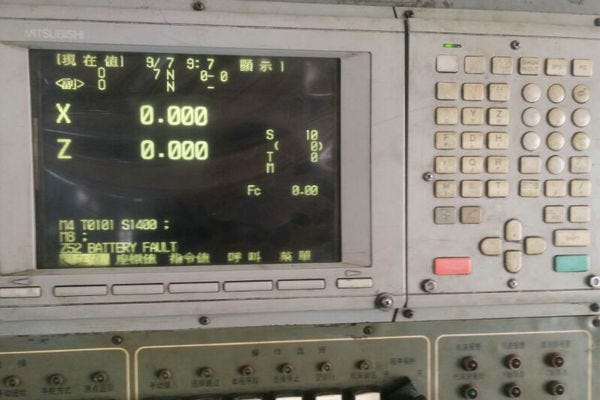
🔹 Mitsubishi → MDT962B, BM09DF, MDT1283B 🔹 Siemens → 6FC3988, 6FC5103, SM0901 (usually on SINUMERIK 840D) 🔹 Mazak → CD1472-D1M, C5470NS 🔹 Okuma → OSP 5000 or OSP 5020 CRT 🔹 Haas → VF Series 9" or 12" CRT
If the label is missing: Take a photo of the CRT’s connector. Count the pins. Measure the screen diagonally.
9" screen with 20-pin round connector → Likely FANUC A61L-0093 14" screen with 20-pin round connector → Likely FANUC A61L-0094/0096 25-pin D-sub connector → Likely Siemens 9-pin D-sub → Likely Haas or older Fadal Take both photos (label + connector) and it usually takes us under 5 minutes to identify the correct replacement.
We publish a 57-model compatibility matrix at cncdisplay.com — if your model is on there, the replacement is plug-and-play.
메타데이터
- post_id
- 2c1ca95ad7b7
- slug
- how-to-identify-your-cnc-crt-model-number-in-30-seconds-2c1ca95ad7b7
- url
- https://medium.com/@szkongto/how-to-identify-your-cnc-crt-model-number-in-30-seconds-2c1ca95ad7b7
- canonical_url
- https://medium.com/@szkongto/how-to-identify-your-cnc-crt-model-number-in-30-seconds-2c1ca95ad7b7
- author_url
- https://medium.com/@szkongto
- status
- ok
- fetched_at
- 2026-07-09 20:10:33