Beyond the Browser: The Journey from a Frontend Developer to a Web Engineer
From UI to infrastructure — learn how frontend engineers evolve into true web engineers by owning the full system behind the browser.
Beyond the Browser: The Journey from a Frontend Developer to a Web Engineer
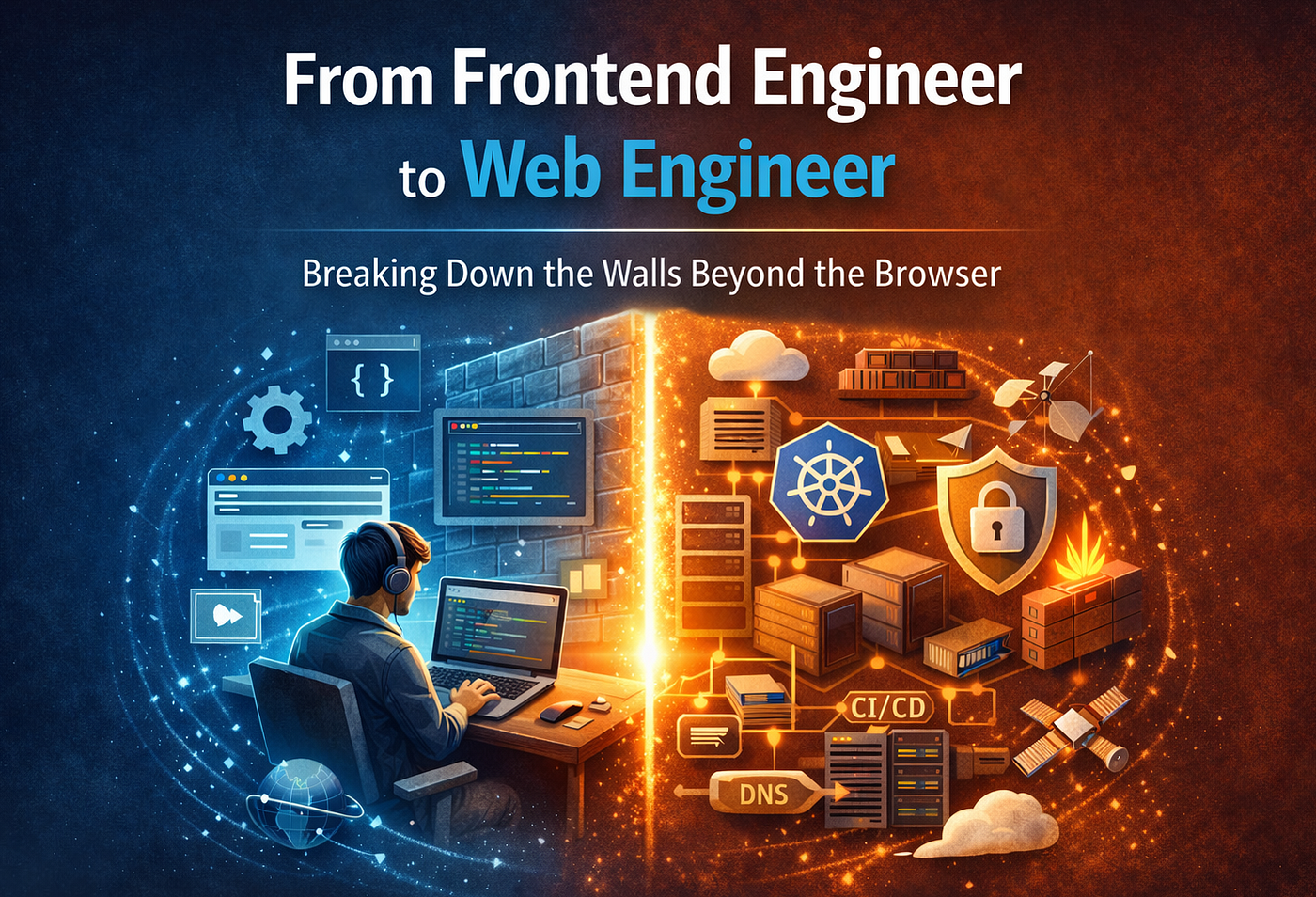
For many of us, there is a comfortable, invisible wall built right at the edge of the browser window. Inside that wall is our world: we are the artisans of pixels, the masters of state management, and the architects of design systems. We spend years perfecting the “how” of building interfaces — crafting SDKs and optimising component libraries until they are flawless. We call ourselves experts, but often, we are only experts of the view layer.
The reality we have to face is that building an application is only half the job.
For a long time, I stayed within those lines too. As a frontend engineer at GoTo, my focus was squarely on the frontend ecosystem. But recently, a massive organisational cloud migration pulled the curtain back for me. Being thrown into the world of cloud infrastructure forced me to realise something uncomfortable: being a frontend engineer doesn’t automatically make us Web Engineers.
The web is a vast, interconnected machine. Our journey toward becoming true Web Engineers begins the day we stop looking at our applications in isolation and start looking at the entire system. From the initial design to development, and then through the complex maze of deployment and long-term maintenance — every stage is vital to the product’s success.
If we want to truly master the web, we have to understand the infrastructure that carries our code to the user. In this post, we’re going to talk about why the “where” and “how” of our code’s journey are just as important as the code itself, and how breaking down these walls is the ultimate career level-up for all of us.
Do We All Need to Become DevOps Engineers?
When we talk about infrastructure, the immediate fear is: “Do I have to give up my IDE for a terminal full of YAML files? Do I need to be a DevOps expert now?”
The short answer is: No.
Being a Web Engineer isn’t about doing everyone’s job; it’s about understanding the basics of how our work fits into the bigger picture. We don’t need to build the cloud from scratch, but we do need to understand how our React applications live within it. Think of it like a professional musician — you. You don’t need to know how to build the concert hall, but you definitely need to understand its acoustics to give a great performance.
Choosing Our Canvas: VMs, Containers, or Buckets?
Deciding where our application will live is the first major architectural decision we make. It’s not just about “where it works,” but about where it scales, remains secure, and stays cost-effective.
Virtual Machines (VMs)
Think of a VM as a full house. We have our own operating system, our own CPU/RAM, and total control over the environment.
- When we use them: We turn to VMs when our application has complex, low-level dependencies or requires persistent, stateful storage that is tightly coupled to the OS. If we need to run a specific version of a Linux kernel or unique system-level binaries that don’t play well in shared environments, the VM is our safest bet.
- The Trade-off: They are “heavy.” They take longer to boot and require more manual maintenance (patching the OS, etc.).
Containers (Docker/Kubernetes)
Containers are like high-end, modular apartments. We package the application with only the libraries and environment it needs to run, sharing the host’s operating system.
- When we use them: This is our bread and butter for modern, scalable web applications. If we expect traffic to spike and need to spin up ten more instances of our application in seconds, containers are the way to go. They offer the perfect balance of isolation and speed.
- The Trade-off: There is a slight learning curve for orchestration (like Kubernetes), and security is shared at the kernel level.
Buckets (Static Hosting)
If our application is a client-side powerhouse that doesn’t need a running server process (Node.js/Go/Python) to function, we use storage buckets.
- When we use them: For high-performance, globally distributed applications. By placing our build files in a bucket and serving them via a Content Delivery Network (CDN), we ensure that a user in Jakarta gets the same speed as a user in Singapore. It is the most cost-effective and performant way to host the web.
- The Trade-off: No server-side logic. If we need “on-the-fly” HTML generation (SSR), a bucket won’t cut it.
The Building Blocks: Managing Our Registries
A web engineer is also a librarian of sorts. Our applications aren’t built in a vacuum; they are composed of hundreds of modular pieces — SDKs, shared component libraries, and utility packages. We can manage this through a dual-registry system, leveraging both the public npm registry and our own private registry.
Whether we are pulling in a standard open-source library or an internal design system component, understanding how these dependencies are resolved and cached across our infrastructure is a key part of ensuring our build pipelines remain fast and reliable.
The Foundation: How We Profile our Applications
Before we decide on a “home” for our code (VM, Container, or Bucket), we have to understand its footprint. We don’t guess what hardware we need; we measure it. This is profiling, and it’s the bridge between writing code and engineering a system.
Here is how we approach profiling our applications:
Resource Consumption (CPU & Memory)
We need to know how much “brain power” our application requires.
- The Build Phase: We measure the resources used during npm run build. Some applications with heavy tree-shaking or large dependency graphs can spike CPU usage, which might crash a small CI/CD runner (We will talk about CI/CD in depth later in this blog).
- The Runtime: If the application uses Server-Side Rendering (SSR), we monitor the Node.js process under load. We use tools like Node.js Clinic or Chrome DevTools (even for the server) to identify memory leaks or high-latency functions that could cause our infrastructure to scale unnecessarily.
Network and Traffic Flow
Infrastructure costs are often driven by data transfer. We analyze:
- Bundle Size: We use Webpack Bundle Analyzer or Rollup Plugin Visualizer to see exactly what we are sending to the user. A 2MB bundle requires different infrastructure considerations than a 200KB one, especially when considering CDN caching strategies.
- Request Volume: We look at historical data or projections to see how many concurrent users we expect. This determines if we need the rapid auto-scaling of Containers or the simple, static resilience of a Bucket.
Storage and State
We ask: Does this application need to remember things on the disk?
- Most modern frontend applications are stateless, meaning they can be killed and restarted anywhere without losing data. These are perfect for Buckets or Containers.
- If an application requires a persistent local cache or specific filesystem access, we profile the disk I/O (Input/Output) to see if a VM with attached persistent storage is a better fit.
Synthetic Load Testing
Finally, we put the application under stress before it ever hits production. Using tools like k6 or Lighthouse CI, we simulate hundreds of users hitting the application at once. This shows us exactly where the “breaking point” is — whether it’s the infrastructure hitting a memory limit or the network bandwidth throttling our delivery.
By the time we finish profiling, we aren’t just saying “I think this works.” We have a data-backed blueprint that tells us exactly which deployment strategy will keep our application performant and cost-effective.
Setting Up the House: Infrastructure as Code
Once we have our profiling data, we don’t just click buttons in a dashboard. We build our infrastructure through IaC (Infrastructure as Code). This means our servers, buckets, and networks are defined in version-controlled configuration files.
Provisioning the “House”
Whether we’ve chosen a VM, a Container, or a Bucket, the first step is creation. But a raw server is just an empty shell. To make it a home for our application, we use scripts maintained by our infra teams — like Chef Recipes for VMs or Dockerfiles and Helm Charts for containers.
These scripts handle the “pre-requisites” that we need to know about:
- Monitoring Agents: We install tools that report CPU/Memory health, error rates, and heartbeat signals back to our dashboards.
- Side Services: These are helper processes that run alongside our app, such as logging daemons that ship our console.log data to a central search engine.
- Environment Configs: We inject variables that change depending on the stage. For example, our API_URL in Integration will point to a staging database, while in Production, it points to the real deal. These are injected at build time (for static sites) or runtime (for containers/VMs).
For Buckets, the “setup” involves defining access policies. We configure CORS (Cross-Origin Resource Sharing) so our frontend can safely talk to our backend, and we set up “Static Website Hosting” so the bucket knows to serve index.html when a user hits the root URL.
Defining the Boundary: Gateways and Load Balancers
Now that the house is built, we need to decide how traffic enters.
- Public Load Balancer (LB): This is a high-availability “traffic cop.” If we have multiple instances of our app running in containers, the LB sits in front and distributes incoming requests. If one container crashes, the LB is smart enough to send traffic to the healthy ones.
- API Gateway: This is a more “intelligent” entrance. It can handle complex routing, authentication checks, and rate limiting (preventing someone from spamming our app) before the request ever reaches our application code.
- Public Bucket Access: For simple static sites, we might skip the LB and let the bucket be public-facing, though we usually still wrap this in a CDN for performance.
The Shield: WAF (Web Application Firewall)
Before we let the world in, we need a security guard. We onboard our application to a WAF. A WAF isn’t just a standard firewall; it’s designed to understand web traffic. It inspects incoming HTTP requests for malicious patterns like SQL Injection or Cross-Site Scripting (XSS). It sits at the very edge of our network, blocking bad actors before they even touch our load balancer.
The Express Lane: CDN and Tencent EdgeOne
To make our application fast globally, we use a CDN (Content Delivery Network). A CDN takes our application’s static files and caches them in “edge” locations all over the world. If a user in Singapore requests our app, they get the files from a nearby Singapore server rather than waiting for them to travel from a data center in Europe.
The Address: DNS, CNAME, and A Records
Finally, we need to map a human-readable name (like app.test.com) to our infrastructure. This is the job of the DNS (Domain Name System).
- A Record (Address Record): This maps a domain directly to a specific IP address. We use this when we have a fixed, static IP for a VM.
- CNAME (Canonical Name): This maps one domain name to another. Instead of pointing to a hardcoded IP, we point our URL to the address provided by our Load Balancer or CDN. This is the standard for modern apps because it allows the underlying infrastructure to change (like scaling up more servers) without us having to update the DNS record.
Internal Security: The VPN
Not everything we build is meant for the public. Many of our internal tools — dashboards, experimental features, or admin panels — are kept inside a maintained VPN (Virtual Private Network). By doing this, the application isn’t even “visible” on the public internet. To access it, an engineer must be authenticated and connected to the company’s secure network. It’s the ultimate “stealth mode” for internal engineering.
The Automated Bridge: Building the CI/CD Pipeline
Even with our “house” and “roads” ready, we still need a way to move our code into that environment safely and consistently. This is where the CI/CD (Continuous Integration / Continuous Deployment) pipeline comes in. Before we ever point our DNS to the new infrastructure, we must ensure our pipeline is bulletproof.
We can break this down into four critical stages:
The Quality Gate: Test
The journey starts the moment we push our code. Before a single byte is compiled, we run our automated test suite.
- Linting & Formatting: We check if the code follows our organizational standards.
- Unit & Integration Tests: We ensure that individual functions and component interactions still work as expected.
- The Goal: If a test fails, the pipeline stops immediately. We never want to spend infrastructure resources building code that is fundamentally broken.
The Transformation: Build
Once the tests pass, the pipeline enters the build phase. This is where our source code is transformed into “production-ready” assets.
- Environment Injection: The pipeline pulls in the environment-specific configurations we discussed earlier (Integration vs. Production).
- Optimisation: We run our build scripts to minify JavaScript, compress images, and transpile code for browser compatibility.
- Consistency: Because this happens in a clean, isolated environment (like a specialized container), we avoid the “it works on my machine” syndrome.
The Warehouse: Publish to Artifactory
We don’t deploy directly from the build runner to the server. Instead, we create a “versioned artifact.”
- What is an Artifact? If we are using containers, the artifact is a Docker Image. If we are using buckets, it’s a Zipped Bundle of static files.
- Artifactory / Container Registry: We push these artifacts to a central repository (like JFrog Artifactory or a private Container Registry).
- Why this matters: This gives us a “Source of Truth.” If a deployment goes wrong, we don’t have to re-build the code; we simply grab the previous, known-good version from the registry and “roll back” instantly.
The Delivery: Deployment
The final stage is the actual handover to the infrastructure we prepared.
- For Containers: Our pipeline communicates with an orchestrator (like Kubernetes) to pull the new image from our registry and perform a “rolling update,” replacing old instances with new ones without any downtime.
- For Buckets: The pipeline syncs the new static files to our storage bucket and, crucially, triggers a CDN Cache Invalidation. This ensures that the old version of our app is cleared from the edge locations, and users see the fresh code immediately.
- For VMs: A script (often triggered via an agent) pulls the latest build from Artifactory and restarts the application service.
The Final Connection: Mapping the DNS
Only after the pipeline has successfully deployed the application to our infrastructure do we perform the final step: DNS Mapping.
By waiting until this moment, we ensure that when a user types our URL into their browser, the “A Record” or “CNAME” leads them to a fully functioning, tested, and secured application.
Conclusion: From Frontend to Web Engineer
The journey from a frontend engineer to a Web Engineer isn’t about walking away from the UI; it’s about taking responsibility for the entire system that delivers that UI to the world.
We’ve moved from looking only at components and state to understanding profiling, infrastructure provisioning, security via WAF, global delivery through CDNs, and the automation of CI/CD. When we break down the wall at the edge of the browser, we don’t just become more “versatile” — we become more effective. We gain the ability to troubleshoot performance issues at the source, optimise costs for our organisation, and ensure that the products we build are as resilient as they are beautiful.
The web is vast. Don’t limit yourself to just one side of the wall.
메타데이터
- post_id
- 2c4cf568a280
- slug
- beyond-the-browser-the-journey-from-a-frontend-developer-to-a-web-engineer-2c4cf568a280
- url
- https://medium.com/gojekengineering/beyond-the-browser-the-journey-from-a-frontend-developer-to-a-web-engineer-2c4cf568a280
- canonical_url
- https://medium.com/gojekengineering/beyond-the-browser-the-journey-from-a-frontend-developer-to-a-web-engineer-2c4cf568a280
- author_url
- https://medium.com/@ms.jeet1995
- status
- ok
- fetched_at
- 2026-06-13 09:11:36