Building Nebula — A Modern CLI for Local Google Cloud Development with Floci-GCP
Over the past few days, I was exploring floci-gcp, a lightweight local Google Cloud emulator that supports services like Cloud Storage…
Building Nebula — A Modern CLI for Local Google Cloud Development with Floci-GCP
Over the past few days, I was exploring floci-gcp, a lightweight local Google Cloud emulator that supports services like Cloud Storage, Pub/Sub, Secret Manager, IAM, Kafka, Cloud Tasks, Firestore, and more.
While experimenting with it, I noticed something missing.
Although the emulator exposes REST and gRPC APIs, there wasn’t a simple developer-friendly CLI to interact with it the way we use gcloud with Google Cloud Platform.
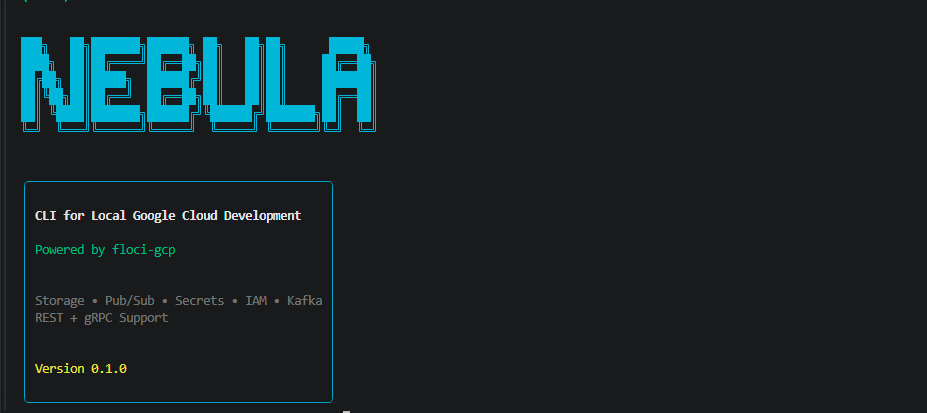
That idea led me to build Nebula.
Thank you for taking the time to read this article and try Nebula. Stay tuned — the first official release is coming soon! 🚀
Why Nebula?
When developing applications locally, I often need to:
- Create storage buckets
- Upload and download files
- Create Pub/Sub topics
- Publish and consume messages
- Manage secrets
- Test IAM operations
- Work with Kafka resources
Doing all of this using raw REST requests or Postman quickly becomes repetitive.
I wanted something that felt natural from the terminal.
Instead of writing:
curl -X POST http://localhost:4588/...I wanted to write:
nebula pubsub topics create demoor
nebula storage mb my-bucketThat became the goal.
What is Nebula?
Nebula is a lightweight command-line interface built on top of floci-gcp that makes local Google Cloud development significantly easier.
Instead of manually crafting HTTP requests, Nebula provides intuitive commands for interacting with emulator services.
Current supported services include:
- Cloud Storage
- Pub/Sub (REST)
- Pub/Sub (gRPC)
- Secret Manager
- IAM
- Kafka
Cloud Tasks and Firestore support are currently under development.
Features
Cloud Storage
- Create buckets
- Delete buckets
- List buckets
- Upload files
- Download objects
- Delete objects
- List objects
Example:
nebula storage mb demo

nebula storage cp hello.txt gs://demo/hello.txt
nebula storage objects demo
nebula storage cat demo hello.txt
Pub/Sub (REST)
Create topics and subscriptions, publish messages, and consume them using REST APIs.
nebula pubsub topics create demo
nebula pubsub subscriptions create sub1 demo
nebula pubsub topics publish demo "Hello World"
nebula pubsub subscriptions pull sub1
Pub/Sub (gRPC)
Nebula also supports native gRPC communication for Pub/Sub.
nebula pubsub topics create demo --grpc

nebula pubsub topics publish demo "Hello gRPC"
nebula pubsub subscriptions pull sub1 --grpc
This allows testing applications using the same communication protocol used by Google Cloud Pub/Sub.
Secret Manager
Managing secrets locally becomes much easier.
nebula secrets create my-secret

nebula secrets versions add my-secret secret.txt
nebula secrets versions list my-secret
nebula secrets versions access my-secret
Kafka
Nebula includes support for Kafka resources exposed by floci-gcp.
nebula kafka clusters list

nebula kafka topics create local demo
nebula kafka topics list local
Installation
Installation will be available through pip.
pip install nebulaThen simply verify:
nebula --helpWhy I Built It
This project wasn’t planned.
It started while exploring floci-gcp and testing different emulator services.
As I kept opening Postman, writing cURL commands, and checking API documentation, I realized I was repeating the same tasks over and over again.
Instead of continuing that workflow, I decided to automate it.
Nebula became my weekend project to make local cloud development faster — not only for myself but hopefully for anyone working with Google Cloud emulators.
Tech Stack
Nebula is built using:
- Python
- Typer
- Rich
- HTTPX
- gRPC
- Protocol Buffers
The goal is to keep the CLI lightweight, fast, and easy to extend.
Nebula CLI Commands (v0.1.0)
Version
nebula versionCloud Storage
Create Bucket
nebula storage mb test-bucketList Buckets
nebula storage lsBucket Details
nebula storage stat test-bucketUpload File
echo Hello World > test.txt

nebula storage cp test.txt gs://test-bucket/test.txt
List Objects
nebula storage objects test-bucketRead Object
nebula storage cat test-bucket test.txtDelete Object
nebula storage rm test-bucket test.txtDelete Bucket
nebula storage rb test-bucket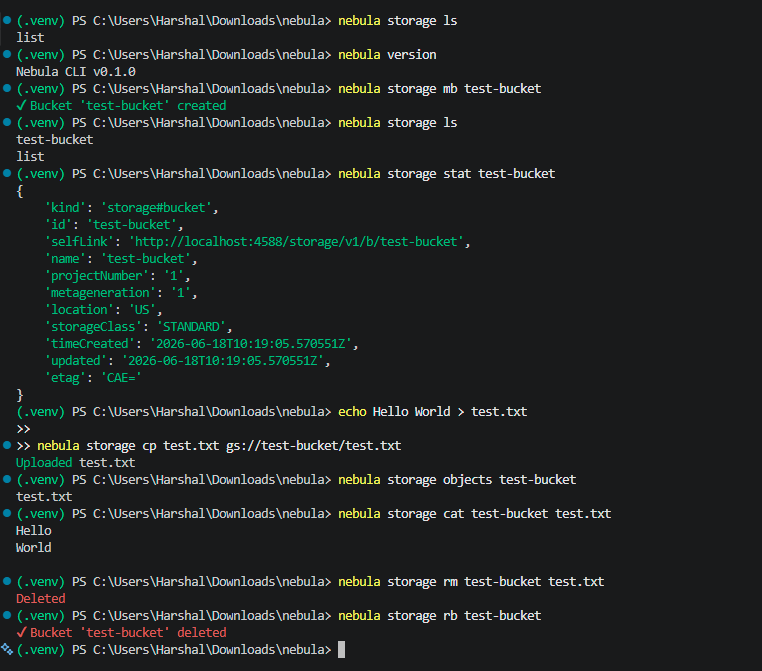
Pub/Sub (REST)
Topics
Create Topic
nebula pubsub topics create demo --grpcList Topics
nebula pubsub topics list --grpcPublish Message
nebula pubsub topics publish demo "Hello World" --grpcDelete Topic
nebula pubsub topics delete demo --grpcSubscriptions
Create Subscription
nebula pubsub subscriptions create sub1 demo --grpcList Subscriptions
nebula pubsub subscriptions list --grpcPull Messages
nebula pubsub subscriptions pull sub1 --grpc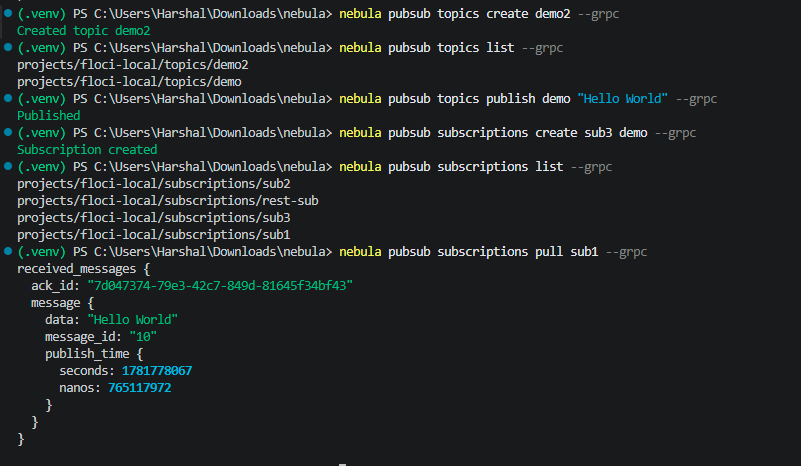
Acknowledge Messages
Messages are acknowledged automatically after pulling.
Secret Manager
Create Secret
nebula secrets create my-secretList Secrets
nebula secrets listGet Secret
nebula secrets get my-secretCreate Secret Version
echo hello>secret.txt

nebula secrets versions add my-secret secret.txt
List Versions
nebula secrets versions list my-secretAccess Latest Version
nebula secrets versions access my-secretAccess Specific Version
nebula secrets versions access my-secret --version 1Delete Secret
nebula secrets delete my-secret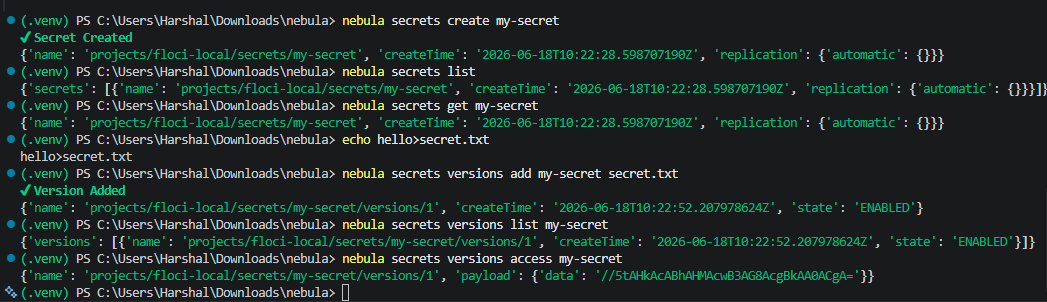
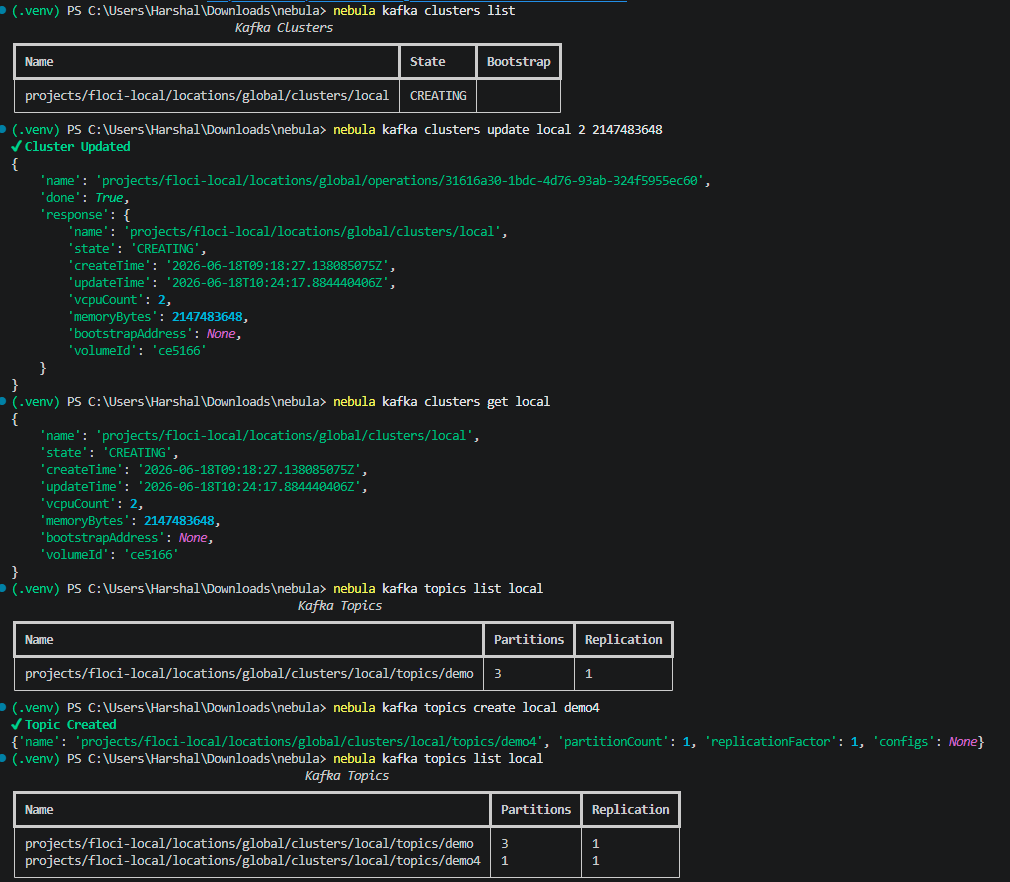
Kafka
Clusters
Create
nebula kafka clusters create localList
nebula kafka clusters listGet
nebula kafka clusters get localUpdate
nebula kafka clusters update local 2 2147483648Delete
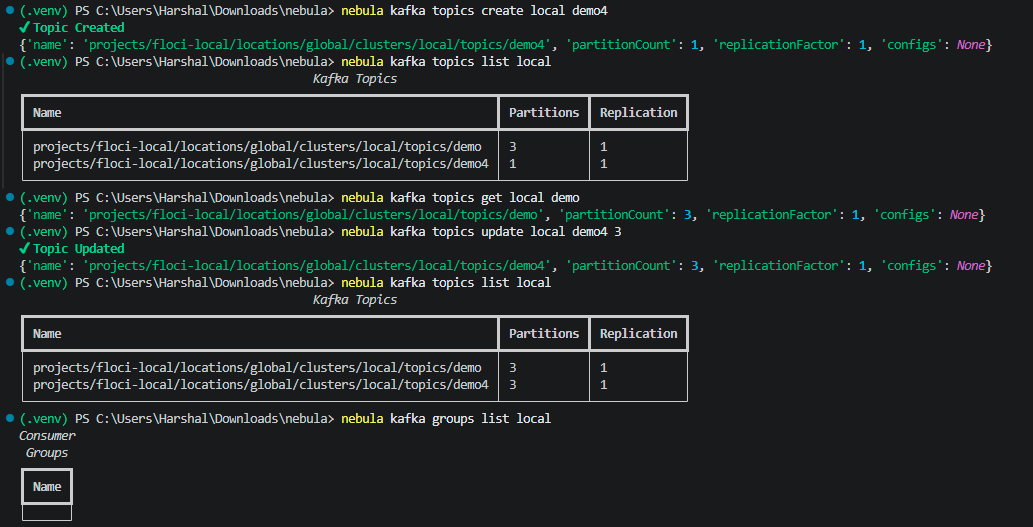
nebula kafka clusters delete localTopics
Create
nebula kafka topics create local demoList
nebula kafka topics list localGet
nebula kafka topics get local demoUpdate Partitions
nebula kafka topics update local demo 3Delete
nebula kafka topics delete local demoConsumer Groups
List
nebula kafka groups list localGet
nebula kafka groups get local <GROUP_ID>Consumer groups are created automatically by Kafka consumers. Nebula currently provides management commands only.
IAM
Service Accounts
Create
nebula iam sa create demo-saList
nebula iam sa listGet
nebula iam sa get demo-saDelete
nebula iam sa delete demo-saService Account Keys
Create
nebula iam keys create demo-saList
nebula iam keys list demo-saDelete
nebula iam keys delete demo-sa <KEY_ID>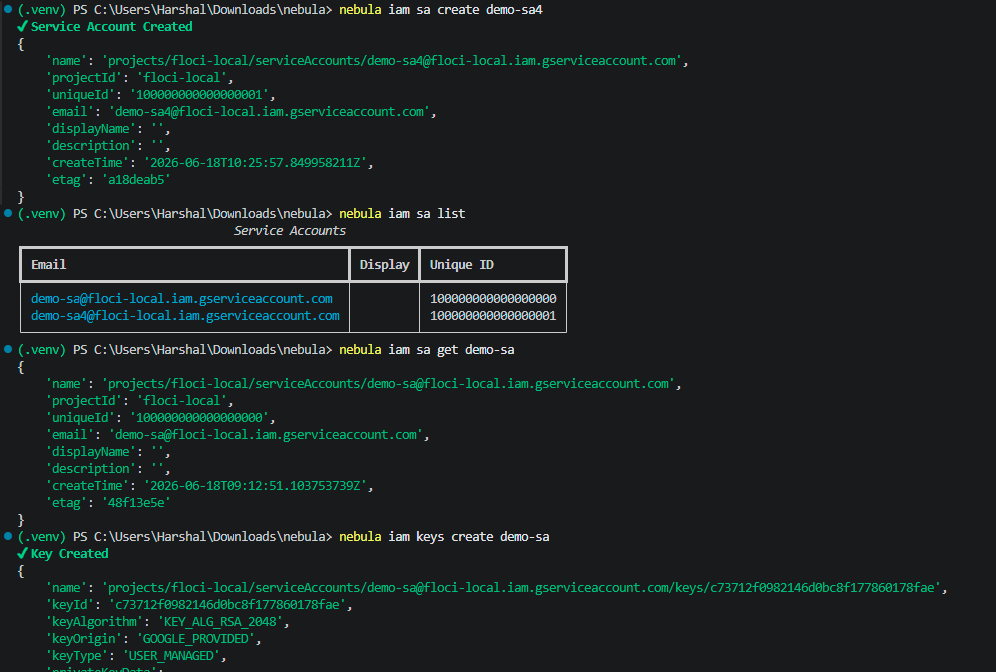

Blob Signing
echo Hello World > message.txt

nebula iam sign-blob demo-sa message.txt
IAM Policy
nebula iam policy get demo-sa
nebula iam policy set demo-sa policy.json
Test Permissions
nebula iam permissions test demo-sa iam.serviceAccounts.get

Current Status
Supported:
- Cloud Storage
- Pub/Sub (REST)
- Pub/Sub (gRPC)
- Secret Manager
- IAM
- Kafka
In Progress:
- Cloud Tasks
- Firestore
- Datastore
🚀 What’s Next?
Nebula is still in active development, and there are plenty of exciting features on the roadmap, including:
- ☁️ Cloud Tasks
- 🔥 Firestore
- 🗄️ Datastore
- ⚡ Cloud Functions
- 🌐 Cloud Run
- 📊 BigQuery
- 🔄 Cloud Scheduler
- 🚀 More gRPC support across Google Cloud services
The goal is to make local Google Cloud development as simple and developer-friendly as possible.
💬 Feedback & Contributions
If you encounter any issues, have feature requests, or simply want to share your experience using Nebula, I’d love to hear from you.
Feel free to open an issue (once the repository is public) or connect with me directly.
📧 Email: harshaljethwa19@gmail.com 💼 LinkedIn: https://linkedin.com/in/your-profile
Every piece of feedback helps improve Nebula and makes it better for the entire developer community.
Thank you for taking the time to read this article and try Nebula. Stay tuned — the first official release is coming soon! 🚀
Happy coding! 🚀
메타데이터
- post_id
- 2c74586fcc56
- slug
- building-nebula-a-modern-cli-for-local-google-cloud-development-with-floci-gcp-2c74586fcc56
- url
- https://medium.com/@harshaljethwaa/building-nebula-a-modern-cli-for-local-google-cloud-development-with-floci-gcp-2c74586fcc56
- canonical_url
- https://medium.com/@harshaljethwaa/building-nebula-a-modern-cli-for-local-google-cloud-development-with-floci-gcp-2c74586fcc56
- author_url
- https://medium.com/@harshaljethwaa
- status
- ok
- fetched_at
- 2026-06-20 20:29:01