Contact Form 7 Not Sending Emails? A Simple Alternative Using API Routing
The Common Issue: Form Submits but No Email Arrives
Contact Form 7 Not Sending Emails? A Simple Alternative Using API Routing
The Common Issue: Form Submits but No Email Arrives
Many WordPress users have faced this situation at least once. A visitor fills out a Contact Form 7 form, clicks submit, and sees the message saying the form was sent successfully. Everything appears to work normally.
But when you check your inbox, there’s nothing there. This is one of the most common situations behind the Contact Form 7 Not Sending Emails issue.
This situation is often described as “Contact Form 7 showing sent message but not receiving email.” Sometimes emails arrive during testing but fail on the live website. Other times they land in spam or disappear completely.
If you want a deeper explanation of the technical reasons behind this issue, you can read our detailed guide on fixing **Contact Form 7 Not Sending Emails** and improving email delivery reliability.
Contact Form 7 Not Sending Emails
Why Contact Form 7 Email Problems Happen
Most of the time, the form itself is not broken.
Contact Form 7 relies on WordPress’s built-in mail function (wp_mail) to send messages. That system depends on the hosting server’s email configuration.
Several things can affect this process:
- Hosting servers limiting outgoing mail
- Incorrect email authentication (SPF, DKIM, DMARC)
- Spam filters blocking messages
- Mismatch between the sending domain and the email address
Because of these factors, WordPress may still report that the message was sent even though the email never reaches the inbox.
Why Typical Fixes Don’t Always Solve the Problem
A common solution is installing an SMTP plugin to improve email delivery.
SMTP usually helps because it connects WordPress to a trusted mail server. However, it still depends on email as the main destination.
That means submissions still end up in an inbox where:
- Someone must manually check them
- Messages may still be filtered or delayed
- The system cannot track what happens after delivery
So while SMTP can improve delivery, it doesn’t always solve workflow problems.
A Simpler Way to Handle Form Submissions
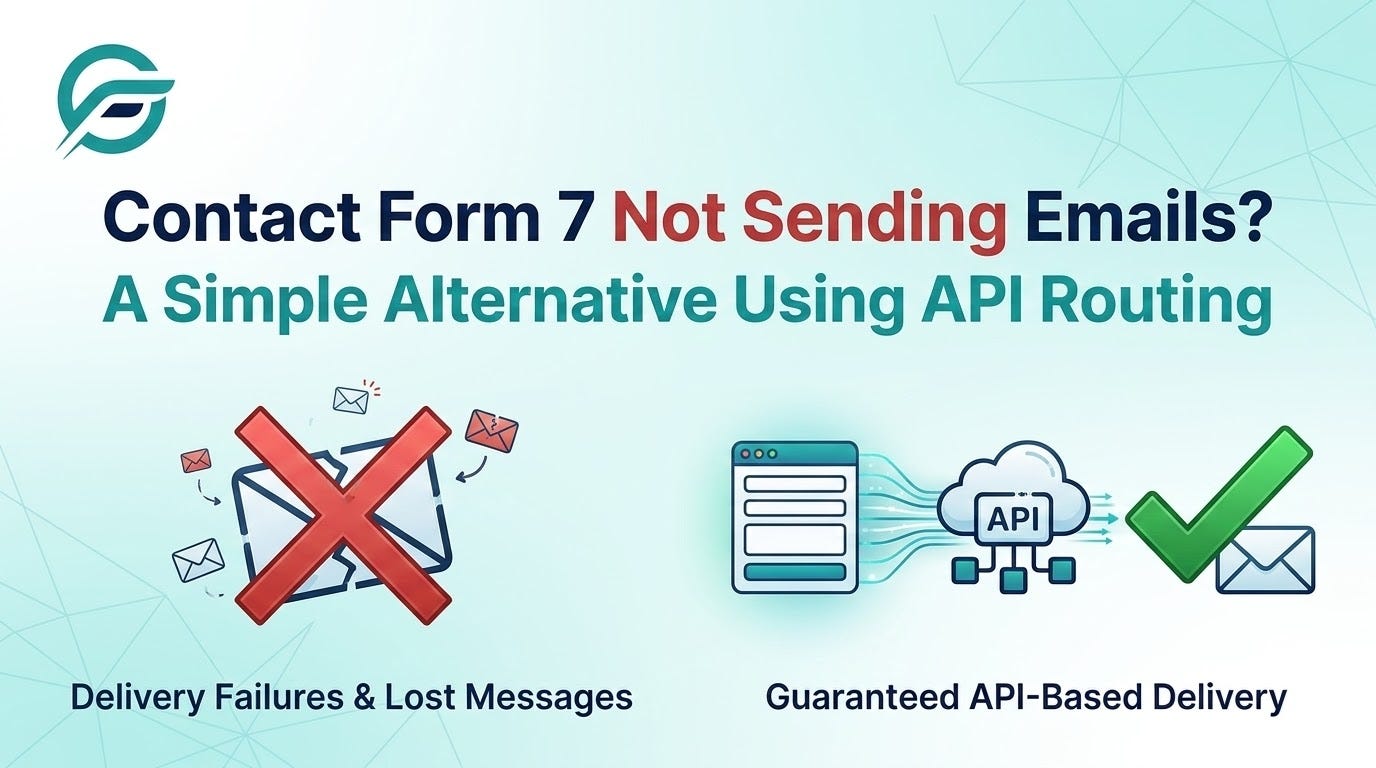
Instead of sending form submissions directly to email, another option is sending the data to an API.
In this setup, the form submission is treated as structured data instead of a simple email message.
The form can send its information to:
- An email service API
- A CRM platform
- A helpdesk system
- Internal business tools
This method helps because APIs provide clear responses. If the data is delivered successfully, the system confirms it. If something fails, the error can be logged and investigated.
Our main guide explains this API-based workflow in more detail and shows how developers implement it step by step.
When API-Based Routing Can Help
API routing is useful in situations where form submissions need to trigger other systems.
For example:
Customer inquiries Instead of sending an email to a shared inbox, the form can create a ticket in a helpdesk system.
Sales leads Form submissions can automatically create contacts in a CRM and notify the sales team.
Marketing forms Leads can be sent directly to email marketing platforms or automation tools.
Notification emails The API can trigger a dedicated email service to send messages more reliably.
This approach ensures the form submission becomes part of a workflow instead of just an inbox message.
Basic Steps to Send CF7 Data Through an API
Plugins like Contact Form to API help WordPress users send Contact Form 7 submissions directly to external systems using APIs. Instead of relying only on email delivery, the form data can be routed to tools such as CRMs, helpdesk platforms, or email services. This approach helps ensure that submissions are delivered more reliably and can easily trigger automated workflows.
Using a plugin such as Contact Form to API, the process usually looks like this:
- Select your existing Contact Form 7 form.
- Choose the API endpoint where the data should be sent.
- Map the form fields to a structured JSON format.
- Add authentication credentials such as API keys.
- Send a test submission to confirm the connection.
- Check logs to verify successful delivery.
The detailed setup process is covered in our full step-by-step implementation guide.
SMTP vs API: What’s the Difference?
Both SMTP and APIs can be used to handle form submissions, but they work differently and serve different purposes.
SMTP Delivery
- Primarily used for sending emails from your website.
- When a form is submitted, the message is sent through a mail server to the recipient’s inbox.
- Reliability depends on several factors, such as server configuration, spam filters, and authentication settings.
- Delivery may sometimes fail, get delayed, or land in the spam folder.
- Automation options are limited, since the submission mainly ends up as an email.
- Error visibility is often unclear, making troubleshooting more difficult when emails do not arrive.
API Delivery
- Designed to send structured data from the form to another system.
- Form submissions can be sent directly to CRMs, helpdesk platforms, marketing tools, or email services.
- APIs usually provide clear responses confirming whether the data was received successfully.
- Reliability is higher because delivery is confirmed through system responses instead of inbox placement.
- Makes it easier to automate workflows and connect with multiple tools.
- Errors can be logged and tracked, helping developers identify and fix issues quickly.
In simple terms, SMTP is useful when your main goal is sending emails, while API delivery works better when you want reliable data transfer and workflow automation.
Final Thoughts
Contact Form 7 email issues are common in WordPress websites, and they often occur even when the form appears to work correctly.
SMTP plugins can improve delivery, but sometimes it helps to think beyond email.
Sending form submissions through APIs allows data to move directly into the tools and systems that handle it, making workflows easier to track and manage.
If you want a deeper technical explanation and a full walkthrough of the setup process, check out our complete guide on solving Contact Form 7 email delivery issues using API routing.
메타데이터
- post_id
- 2c9fd3ae2be0
- slug
- contact-form-7-not-sending-emails-a-simple-alternative-using-api-routing-2c9fd3ae2be0
- url
- https://medium.com/@contactformtoanyapi/contact-form-7-not-sending-emails-a-simple-alternative-using-api-routing-2c9fd3ae2be0
- canonical_url
- https://medium.com/@contactformtoanyapi/contact-form-7-not-sending-emails-a-simple-alternative-using-api-routing-2c9fd3ae2be0
- author_url
- https://medium.com/@contactformtoanyapi
- status
- ok
- fetched_at
- 2026-08-10 01:10:40