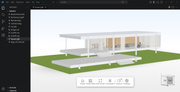
CAD Viewer for Google Drive
In the modern workplace, engineering, architecture, and manufacturing teams rely heavily on CAD files to bring designs to life — yet…
CAD Viewer for Google Drive
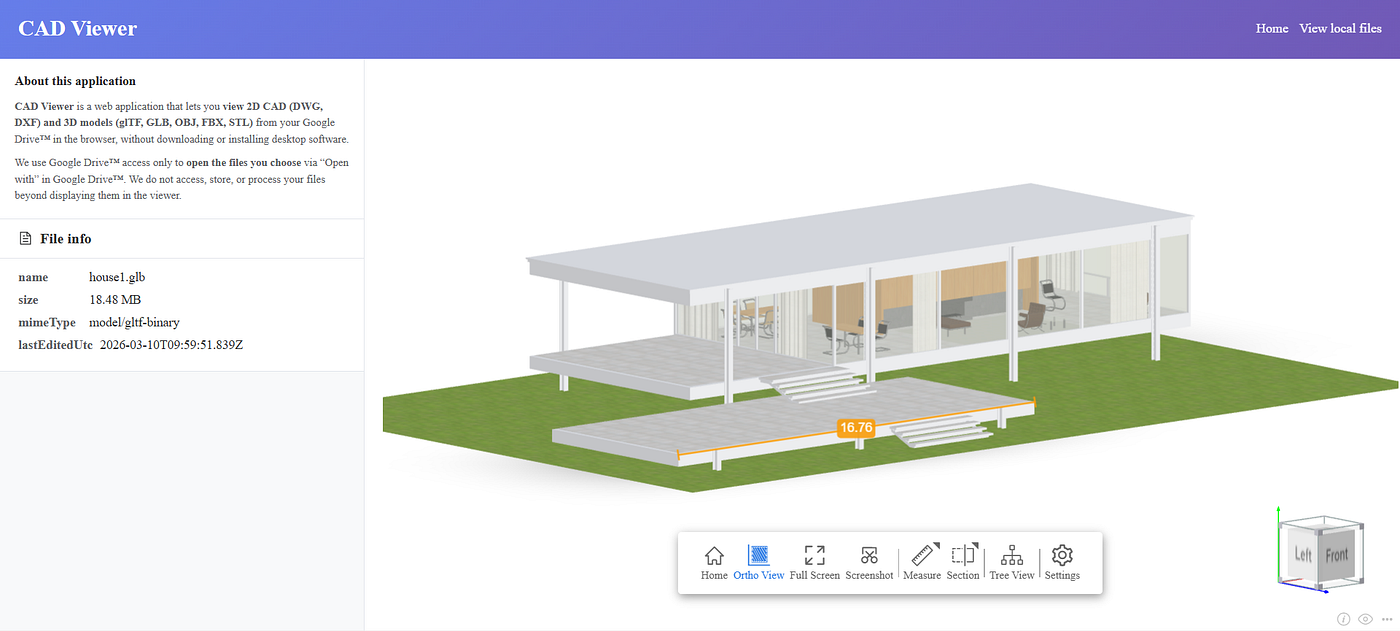
View model in CAD Viewer for Google Drive
In the modern workplace, engineering, architecture, and manufacturing teams rely heavily on CAD files to bring designs to life — yet accessing and collaborating on these files often requires bulky desktop software or complicated file conversions. That’s why we built CAD Viewer for Google Drive: a native, web-based solution that lets you view, interact with, and share 2D and 3D CAD files directly within your Google Drive workspace, no extra tools or downloads required.
Built by thingraph, the same team behind the popular DWG Viewer for Confluence, this tool is designed to eliminate friction from your CAD workflow. Whether you’re working with DWG, DXF, DGN, or DWF files, CAD Viewer for Google Drive integrates seamlessly with your existing Google Drive environment, turning your cloud storage into a powerful CAD collaboration hub.
Play with examples here https://cad.thingraph.site/examples
Or, view your local models from: https://cad.thingraph.site/open3d
Why CAD Viewer for Google Drive? The Core Benefits
Forget the hassle of downloading CAD files to your local machine, installing expensive software, or converting formats just to view a drawing. Our tool puts professional CAD viewing capabilities right where your files live — Google Drive — with these key advantages:
1. Native Google Drive Integration, Zero Setup
CAD Viewer for Google Drive acts as a built-in file handler for your CAD files. Simply right-click any supported CAD file in your Google Drive, select “Open with → CAD Viewer,” and the file will load instantly in your browser — no sign-ups, no configuration, no backend setup required. It’s fully integrated with Google Workspace, so you can access it directly from your Drive interface without switching tabs or apps.
2. Support for All Major CAD Formats
We built this tool to work with the files your team actually uses. CAD Viewer for Google Drive supports all modern versions of:
- DWG (AutoCAD Drawing Files)
- DXF (Drawing Exchange Format)
- glTF/GLB
- FBX
- OBJ
- STL
No more worrying about compatibility issues — open and view even complex 2D schematics or 3D models with crisp, accurate rendering, true to the original design.
3. Powerful Interactive Viewing Tools
This isn’t just a basic viewer — it’s a professional tool designed for technical teams. Access a full suite of interactive features to inspect and review your CAD files:
- Intuitive Navigation: Zoom, pan, and rotate 2D/3D files with smooth, web-based controls — perfect for examining fine details or getting a full overview of complex blueprints.
- Layer Management: Toggle individual CAD layers on or off to focus on specific parts of the design, reducing clutter and improving readability.
- Measurement Tools: Take precise distance, area, and angle measurements directly on the drawing — no need to switch to a separate tool.
- Annotation & Markup: Add arrows, text, rectangles, and other annotations to highlight key details or provide feedback to teammates, streamlining collaboration.
- Fullscreen Mode: Expand the viewer to fullscreen for distraction-free inspection of detailed drawings.
4. Secure, Cloud-Native Collaboration
All file processing happens within your Google Drive environment, so your sensitive CAD data never leaves your workspace — or falls into the wrong hands. We adhere to Google’s strict security standards, ensuring your designs are protected with the same encryption and access controls you trust from Google Workspace. Share annotated drawings with teammates via Google Drive links, and keep all feedback and revisions in one centralized location.
5. Responsive Design for Any Device
CAD Viewer for Google Drive works seamlessly on desktop, tablet, and mobile devices. Whether you’re in the office, on the job site, or working remotely, you can access and review CAD files from any browser — no app downloads required. The responsive interface adapts to your screen size, ensuring a smooth experience even on smaller devices.
Who Is This For?
CAD Viewer for Google Drive is built for technical teams that need to streamline their CAD workflow and collaborate more efficiently:
- Engineering teams managing technical blueprints and part designs
- Architecture and construction teams sharing site plans and architectural drawings
- Manufacturing teams collaborating on production schematics
- Any team that stores CAD files in Google Drive and wants to eliminate desktop software dependencies
Getting Started Is Simple
Setting up CAD Viewer for Google Drive takes seconds — no technical expertise required:
- Install the CAD Viewer add-on from the Google Workspace Marketplace.
- Navigate to your Google Drive and locate any supported CAD file (DWG, DXF, DGN, DWF).
- Right-click the file, select “Open with,” and choose “CAD Viewer.”
- Start viewing, navigating, and collaborating on your CAD file instantly.
Built by thingraph: Trusted by Technical Teams
At thingraph, we specialize in building tools that bridge the gap between technical workflows and modern cloud platforms. Our DWG Viewer for Confluence has helped thousands of teams streamline their CAD documentation process — and CAD Viewer for Google Drive brings that same expertise to your cloud storage.
We’re committed to continuous improvement, with regular updates to add new features, support more file formats, and enhance performance. Plus, our support team is available to help you with any questions or issues, ensuring your CAD workflow stays smooth and efficient.
Ready to Transform Your CAD Workflow?
Say goodbye to desktop CAD software, file conversions, and fragmented collaboration. With CAD Viewer for Google Drive, your team can access, view, and collaborate on CAD files directly in the cloud — where your work already lives.
Install CAD Viewer for Google Drive today and experience the simplest, most secure way to work with CAD files in Google Drive. Your team — and your productivity — will thank you.
메타데이터
- post_id
- 2cbcbf9d159b
- slug
- cad-viewer-for-google-drive-2cbcbf9d159b
- url
- https://medium.com/@thingraph/cad-viewer-for-google-drive-2cbcbf9d159b
- canonical_url
- https://medium.com/@thingraph/cad-viewer-for-google-drive-2cbcbf9d159b
- author_url
- https://medium.com/@thingraph
- status
- ok
- fetched_at
- 2026-06-13 12:55:53