Top Trello Time Tracking Software Integrations for Better Project Management
Trello is one of the most popular project management tools for organizing tasks, managing workflows, and collaborating with teams. Its…
Top Trello Time Tracking Software Integrations for Better Project Management

Trello is one of the most popular project management tools for organizing tasks, managing workflows, and collaborating with teams. Its boards, lists, and cards make it easy to visualize projects, but when it comes to tracking time spent on tasks, Trello’s native features are limited.
For teams, freelancers, and agencies, adding a dedicated time tracking integration can help answer important questions:
- How much time does each task take?
- Which projects consume the most resources?
- Are deadlines and budgets realistic?
- How productive is the team?
Fortunately, there are many tools for Trello time tracking that integrate directly with Trello and help users monitor work hours, create reports, track billable time, and improve project profitability.
Why Use Time Tracking with Trello?
While Trello is excellent for task management, it does not provide advanced time tracking capabilities. A dedicated time tracker can extend Trello functionality by adding:
- Automatic or manual time tracking
- Detailed productivity reports
- Billable hours tracking
- Project budget monitoring
- Team workload insights
- Invoicing support
For businesses managing multiple projects, combining Trello with a time tracking tool creates a complete workflow for planning, execution, and reporting.
Best Trello Time Tracking Software
TMetric: Best Overall Trello Time Tracking Integration

TMetric is a time tracking solution designed for freelancers, agencies, and teams that need accurate work-hour tracking combined with project management.
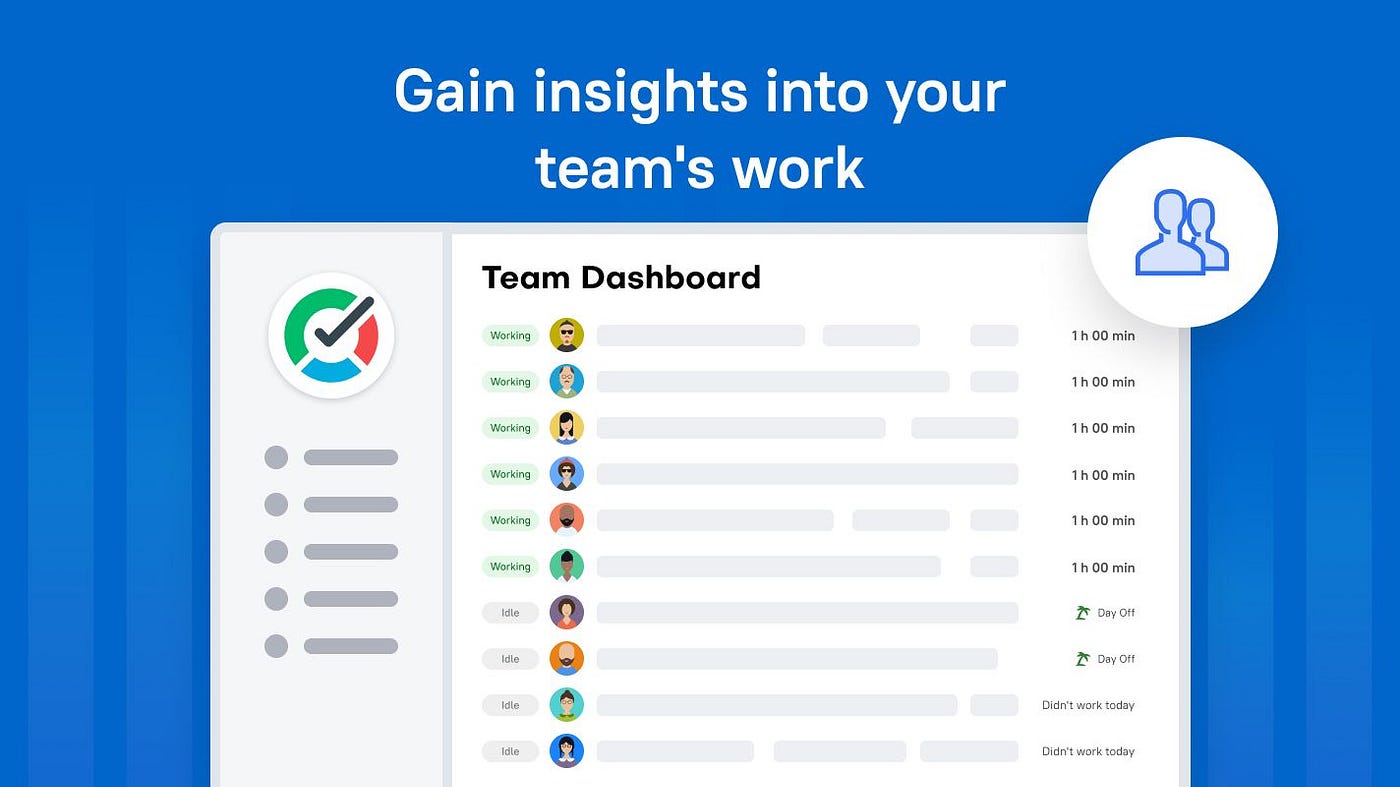
With Trello integration, users can track time directly from Trello cards without switching between applications. Team members can start and stop timers while working on tasks, while managers get detailed reports on project progress, budgets, and team performance.
Test it: TMetric
Key Features:
- One-click time tracking from Trello cards
- Automatic activity tracking
- Project and task time reports
- Billable hours tracking
- Budget monitoring
- Team productivity analytics
- Integrations with popular project management tools
Best for: Teams, agencies, and freelancers who need a simple but powerful way to track time spent on Trello projects.
Clockify: Best Free Trello Time Tracker

Clockify is a popular free time tracking tool that integrates with Trello via a browser extension.
Users can add timers directly to Trello cards and track how long they spend on different tasks. Clockify also provides dashboards and reports for analyzing tracked hours.
Test it: Clockify
Key Features:
- Unlimited users on the free plan
- Timer and manual time entries
- Project reports
- Team dashboards
- Billable hour tracking
Best for: Small teams and individuals seeking a free Trello time tracking solution.
Harvest: Best for Time Tracking and Invoicing

Harvest combines time tracking, expense management, and invoicing features.
Its Trello integration allows teams to connect tracked hours with projects and monitor budgets more effectively.
Test it: Harvest
Key Features:
- Time tracking
- Expense tracking
- Client invoicing
- Project budget reports
- Team utilization reports
Best for: Agencies and service businesses that need time tracking connected with billing.
Toggl Track: Best for Simple Time Tracking

Toggl Track focuses on making time tracking fast and easy. Its browser extension allows users to track time directly from Trello cards.
The tool is especially popular among freelancers and remote teams because of its simple interface.
Test it: Toggl Track
Key Features:
- One-click timers
- Detailed reports
- Calendar view
- Productivity insights
- Team tracking
Best for: Users who want lightweight and easy-to-use time tracking.
Everhour: Best Trello Time Tracking for Teams
Everhour is built specifically for teams using project management platforms like Trello.
It adds time estimates, timers, budgets, and reports directly inside project workflows.
Test it: Everhour
Key Features:
- Embedded Trello timers
- Time estimates
- Project budgets
- Team dashboards
- Detailed reports
Best for: Teams managing complex projects with deadlines and budgets.
TimeCamp: Best for Productivity Monitoring

TimeCamp provides automatic time tracking and productivity analytics for teams.
The Trello integration helps users connect tracked hours with specific tasks and projects.
Test it: TimeCamp
Key Features:
- Automatic time tracking
- Productivity reports
- Attendance tracking
- Billable hours management
- Project reports
Best for: Companies that want deeper productivity insights.
TrackingTime: Best for Visual Project Tracking

TrackingTime provides a visual way to monitor projects and workloads.
Its Trello integration helps teams understand how much time is spent on individual tasks.
Test it: TrackingTime
Key Features:
- Project timelines
- Team scheduling
- Time reports
- Workload management
Best for: Teams that prefer visual planning and reporting.
Hubstaff: Best for Remote Teams

Hubstaff combines time tracking with workforce management features.
It is useful for distributed teams that need visibility into working hours and project progress.
Try it: Hubstaff
Key Features:
- Time tracking
- Team activity monitoring
- Productivity reports
- Payroll integrations
- GPS tracking options
Best for: Remote teams managing employees across different locations.
Timely: Best for Automatic Time Tracking

Timely uses automation to reduce manual time entry.
The tool records work activity and helps users create accurate timesheets.
Test it: Timely
Key Features:
- Automatic time tracking
- AI-powered timesheets
- Project tracking
- Reporting dashboards
Best for: Professionals who dislike manual timers.
My Hours: Best for Freelancers

My Hours helps freelancers and small teams track project time and profitability.
It provides simple reporting and project-based tracking.
Test it: My Hours
Key Features:
- Project tracking
- Billable hours
- Reports
- Client management
Best for: Freelancers managing multiple client projects.
How to Choose the Right Trello Time Tracking Tool
The best Trello time tracker depends on your workflow and business needs.
Consider these factors:
✅ Team size Small teams may only need basic timers, while larger teams may require reporting and budget management.
✅ Project complexity Agencies managing multiple clients should choose tools with project budgets and profitability reports.
✅ Automation If manual tracking is difficult, automatic time tracking tools can save time.
✅ Reporting Managers should look for tools that provide detailed insights into workloads and project performance.
Final Thoughts
Trello is a great project management platform, but adding a time tracking integration makes it much more useful for teams that need visibility into how work hours are spent.
Whether you are a freelancer tracking client hours or a growing team managing multiple projects, the right Trello time tracking software can help you work smarter and make better decisions based on real data.
메타데이터
- post_id
- 2cf7c0e0ae11
- slug
- top-trello-time-tracking-software-integrations-for-better-project-management-2cf7c0e0ae11
- url
- https://medium.com/tmetric/top-trello-time-tracking-software-integrations-for-better-project-management-2cf7c0e0ae11
- canonical_url
- https://medium.com/tmetric/top-trello-time-tracking-software-integrations-for-better-project-management-2cf7c0e0ae11
- author_url
- https://medium.com/@tmetric
- status
- ok
- fetched_at
- 2026-07-15 01:23:23