Week 1–2 with Drupal: Understanding Drupal
Hey everyone! I’m Chinmayi, a contributor with the Drupal organization for Google Summer of Code 2025. Over the past two weeks, I’ve been…
Week 1–2 with Drupal: Understanding Drupal
Hey everyone! I’m Chinmayi, a contributor with the Drupal organization for Google Summer of Code 2025. Over the past two weeks, I’ve been working on my project under the Entity Display initiative, where I’m building a new module to help site builders guard form inputs with configurable rules.
Here’s what I’ve built and learned so far.
Hello World — My First Route in Drupal
To kick off development, I created a minimal custom module to understand routing and render a basic page. I set up a route at /hello, which displayed a simple "Hello World!" message inside the Drupal theme layout. This helped me get familiar with:
- Drupal’s routing system (
.routing.yml) - Basic controller creation
- Rendering content with Twig templates
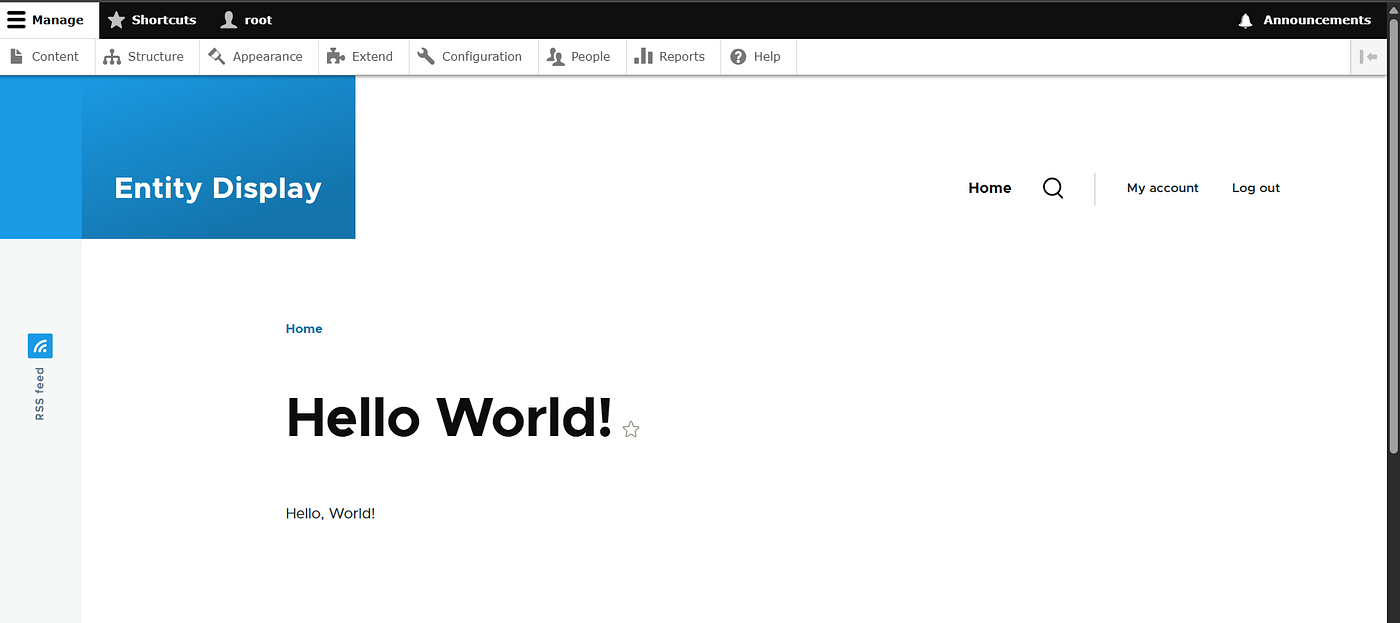
The first “Hello World!” rendered inside Drupal’s admin theme
Introducing the Form Guard Module
After successfully getting my first route up and running, I dove into the actual module I’ll be working on — form_guard. This module allows administrators to define restrictions on text input fields across the site.
Configuration Form
I built a full configuration form accessible at /form-guard. It lets site builders customize settings like:
- Character Limit: Restrict maximum character input
- Minimum Word Count: Enforce a base word count
- Checkbox Options:
- Allow external whitespaces
- Strip HTML
- Preserve line breaks
- Allow special characters
- Encoding Dropdown: Default set to UTF-8
- Disallowed Patterns: Regex-based restrictions (one per line)

Viewing the Saved Config
I also added a display route at /form-guard/config-view, which fetches and displays the saved configuration. This gives users a quick summary of the active rules.

Learnings from Weeks 1 & 2
- Gained confidence working with Form API and Config API
- Understood how to define and validate config schema
- Practiced rendering dynamic pages using Twig templates
- Explored routing, access permissions, and Drupal coding standards
That wraps up my work for the first two weeks of GSoC with Drupal. Excited by how much I’ve learned already, from rendering “Hello World” to building a complete configuration form in Form Guard.
If you’re building in Drupal or just curious about module development, feel free to connect through LinkedIn or share your thoughts. Thanks for reading!
메타데이터
- post_id
- 2cfba49d784e
- slug
- week-1-2-with-drupal-understanding-drupal-2cfba49d784e
- url
- https://medium.com/@chinmayishaan2316/week-1-2-with-drupal-understanding-drupal-2cfba49d784e
- canonical_url
- https://medium.com/@chinmayishaan2316/week-1-2-with-drupal-understanding-drupal-2cfba49d784e
- author_url
- https://medium.com/@chinmayishaan2316
- status
- ok
- fetched_at
- 2026-07-19 00:27:16


