From Chaos to Control: The Beginner’s Complete Guide to Inventory Listing Software for Online…
Introduction
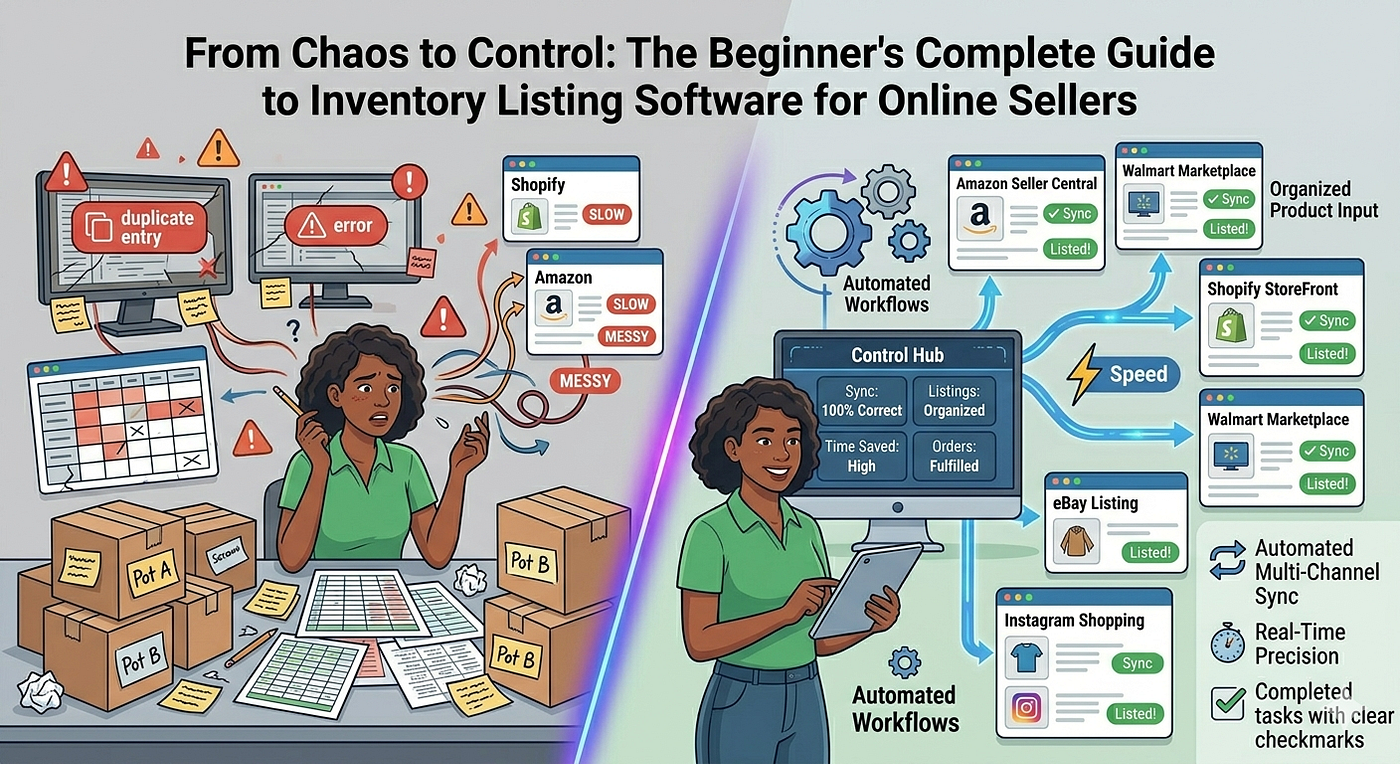
From Chaos to Control: The Beginner’s Complete Guide to Inventory Listing Software for Online Sellers
From Chaos to Control: The Beginner’s Complete Guide to Inventory Listing Software for Online Sellers
Introduction
You started selling online with a handful of products and a simple spreadsheet. Life was manageable. Orders came in slowly. You tracked everything with a few columns and some color coding.
Then your store grew. Products multiplied. Orders accelerated. Channels expanded. And that trusty spreadsheet became a ticking time bomb of errors, missed updates, and sleepless nights.
Sound familiar? You are not alone. Thousands of online sellers hit this exact wall every single year.
The solution is inventory listing software. The right platform transforms your operation from reactive and chaotic to proactive and precise. It saves time, eliminates errors, and gives you the confidence to grow without fear.
But if you are new to inventory software, the landscape can feel overwhelming. What does it actually do? Which features matter most? How do you choose the right one? And how do you get started without disrupting your entire operation?
This guide answers every one of those questions. By the end, you will know exactly what inventory listing software does, why **InventreeFY **stands apart from every alternative, and how to take your first confident steps toward a smarter, faster, more profitable selling operation.
Let’s begin.
What Is Inventory Listing Software?
Inventory listing software is a digital platform that helps online sellers manage their products, stock levels, and sales channel listings from one central location.
Instead of logging into five separate dashboards to update five separate stores, you manage everything from a single interface. The software connects to your sales channels and synchronizes data automatically across all of them simultaneously.
What It Manages for You
Modern inventory listing software handles far more than simple stock counts. A comprehensive platform like InventreeFY manages:
- Product information — titles, descriptions, images, attributes, and variants
- Stock levels — real-time quantities across every warehouse and sales channel
- Order management — incoming orders from every platform in one unified view
- Listings — publishing and updating product listings across multiple channels
- Purchasing — reorder alerts, purchase orders, and supplier management
- Reporting — sales analytics, inventory performance, and channel comparisons
- Fulfillment support — pick lists, packing workflows, and shipping integrations
In short, inventory listing software becomes the central nervous system of your entire selling operation.
Who Needs Inventory Listing Software?
You need inventory listing software when your current process is slowing you down. If any of the following apply to you, the time to switch is now:
- You sell on more than one platform simultaneously
- You spend more than two hours per week on manual stock counts
- You have experienced stockouts or overselling in the past three months
- You manage more than fifty active product SKUs
- You struggle to keep product information consistent across channels
- You find it difficult to know your true inventory value at any given moment
- You are growing fast and feel your current system cannot keep up
If even two of these situations describe your business, inventory listing software will transform your operation immediately and dramatically.
Why Spreadsheets Stop Working at Scale
Many beginners start with spreadsheets. They are free, familiar, and flexible. For a tiny operation with ten products on one platform, they work just fine.
But spreadsheets have a hard ceiling — and most growing sellers hit it faster than they expect.
The Five Fatal Flaws of Spreadsheet Inventory Management
Flaw 1: No Real-Time Updates
Spreadsheets do not update themselves. Every sale, every stock movement, and every price change requires a manual entry. By the time you update your spreadsheet after a busy day, your numbers are already wrong.
Real-time inventory software like InventreeFY updates automatically with every transaction. Your data is always current — no manual entry required.
Flaw 2: Zero Channel Integration
Your spreadsheet has no connection to Amazon, Shopify, eBay, or any other platform. Data flows one way only — from you, manually, into a static file. Nothing flows automatically in the other direction.
InventreeFY integrates directly with every major sales channel. Data flows both ways, automatically and continuously.
Flaw 3: Single-User Limitations
Spreadsheets break down the moment more than one person edits them simultaneously. Version conflicts, overwritten data, and conflicting edits create confusion and errors constantly.
InventreeFY supports multiple simultaneous users with role-based permissions. Every team member works on the same live data without conflict.
Flaw 4: No Automation Capabilities
A spreadsheet cannot send you an alert when stock runs low. It cannot generate a purchase order automatically. It cannot publish a new listing to five platforms at once.
InventreeFY automates every one of these tasks and dozens more. Your software works while you sleep.
Flaw 5: No Analytical Power
Spreadsheet analysis requires manual formula building, pivot table creation, and constant maintenance. Meaningful insights take hours to extract — if you manage to extract them at all.
InventreeFY generates comprehensive analytics reports automatically. Insights arrive without any manual work from your side.
Core Features Every Beginner Should Understand
Before choosing any inventory listing software, you need to understand the core features that make a genuine difference to your daily operation.
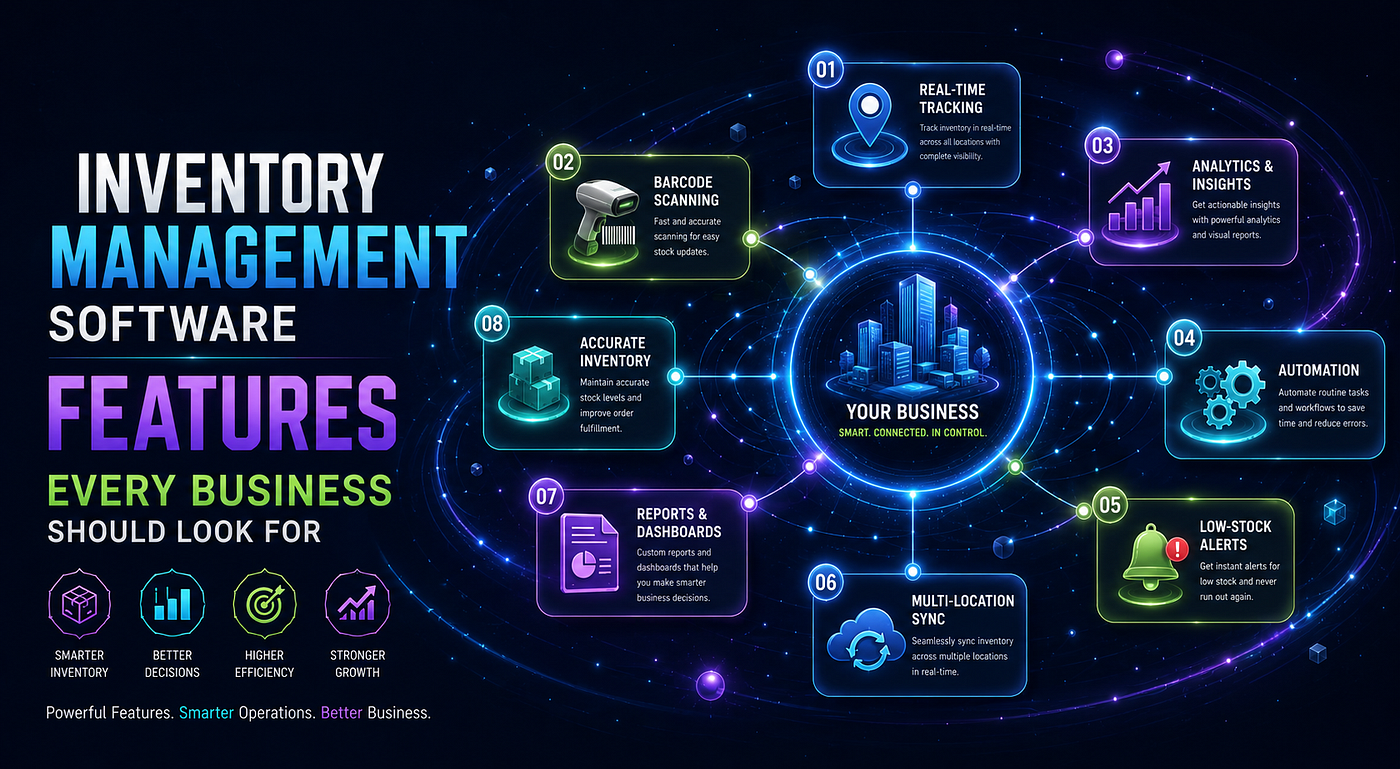
Feature 1: Centralized Product Catalog
A centralized product catalog is the cornerstone of every effective inventory listing system. It stores every detail about every product in one organized location.
InventreeFY’s centralized catalog lets you create product records once and publish them everywhere. When you update a product description, the change flows to every connected channel automatically. Consistency becomes effortless.
Feature 2: Multi-Channel Listing Management
Multi-channel listing management lets you publish and manage product listings across multiple platforms from one dashboard. You list on Amazon, Shopify, eBay, Etsy, and your own website — all without leaving InventreeFY.
This feature alone saves beginners an enormous amount of time every single week.
Feature 3: Real-Time Stock Synchronization
When a product sells on any connected channel, InventreeFY deducts it from your shared inventory pool instantly. Every channel always shows accurate stock levels. Overselling becomes structurally impossible.
This feature protects your seller reputation and eliminates the nightmare of canceling confirmed customer orders.
Feature 4: Automated Reorder Alerts
You set a reorder point for each product — the quantity at which you want to be notified to reorder. When stock dips to that level, InventreeFY sends an alert immediately.
You never run out of a popular product because you forgot to reorder. Your customers always find their favorite items in stock.
Feature 5: Purchase Order Management
InventreeFY manages your supplier purchasing end to end. Create purchase orders from within the platform. Send them to your suppliers directly. Receive against them when your shipment arrives. Update your stock levels automatically upon receipt.
Your purchasing workflow becomes as organized and traceable as your sales workflow.
Feature 6: Barcode and SKU Management
Every product in your catalog needs a unique identifier. InventreeFY generates SKU codes, assigns barcodes, and manages every product identifier in your catalog systematically.
Barcode scanning support lets your team receive, pick, and count products with speed and accuracy that manual processes cannot approach.
Feature 7: Order Management Hub
Instead of logging into five platforms to check five separate order dashboards, InventreeFY consolidates every incoming order into one unified view. You see every order from every channel in one place, prioritized and organized for efficient processing.
Feature 8: Analytics and Reporting Dashboard
InventreeFY’s analytics engine monitors your inventory and sales performance continuously. It generates reports that reveal your bestsellers, your slow-movers, your most profitable channels, and your inventory health — all without any manual data compilation from your side.
The Complete InventreeFY Tool Suite for Beginners
**InventreeFY **gives beginner sellers access to a professional-grade tool suite that scales alongside their growth. Here is every tool available and what it does for your business.
Tool 1: Product Information Manager
Your central hub for every product detail. Store titles, descriptions, images, variants, dimensions, compliance data, and pricing all in one organized record. Publish any product to any connected channel directly from this tool with a single click.
The product information manager eliminates the need to maintain separate product data files for different platforms. One record. Every channel.
Tool 2: Smart Duplicate Detector
The duplicate detector scans your catalog continuously and flags any product records that appear to represent the same item. It checks SKUs, barcodes, titles, and images simultaneously.
Beginners often create duplicates accidentally during catalog setup or when importing supplier data. This tool catches every one before it causes confusion or triggers marketplace penalties.
Tool 3: Bulk Product Importer
Add your entire existing product catalog in one upload. Prepare your product data in InventreeFY’s CSV template. Upload the file. The importer validates every record, flags any issues, and creates your catalog in minutes.
New sellers starting from scratch use the importer to build their initial catalog rapidly. Established sellers migrating from other platforms use it to transfer their existing data cleanly.
Tool 4: Channel Connection Manager
The channel connection manager handles your integrations with every sales platform you use. Connect your Amazon seller account, your Shopify store, your eBay account, your Etsy shop, and any other channel through a guided authorization process.
Once connected, each channel exchanges data with InventreeFY automatically. New orders import. Inventory updates export. Listings publish and update without any manual platform-switching from your team.
Sales Channels InventreeFY Connects With
- E-commerce storefronts including Shopify, WooCommerce, and BigCommerce
- Global marketplaces including Amazon, eBay, and Etsy
- Regional and specialist marketplaces relevant to your product categories
- Wholesale and B2B portals for trade customer management
- Comparison shopping engines and affiliate networks via product feed integration
- Accounting platforms including QuickBooks and Xero for financial synchronization
- Shipping carriers for automated label generation and tracking updates
Tool 5: Listing Template Builder
Create platform-specific listing templates that format your central product data for each channel’s unique requirements. Map your fields to each platform’s field names. Set category defaults, attribute mappings, and pricing rule assignments.
Build a template for each channel once. Every future listing uses it automatically. Platform-specific formatting happens invisibly every time you publish.
Tool 6: Real-Time Inventory Dashboard
Your inventory dashboard gives you an instant, visual overview of your entire stock position. See every product, every warehouse location, and every channel’s stock level on one screen.
Color-coded alerts highlight products approaching their reorder points. Overstock flags appear for slow-moving items tying up your capital. Critical stockout warnings appear for items with zero remaining stock.
The dashboard gives you the situational awareness to make smart inventory decisions quickly and confidently.
Tool 7: Automated Purchase Order Generator
When a product hits its reorder point, InventreeFY can generate a purchase order automatically and route it for approval. The order pre-populates with your supplier’s details, the product’s reorder quantity, your negotiated pricing, and the expected delivery date.
You review, approve, and send — or set InventreeFY to send automatically for trusted suppliers within defined quantity limits. Your replenishment cycle runs like clockwork without manual oversight.
Tool 8: Receiving and Goods-In Workflow
When your purchase order arrives at your warehouse, InventreeFY guides your receiving process step by step. Your team checks incoming items against the open purchase order. Quantities get confirmed. Discrepancies get flagged for supplier follow-up.
Accepted stock enters your inventory immediately upon confirmation. Your stock levels update in real time. Your connected channels reflect the new availability within seconds.
Tool 9: Variant and Bundle Manager
Products with multiple sizes, colors, or configurations need structured variant management. Products sold as sets or bundles need component-level stock tracking.
InventreeFY’s variant and bundle manager handles both with precision. Parent-child product relationships organize your variants cleanly. Bundle stock calculations prevent overselling when any component runs low. Every variant and every bundle stays accurately tracked across every channel simultaneously.
Tool 10: Barcode Scanner Integration
InventreeFY works with USB barcode scanners, Bluetooth scanners, and mobile device cameras for QR and barcode scanning. Scanning speeds up every physical inventory task dramatically.
Use scanning during receiving to verify incoming shipments. Use it during picking to confirm correct product selection. Use it during cycle counts to record physical quantities without manual typing. Every scan updates your central inventory record instantly and accurately.
Tool 11: Cycle Count Scheduler
Maintaining inventory accuracy does not require shutting down your operation for a full physical count. InventreeFY’s cycle count scheduler divides your catalog into manageable counting segments. It assigns counting tasks to team members on a regular rotation.
Each task covers a specific product group or warehouse zone. Staff scan and count their assigned section. Results sync to the central record immediately. Discrepancies surface for investigation before they grow into serious problems.
Tool 12: Returns Processing Manager
Returns are inevitable in e-commerce. Handling them without a structured process corrupts your inventory data fast. InventreeFY’s returns manager guides every return through a consistent workflow.
Each return gets received, inspected, and categorized. Sellable items restock automatically. Damaged items go to a quarantine location. Defective items trigger a supplier credit process. Your inventory stays clean and accurate through every return cycle.
Tool 13: Supplier Management Portal
Your suppliers are critical to your inventory reliability. InventreeFY’s supplier portal stores every supplier’s contact details, product list, pricing, lead times, and minimum order quantities in one organized location.
Track each supplier’s on-time delivery rate and fill accuracy over time. Compare suppliers side by side when making sourcing decisions. Set preferred suppliers for each product category so automated purchase orders always route correctly.
Supplier Performance Metrics Tracked in InventreeFY
- On-time delivery rate as a percentage of total orders
- Fill rate accuracy measuring quantity received versus ordered
- Lead time average and lead time variability over rolling periods
- Quality rejection rate tracking defective or damaged arrivals
- Price variance tracking actual invoice prices against agreed rates
- Communication responsiveness for time-sensitive purchase queries
Tool 14: Fulfillment Workflow Manager
From pick list generation to packing confirmation, InventreeFY supports every stage of your fulfillment workflow. Digital pick lists route warehouse staff efficiently through your storage layout.
Scan-to-pick confirmation catches wrong items before they enter a shipping box. Scan-to-pack verification confirms every order line before the box gets sealed. Shipping label generation connects to your carrier integrations for automatic label creation.
Your fulfillment accuracy climbs. Your customer satisfaction follows closely behind.
Tool 15: Financial Inventory Valuation Tool
Knowing the financial value of your inventory is essential for accurate business management and tax compliance. InventreeFY calculates your inventory valuation automatically using your cost price data.
View your total inventory value at any moment. Break it down by product category, supplier, or sales channel. See how your valuation changes over time as you buy, sell, and restock.
Accurate inventory valuation feeds directly into your accounting platform through InventreeFY’s accounting integrations.
Tool 16: Demand Forecasting Engine
Predicting what you will need before you run out is one of the most valuable capabilities an inventory platform can offer. InventreeFY’s forecasting engine analyzes your historical sales data and projects future demand by product and by channel.
The engine accounts for seasonal patterns, promotional spikes, and trending growth curves. It recommends reorder quantities that keep you stocked through peak periods without over-investing in slow periods.
Beginners gain access to forecasting intelligence that previously required a dedicated analyst or expensive specialized software.
Tool 17: Multi-Location Inventory Manager
As your business grows, you may operate multiple warehouses, fulfilment centres, or retail locations simultaneously. InventreeFY’s multi-location manager tracks stock at every site independently while maintaining one unified inventory view.
Transfer stock between locations with a few clicks. See which location holds which products. Fulfil orders from the nearest or most cost-effective location automatically. Growing into multi-location operations becomes operationally straightforward with InventreeFY.
Tool 18: Comprehensive Analytics and Reporting Suite
InventreeFY’s reporting suite delivers actionable insight across every dimension of your inventory and listing performance. Reports generate automatically on schedules you define and deliver directly to your inbox.
Essential reports for beginner sellers include:
- Best Seller Report — Ranks products by units sold and revenue contribution across all channels.
- Slow Mover Report — Identifies products with low sales velocity tying up capital and storage.
- Stockout History Report — Shows which products ran out, when, and for how long.
- Reorder Forecast Report — Projects which products need reordering in the next 7, 14, and 30 days.
- Channel Revenue Comparison — Compares sales performance across every connected platform side by side.
- Inventory Valuation Report — Shows total inventory value broken down by category and supplier.
- Purchase Order History Report — Tracks every order placed with every supplier over any time period.
- Receiving Accuracy Report — Measures how closely received shipments match purchase order quantities.
- Return Rate Analysis — Tracks return rates by product and identifies quality or listing issues.
- Profit Margin by Channel — Calculates net margin per unit after platform fees and cost of goods.
- Dead Stock Report — Flags products with zero sales over a configurable time window.
- Shrinkage and Loss Report — Tracks inventory losses from damage, theft, and unexplained discrepancy.
How to Get Started with InventreeFY: A Beginner’s Step-by-Step Plan
Starting with inventory listing software feels daunting to many beginners. **InventreeFY **makes the transition smooth, guided, and genuinely exciting. Follow this plan and you will be fully operational faster than you expect.
Step 1: Prepare Your Product Data
Before importing anything, gather all your product information into a clean spreadsheet. Include every SKU, product name, description, cost price, retail price, stock quantity, and supplier detail.
The more complete your starting data, the smoother your setup becomes. Incomplete data can always be enriched after import — but starting clean saves time.
Step 2: Create Your InventreeFY Account
Sign up for InventreeFY and complete your initial account configuration. Set your company details, your base currency, your preferred units of measurement, and your warehouse locations.
The setup wizard guides you through every configuration decision. Most beginners complete initial setup in under an hour.
Step 3: Import Your Product Catalog
Use InventreeFY’s bulk import tool to upload your prepared product spreadsheet. Map your spreadsheet columns to InventreeFY’s fields using the visual mapping interface.
Run the duplicate detection check on your imported catalog before proceeding. Resolve any flagged duplicates immediately. Your catalog is now clean and ready for channel connection.
Step 4: Connect Your Sales Channels
Navigate to the channel connection manager and connect every platform you sell on. Follow the guided authorization process for each channel. InventreeFY will import your existing listings and order history automatically.
Review your imported listings and ensure they link correctly to your product catalog records. Reconcile any mismatches before moving forward.
Step 5: Configure Your Listing Templates
Create a listing template for each connected channel. Map your product fields to each platform’s requirements. Set your pricing rules, category mappings, and attribute defaults.
Test your templates by publishing one product to each channel. Review the live listings on each platform. Adjust your templates until every listing appears exactly as intended.
Step 6: Set Your Reorder Points
Go through your product catalog and set reorder points for every active SKU. Base these on your average daily sales velocity and your supplier’s typical lead time.
Add a safety stock buffer for your fastest-moving products. InventreeFY will alert you when any product approaches its reorder threshold from this point forward.
Step 7: Train Your Team
Introduce your team to InventreeFY through hands-on walkthroughs of their specific workflows. Warehouse staff need confidence with barcode scanning and receiving. Order management staff need familiarity with the order hub. Purchasing staff need fluency with purchase order creation and supplier management.
InventreeFY’s intuitive interface reduces the learning curve dramatically. Most team members reach operational confidence within their first two to three working days.
Step 8: Review Your First Month’s Analytics
After your first full month on InventreeFY, pull your analytics reports and review your performance data comprehensively. Identify your bestsellers, your slow-movers, your most reliable suppliers, and your highest-value channels.
Use these insights to make your first data-driven inventory decisions. Adjust your reorder points, optimize your listings, and focus your growth energy on your highest-performing products and channels.
Common Beginner Mistakes to Avoid
Starting strong prevents months of remediation work later. Avoid these common beginner mistakes and your InventreeFY journey will be smooth from day one.
Mistake 1: Importing Dirty Data
Importing an uncleaned spreadsheet filled with inconsistencies, duplicates, and missing fields creates a messy catalog that takes weeks to correct. Always clean your data thoroughly before importing.
Mistake 2: Skipping Template Configuration
Publishing to channels without configuring proper templates results in poorly formatted listings, missing attributes, and suppressed products. Invest time in template setup before your first listing push.
Mistake 3: Setting and Forgetting Reorder Points
Your business changes over time. Sales velocity increases. Supplier lead times shift. Seasonal demand patterns emerge. Review and update your reorder points every 60 to 90 days to keep them relevant and protective.
Mistake 4: Ignoring Analytics Reports
InventreeFY generates powerful reports automatically. But they only create value if you read them and act on their insights. Schedule time every week to review your core reports and translate findings into decisions.
Mistake 5: Undertraining Your Team
Software is only as effective as the people who use it. A team that does not understand how to use InventreeFY correctly undermines every benefit the platform delivers. Invest in thorough training from the very beginning.
The Transformation That Awaits You
Sellers who make the switch from spreadsheets and manual processes to InventreeFY consistently report the same outcomes. These outcomes are not gradual — they arrive quickly and compound over time.
In the first 30 days, most sellers report dramatic time savings on inventory management tasks. Stockouts become rare. Overselling disappears. The anxiety of not knowing your true stock position fades away permanently.
In the first 90 days, sellers gain a clear, data-driven view of their business for the first time. They know their bestsellers. They know their most profitable channels. They make purchasing decisions based on evidence rather than intuition.
Beyond 90 days, the platform becomes a genuine growth engine. Faster listing means more products on more channels in less time. Accurate inventory means more orders fulfilled correctly on the first attempt. Better data means smarter decisions at every level of the business.
The trajectory from beginner chaos to professional control is shorter than most sellers expect. InventreeFY makes every step of that journey faster, simpler, and far more rewarding.
Conclusion
Inventory listing software is not a luxury for established businesses. It is the foundational tool that transforms a struggling seller into a scaling one.
The difference between spending your evenings updating spreadsheets and watching your business grow confidently comes down to one decision: choosing the right platform and starting today.
**InventreeFY **gives every beginner access to a professional-grade, feature-complete inventory management platform that grows alongside their ambitions. From the centralized product catalog and duplicate detection engine to the demand forecasting tool and eighteen purpose-built operational tools, InventreeFY covers every need a growing online seller has — and many they have not yet encountered.
You do not need to understand every feature on day one. You simply need to start. Set up your catalog. Connect your channels. Configure your reorder points. And let InventreeFY do the rest.
Your competitors are already using smarter tools. Your customers expect accurate stock levels and fast fulfillment. Your own growth potential is waiting on the other side of a better inventory management system.
Take that first step today. Your future self — running a faster, cleaner, more profitable operation — will thank you for it.
Ready to move from spreadsheet chaos to inventory management mastery? Discover how **InventreeFY **empowers beginner and experienced sellers alike to build smarter, faster, and more profitable online businesses — starting right now.
Contact:
Visit: www.inventreefy.com
Mail: sales@inventreefy.com
Call: +91–7374966966
메타데이터
- post_id
- 2d58c769ae54
- slug
- from-chaos-to-control-the-beginners-complete-guide-to-inventory-listing-software-for-online-2d58c769ae54
- url
- https://medium.com/@Deepak--Sir/from-chaos-to-control-the-beginners-complete-guide-to-inventory-listing-software-for-online-2d58c769ae54
- canonical_url
- https://medium.com/@Deepak--Sir/from-chaos-to-control-the-beginners-complete-guide-to-inventory-listing-software-for-online-2d58c769ae54
- author_url
- https://medium.com/@Deepak--Sir
- status
- ok
- fetched_at
- 2026-06-29 01:02:39