Fixing Dual Boot Issues with Kali Linux 2025 and Windows 10/11 (UEFI) on HP Laptops
Dual-booting Kali Linux 2025 alongside Windows 10/11 on modern UEFI systems can be frustrating — especially when your system refuses to…
Fixing Dual Boot Issues with Kali Linux 2025 and Windows 10/11 (UEFI) on HP Laptops
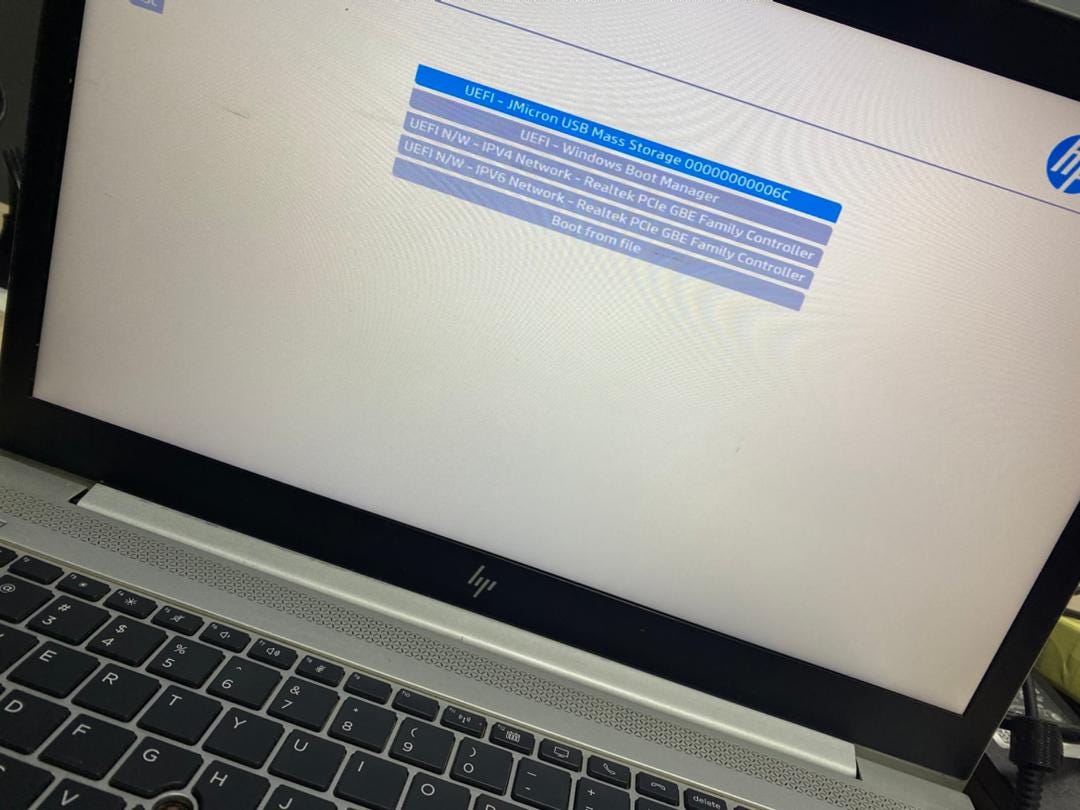
Dual-booting Kali Linux 2025 alongside Windows 10/11 on modern UEFI systems can be frustrating — especially when your system refuses to boot from USB or fails to detect Windows after installation.
After running into this exact issue on an HP laptop, I found a reliable fix that not only restores GRUB properly but also ensures your system always has a working fallback boot path.
Here’s a clean, step-by-step solution.
The Problem
After installing Kali Linux:
- GRUB loads, but Windows doesn’t appear
- Selecting the USB installer sometimes fails to boot
- System may loop back to BIOS or ignore boot selections
This usually happens because:
os-proberis disabled by default- UEFI boot entries are missing or broken
- No fallback EFI bootloader exists
The Solution
1. Enable OS Detection in GRUB
Kali (and many modern distros) disable OS detection by default.
Open the GRUB config file:
sudo nano /etc/default/grubFind this line:
#GRUB_DISABLE_OS_PROBER=falseUncomment it so it becomes:
GRUB_DISABLE_OS_PROBER=falseSave and exit.
2. Update GRUB
Now regenerate the GRUB menu:
sudo update-grubThis should detect:
- Windows 10
- Windows 11
3. Create a UEFI Fallback Bootloader (Critical Fix)
This is the step that makes the setup robust.
Navigate to your EFI partition (usually mounted at /boot/efi) and ensure the following structure exists:
EFI/
 ├── Boot/
 │    └── BOOTX64.EFI
 ├── kali/
 │    └── grubx64.efi
 ├── Microsoft/
      └── Boot/
If EFI/Boot/BOOTX64.EFI does not exist:
- Create the folder:
sudo mkdir -p /boot/efi/EFI/Boot- Copy GRUB as the fallback bootloader:
sudo cp /boot/efi/EFI/kali/grubx64.efi /boot/efi/EFI/Boot/BOOTX64.EFIWhy This Works
- os-prober allows GRUB to detect Windows installations
- update-grub rebuilds the boot menu with proper entries
- BOOTX64.EFI acts as a universal fallback bootloader that UEFI firmware always checks
Even if your BIOS boot entries break or disappear, your system will still boot into GRUB.
BIOS Settings (HP Users)
For best results on HP systems:
Secure Boot:
- Try Enabled first (UEFI mode)
- If issues persist, disable it.
Legacy Support:
- Keep Disabled unless necessary
USB Boot:
- Ensure it’s enabled
Key Takeaways
- Modern Linux distributions don’t automatically detect Windows anymore
- UEFI systems rely heavily on correct EFI file placement
- Creating a fallback
BOOTX64.EFIcan save your system from boot failures
Final Result
After applying this fix:
- GRUB properly lists Windows and Kali
- USB boot works reliably
- System remains bootable even if firmware resets
Closing Thoughts
This approach turns a fragile dual-boot setup into a stable, production-ready configuration. If you’re working on Kali + Windows in a UEFI environment — especially on HP hardware — this method can save you hours of troubleshooting.
If you’ve run into similar issues or have improvements, feel free to share your experience. kindly dm me.
Happy hacking
메타데이터
- post_id
- 2d706ef7cceb
- slug
- fixing-dual-boot-issues-with-kali-linux-2025-and-windows-10-11-uefi-on-hp-laptops-2d706ef7cceb
- url
- https://medium.com/@obengebenezer01/fixing-dual-boot-issues-with-kali-linux-2025-and-windows-10-11-uefi-on-hp-laptops-2d706ef7cceb
- canonical_url
- https://medium.com/@obengebenezer01/fixing-dual-boot-issues-with-kali-linux-2025-and-windows-10-11-uefi-on-hp-laptops-2d706ef7cceb
- author_url
- https://medium.com/@obengebenezer01
- status
- ok
- fetched_at
- 2026-06-29 01:02:39


